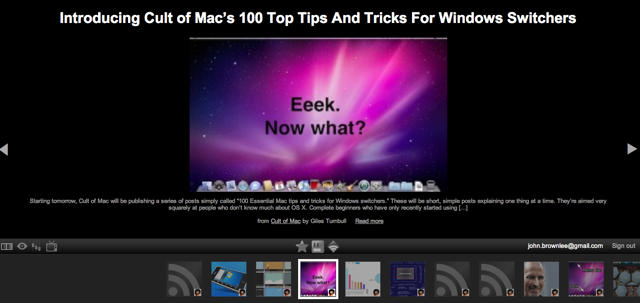
As the first example of what will likely be a growing trend, Google — always a progressive front runner in getting their products on Apple’s devices as soon as humanly possible — have just revealed an iPad-friendly version of Google Reader called Google Reader Play.
Google Reader Play makes RSS feeds more accessible to tablet users by treating each news feed like a Flickr slideshow. Only one news item is shown at a time: each is recommended based on what a subscriber has previously liked. It also pulls items and shared articles from a subscriber’s own Google Reader account.
It’s not quite iPad ready just yet — load Google Reader Play up on your iPhone and you’ll quickly discover you can’t swipe to flip to the next item, which is an obligatory interface feature for the iPhone OS — but I’d expect all of these tablet-specific problems to be resolved by April 3rd.
[via Gadget Lab]

John Brownlee is a writer for Fast Company, and a contributing writer here at CoM. He has also written for Wired, Playboy, Boing Boing, Popular Mechanics, VentureBeat, and Gizmodo. He lives in Boston with his wife and two parakeets. You can follow him here on Twitter.

