Use Volume Button Extender for Easy Music Control on Your iPhone [Jailbreak Superguide]

Use Volume Button Extender for Easy Music Control on Your iPhone [Jailbreak Superguide]

If you haven’t upgraded to iOS4, VolumeButtonExtender available on Cydia is worth checking out.  While the iPhone offers a couple of ways to control your music, you need use the screen to do it, not a great solution if you’re jogging, using it in the car or otherwise need to turn adjust the volume or skip tracks quickly with just one hand and minimal attention.

VolumeButtonExtender gives you quick access to the music controls, even in standby mode, using just the volume buttons. Available on Cydia, the handy utility also helps extend your battery life. Here’s Cult of Mac’s guide to help get you started.

What you’ll need:

  • A jailbroken iPhone/iPod Touch with Cydia installed.
  • Wi-Fi and Internet access on the device.
  • VolumeButtonExtender from Cydia

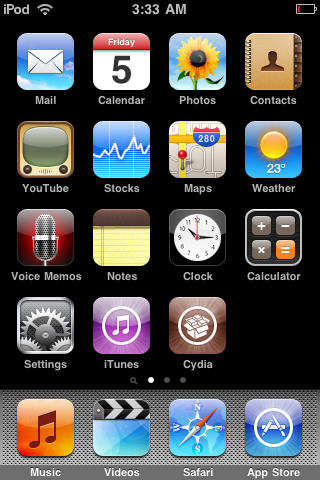
1. To start, you’ll need a jailbroken device with Cydia installed. If you need to jailbreak your device, please check out our jailbreak guides. Press the Cydia icon to open it.
Use Volume Button Extender for Easy Music Control on Your iPhone [Jailbreak Superguide]

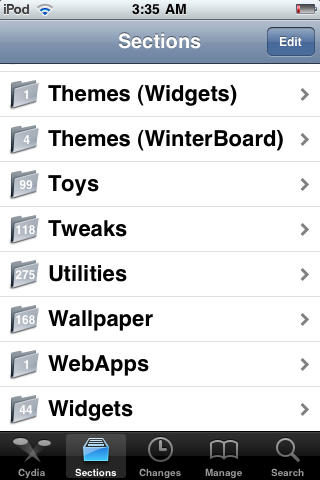
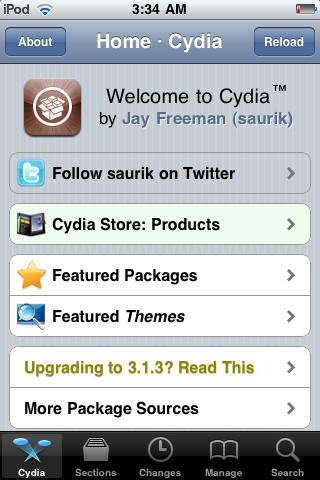
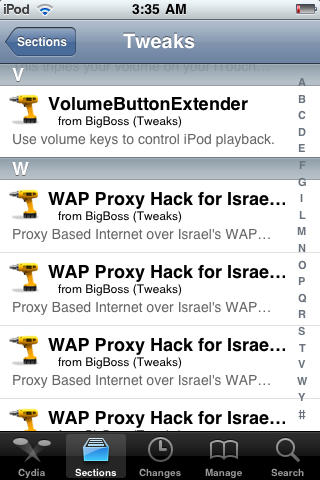
2. After Cydia launches, choose the ‘Sections’ tab and then select
‘Tweaks.’
Use Volume Button Extender for Easy Music Control on Your iPhone [Jailbreak Superguide]

Use Volume Button Extender for Easy Music Control on Your iPhone [Jailbreak Superguide]

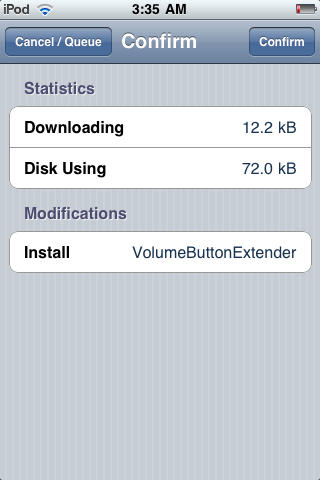
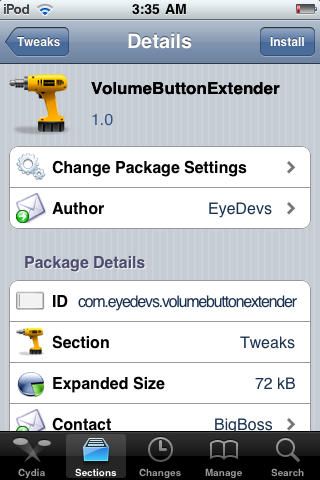
3. Open the Backgrounder package and hit ‘Install.’ Next, choose ‘Confirm’ to begin downloading and installation.
Use Volume Button Extender for Easy Music Control on Your iPhone [Jailbreak Superguide]

Use Volume Button Extender for Easy Music Control on Your iPhone [Jailbreak Superguide]

Use Volume Button Extender for Easy Music Control on Your iPhone [Jailbreak Superguide]

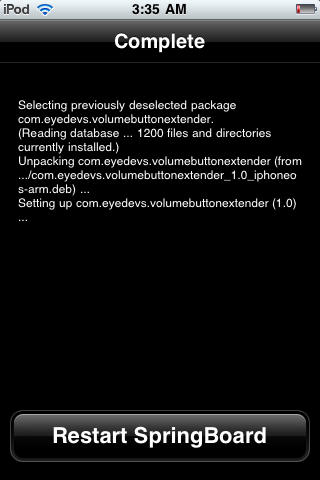
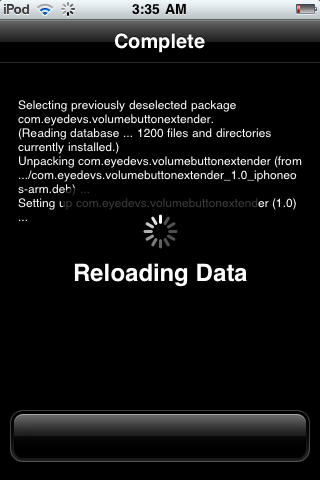
Choose the ‘Restart Springboard’ option after installation is complete.
Use Volume Button Extender for Easy Music Control on Your iPhone [Jailbreak Superguide]

Use Volume Button Extender for Easy Music Control on Your iPhone [Jailbreak Superguide]

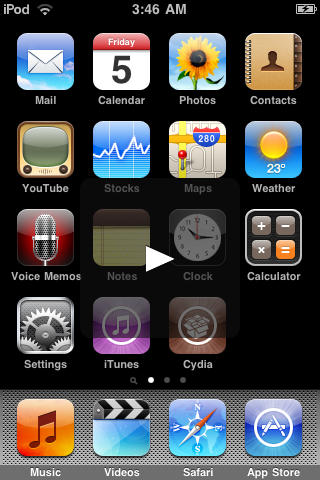
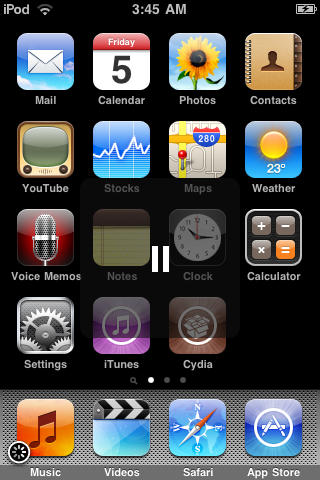
4. You can now launch the application from anywhere on the iPhone (lockscreen, homescreen, inside applications etc.) and even when the device is in standby mode.

Press and hold the volume up or down buttons to play or pause tracks.
Use Volume Button Extender for Easy Music Control on Your iPhone [Jailbreak Superguide]

Use Volume Button Extender for Easy Music Control on Your iPhone [Jailbreak Superguide]

Press and hold the ‘volume up’ button to skip to the next track.
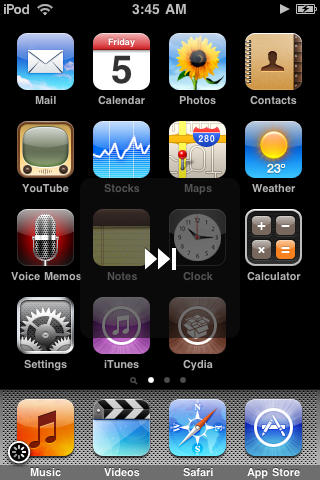
Use Volume Button Extender for Easy Music Control on Your iPhone [Jailbreak Superguide]

Press and hold the ‘volume down’ button to skip to the beginning of the track or previous track.
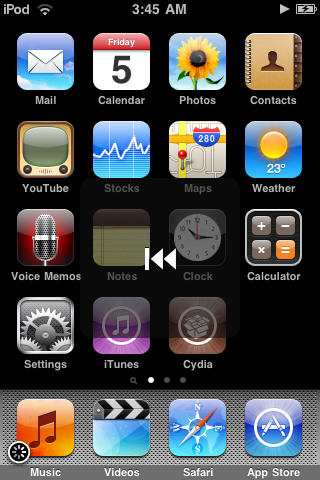
Use Volume Button Extender for Easy Music Control on Your iPhone [Jailbreak Superguide]

DON'T MISS
Access Your iPhone File System with SSH [Jailbreak Superguide]

About the author

Sayam Aggarwal

Sayam Aggarwal is a 18-year-old student living in India who has been an Apple fan for almost 5 years. He has worked with ModMyi, one of the leading iPhone communities, as an author for more than a year. He spends most of his free time on the Internet fetching the latest news regarding Apple and its entire product range. Follow him on Twitter!


(sorry, you need Javascript to see this e-mail address)| Read more posts by .

Posted in News | Tagged: |

  • http://tekunoloji.com Raymond

    Cool tip. Thanks.

  • DCJ001

    Jailbreak guides from an irresponsible sixteen year old are not appreciated.

  • thiago

    thanks man. jailbreak rules!

  • SimUK

    Sayam,

    You’re a clever guy, and seeing as you’re 16, I’m blown away by your knowledge shown on this site through your guides!

    Thanks.

    Not sure I’d ever take the iPhone jogging though ;-)

    Cheers,

    Sim.

  • schelm

    hey,
    is possible that VBE does not work on ios 4.0?

  • VeniVidiVici

    VBE worked fine on my 3GS when I was still running 3.1.3, but after I upped to 4.0.1 I found that VBE caused my phone to freeze/stall everytime I pressed the volume button. I found a couple other cydia apps to do the same (i.e. statusnotifier)

  • iphone user

    it drains battery so fast!!!i charged my phone and it drained almost 50% while listening to music!