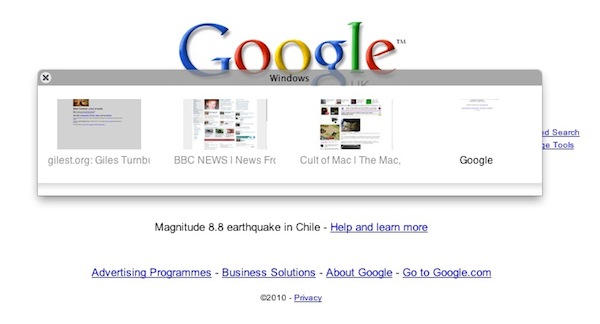
Plainview is a web browser with a difference. It’s a full screen browser, lacking any bells and whistles at all except just the one: no chrome, if you’ll forgive the pun.
So all you get is web content from floor to ceiling. Everything else gets hidden away, including your Dock and your Menu Bar.
So, you might wonder, why on earth would I want that? Good question.
The makers of Plainview, the Barbarian Group, don’t usually spend their time making software. They tend to make other stuff for the internet. Web sites and the like. Thing is, when you’re in the business of making web sites, it can be useful to have a means of showing off your work to others. And that’s what Plainview was made for.
It has a built-in kiosk mode and can be used for instant presentations. Just save a bunch of web addresses in the bookmarks manager, drag them into the order you want them to appear, and boom: you have a presentation of your web portfolio, ready to go.
Not all of us are web developers, but I’m sure you’ll be able to think of times when a full-screen web-savvy kiosk thing will come in useful. Plainview is a free download and requires OS X 10.4 or up. Happy full screen browsing.

Giles Turnbull is a freelance writer in England. He also writes for the Press Association and The Morning News. You can find out more at his website, and follow him on Twitter @gilest.

