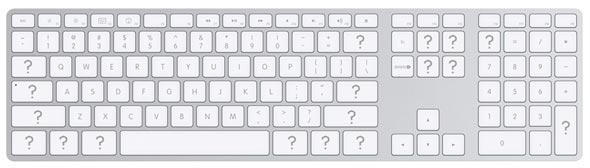
I got absurdly excited when the new Apple keyboard was demonstrated, and immediately put in my order blind. I’d been looking for a decent laptop-like keyboard, and this seemed to fit the bill. In use, I haven’t been disappointed with it.
However, my glee was initially two-fold, partly driven by what was actually printed on the keys, and this is the area that’s led to some disappointment. Find out why after the jump.
When you do a lot of writing for magazines, as I do, you tend to refer to key commands and shortcuts a lot. Different magazines have their own style guides, and while some use the symbols displayed in Mac OS X’s menus, others rely on the key names in full (‘Control’, ‘Command’, ‘Option’, and so on). Although Apple’s current keyboard line is an improvement on the keyboards of old (finally dropping the Apple logo from the Command key, which should—hopefully—stop people saying things like “Apple-S to save!”), there’s massive inconsistency across the range.
Taking two English-language keyboards as an example—the default US-English model and its British-English equivalent—problems become apparent with only a little investigation. Of the two, the US one is superior—the majority of the keys are labelled in plain English, which is a great start. However, although the Command key has its Swedish road-sign icon alongside the word ‘command’, such symbols are absent from Option, Shift and Control.
On the British model, things are far worse. ‘Command’ is truncated to the useless ‘cmd’; the word ‘Option’ is replaced by the symbol, rather than both appearing—although there’s still room for ‘alt’, which is fine for Windows switchers, but ‘alt’ is not actually the name of any Mac key; and while Shift has its icon, it’s devoid of text. (The less said about the hateful shortening of ‘Control’ to ‘ctrl’, the better, frankly.)
And why Apple insists on removing # from British keyboards entirely I don’t know—if I had a penny for every time someone’s told me you can’t do web design on a Mac, because there’s no # key, I wouldn’t be rich, but I could buy a couple of pints down the pub. (The key is mapped to Option-3 in the UK, fact fans. The Euro symbol is mapped similarly, to Option-2, but, inexplicably, Apple actually does print that on the key, next to @. Clearly, Apple hates British web designers and programmers.)
This post will undoubtedly strike many readers here as anal, not least because many of you are seasoned Mac users. However, in order to Apple to truly grow its marketshare, it has to snare switchers and newcomers, and neither of those demographics are catered for properly with the current keyboards. While I doubt anything’s likely to change in the remotely near future, here’s hoping Apple takes a long look at its keyboards at some point, and makes some handy tweaks for usability’s sake: a couple of extra symbols or words here and there might skew the aesthetics slightly, but it’d go a long way to making the current keyboard near-perfect.

Craig Grannell was once Cult of Mac’s designer and an occasional contributor. Find out whatever he’s doing now on Twitter @CraigGrannell or his website, craiggrannell.com.

