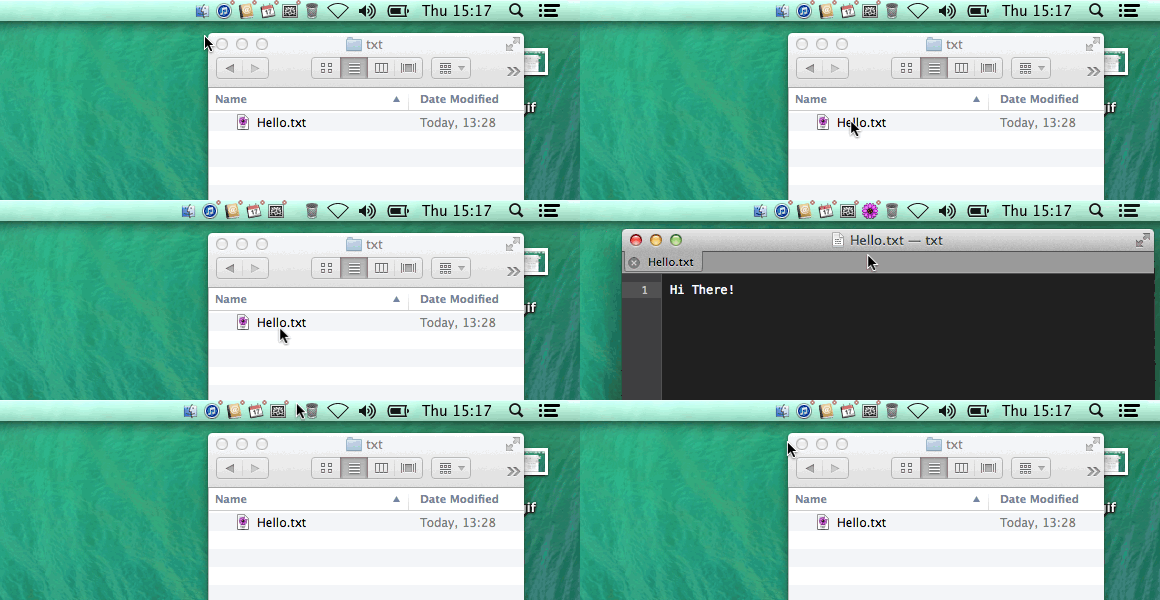
If you’re like me, you hate OS X’s Dock. While a useful UI innovation on Apple’s part, the dock takes up a surprising amount of screen real estate on what, in the end, adds up to a superfluous amount of visual fluff.
You can hide your dock, sure, but isn’t there a better alternative to dock? As it turns out, there is… and thanks to a cheap Mac app, that alternative is the Menu Bar.
Called StatusDuck, this app will take all of your Dock’s applications and folders and shove it right into the Menu Bar, disappearing the dock for good. But apps in the Menu Bar still work like Dock Items: you can launch apps, open folders, switch between programs, drag items to the trash, and more.
Basically, then, it’s a convergence: the Dock and Menu Bar in the same visual footprint of the Menu Bar by itself. It’s got some of the same problems as the Menu Bar — most notably, when it gets crowded, it starts looking like Android — but it’s a better alternative to wasting a huge chunk of your screen’s real estate to a UI element that is effectively for show.
Starduck costs $15, usually, but you can check it out for free thanks to a limited trial. If you hate how much space the Dock takes up, you may very well be glad you did.
Source: StatusDuck
Via: Lifehacker

John Brownlee is a writer for Fast Company, and a contributing writer here at CoM. He has also written for Wired, Playboy, Boing Boing, Popular Mechanics, VentureBeat, and Gizmodo. He lives in Boston with his wife and two parakeets. You can follow him here on Twitter.


16 responses to “Say goodbye to the OS X Dock. With StatusDuck, you’ll never need it again”
UM…option command D…? Seems a really simple solution for hiding/viewing the dock? why complicate things?
Option Command D……..I didn’t know that. Okay, I learn something today.
That only works well as long as you don’t have a gazillion icons on the menu bar (or have a gigantic screen). Otherwise it gets cluttered pretty fast. Not worth the money, in my opinion :)
Isn’t this just Microsoft Windows but at the top of the screen?
Auto hiding the dock is the better solution.
Horrid execution, it just doesn’t look right and looks quite disconnected from the Mac experience
this app does not hide the dock…if you scroll over to where it is, it will still pop up…which is the whole reason i tried it.
Honestly John, sometimes you sound like a Windows user looking for ways to bash the Mac. To say you “hate” the dock seems a bit overblown, since it’s so easy to get it out of the way if it’s taking up too much room. I personally love the dock. When it does get in the way, I just use command-option-D which hides the doc but still allows it to pop up when I mouse down to the bottom of the screen. The images shown for StatusDuck make the app look convoluted as hell. I’m glad you like it, however, the dock for me is simple, intuitive and FAST. I have 46 icons in my dock on both my 30″ monitor and my 17″ MacBook Pro. StatusDuck seems to be a solution in search of a problem.
If you’re like me, you hate a cluttered menu bar.
Yeah why the hell would you wanna add more crap to the menu bar?!
So instead of having usefully-sized icons in a handy and discrete dock, we now have tiny ugly icons cluttering up the menu bar. Sounds like a massive leap backwards.
“If you’re like me, you hate OS X’s Dock.”
With all due respect, I don’t think there are many Mac users like you out there. Like others commenting here, I just auto-hide the dock.
“Problem” solved.
Thanks god I’m not like him and I don’t hate OS X’s Dock.
Problem not even exists.
With the introduction of Launchpad, I really do wish I could switch off the dock at times. I use Launchpad so much more.
Another thing I would welcome is being able to hide is the top menu bar and have it only pop up when I need it to.
This is one of the worst apps as well as product plugs ever! I already have enough problems getting the likes of Dropbox and chrome’s stupid bell out of my menubar.
Why would I want my menubar tacky like the windows “superbar”??? Let me guess you like icons on your desktop too?! What a tasteless individual.
I just tried it. Didn’t like it and just un-installed it. Also fellow mac lovers, might I suggest an APP that i adore: it’s called Bartender. It can hide any menu bar icon and I have had a slick clean menu bar for several months now. This blows this stupid Duck outta the h20.