
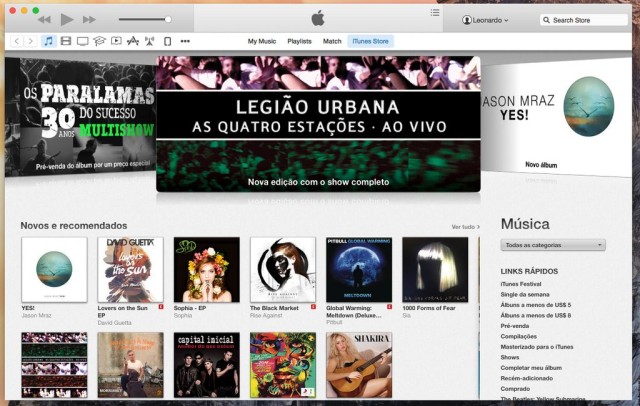
Apple has included iTunes 12 in the newest OS X Yosemite beta released today. It’s a pretty clean redesign that focuses on de-chromifying a lot of the interface elements and introducing new icons.
The iconic iTunes icon has also been changed from blue to a reddish pink. Here’s more of what iTunes 12 looks like:
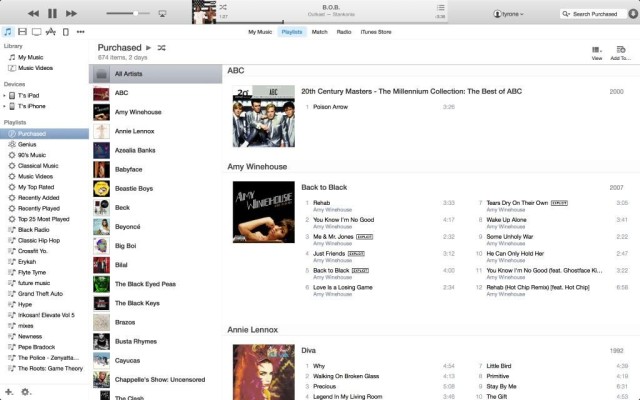
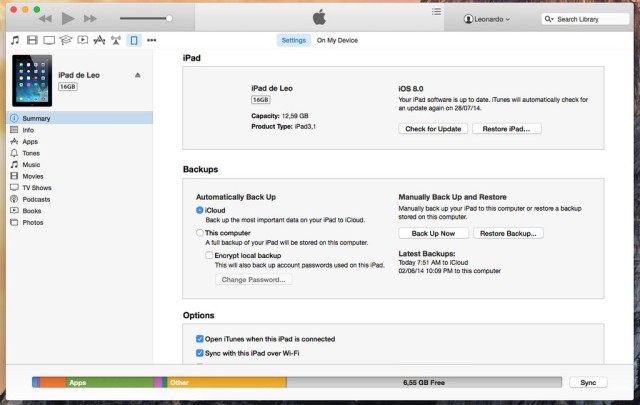
As you can see, Apple had added the ability to quickly access your iTunes account in the right of the app’s top bar.

OS X Yosemite will launch for the public in the fall alongside the release of iOS 8, which also entered its fourth beta today.

Alex Heath is a journalist who works for Tech Insider. He’s the former co-host of The CultCast. He has been quoted by the likes of the BBC, KRON 4 News, and books like “ICONIC: A Photographic Tribute to Apple Innovation.” He lives in Lexington, Kentucky. If you want to pitch a story, share a tip, or just get in touch, additional contact information is available on his personal site. Follow him on Twitter.


11 responses to “A look at the redesigned iTunes 12 in OS X Yosemite beta”
Where is the translucency? iTunes would look great if the album art went through the title bar…
I think, they didn’t make it translucent because iTunes 12 will be available for others OS X versions.
ugly design… :(
iTunes 11 had an overwhelming interface change. iTunes 12 has an overwhelming logo color change.
I can’t believe Apple designed this POS
Where are the round edges?… :|
What rounded edges are you missing?
I really miss cover flow :(
iTunes looked and worked so much better 5 years ago!
So did everything, including me lol. God bless Snow Leopard.
is there a fullscreen mode? Can’t find it anywhere
its now the green button in the top left corner