Are you on a capped data plan? Unless you’re one of the lucky few that were grandfathered in by an older, unlimited cell plan for your iPhone, chances are you are.
But you want to do FaceTime calls, right? If you need to track how much data you’re using on them, iOS 7 has a handy tool built right in to the FaceTime app. Check it out.
Launch FaceTime and start a call. Or, alternatively, have a buddy call you via FaceTime. Chat with them for a bit, and then hang up.
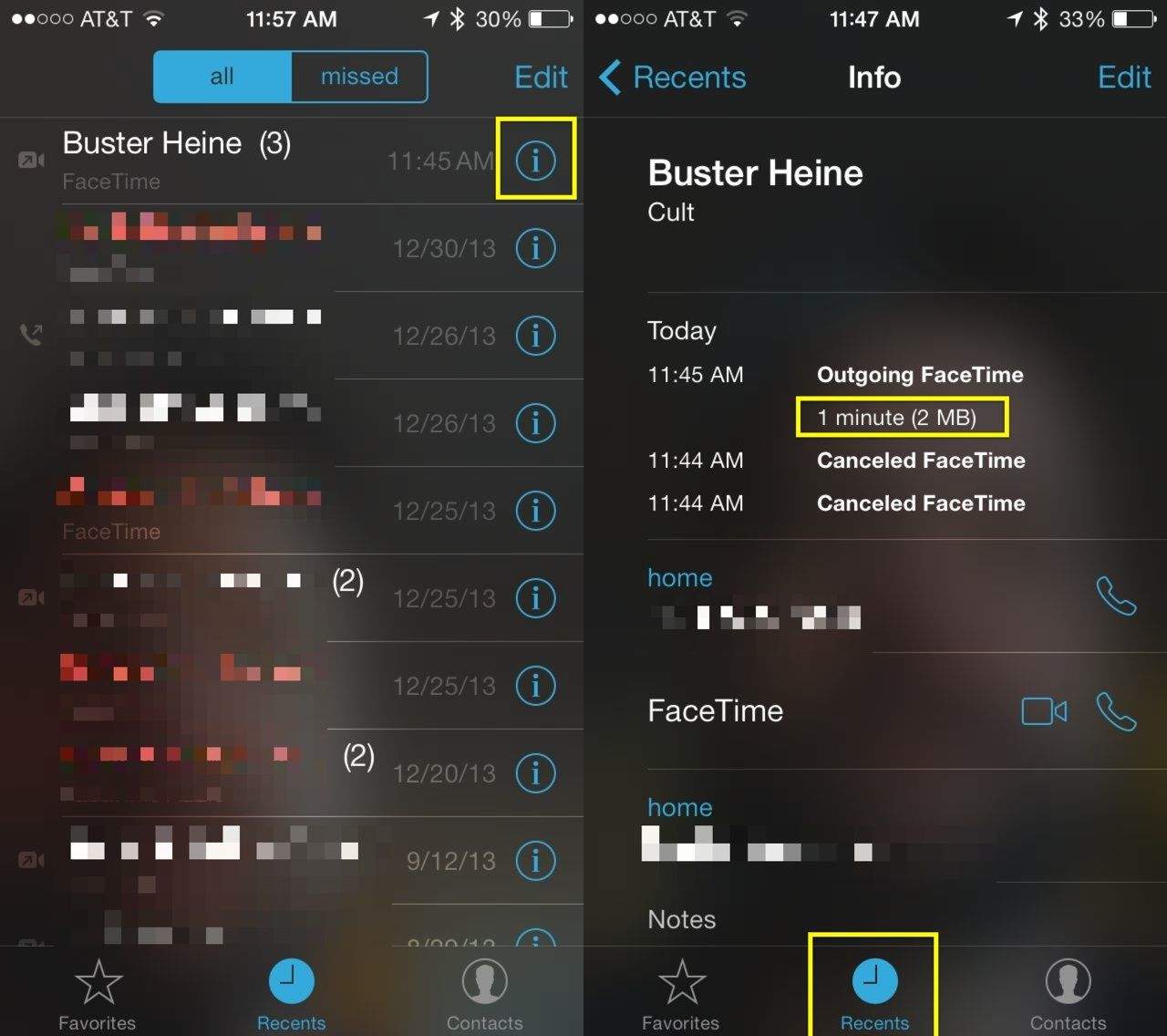
Tap the Recents button in the lower center of the FaceTime screen and then tap on the little info icon (looks like a lower-case i) next to that call you just made or received. You’ll see your FaceTime info for that contact, which shows you whether the call was incoming or outgoing, and how long it went. You’ll also see how much data it used.
This will work whether you’re using LTE, 3G, or Wi-Fi.
Hat tip to Pietro Montanarella, who sent us this Tweet earlier:
.@cultofmac #iOSTip FaceTime tells you the amount of data used by a call pic.twitter.com/i45UtsrCP1
— Pietro Montanarella (@p_montanarella) January 29, 2014
Via: Pietro Montanarella“>Twitter

Rob LeFebvre is an Anchorage, Alaska-based writer and editor who has contributed to various tech, gaming and iOS sites, including 148Apps, Creative Screenwriting, Shelf-Awareness, VentureBeat, and Paste Magazine. Feel free to find Rob on Twitter @roblef, and send him a cookie once in a while; he’ll really appreciate it.

