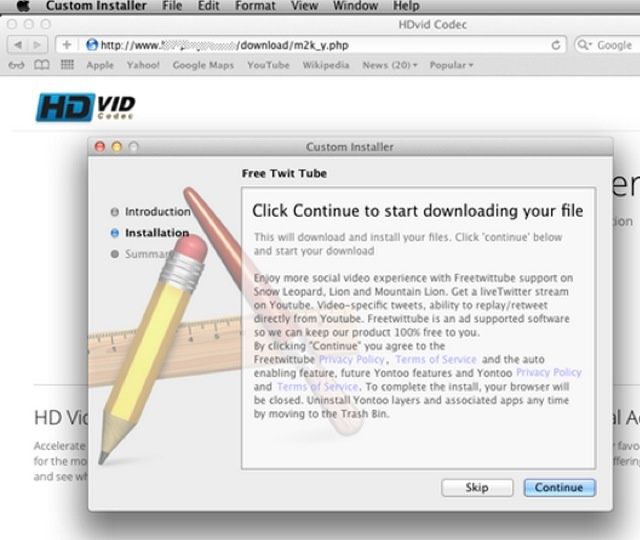
It’s being reported that a new Mac trojan is in the wild, but in truth, it’s pretty hard to infect your machine with it as long as you play it smart.
The so-called trojan is called Yontoo, and it’s a browser plugin published by a US-based software company that “creates virtual layers that can be edited to create the appearance of having made changes to the underlying website.”
In other words, if you install Yontoo, it’ll spray stuff like its own ads on websites you visit. Shady.
The reason Yontoo is being characterized as a trojan is because it misrepresents itself upon installation. What Yontoo does is spoof an Apple dialogue box that pops up on multiple fraudulent movie trailer pages, claiming that if you install a free plugin, you’ll be able to watch the embedded video.
In other words, it’s pretending to be a media player, when all it really does is display ads.
Yontoo isn’t a Mac-only affair; versions of the Yontoo plugin also exist for Windows and Linux. Even if you do install Yontoo by mistake, the worst that will happen is you’ll see some ads you otherwise wouldn’t have, but the easiest way to avoid being infected is to just not install it.
Source: ZDNet

John Brownlee is a writer for Fast Company, and a contributing writer here at CoM. He has also written for Wired, Playboy, Boing Boing, Popular Mechanics, VentureBeat, and Gizmodo. He lives in Boston with his wife and two parakeets. You can follow him here on Twitter.

