If you’ve spent some time with last week’s app tip, Glympse, you’ll know it’s pretty handy to send your location info along to friends, family, or co-workers. One feature that is missing from Glympse, however, is an automatic message about when you’ll be there.
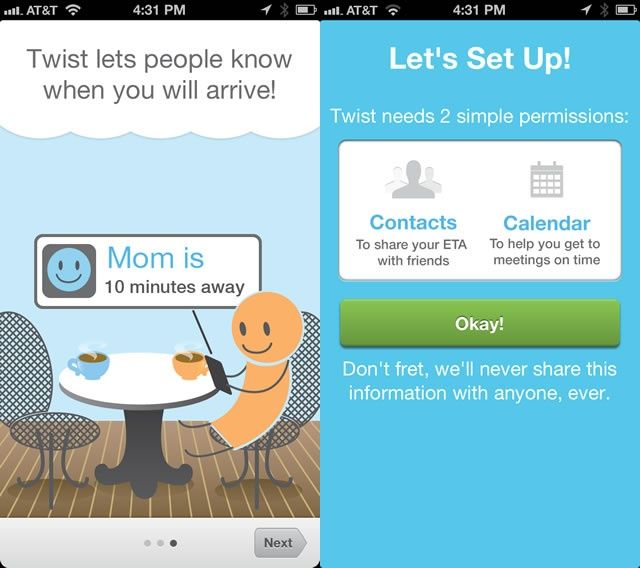
Twist, another iOS app that helps you keep folks you’re meeting up with aware of where you are, has just that — an automatic ETA message.
When you download and launch Twist on your iPhone, you’ll be taken through a few short setup screens. You’ll need to give Twist permission to access your Contacts and Calendar info, and then you’ll be asked if you want to add any or all of your iPhone contacts to a Twist invite. I skipped that part.
Once in the app, you can set a couple of Favorite destination Twists (I chose Home and Work) to quickly send Twists to people you meet there regularly. When ready to head to a destination, you simply tap the New Twist button, choose the destination via address or Contact name, choose recipients of your Twist (which can be email or mobile number for SMS), and then choose who to notify. When you leave your current location, the Twist notification is sent via email or text message.
Pretty cool, especially for a free app. Give it a try and let us know what you think in the comments below.
Source: iTunes App Store

Rob LeFebvre is an Anchorage, Alaska-based writer and editor who has contributed to various tech, gaming and iOS sites, including 148Apps, Creative Screenwriting, Shelf-Awareness, VentureBeat, and Paste Magazine. Feel free to find Rob on Twitter @roblef, and send him a cookie once in a while; he’ll really appreciate it.

