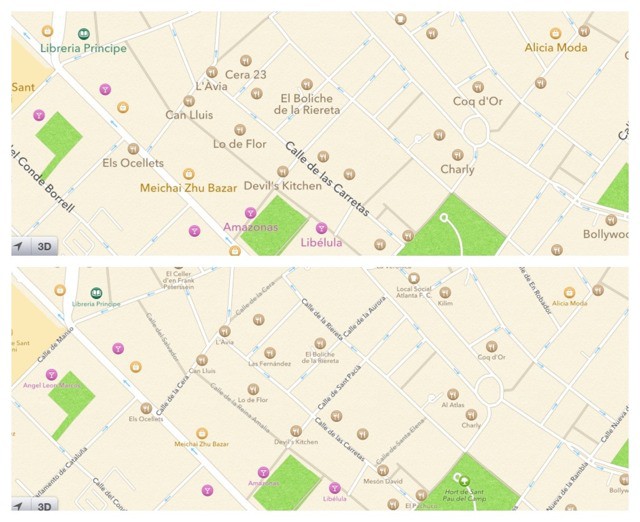
It won’t add transit directions, nor will it stiffen those melted roads which are draped, Dalí-esque, over the underlying terrain. But this simple, one-setting tweak will make iOS 6’s beleaguered maps app a whole lot more useful.
Go to settings and change the label size in Maps to “small.” The labels don’t actually get that much smaller, but they do become more numerous. Streets previously too narrow to be named now gain labels, and places in general are no longer drowned out by POI, or “points of interest.”
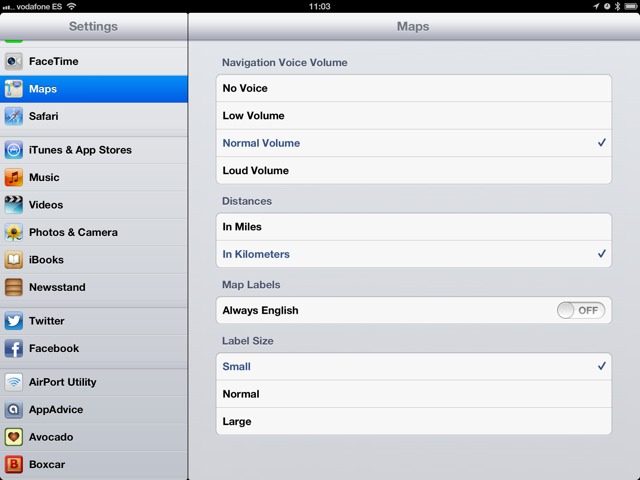
And that’s it. Thanks to Apple’s excellent new vector map tiles, the change is almost instant and doesn’t even seem to use any network data to make the switch. And thanks to these same tiles, zooming in and out is as fast and smooth as ever.
Go change this setting right now.
Source: TheRobbBlog

Charlie Sorrel writes reviews and how-tos. Follow Charlie on Twitter at @mistercharlie, and at micro.blog on @mistercharlie

