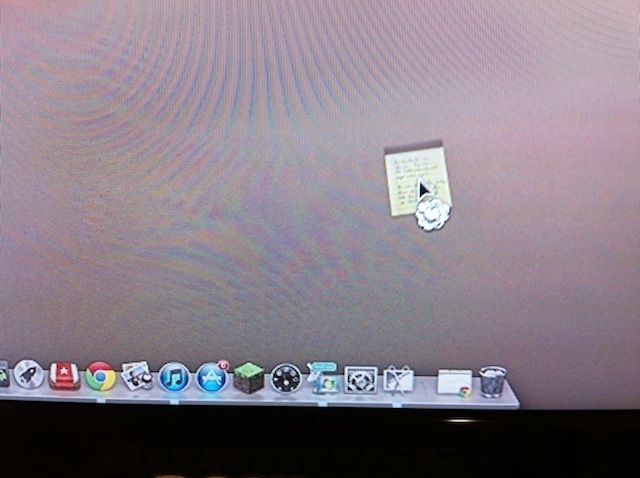
Have you tried to get rid of an application or document from the Dock after an upgrade to Mountain Lion? Before now, it was a simple drag and release: click on the offending icon, drag it away from the Dock, and let go. The little “poof” cloud would appear and the icon would be gone from the Dock. New OS X users would freak out, crying, “You got rid of my app!” and I would laugh. Also, I would show them where the actual app was, and how to put the icon back in the Dock, as the icon is simply a pointer to the real app. But I digress.
In Mac OS X Mountain Lion, this doesn’t work in quite the same way anymore. Try to click, drag, and release just ends up with the icon speeding back to its previous place in the Dock. You want to get rid of it? You have to learn a new, subtly different behavior.
Apple has made it a little less easy to remove Dock icons, thought it’s still pretty straightforward.
Click on the icon you want to remove, and drag it away from the dock a bit. Hold the icon there with the mouse button held down, and a little “poof” icon will appear in the lower right of the icon itself. Release the mouse or trackpad button and it’s bye, bye icon. It’ll even “poof” for you with the familiar animation. Sweet!
The other way to get rid of icons is to drag it to the Trash, which does sort of make sense. You’ll be saved the “hassle” of having to hold the icon off the Dock, saving precious nanoseconds.
The right-click method is still available, too. Simply use the right button on your two button mouse, or hold the Control key down while you click on an icon you’d like to remove from the dock. Hover over the Options item, and then click on Remove from Dock. If you have an active app that isn’t usually one of your Dock icons, you can add it here the same way, only choose Keep in Dock.
Got it? Get it? Good.
Are you using OS X Mountain Lion? Got a tip you want to share with us? Drop me a line or leave a comment below.

Rob LeFebvre is an Anchorage, Alaska-based writer and editor who has contributed to various tech, gaming and iOS sites, including 148Apps, Creative Screenwriting, Shelf-Awareness, VentureBeat, and Paste Magazine. Feel free to find Rob on Twitter @roblef, and send him a cookie once in a while; he’ll really appreciate it.

