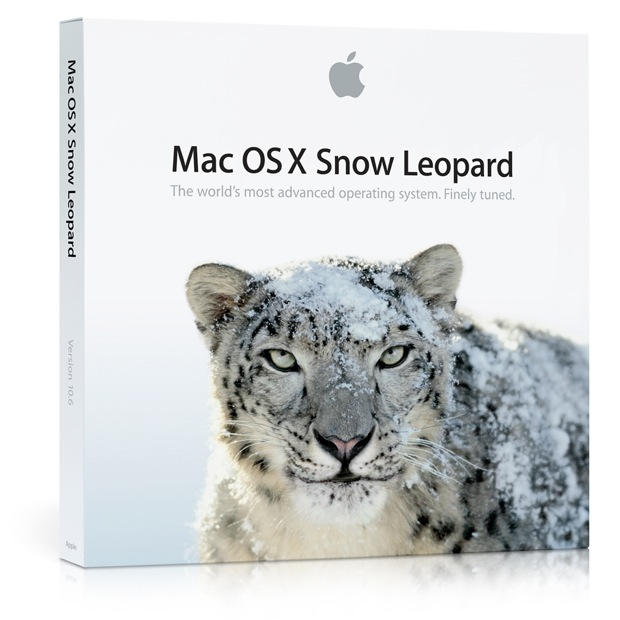
Snow Leopard Bug May Delete User Data

snow_leopard

If you’re still not convinced about the need for regular backups, maybe talking with some Snow Leopard users will. The Apple support boards are buzzing with reports of Leopard users finding data zapped.

“Users start their Macs up as normal only to find they’ve logged in as ‘Guests’ on their machine – with all the files and data held on their Mac in their own user account seemingly deleted,” according to 9to5.

About 18 percent of Mac users have upgraded to Snow Leopard since its release August 28, we reported earlier this month.

A tell-tale sign of the problem is the automatic creation of a Guest account. Just prior to your /users data vanishing, a “Guest” account is created. “Post crash that Guest folder has disappeared again,” writes one poster on Apple’s Discussion area. The problem may also appear if you’d previously created a Guest account.

What to do until Apple corrects the bug (not mentioned in the OSX 10.6.1 update)? Backup, backup, backup, advises Cnet. “We strongly urge everyone to use Time Machine or a similar full system backup for this very purpose, and hopefully those who are affected have a recent backup handy.”

For more discussion on the bug, check out the Apple Discussions forums.

DON'T MISS

[Via 9to5 and Cnet]

About the author

Ed Sutherland

Ed Sutherland is a veteran technology journalist who first heard of Apple when they grew on trees, Yahoo was run out of a Stanford dorm and Google was an unknown upstart. Since then, Sutherland has covered the whole technology landscape, concentrating on tracking the trends and figuring out the finances of large (and small) technology companies.


(sorry, you need Javascript to see this e-mail address)| Read more posts by .

Posted in News, OS X |

  • Scott

    Did you actually _read_ the posts in the forum? This is bad journalism, Cultofmac…

  • Henry

    Wow, talk about fear mongering. Nothing says they were mysteriously logged into another account. All the users I’ve read about so far have admitted that they, themselves, accidentally clicked on the “guest” account at the login screen. Some even realized their error and tried to cancel the login.
    I agree with Scott – did you even bother to read, or do you just like to pull the most sensationalist angle out of your ass for more page views?

  • Fuzzypig

    Should always backup your important stuff anyway, not just when you think there may be a problem in the offing! Alright easier said than done, and hindsight is always 20/20, but 25 years in IT has taught me to copy stuff before you play with it, just in case you have a brain-fade moment!

    500GB USB external drive, what $50-$65? Switch on Time Machine, sorted! Bet your files are worth more than $50!?

  • Guy

    Simple… DO NOT upgrade your Leopard install. BACK it up, then KEEP that back up, TEST IT. Then flatten your drive, or get a new drive like I did. Fresh install Snow Leopard, … migrate the data from the backup. and retain your backup. THEN when your Snow Leopard is set up, back it up. I ended up with a clean install, on a faster and larger drive and a Mac that goes like lightning.

  • haggis

    Time to remove Cult of Mac from my newsreader I think.

  • Cowicide

    Bah… time to remove yourselves… you guys flipping out here… the article is legit (unlike you).

    Found this via the same links, you twits…
    http://reviews.cnet.com/8301-13727_7-10346974-263.html

    Good job, Ed.

  • DugsterVD

    Just when I was leaning to a new machine and was almost sold on purchasing a Mac…well maybe they are not as safe as everyone says.

  • Isaac

    I actually had a similar problem last night for some reason. I was running Max OS x just fine last night and decided to boot into windows xp, however when I was done I tried to get back into osx and it wouldn’t boot. If I boot into osx off my external hard drive (My emergency backup installation) I can see my internal drive but when attempting to access the data on the drive it just locks up the finder.

    If I boot into windows xp I can access everything except my main user account that is apparently gone. All the other user accounts are still available along with all of my applications and system folder files. Disk utility detects no issue with my hard drive so I am not sure what’s going on, however, since I booted into Windows just prior to having this problem I’m guessing that maybe it might be related to my windows partition.

    What I don’t understand is why it is just my main admin user account that got wiped fully and none of the other data vanished. My main user account had over 5 gb worth of data in it and now detects only 50 kb in windows while my other user accounts still display over 1 gb.

    Since I can’t even get to the login screen mine isn’t the same issue as the locked to guest account problem.