Mobile menu toggle

New In iOS 6: App Store Doesn’t Require A Password To Download Free Apps

By

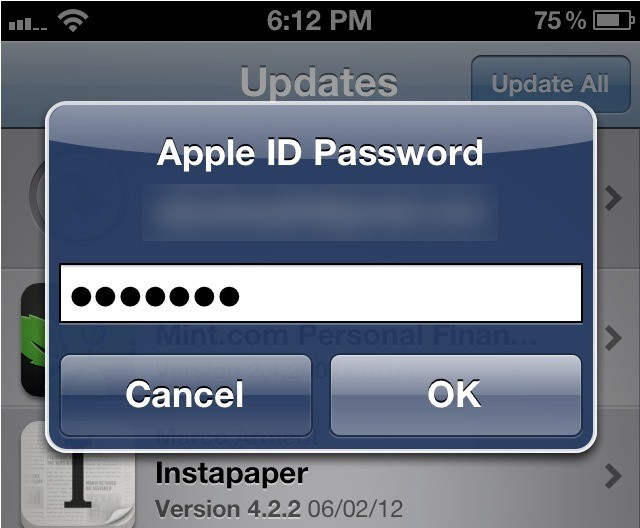
In iOS 6, you'll only see this when downloading a paid app.

Shortly after iOS 6 beta 1 made its debut in early June, Cult of Mac reported that users are no longer required to enter their iTunes password when downloading updates or previous purchases from the App Store. In iOS 6 beta 3, Apple has expanded this feature to cover free apps, too.

In the latest release, users no longer need to enter their password to download free apps — regardless of whether they’ve owned them before or not.

This means that in iOS 6, the only time you’ll need to enter your password in the App Store is to download a paid app. Isn’t that handy?

Source: Reddit

  • Subscribe to the Newsletter

    Our daily roundup of Apple news, reviews and how-tos. Plus the best Apple tweets, fun polls and inspiring Steve Jobs bons mots. Our readers say: "Love what you do" -- Christi Cardenas. "Absolutely love the content!" -- Harshita Arora. "Genuinely one of the highlights of my inbox" -- Lee Barnett.

12 responses to “New In iOS 6: App Store Doesn’t Require A Password To Download Free Apps”

  1. Hans Kisaragi says:

    Thanks Apple.. about time..

  2. Jack Charlton says:

    Now to download Grindr on every iPhone I get access to.

  3. pierrevano says:

    Nice :) !

  4. sajatjain says:

    I knew it!! I have been noticing for the past few months that I don’t need to put my password in to download app updates in iTunes. A huge convenience and now am glad to see this coming to iOS devices.

  5. lobbin says:

    Hopefully there will be a restriction for this, otherwise the kids will fill their units (with crap) within hours.

  6. ddevito says:

    Just another feature ripped off of Android.

    /s

    Seriously though it’s about damn time. Step two would be auto-download apps.

  7. thweisbach says:

    If I recall correctly, this is announced during the WWDC Keynote.

  8. lobbin says:

    Hopefully there will be a restriction for this, otherwise the kids will fill their units (with crap) within hours.

    It’s called ‘parental controls’. It’s also called ‘parenting’.

    I used the phrase “Restrictions”, because that is what Apple calls it. Our children’s iPods are restricted with In-App Purchases set to OFF, and Require Password to Immediately.

    Adding an ability to download “free” apps without a password means I have to completely disable the ability to install apps. As for parenting, I’m happy the way it works now.

  9. MacHead84 says:

    Greeeeat now anyone I hand my phone too can download apps and grant them permissions to my photo album, contacts, and location then bury the app in a folder so I dont notice! Yaaay, if you dont disable this feature, you dont care about security.

  10. ddevito says:

    Greeeeat now anyone I hand my phone too can download apps and grant them permissions to my photo album, contacts, and location then bury the app in a folder so I dont notice! Yaaay, if you dont disable this feature, you dont care about security.

    Simpleton.

  11. MacHead84 says:

    Greeeeat now anyone I hand my phone too can download apps and grant them permissions to my photo album, contacts, and location then bury the app in a folder so I dont notice! Yaaay, if you dont disable this feature, you dont care about security.

    Simpleton.

    Dont you have an android phone that isnt able to update to Jelly Bean somewhere that you can play with?

  12. matleroux says:

    Handy indeed but as a father of a 2 years old, I am eager to see a lock feature to unable access to appstore and the ability to move and delete icons… Apple designers, I know you read this, thx in advance

Leave a Reply

