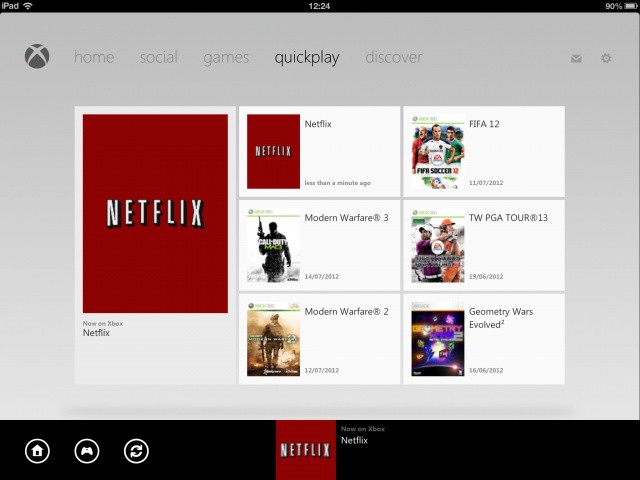
Microsoft’s free My Xbox LIVE app for iOS just got a brand new update that introduces the ability to use your iPad as a remote control for your console. You can use it to navigate your way around the menus, control media playback, and to “find fresh entertainment” in the new Discover section.
My Xbox LIVE version 1.6 can be downloaded from the App Store now, and once installed, you’ll get some awesome new functionality on your iPad.
Use your iPad with your Xbox to connect, control and discover content on your console. Connect your iPad for access to a quick list of your most recent console activity. Control your content with play, pause, fast forward and rewind media controls. Find fresh entertainment to play in the new Discover section.
Setup is as easy as ensuring both your Xbox and your iPad are logged in to the same Xbox LIVE ID, and that “Xbox Companion” is enabled on your console. You don’t even need to be connected to the same Wi-Fi network, though the app does advise you to do this for a speedy connection.
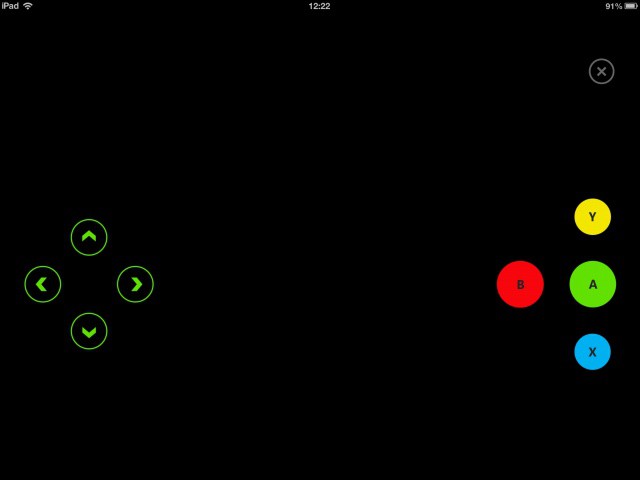
You can’t play games with your iPad, not that you would want to anyway, but you can control apps like Netflix.
Source: App Store

Killian Bell is a freelance writer based in the U.K. He has an interest in all things tech and also covers Android over at CultofAndroid.com. You can follow him on Twitter via @killianbell.

