The infamous Flashback trojan has now infected more than 600,000 Macs worldwide. Apple has issues two Java updates in an effort to patch the vulnerability in Mac OS X, but unfortunately for some, it was just too late.
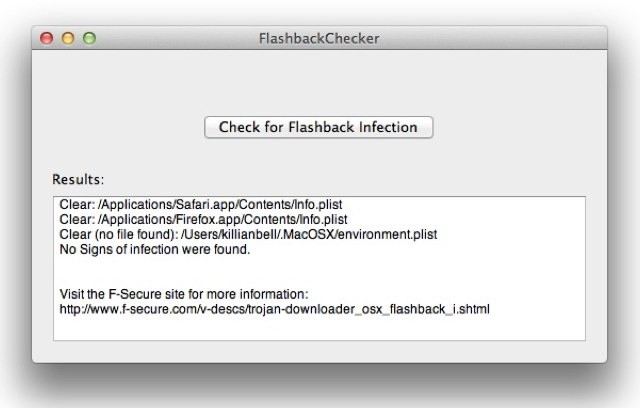
We’ve already published instructions on how to see if you’re Mac’s infected by using Terminal commands, but there is an easier way. FlashbackChecker is a simple piece of software that will quickly tell you whether or not your Mac is infected.
All you need to do is download the FlashbackChecker from Github, unzip the package, and open the application. Then click the “Check for Flashback Infection” button and let the software do its thing.
It literally takes seconds to find out whether your Mac’s at risk. If you’re see the “No Signs of infection were found” message, then there’s no need to worry.
But if you’re one of the unlucky ones who gets a “Potential Issue found” message, you can do something about it by using F-Secure’s guide to removing Flashback malware.
[via OS X Daily]

Killian Bell is a freelance writer based in the U.K. He has an interest in all things tech and also covers Android over at CultofAndroid.com. You can follow him on Twitter via @killianbell.

