Use the iPad’s Cameras To Add Analog Effects In Photoshop Touch [How-To]
One of the neatest things about running Photoshop on a the iPad is that it is both portable, and it has has cameras. That might not sound like much, but it lets you do a lot more than just take pictures. Photoshop Touch lets you shoot into the current project right from either camera, and you can use this to add some pretty amazing analog effects to your image.
Today we’ll take a look at two cool tricks, one using each camera. One needs a flashlight, and one needs a textured surface or a piece of paper. Go get your tools and follow along.
![photoshop touch lighting fx-02 Use the iPad’s Cameras To Add Analog Effects In Photoshop Touch [How-To]](http://cdn.cultofmac.com/wp-content/plugins/lazy-load/images/1x1.trans.gif)
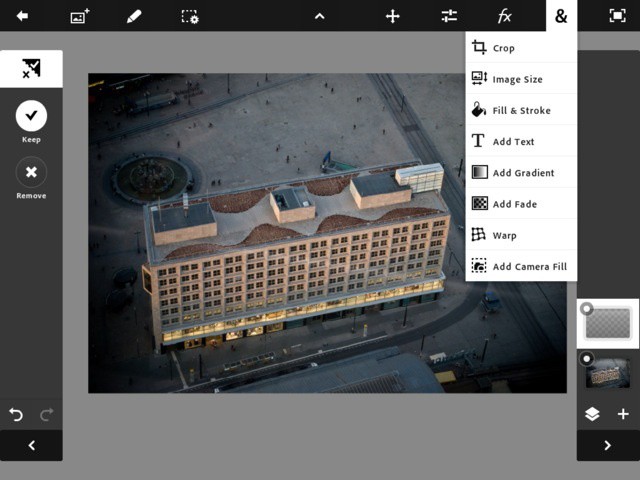
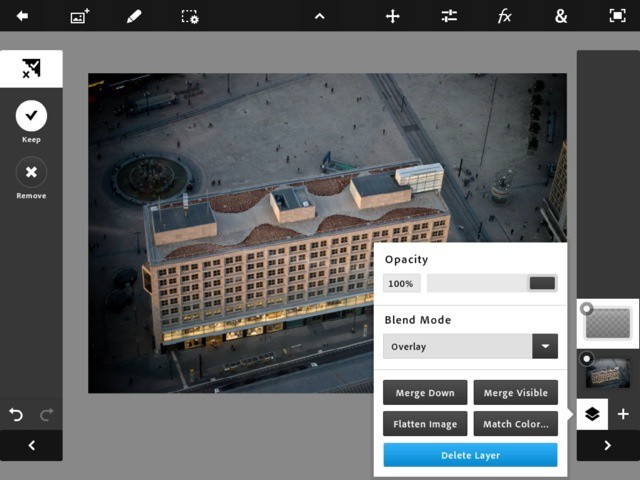
Here's shot from Berlin's Fernsehturm. Lets gussy it up a bit with some dramatic lighting. Add a new layer and set the blend mode to 'overlay'
![photoshop touch lighting fx-05 Use the iPad’s Cameras To Add Analog Effects In Photoshop Touch [How-To]](http://cdn.cultofmac.com/wp-content/plugins/lazy-load/images/1x1.trans.gif)
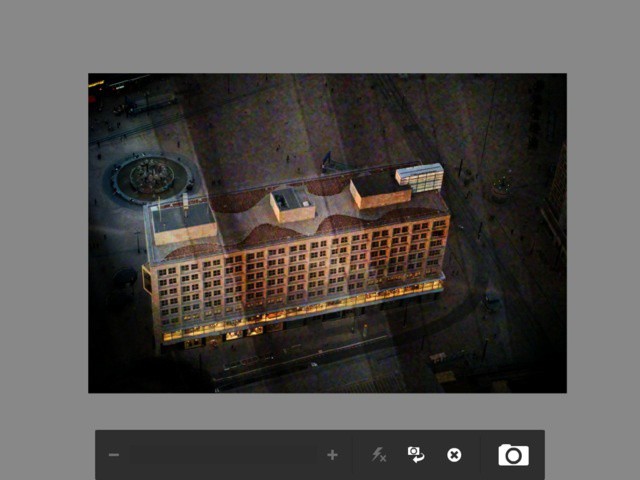
Tap the small camera-and-arrow icon to use the front camera, and shine your flashlight on there. This works best in a dark room, and here you can see the too-light room behind me
![photoshop touch lighting fx-07 Use the iPad’s Cameras To Add Analog Effects In Photoshop Touch [How-To]](http://cdn.cultofmac.com/wp-content/plugins/lazy-load/images/1x1.trans.gif)
When you're happy with the totally analog filter you're adding, click to capture the image and then click 'keep' to add it to the layer
And that’s it. This effect works best with darker images that you can then light up with your flashlight. When I first saw this done it blew my mind. We are so used to adding digital filters with apps like Instagram that the thought of doing it manually is pretty freaking cool. But there’s more. Grab your piece of paper and check this next project out.
![IMG_1429 Use the iPad’s Cameras To Add Analog Effects In Photoshop Touch [How-To]](http://cdn.cultofmac.com/wp-content/plugins/lazy-load/images/1x1.trans.gif)
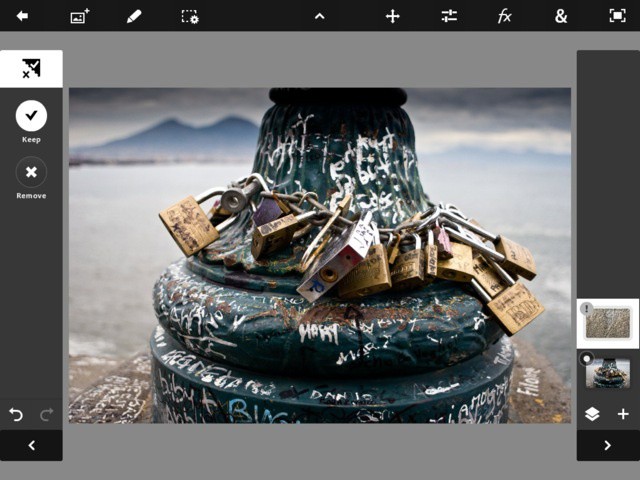
Here's a nice enough photo I took of some locks with Mount Vesuvius in the background. Let's add a little texture
![photoshop touch lighting fx-08 Use the iPad’s Cameras To Add Analog Effects In Photoshop Touch [How-To]](http://cdn.cultofmac.com/wp-content/plugins/lazy-load/images/1x1.trans.gif)
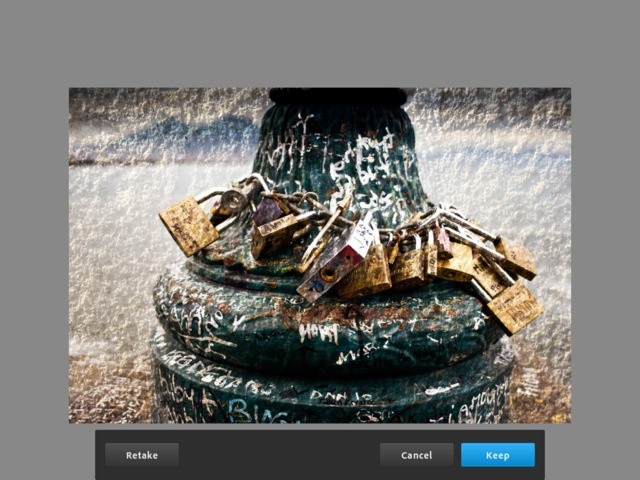
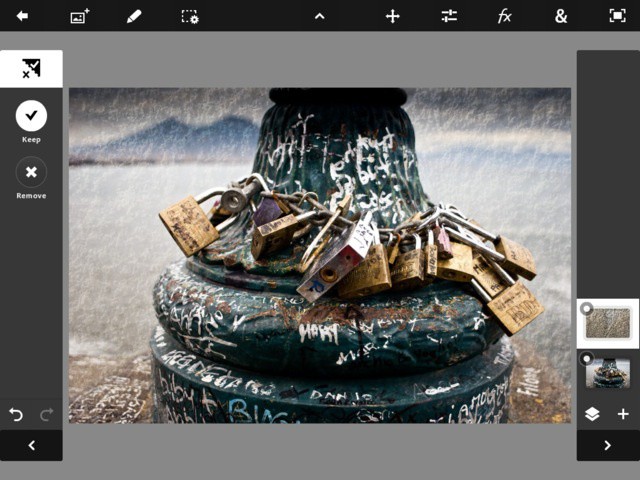
Again, add a layer, set it to 'overlay' and then pick 'add camera fill' from the 'more' menu. Choose the rear camera and find a nicely-lit, textured surface. Paper is good, I used the stone wall of my balcony
![photoshop touch lighting fx-09 Use the iPad’s Cameras To Add Analog Effects In Photoshop Touch [How-To]](http://cdn.cultofmac.com/wp-content/plugins/lazy-load/images/1x1.trans.gif)
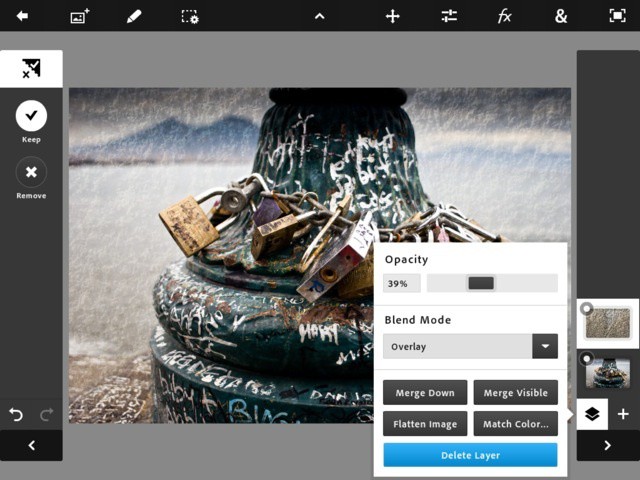
Snap! Locks and volcanoes, now with added texture. It's a bit strong, though, so I'll go back into the layers control and dial back the opacity a little
![photoshop touch lighting fx-10 Use the iPad’s Cameras To Add Analog Effects In Photoshop Touch [How-To]](http://cdn.cultofmac.com/wp-content/plugins/lazy-load/images/1x1.trans.gif)
And here's the result: A fairly subtle stone texture. This would take you way longer to do digitally
I hope you get a few ideas from this. The addition of the cameras effectively lets you bring parts of the world directly into your projects. Photoshop Touch isn’t yet optimized for the new iPad’s camera, and doesn’t support autofocus when filling a layer, for example, but it still works great.
Let us know about any cool ideas you have in the comments, or any suggestions for a future Photoshop Touch how-to.
Charlie Sorrel sits in his gadget nerve-center in Barcelona, Spain, and spits out words about various weird plastic widgets while the sun shines outside his iCave. Previously found at Wired.com's Gadget Lab covering cameras, power cables and sneaking in as much Apple-centric coverage as he could, Charlie spends his rare moments outside perched atop a bicycle and snapping photos. You can follow him on Twitter via