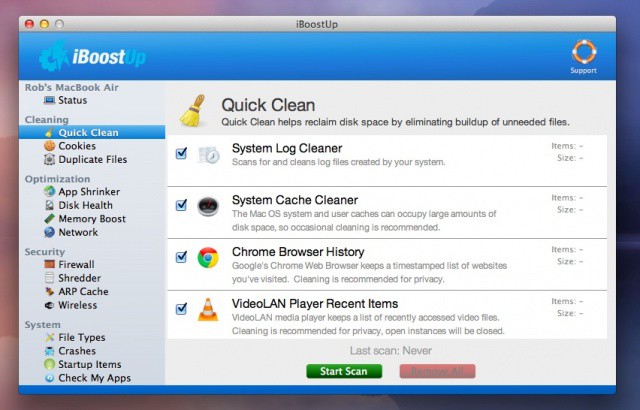
Optimizing your Mac can be a time intensive process, require expensive software, or need more knowledge of the inner workings of the computer than you’re willing to learn. When older Macs start to slow down or show quirky odd behaviors, using an app to optimize and clean things up can be a tremendous time and energy saver. It may also provide a zippier computer at the end of the process, something everyone will appreciate.
iBoostUp will allow users to clean cookies, shrink app sizes (by deleting unused language files, for example), clean out system caches, optimize the hard disk, and securely shred files, among other helpful things, all for the free download. Other paid features are available as optional add-ons, including finding duplicate files and optimizing RAM memory. See the full list of features at the iBoost website.
iBoostUp is an impressive free app that allows users to perform various system maintenance activities with a fairly attractive and intuitive interface. Give it a try, and let us know what you think in the comments below.
[Source: FreeMacWare]

Rob LeFebvre is an Anchorage, Alaska-based writer and editor who has contributed to various tech, gaming and iOS sites, including 148Apps, Creative Screenwriting, Shelf-Awareness, VentureBeat, and Paste Magazine. Feel free to find Rob on Twitter @roblef, and send him a cookie once in a while; he’ll really appreciate it.

