How To Jailbreak iOS 5.0.1 On Your iPad, iPhone 4, iPhone 3GS or iPod Touch [Jailbreak Superguide]

How To Jailbreak iOS 5.0.1 On Your iPad, iPhone 4, iPhone 3GS or iPod Touch [Jailbreak Superguide]

The Redsn0w software by DevTeam has always allowed you to jailbreak your iOS device, giving you complete control over your iPhone, iPad or iPod Touch (see why you should jailbreak here). This morning, though, redsn0w version 0.9.1ob1 was released with iOS 5 support, meaning you can now jailbreak devices and run Cydia apps on devices with iOS 5 installed. Here’s how to jailbreak iOS 5!

Ingredients:

  • A compatible iOS device
  • That same device updated to firmware iOS 5.0.1
  • iTunes 10.5.2
  • redsn0w 0.9.10b1 for Mac.

Please backup all your information using iTunes before following this tutorial.

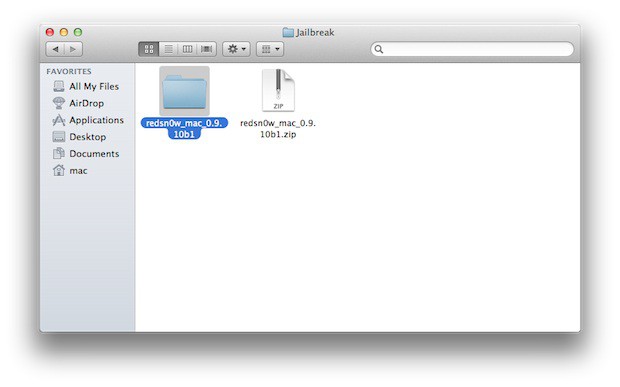
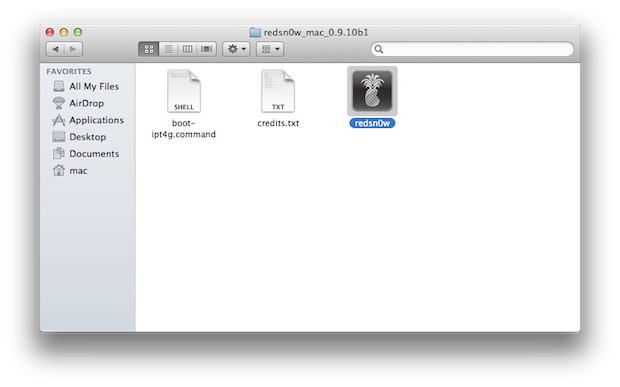
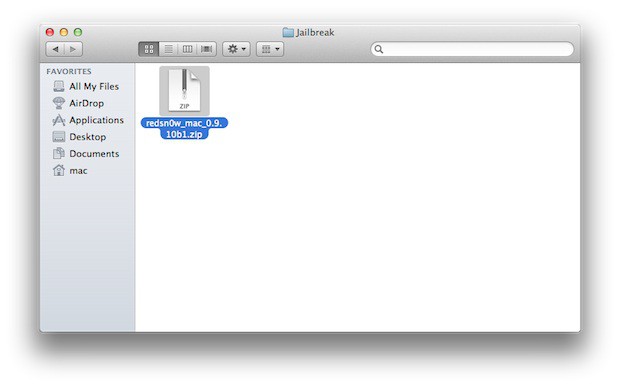
1. Download redsn0w and extract the ZIP. Double-click to open redsn0w application.
How To Jailbreak iOS 5.0.1 On Your iPad, iPhone 4, iPhone 3GS or iPod Touch [Jailbreak Superguide]

How To Jailbreak iOS 5.0.1 On Your iPad, iPhone 4, iPhone 3GS or iPod Touch [Jailbreak Superguide]

How To Jailbreak iOS 5.0.1 On Your iPad, iPhone 4, iPhone 3GS or iPod Touch [Jailbreak Superguide]

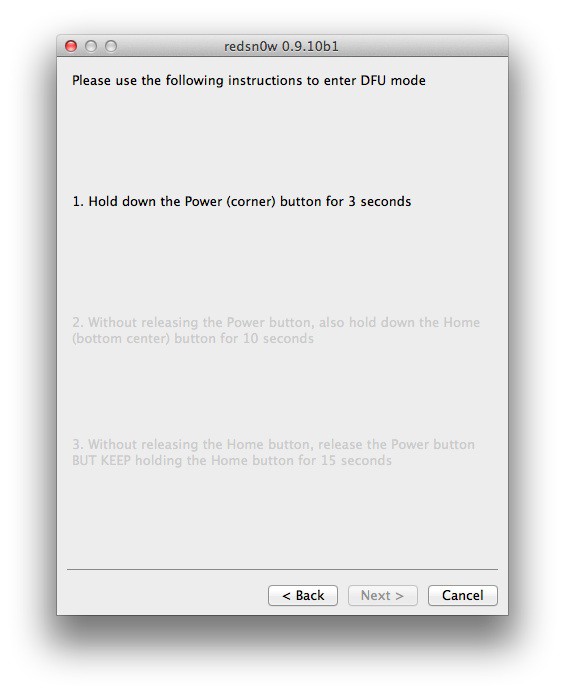
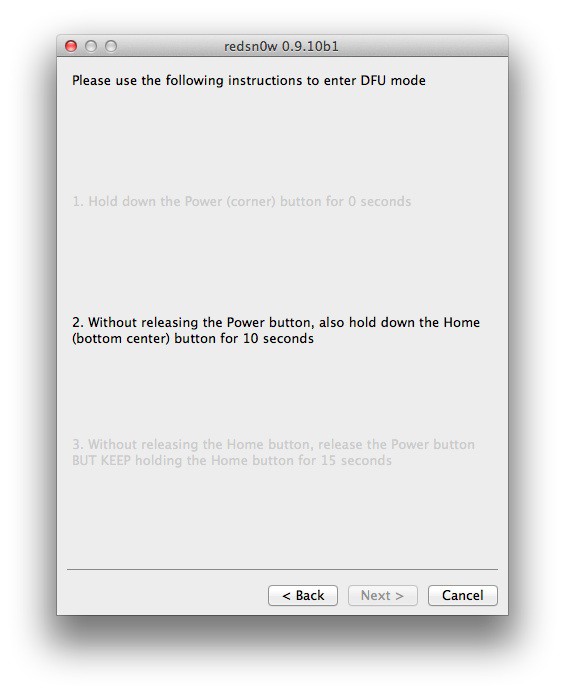
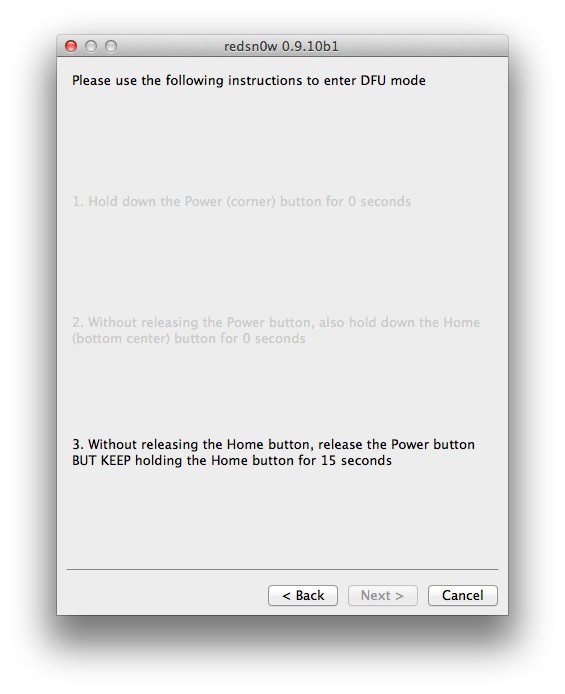
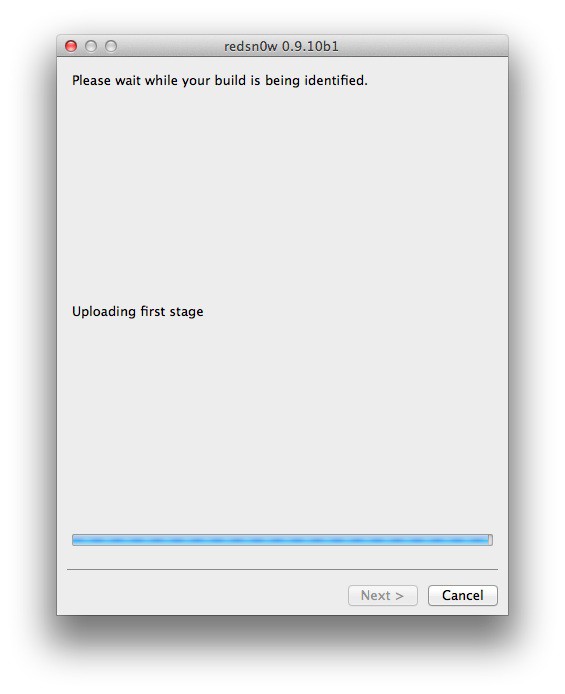
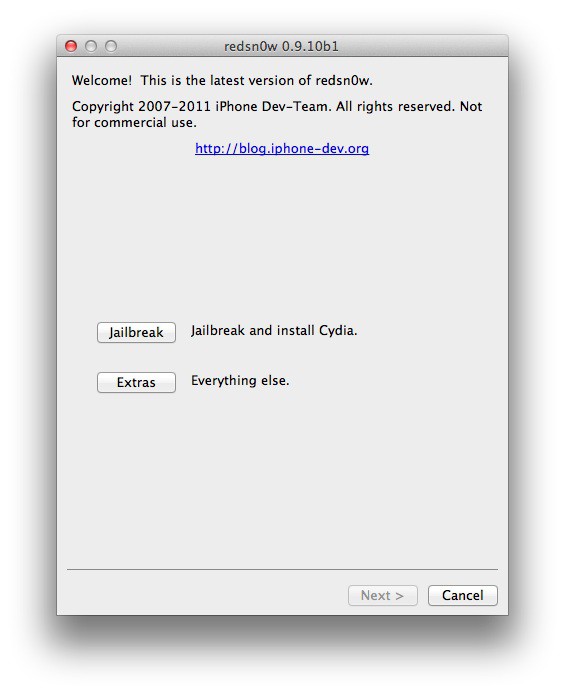
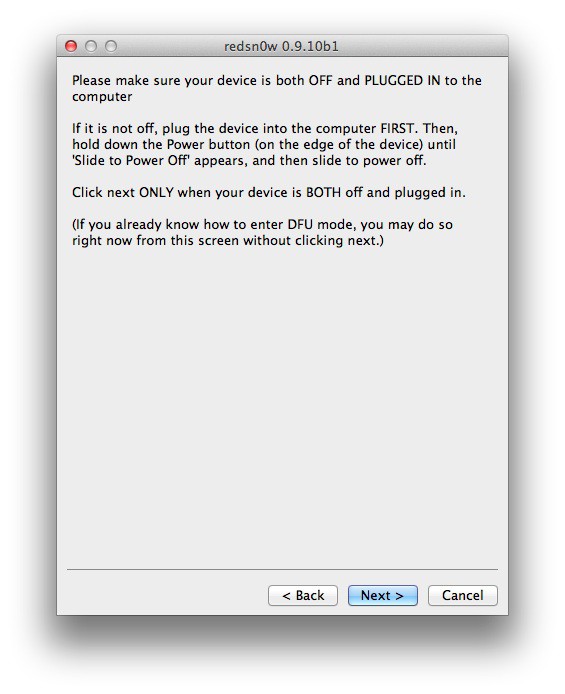
2. Click the ‘Jaibreak’ button below the text. Now it will ask you to connect the device to your Mac/PC and then turn it off, do so and click ‘Next’. Now follow the on-screen instructions to proceed.
How To Jailbreak iOS 5.0.1 On Your iPad, iPhone 4, iPhone 3GS or iPod Touch [Jailbreak Superguide]

How To Jailbreak iOS 5.0.1 On Your iPad, iPhone 4, iPhone 3GS or iPod Touch [Jailbreak Superguide]

How To Jailbreak iOS 5.0.1 On Your iPad, iPhone 4, iPhone 3GS or iPod Touch [Jailbreak Superguide]

How To Jailbreak iOS 5.0.1 On Your iPad, iPhone 4, iPhone 3GS or iPod Touch [Jailbreak Superguide]

How To Jailbreak iOS 5.0.1 On Your iPad, iPhone 4, iPhone 3GS or iPod Touch [Jailbreak Superguide]

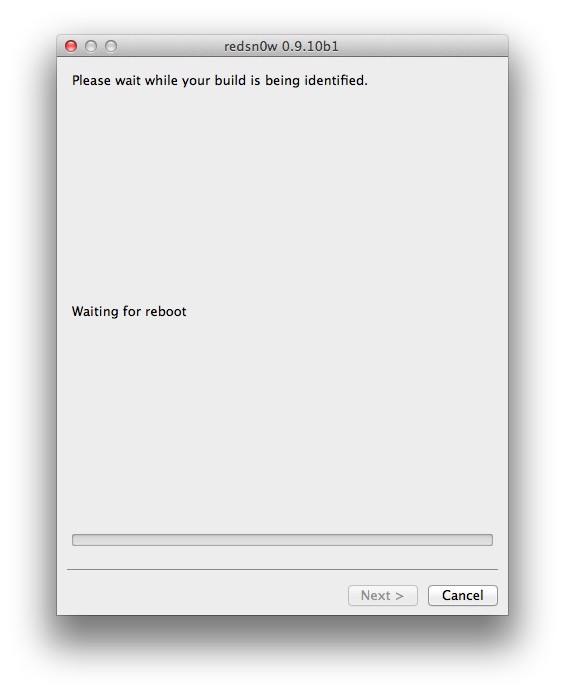
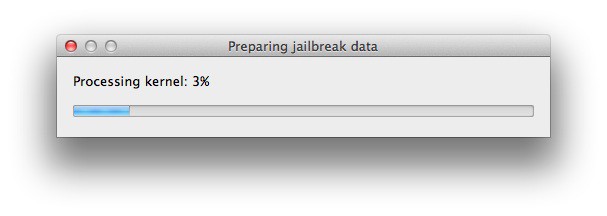
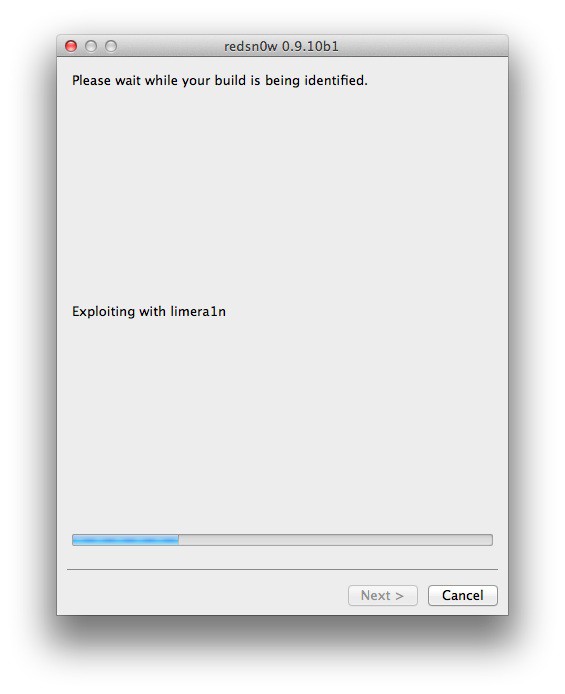
3.  The device will reboot while redns0w prepares the jailbreak data.
How To Jailbreak iOS 5.0.1 On Your iPad, iPhone 4, iPhone 3GS or iPod Touch [Jailbreak Superguide]

How To Jailbreak iOS 5.0.1 On Your iPad, iPhone 4, iPhone 3GS or iPod Touch [Jailbreak Superguide]

How To Jailbreak iOS 5.0.1 On Your iPad, iPhone 4, iPhone 3GS or iPod Touch [Jailbreak Superguide]

How To Jailbreak iOS 5.0.1 On Your iPad, iPhone 4, iPhone 3GS or iPod Touch [Jailbreak Superguide]

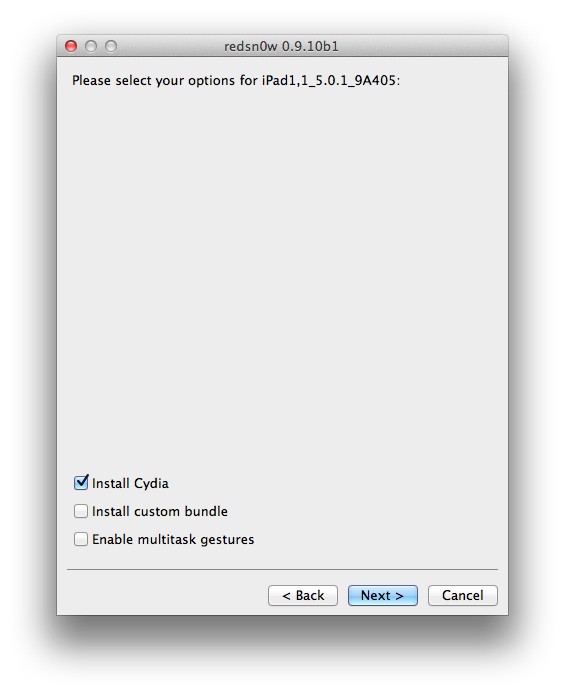
4. Then choose if you want to install Cydia and click the ‘Next’ button.
How To Jailbreak iOS 5.0.1 On Your iPad, iPhone 4, iPhone 3GS or iPod Touch [Jailbreak Superguide]

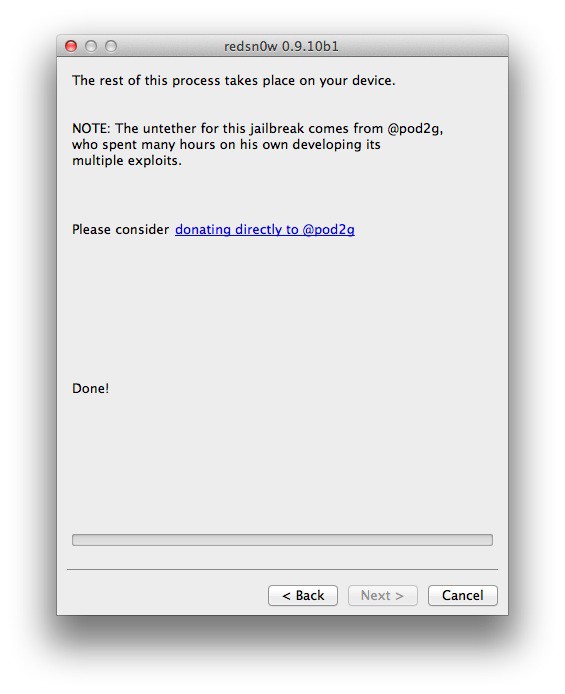
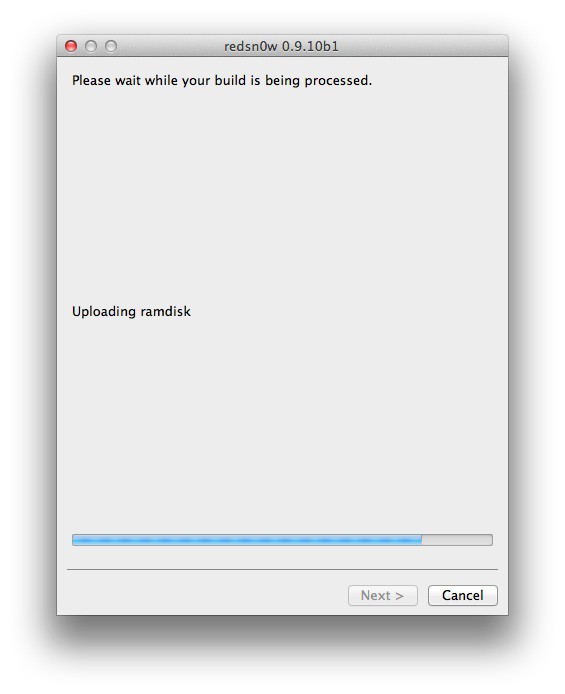
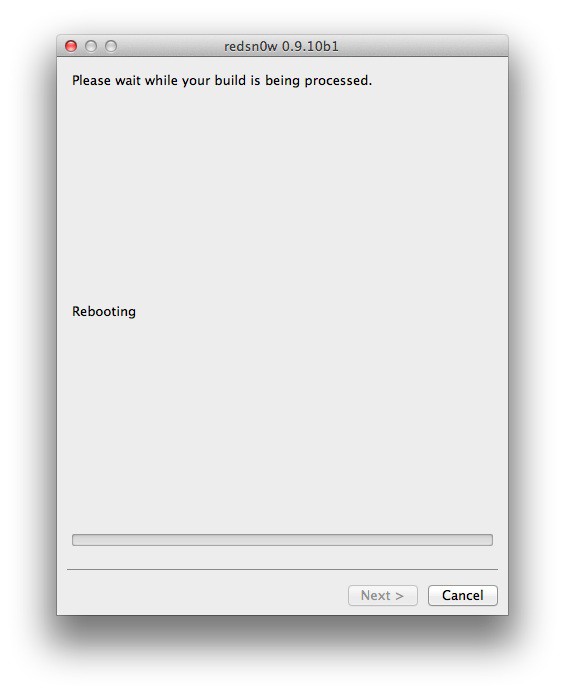
5. The device will reboot showing ‘Downloading Jailbreak Data’ logo and then some code on the device’s screen, while redsn0w sends modified files to the device. You will be notified once redsn0w is done. Let the rest of process continue on the device, please be patient.
How To Jailbreak iOS 5.0.1 On Your iPad, iPhone 4, iPhone 3GS or iPod Touch [Jailbreak Superguide]

How To Jailbreak iOS 5.0.1 On Your iPad, iPhone 4, iPhone 3GS or iPod Touch [Jailbreak Superguide]

How To Jailbreak iOS 5.0.1 On Your iPad, iPhone 4, iPhone 3GS or iPod Touch [Jailbreak Superguide]

How To Jailbreak iOS 5.0.1 On Your iPad, iPhone 4, iPhone 3GS or iPod Touch [Jailbreak Superguide]

How To Jailbreak iOS 5.0.1 On Your iPad, iPhone 4, iPhone 3GS or iPod Touch [Jailbreak Superguide]

6. After it reboots, your device should now be jailbroken with Cydia on the homescreen.

That’s it! You’re done! Let us know how you got along in the comments.

All credit for the great tool goes to the DevTeam.

Apps you might like

About the author

Sayam AggarwalSayam Aggarwal is a 18-year-old student living in India who has been an Apple fan for almost 5 years. He has worked with ModMyi, one of the leading iPhone communities, as an author for more than a year. He spends most of his free time on the Internet fetching the latest news regarding Apple and its entire product range. Follow him on Twitter!


(sorry, you need Javascript to see this e-mail address)| Read more posts by .

Posted in How-To, iOS, iPad, iPhone, iPhone 3G S, iPhone 4, Jailbreak, Top stories | Tagged: |


scribol