

Are you an AT&T subscriber who wants to see how many minutes are left on your calling plan? Here is a quick and easy way to get that information sent right to your iPhone.
You can check the number of minutes remaining by accessing the Phone app and dialing: *646# and pressing Call. You’ll see a message stating the information is sent to you in a text message. Once you receive the text message, it will look something like this:
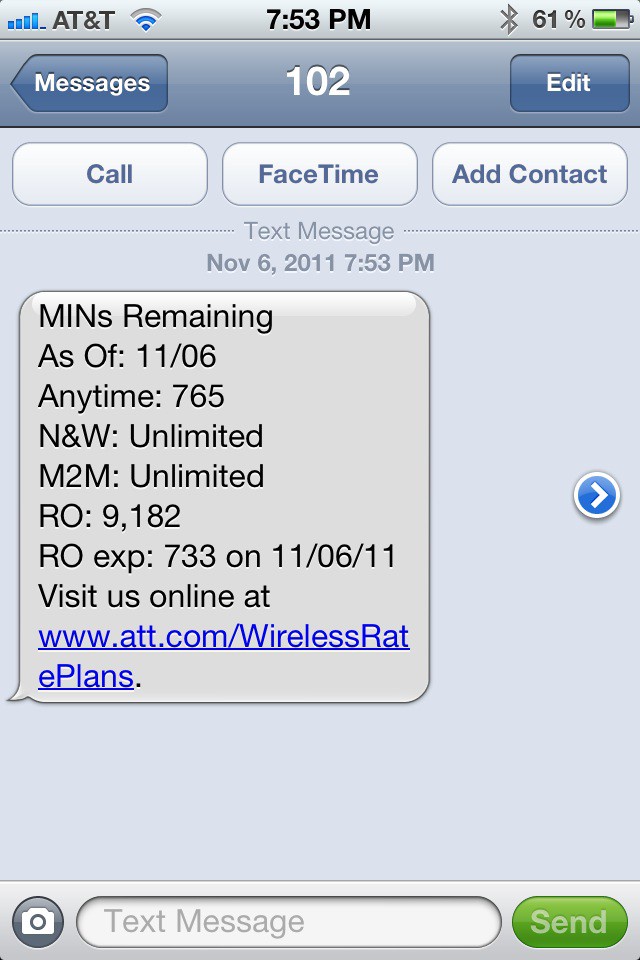
As you can see, in this example there are 765 anytime minutes remaining, unlimited night and mobile-to-mobile minutes, and a whopping 9,182 rollover minutes. On 11/6/11 733 rollover minutes are scheduled to expire.

David W. Martin has more than 20 years of experience in the industry as a programmer, systems and business analyst, author, and consultant. David has written for CNET’s iPhoneatlas.com, MacLife.com, CultofMac.com, BYTE.com and recently for aNewDoman.net. He comes to Cult of Mac’s website with deep knowledge and passion for the all things Apple. Follow David on Twitter @david_w_martin or see what he’s up to now at davidwmartin.com.

