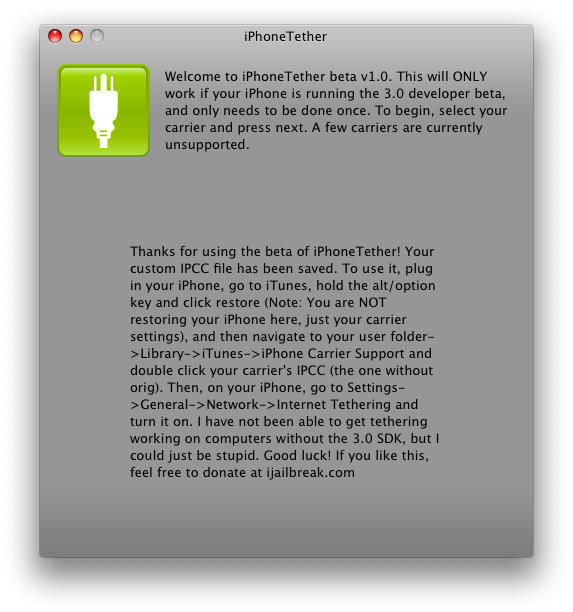
Despite the great hue and cry that arose Monday in the wake of the news that AT&T will not be among the 22 worldwide carriers to support tethering when iPhone 3.0 debuts, a wonderfully snarky how-to from 9to5 Mac spells out step-by-step instructions for getting your tether on today, for free, regardless of whether AT&T wants you to, without jailbreaking your iPhone.
In fact, the process only works with un-jailbroken iPhones legitimately registered for service with AT&T in the US.
Two important things you need to be aware of before you consider sticking it to the AT&T man:
1. You have to be running iPhone OS 3.0, which, obviously, has not been released officially but which is widely available if you know where to look. A very good place to start would be right here.
2. You have to be running the very first pre-release version of iTunes 8.2, which is more difficult to get ahold of but, depending on just how deep your enmity for AT&T runs, is also out there hiding in plain view.
Beyond that, it’s just a matter of refusing to accept the proposition that you can’t do anything you want to do with something you’ve bought and paid for just because a couple major corporations don’t want you to feel so empowered.
As with anything satisfying in Life, there are risks, but to those who are willing to bear them go the richest rewards.
See 9to5 Mac for further details.

Lonnie Lazar is a writer-musician-web designer-attorney. He writes about Apple for Cult of Mac and Mac|Life, and about VoIP and telecommunications for Voxilla. Follow Lonnie on Twitter @LonnieLazar, join the Cult of Mac on Facebook, and find Lonnie’s photos on Flickr.

