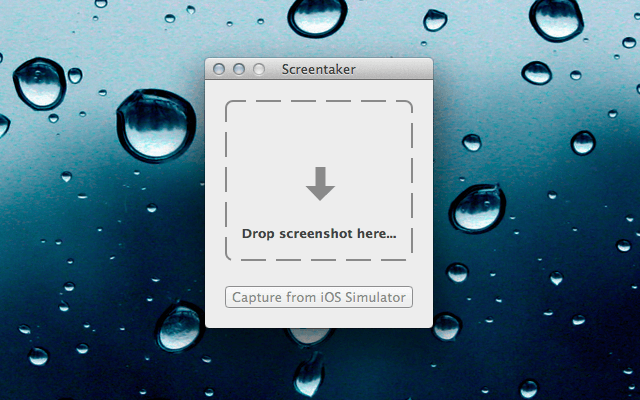
Want to take your boring iOS screenshots and add a little flare? Are you a developer looking for an easy way to create iPhone and iPad mockups of your app screenshots?
Screentaker is a new app in the Mac App Store that lets you easily bring your iOS screenshots to life.
“Screentaker is a small utility that makes creating nice screenshots for iOS apps easier by letting you apply effects to them. Simply drop the screenshot on Screentaker or even capture a screenshot from the iOS Simulator and choose the desired device, orientation and effect. The app is smart enough to detect the device and orientation automatically. You can also download and install effects other users have created or create your own effects.”
Like the description says, just drag an iPhone or iPad screenshot into Screentaker to begin. You can then customize your screenshot with a selection of options.
Screentaker places an average screenshot into a realistic, hi-res iDevice frame. You can also add shadow and reflection to your screenshots for a prettier look.
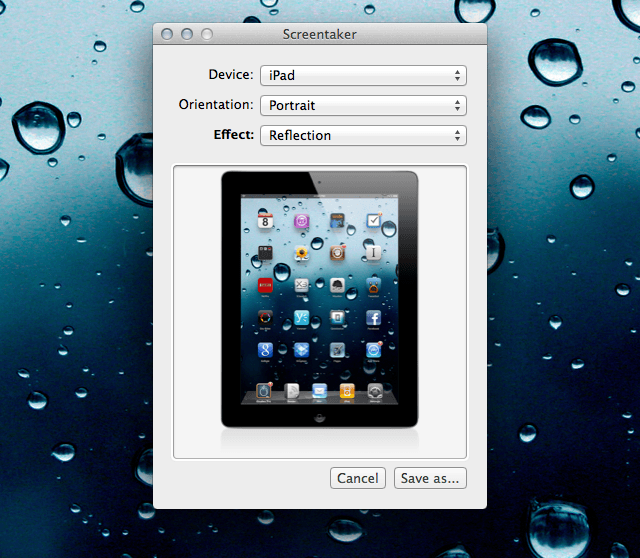
The app will automatically recognize the orientation of your screenshots, and it even supports Xcode’s iOS Simulator to capture images directly from your Mac. The developer of Screentaker has opened up the possibility of adding extra plugins in the future that will allow you to add extra effects and customize screenshots further.
For bloggers, designers, developers, or anyone else that wants to give screenshots a professional look, Screentaker is a pretty cool app. It’s available in the Mac App Store for $4.99.

Alex Heath is a journalist who works for Tech Insider. He’s the former co-host of The CultCast. He has been quoted by the likes of the BBC, KRON 4 News, and books like “ICONIC: A Photographic Tribute to Apple Innovation.” He lives in Lexington, Kentucky. If you want to pitch a story, share a tip, or just get in touch, additional contact information is available on his personal site. Follow him on Twitter.

