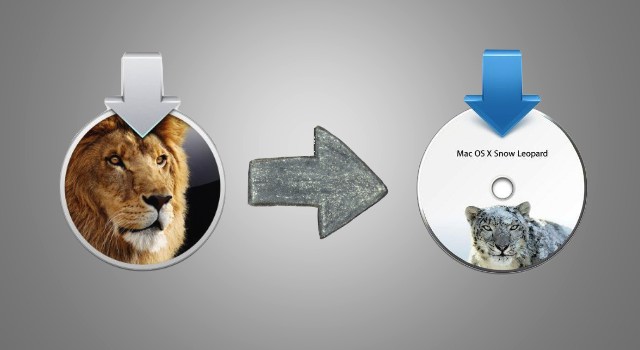
Downgrade OS X Lion To Snow Leopard [Video How-To]

Downgrade OS X Lion To Snow Leopard [Video How-To]

While OS X Lion is an excellent operating system, it may not be perfect for some people. Since some applications haven’t been updated to run on Lion yet, some users may need to downgrade to Snow Leopard in order to keep using the applications they need on a regular basis. In this video, I’ll show the best ways to downgrade from Lion to Snow Leopard.

DON'T MISS
Transform Mac OS X Snow Leopard Into Lion [Video How-To]

Apps you might like

  • http://www.facebook.com/profile.php?id=100002396143150 Renan Oliveira

    o/

  • Anonymous

    You say this is a video about the best way to downgrade, which you follow by saying is from a time machine backup. But then you spend a good 3 minutes talking about everything but restoring from time machine. 

    Plus you make a lot of assumptions instead of actually mentioning them before someone screws themselves by hitting erase or whatever and then hear “you should of course had made a back up first”

    And you ignore important details like your mail box file has been altered by Lion to a form that Snow Leopard can’t open. 

    Given that you have proclaimed yourself an expert and trainer, this video is lacking.

    • http://trdd.us/mscomputer Michael Steeber

      I’m by no means an expert, I never mentioned that. I have a lot to learn yet. 

      • Pisino

        You also look like a young John Wayne gacy in your profile pic.

      • http://trdd.us/mscomputer Michael Steeber

        That was mean and hurtful. 

      • http://trdd.us/mscomputer Michael Steeber

        That was mean and hurtful. 

  • Anonymous

    If you have an SL mirror backup made before you upgraded to Lion:

    1-Copy the /Users/ folder from the internal Mac’s Lion drive to the Snow Leopard backup using Carbon Copy Cloner. 
    2-Delete the files in ~/Library/Preferences on the SL drive. (You will have crashes and apps might fail to open windows if you don’t.)
    3-Reboot from your external SL backup.
    4-Once booted on the external SL drive, format the internal Mac drive as 1 Partition.
    5-Mirror copy the ENTIRE SL boot drive to the internal drive of the Mac.
    6-Set the internal Mac drive as the startup disc and reboot.

    DONE! This worked perfectly for me. I was grateful to have kept the core mirror and only had to update user generated content!

    I can’t give steps for a situation where you didn’t keep a snapshot of your SL setup. I’ve yet to try reverting with a clean install of SL.

    • Prof. Peabody

      This is better (and much clearer), advice than the video. 

      But yeah, if you don’t have a full backup nothing will help you anyway, and if you are the type to have a full backup, then you probably know how to do this stuff already.

      • Anonymous

        Do SL’s migration tools handle a Lion based user profile? I’m tempted to do a test!

      • Anonymous

        Do SL’s migration tools handle a Lion based user profile? I’m tempted to do a test!

      • Anonymous

        Ok, it took hours, but the experiment is done. I did a straight format and install of SL, and used its profile migration tool to grab all my user data form Lion. Everything seemed to work well.

        But, after the restoration, I booted into SL and the my profile password refused to work. Weird! I’ll try the password reset tool off the DVD when I get more time.

      • http://twitter.com/PGDesigns Paul Grant

        Forget the migration assistant. You could wind up with Snow Leo looking to only grant permissions to items that belong to the Lion-based user account. 

      • http://twitter.com/PGDesigns Paul Grant

        I don’t keep full backups, just key things like email, itunes and stickies. If you check farther up, I give a solution for someone in my position. I downgraded.

  • http://twitter.com/raykm00 Raymond Wong

    I don’t these will work with any of the new MacBook Airs.

    • Anonymous

      external cd drive

    • Anonymous

      If you have a new MacBook Air or Mac Mini which was released in July
      2011 (i.e. latest models shipping with Lion and no restore media) – you
      cannot install Snow Leopard onto these machines. Although I have not
      tried it personally I’ve seen many comments, stories, and discussions
      about this on Apple’s forums.

      Do not attempt to downgrade to Snow Leopard on these machines.

  • Prof. Peabody

    This video seems like bad advice all around.  It’s really confusingly explained and contains blended advice that just doesn’t make a lot of sense.  It would be really easy for a novice to start to follow this advice and then lose their entire system.  

    • Anonymous

      I don’t see how you came to this conclusion.. Backup; erase HD; install… That’s it.

  • Kana

    When you restore from time machine to a snow leopard backup, isn’t that going to erase all files created in the Lion enviroment?

  • Kana

    When you restore from time machine to a snow leopard backup, isn’t that going to erase all files created in the Lion enviroment?

  • http://pulse.yahoo.com/_MMZY66B37CV2ZMVQB5PKCFYZ7Y HotGG

    Can I run iTunes 9.2.1 in Lion?

  • Chrisbrown

    lion was the biggest waste of time!!!!!!! from start to finish! Sea Lion sucks!

  • Shockjock

    FUCK YOU SEA LION!!!!!! You wasted aver 17 hours of my life from the downloading… to the uninstalling to the reinstalling snow leopard! This product was pushed on us to soon! This should be called BETA SEA LION because its so slow and bloated! Now I know why Steve Jobs is throwing in the towl for this sorry OS!   Ok.. Now that I got that off my chest! I am sure I will download Lion again however not for another 5-8 months until bugs are worked out and when it starts working properly! Right now its like vista was to the PC.. All flash but extremely slow and frustrating to use because its sLOWWWsss down your system!  Yes I am being unrealistic but fuck you for wasting my time with this unfinished excuse for a product!

    Shock JOCK!

  • Notvalad

    I followed your advice to the letter and it worked! Thanks for the help!  

  • http://www.facebook.com/bobbi.style Bobbi Style

    ok, so there was nothing in that video that isn’t obvious for a seasoned Mac user… how about a tip of how to migrate backwards, email intact etc with no data loss, without TimeMachine that doesn’t say “wipe your drive and reinstall everything” (i.e. some data stuff was changed in 10.7, can we migrate it back??)
    ps I’m guessing a no there….

    • http://twitter.com/PGDesigns Paul Grant

      Bobbi, I had to do the transition backwards. Here was what I did. This is the hard way, but it also insures a clean install.

      1. Take a screenshot of your Mac desktop and bar, and a screenshot of all your apps too. Makes knowing what to reinstall and where to put it much easier later.

      2. Some software must be authorized for your machine, such as Adobe products. Make sure to deactivate them first.

      3. Dive into the folder: Users / (account name) / Library — Here you’ll want to select your Thunderbird folder and Stickies pref file, and back both up. This assumes you use Thunderbird. If you don’t I don’t know how to help you on that one. Can’t locate your User account Library? It’s hidden by default in LION (stupid move, Apple). Do a quick google search on how to make it active (I don’t recall at moment) and you can start backing up those items.

      4. Jump into your User/ Music folder, and copy your iTunes folder, en mass, to your backup. Do the same for any photos, etc.

      5. Restart your mac from Snow Leo disk, and, utilizing Disk Utility from the top menu just before install, repartition the drive to it’s full capacity, using GUID file system. Install Snow Leo. 

      6. When Snow Leo is done, you need to reinstall all of your missing apps

      7. With Thunderbird reinstalled, copy back the Thunderbird folder and stickies note to y our User library. Once done, firing up stickies or Thunderbird should work as previous, with all messages intact.

      8. Reinstall expensive Apps like Adobe CS5 and reenter pass code

      9. Go back to your screen captures of apps and desktop, so you don’t miss anything. 

      10. After a day or two of minor tweaks, enjoy your new Snow Leo install

  • http://www.facebook.com/bobbi.style Bobbi Style

    ok, so there was nothing in that video that isn’t obvious for a seasoned Mac user… how about a tip of how to migrate backwards, email intact etc with no data loss, without TimeMachine that doesn’t say “wipe your drive and reinstall everything” (i.e. some data stuff was changed in 10.7, can we migrate it back??)
    ps I’m guessing a no there….

  • Gary

    Your video was extremely helpful.  I have been a lover of APPLE products for many many years but yesterday was very disappointed.  I purchased a custom built 27″ iMac that was totally decked out with literally everything.  It came with LION.  My understanding from their Apple Store advertisement for the iMac was that it shipped with Snow Leopard and we had 30 days to upgrade.  In my business I do video production and part of that is DVD duplications.  None of my DVD duplication equipment is compatible with LION.  Apple would not help me with this.  They wanted me to send the computer back to them for a full credit rather than downgrading to Snow Leopard.  UNBELIEVABLE!!  Now, after going on line to get help (which I should have done that several days ago) I now see that it is possible to downgrade.  

  • A.J.

    Hi there. Thanks for the video. Unfortunately, when I attempt to downgrade via a Snow Leopard Time Machine backup, I get a message saying I can’t because the backup was done from a different computer. Is there any way around this?

  • http://twitter.com/mscoliemarie Colie Marie

    Thank you so much for that video! Yours was the first that popped up when I searched it in Google and it was extremely helpful! I was just about to reboot without backing up my system! I would have been so disappointed. Great video! Short, informative and to the point. :) 

  • MacGuy

    This video tells you nothing that isn’t blatantly obvious already. You mean if I boot from a Snow Leopard DVD I can install SL? Wow!

    I expected something with a little more actual content such as how to migrate a profile set up in Lion to a SL install or how to restore to a Mac that shipped after the retail release of SL and therefore requires a newer build.

    I appreciate the effort but the final product was lacking in any useful content

  • Anonymous

    I think you video will work with old imac’s but the i7 I bought a couple of weeks ago with Lion installed was a bit tricky to get SL to work. I decided to make a small partition then I could play around with lion and when all my software is updated use. When I first tried to install off the SL disk the machine would kernel panic and wouldn’t boot. I then tried to install from my laptop to the imac in target disk mode same problem. What I forgot to do was run the software update after my install after doing this the machine will boot in SL or lion. It now works, I did have an issue after migrating leopard to SL and the imac would’t boot all the way. I would get to the desktop screen and get the spinning wheel of death. I did another install and so far so good. No issues migration assistance Leopard to Lion.

  • Timdragan

    Uhh, lion is the best os x that exsists, apple worked so har on it that it turned out to be the best, I love mission control and I love how that old scrolling sidebar on SL is gone, lion is great and it is the future for the next os x’s.

  • Kulture

    thank you!! so……after doing the restall of snow leopard i am faced with the issue of what to do with my back up i made (after installing lion) on my 1 TB harddrive.. will the back up be “lion”?
    can I put my files and apps back on snow leopard…aka iphoto especially

  • ferr

    useless

  • http://www.facebook.com/profile.php?id=671693652 Ron Moger

    My Mac crashed when booting to the snow leopard disc, also the time machine backup can’t be used if it isn’t from the same version of machine.

  • http://twitter.com/PGDesigns Paul Grant

    Flat out — if you use your Mac to make a living, avoid LION at all costs. It’s Apple’s Vista. Too many issues. It’s as if everything was perfected in Snow Leo, then someone at Apple wanted to add chrome spinners and flames. The only nice thing I like about the OS is the log-in screen, which can display some vital info about your Mac without the need to type in your passcode. But woopde fricken daw if that’s the only usable upgrade for me.

  • http://www.facebook.com/profile.php?id=688236750 Craig Knox

    I regret not waiting for several point updates, and forget the system requirements.   I was above the bottom.  I should of had no issues, but Lion has a bad case of rabies.  

    Switching between open documents can randomly take 30-60 seconds.  It hangs, freezes, get tempermental, and it really doesn’t bring anything new to the table.  Spaces is better implemented, but if it takes a year to navigate between my spaces, it’s useless.   Or, a space will be in tact, but another one is frozen.

    Mission control would be great… if it wasn’t so hung up half the time.    Unless you have a Mac that’s 1-2 years old, don’t even think about upgrading for you own sanity.  

  • SethdariuS

    if i dont have my disc backed up and have no time machine drive can i still reinstall from my SL CD? Im a dumbass with stuff like this but i need help. I cant use like 40% of m software!

  • Fhocter

    I just bought a Macbook Pro and I am trying to downgrade to Snow Leapord. I inserted Snow Leopard, rebooted while holding down the C key, it does not open anything it just gives me 3 beeps and pauses then 3 beeps pause 3 beeps …
    Any suggestions?

About the author

Michael SteeberMichael Steeber is a student who is obsessed with everything Apple. He enjoys making videos and runs the MSComputerVideos YouTube channel in his free time. You can follow him on Twitter as well.

(sorry, you need Javascript to see this e-mail address)| Read more posts by .

Posted in How-To, Mac, OS X | Tagged: , , , |
