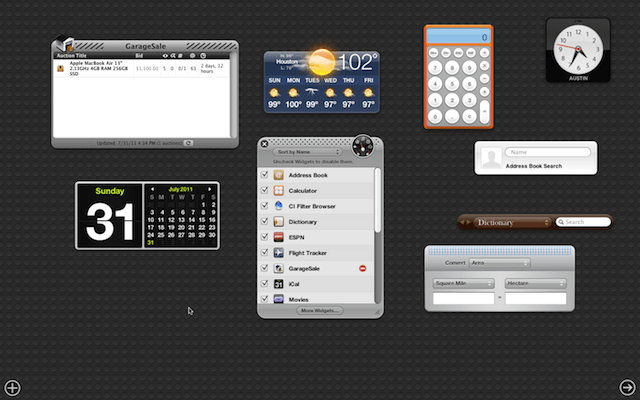

Many of the complaints I’ve heard about Mac OS X Lion is about Dashboard. It now has its own space (virtual desktop) where all your Dashboard Widgets live. Well those living arrangements aren’t as permanent as one would think. Here is a tip on how you can set your Widgets free!
Simply launch System Preferences and then open the preferences for Mission Control. If you uncheck the option labeled Show Dashboard as a space, which is on by default, your Widgets will no longer be tied to their own space.
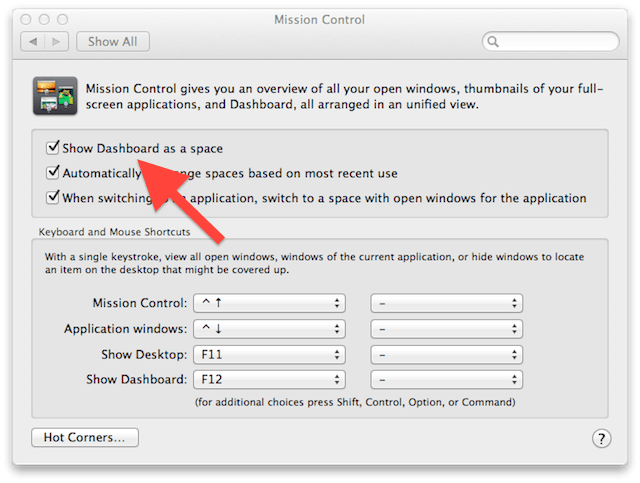
After you uncheck Show Dashboard as a space your Widgets will float over the current space just like before as shown below:
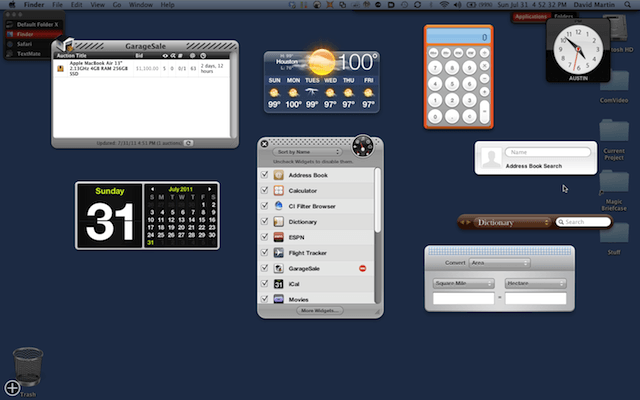
If you want to view your Dashboard Widgets at any time simply press function key F12 or FN+F12. The key sequence is dependent on the keyboard attached to your Mac. Generally, the latter sequence is used on Apple notebooks and wireless keyboards.

David W. Martin has more than 20 years of experience in the industry as a programmer, systems and business analyst, author, and consultant. David has written for CNET’s iPhoneatlas.com, MacLife.com, CultofMac.com, BYTE.com and recently for aNewDoman.net. He comes to Cult of Mac’s website with deep knowledge and passion for the all things Apple. Follow David on Twitter @david_w_martin or see what he’s up to now at davidwmartin.com.

