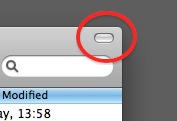
Look at this button in the top-right corner of a Finder window. Ever wondered what this is for?
It’s called the “toolbar control button” and you’ll see it all over the place in OS X. It lives in the top-right corner of an application or document window.
But what does it do? Simple: it hides the toolbar from view. The toolbar is that strip across the top of the window where buttons and controls live. You can choose to leave it there all the time, or you can reclaim that screen space by getting it out of sight. That’s what this button is for.
Let’s look at an example.
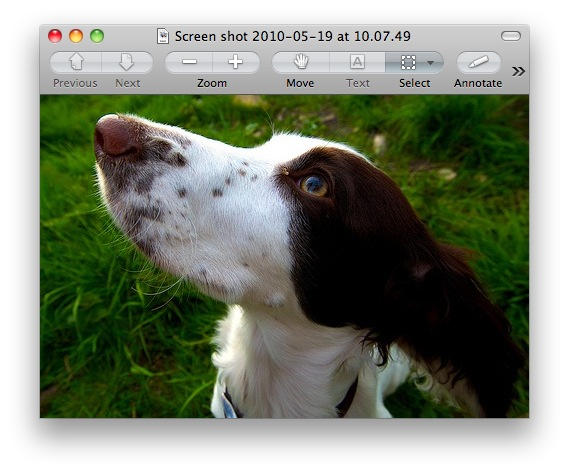
Here’s a Preview window before clicking the toolbar control button:
And here’s the same window afterwards:
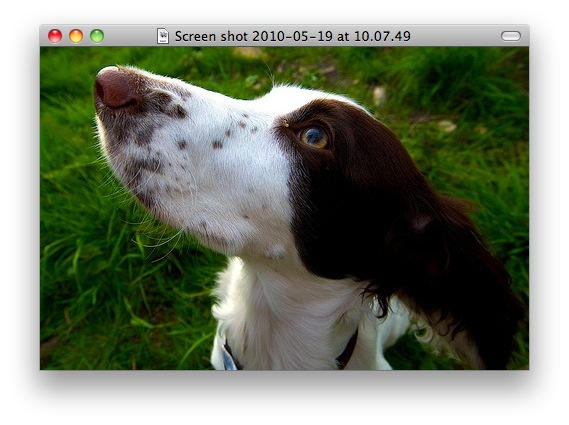
The button is still there at the top-right, if I decide to bring the toolbar back. Nothing’s been deleted, just hidden out of sight temporarily.
The button isn’t always there, though. Look at iTunes, or Safari: it’s not there. But you will see it on many, many application windows in apps made by Apple and third parties. That can come in useful when screen space is at a premium, or when things are getting cluttered and you want to minimise the amount of controls and widgets on screen at any one time.
(You’re reading the 29th post in our series, 100 Essential Mac Tips And Tricks For Windows Switchers. These posts explain to OS X beginners some of the most basic and fundamental concepts of using a Mac. Find out more.)

Giles Turnbull is a freelance writer in England. He also writes for the Press Association and The Morning News. You can find out more at his website, and follow him on Twitter @gilest.

