The title really says it all: Flower, a baby alpaca over at the Insight Ranch in Southern California, spends her time making farting sounds with her mouth, trembling almost faster than the speed of video and scrolling through photos on her MacBook Pro.
The title screams cute; the video screams something halfway between surrealism and nightmare. This could have been directed by David Lynch on a dare.
It’s hard not to love Louis C.K. Behind his pale ginger flab and profanity-laced stand-up comedy is a guy with a heart of gold: a comic who knows how to temper his masturbation jokes with compassionate commentary on the family and American values. He’s an amazing guy. But he doesn’t have an iPhone.
On a recent appearance on Jimmy Kimmel Live, Louis C.K. explained why, saying that he got rid of his iPhone because he was too immersed in it. “It’s like having a pencil you can $@%!,” Louis C.K. told Kimmel, going on to jokingly express his concerns about geo-location and the Cloud, which he ultimately sees giving us all wafer thin devices that, apparently, will allow you to smear Tom Cruise all over your face.
Hilarious, but Louis C.K. always is. This is a comic at the top of his game. If you haven’t already, buy some tickets to see him on his next tour: he’s cutting out all the middlemen and selling them directly to fans, effectively doing his best to cut out the scalpers and the extortionists like Ticketmaster. This is a guy who deserves your money.
Watch all 113 WWDC 2012 session videos online now.
With all tickets for this year’s Worldwide Developers Conference sold in a matter of hours, there’s a good chance the vast majority of you didn’t get to attend. However, if you’re a register developer, you can now access each and every WWDC 2012 session video — all 113 of them — online.
The chances of iOS 6 being anything like this video concept by Joost van der Ree are pretty slim: we already know most of what to expect in iOS 6, and across the board, it looks like an app — not feature — focused update.
But who cares? This still looks great. We’re not so sure about the redesign of the Notification Center to pull down under the home screen — this seems counter intuitive — or the need for a “Mission Control” for finding running apps — the existing task switcher is an expert feature unused by most people which works just fine for poiwer users — but we do love the major innovation of this mockup: “Flipcons”, which show all your app updates and notifications as an overlay that pops out of each individual app on the homescreen.
None of this stuff will be in iOS 6, of course. But maybe some of it will come via jailbreak, and if it doesn’t, there’s always iOS 7.
Did you ever wonder how Apple makes its unibody MacBooks and iMacs so tough, durable and so uniformly beautiful? Ever wonder how Apple manages to make their iPods so colorful? It’s all through the electrochemical magic of anodization. In other words? That brand new Apple gadget you’re so proud of is just as corroded as a piece of rusty iron.
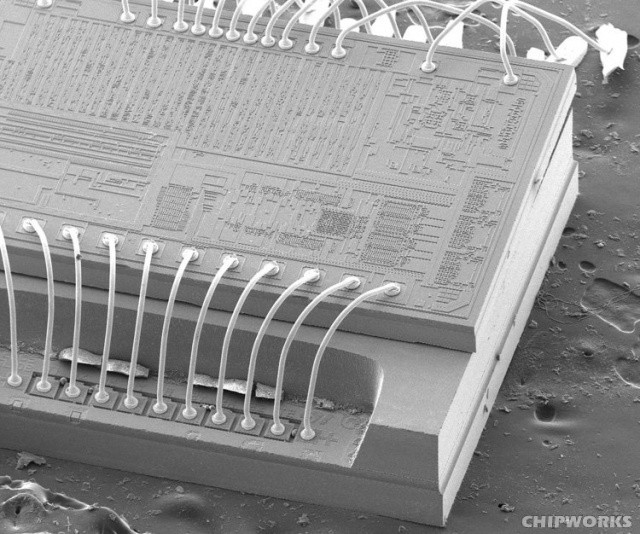
Your iPhone's accelerometer only costs sixty-five cents, but it's packed with cool tech.
Have you ever wondered how your iPhone knows up from down, or when you’re shaking it? It’s all because of the tiny accelerometer chip inside the device, but how does it work? It’s not like the iPhone’s got a metal ball bearing rolling between two points in there, so what gives?
As it turns out, there’s actually a lot of crazy cool tech in there.
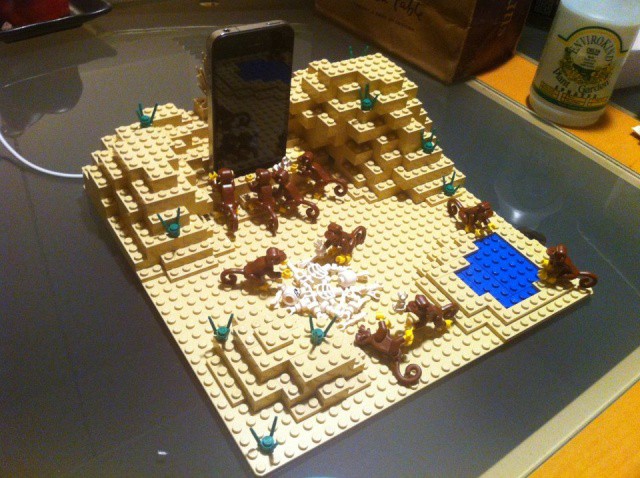
The only thing missing from this iPhone docking recreation of 2001's Dawn of Man segment is some Strauss.
At the beginning of 2001: A Space Odyssey, Stanley Kubrick’s cosmic exploration on the evolution of mind in the universe, a bunch of man-apes in Africa discover a mysterious, jet black monolith. Upon touching it, almost worshipfully, they make an evolutionary leap in intelligence and begin to use the bones of animals as clubs to wage war upon competing tribes of apes.
2001’s monolith is iconic, and it’s common to joke about the similarity in shape between Kubrick’s big, ominous slab of intelligence-evolving basalt and Steve Jobs’s iPhone, but man, whoever built this 2001 docking station for his iPhone out of LEGO bricks — complete with tiny LEGO bones and monkeys, with the iPhone standing as the monolith above a worshipful tribe of man apes — just ran with it.
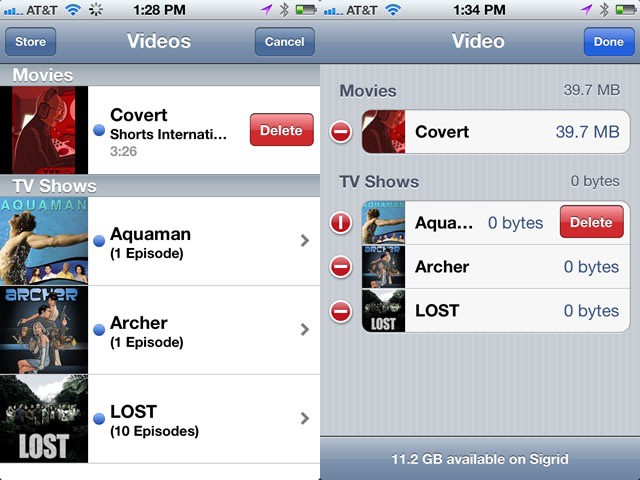
Chances are you’re going to want to get rid of some videos on your iPhone or iPad at some point when you’re not near your trusty Mac at home. Or your laptop. In fact, you might even want to skip the computer and iTunes altogether, and just delete them from your iOS device directly because finding the white connection cord is just too much of a hassle. Today’s tip gives you two ways to do this.
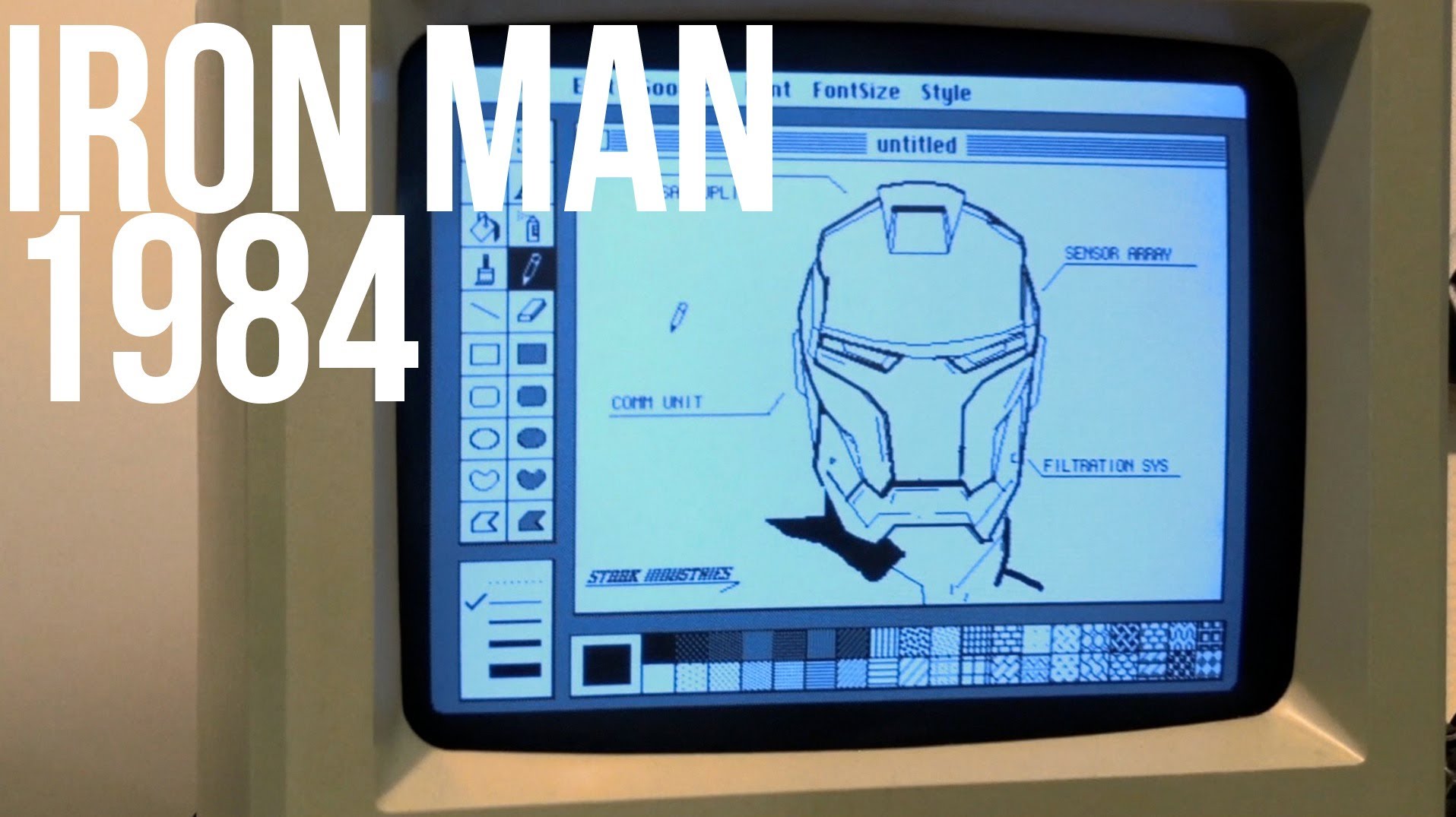
Tony Stark — otherwise known as the Invincible Iron Man, as seen in this weekend’s mega blockbuster hit The Avengers — is probably the superhero mentioned most often in the same breath as Apple. Apple’s LiquidMetal is often called Tony Stark stuff, and Iron Man’s perfect amalgam of advanced tech and cool style is rightly compared to Apple’s own design ethos.
That’s why we love this awesome video by Matt’s Macintosh, showing Tony Stark “designing” his Iron Man armor using StarkPaint on a 1984 Starkintosh… which just happens to look pretty much identical to a vintage 1984 Macintosh.
But let’s not pay attention to that. Instead, let’s ask ourselves what we can glean from the first Samsung Galaxy S III ad, especially when comparing it to a thirty-second iPhone 4S commercial.
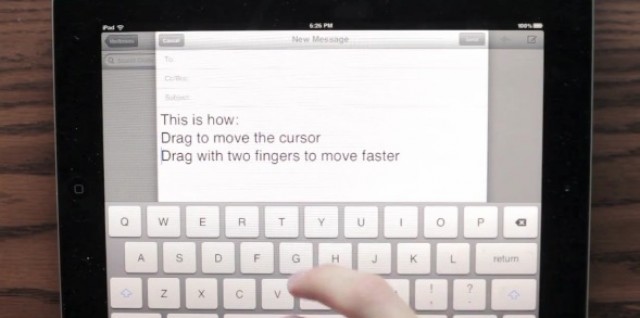
Text editing on iOS isn’t bad, but it’s definitely fiddly. Make an error or want to delete some words and unless you’re using a Bluetooth keyboard, you have to take your hands off the keyboard, tap the words you want to select or where you want to insert your cursor, adjust the boxes manually and more. A pain.
YouTube user Daniel Chase Hooper had a better ideas, as illustrated in this video concept below. What if to edit text, your hands never had to leave the keyboard area on the iPad? To move the cursor, you swipe in the keyboard area left, right, up or down. To select a bunch of text at once, you swipe in the keyboard area while holding down shift.
Apple has a patent for a touchscreen iMac with an arm that swivels the display down to allow you to manipulate the display more like an iPad, without getting “gorilla arm.” It’s a cool patent, but what would that iMac look like in real life? Motion graphics and 3D animation student Joakim Ulseth put together an awesome video bringing an iMac Touch running OS X Mountain Lion to life. There’s a lot of problems with this sort of design, and Apple would never in a million years release it, but it sure does make a sexy video. [via iFans]
Chinese ingenuity and resourcefulness is an amazing thing, and we see it in action every time we pick up an iPhone or iPad. We also sometimes see it when iPhones are smuggled into China. First, Chinese iPhone and iPad smugglers were using crossbows and ziplines to get over the border, and now they’re cutting open glass beer bottles, stashing iPhones inside then gluing them shut.
This woman was caught trying to smuggle over 200 iPhone 4s and iPhone 4Ses at the Sha Tau Kok border this way. Wonder what she did with all that beer. And imagine finding an iPhone at the bottom of your brew. Usually the only thing I see there is pink elephants… and maybe the occasional dead mouse.
Here in America, AT&T’s rather desperately trying to convince people to buy the Lumia 900 by saying it’s a “notch above” an iPhone.
In Russia, though, Nokia’s taking a different tack and trying to get people to buy the new Lumia 900 with this advertisement, in which they seem to imply that being locked into a two-year contract with a garish Lumia phone is like being entombed alive in a metal box filled with bad techno music, seizure-inducing flashing lights and half-a-dozen garishly made-up Russian call girls covered in glitter and reeking of cigarettes and vodka.
What iPhone fan could disagree with that metaphor?
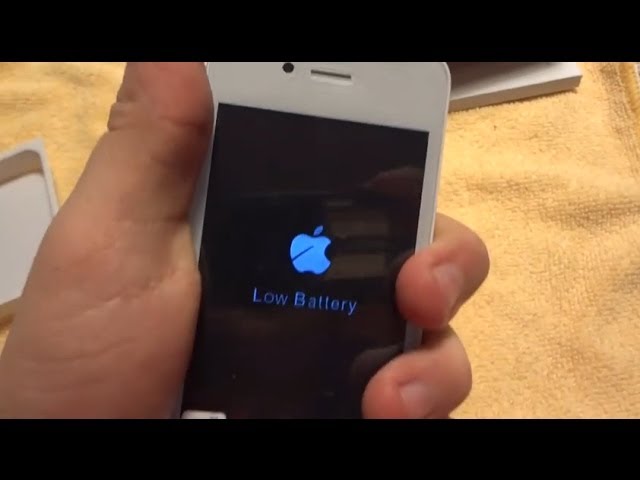
Unreal. This phony iPhone 4S found in Turkey looks and feels exactly like the real thing up until you turn it on… and even then, if you weren’t already familiar with what an iPhone’s low battery warning looks like, you might mistake it for the real thing. This is why you should either buy your gadgets from an Apple Store, or test them extensively before buying.
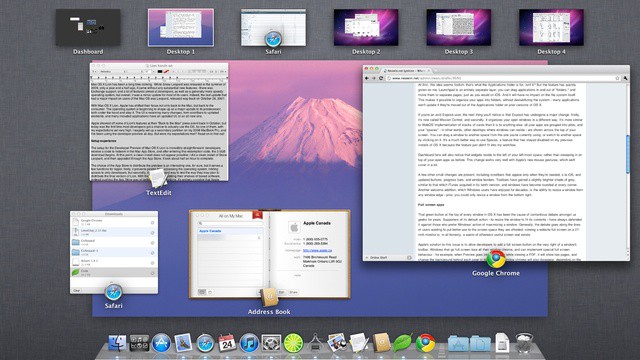
OS X is sometimes known for its visual flair and neatly implemented animations. If you’d rather just get down to business and lose the visuals of OS X though, there’s a neat Terminal trick that will let you either speed up, slow down, or lose the animations in Mission Control all together. This little tip can make work in Mission Control feel faster and help especially on slower systems. In this video, I’ll show you how to accomplish this.
Apple has aired a new commercial for the iPhone 4S. Simply called “iCloud Harmony,” the 30-second TV spot highlights iCloud’s ability to sync your media and apps between devices. “Automatic. Everywhere. iCloud.“
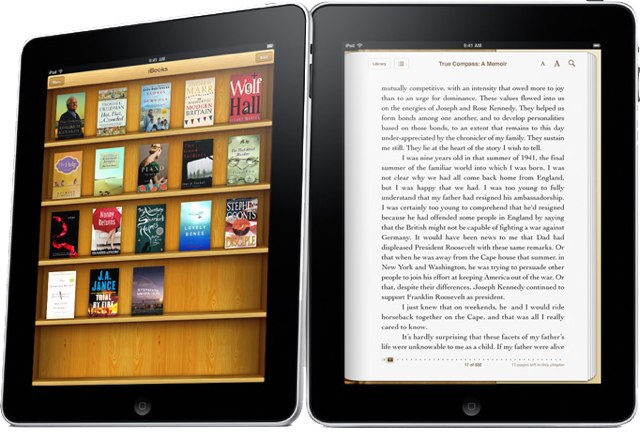
The DRM restriction that prevents Apple’s iBooks from being opened on other devices can now be removed by the latest version of a free DRM removal tool. Requiem 3.3, a piece of software that is incredibly popular for removing the DRM from music and videos purchased from the iTunes Store, has been updated to crack e-books purchased from the iBookstore.
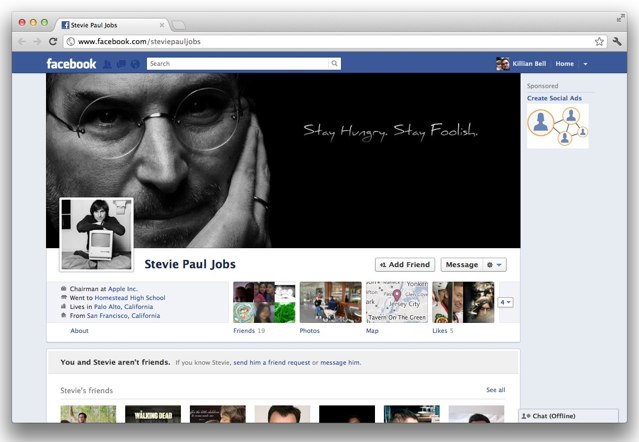
We’ve seen countless tributes to Steve Jobs since he passed away on October 5, but the latest is really incredible. It’s a Facebook timeline that documents Steve’s entire life since the day he was born, and it’s truly jaw-dropping. I can’t imagine the effort that must have gone into this.
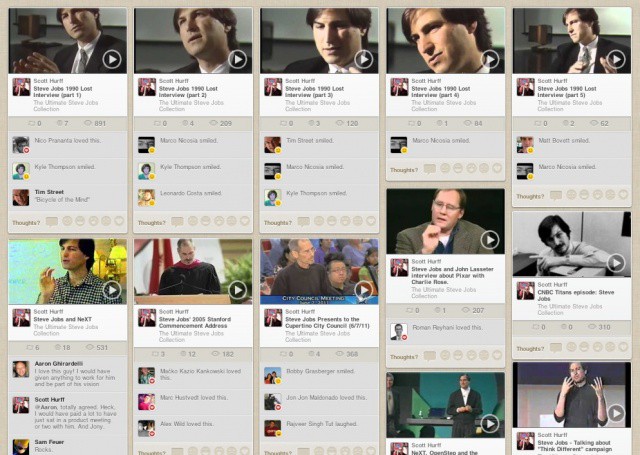
Scott Hurff, a founder of video sharing site Chill, has put together the most comprehensive list of Steve Jobs videos we’ve ever seen. The Ultimate Steve Jobs Collection contains interviews, keynotes, and other gems featuring Apple’s late co-founder. With more than 100 YouTube videos ranging from the days of NeXT to the famous Standford commencement speech, this library is full of the best Steve Jobs moments.
I’m not a huge fan of The Big Bang Theory, but this clip from the latest episode is too good not to post.
What if Siri wasn’t just Wolfram Alpha stapled onto a smart text-to-speech program, but instead an actual woman, working a call center, and just as slinky and sexually promiscuous as any bro showing off in front of his drunken friends by asking for a blow job could ever hope?
That’s probably not many people’s fantasies, but it is the hilarious chimera of Big Bang’s Raj, who is as cripplingly shy as he is addicted to his new iPhone 4S.
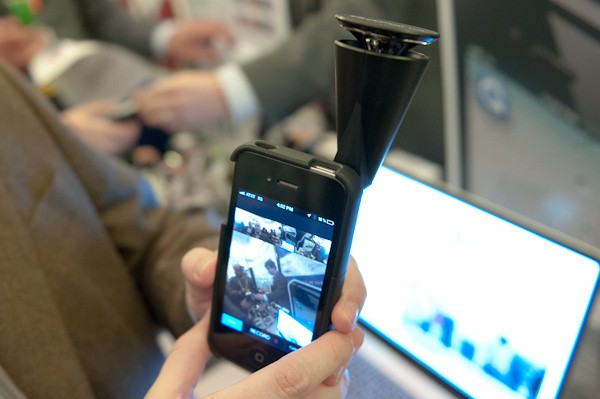
LAS VEGAS, NEVADA – Debuting here at CES 2012, the GoPano Micro ($80) is an odd-looking little device that lets you record 360° panoramic videos on your iPhone 4 and 4S. You can then scroll around those videos in a way similar to how you move around in Google Maps street view, watching your video from a ton of different angles and perspectives.
There are many excellent and original ways to propose to your significant other. For example, I once proposed to a girlfriend on a tethered skydive by shouting into her ear at a dangerously low 1500 feet: “Will you marry me and should I pull this ripcord?” To this day, I don’t think I’ve ever heard a more enthusiastically (some might even say hysterically) shrieked affirmation of love.
That’s one way to do it. Of course, a less dramatic (and some might argue, more romantic) way to do it, if your girlfriend is an iOS gamer, is to reach out to the developer of her favorite game and ask him to bake a wedding proposal into his app for you.








 LAS VEGAS, NEVADA – Debuting here at CES 2012, the