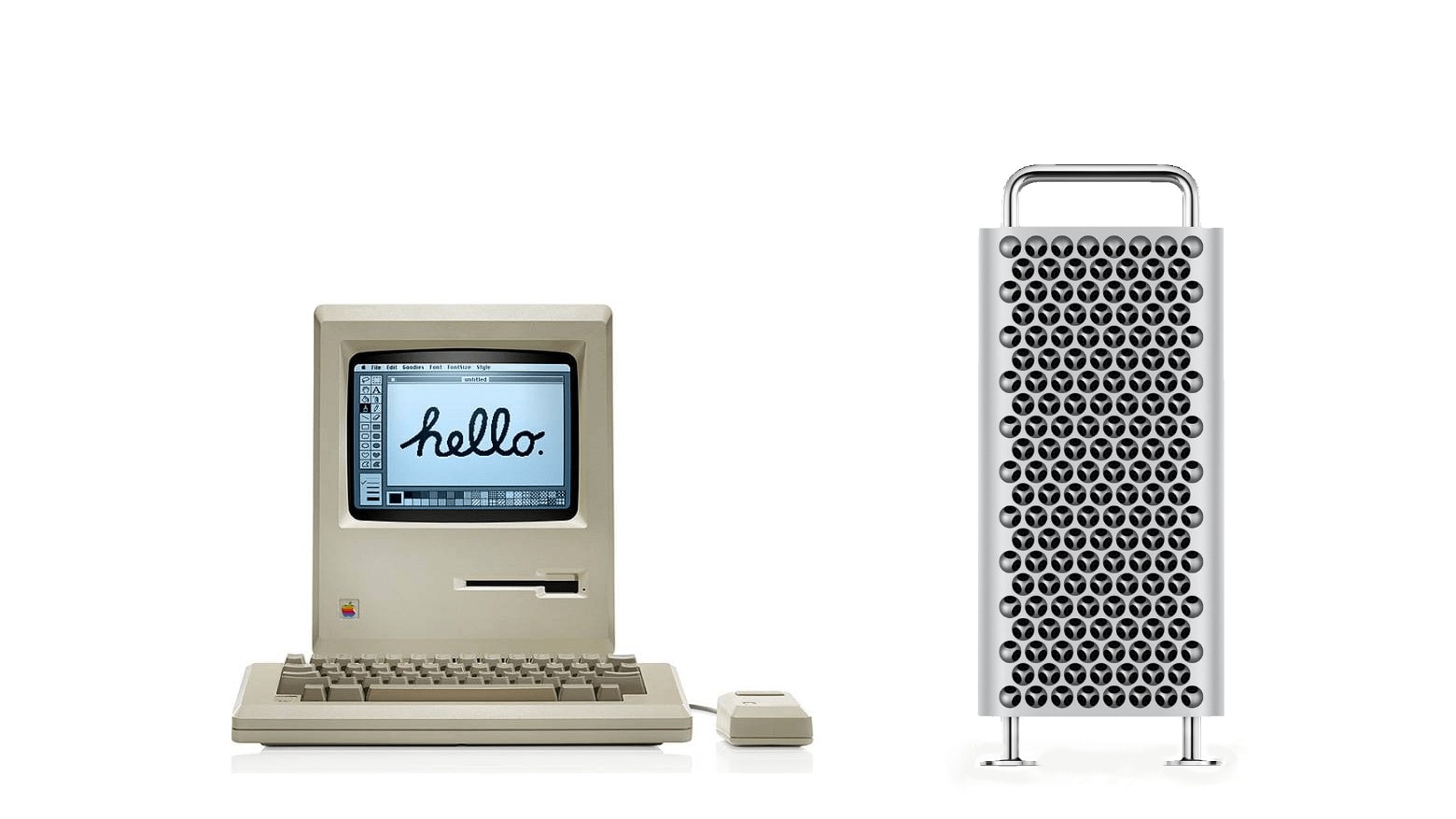
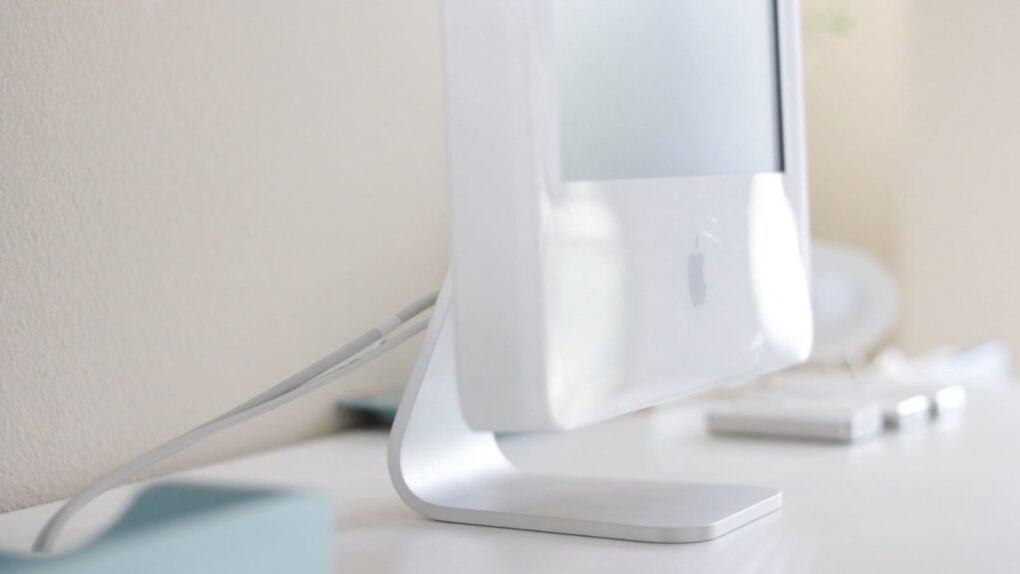
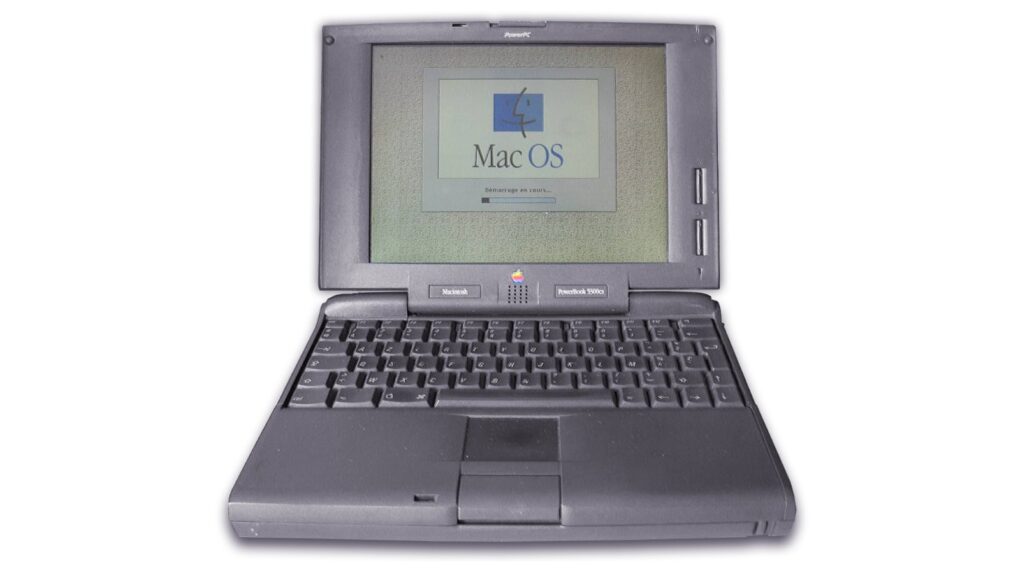
One of these two Macs cost a lot more than the other. Which one might surprise you.
Mac evolution: Becoming iconic
The history of Mac computers is marked by innovation, technological advancements and a profound impact on the computing industry.
From humble but hopeful beginnings in the 1970s, the Macintosh line of computers has pushed boundaries of design, user experience and technological prowess to become iconic and often imitated.
In early 1984 Apple’s vision of a user-friendly personal computer resulted in the launch of the original Macintosh. The Macintosh 128K, often referred to as the “Mac,” featured a graphical user interface and a mouse, setting a new standard for personal computing.
Technological milestones: 1990s and 2000s
PowerPC architecture
In the early 1990s, Apple transitioned to the PowerPC architecture, a collaboration between Apple, IBM and Motorola. This transition led to significant performance improvements, setting the stage for Apple’s expansion into new markets, including professional multimedia and design.
Mac OS X
The launch of Mac OS X in 2001 marked a pivotal moment in the history of Mac computers. The Unix-based operating system brought enhanced stability, performance, and a modern user interface to the Mac lineup, solidifying Apple’s position as a leader in software innovation.
The introduction of the unibody construction in MacBook Pro models showcased Apple’s commitment to design and engineering excellence. The unibody design not only improved durability but also set a new standard for aesthetic appeal and build quality in the industry.
Retina display
Apple’s focus on display technology culminated in the introduction of the Retina display in 2012. Offering exceptional pixel density and image quality, the Retina display redefined visual clarity and became a hallmark feature of Mac computers, setting them apart from the competition.
M1 chip
The launch of the M1 chip in 2020 marked a significant technological leap for Mac computers. As Apple’s first custom silicon for Mac, the M1 chip delivered exceptional performance, power efficiency, and integration, further solidifying Apple’s position as a pioneer in processor architecture.
What are the top features of Apple computers?
When it comes to computing devices, Apple has long been at the forefront of innovation and design. From sleek hardware to intuitive software, Apple computers are known for their exceptional performance and user experience. Let’s delve into some of the top features.
What sets macOS (operating system) apart?
One of the key features of Apple computers is the macOS operating system. Known for its stability, security and user-friendly interface, macOS provides a seamless computing experience. Features such as Siri integration, iCloud synchronization, and Continuity features (which allows seamless work across Apple devices) contribute to the overall appeal.
What makes Retina displays so great?
Apple’s Retina display technology is renowned for its stunning visual clarity and sharpness. Whether it’s the vibrant colors, high resolution, or wide viewing angles, the Retina display enhances the overall user experience, making it a standout feature of Apple computers.
Solid build quality and gorgeous design
Apple is synonymous with elegant and robust design. From the slim and lightweight MacBook Air to the powerful and stylish MacBook Pro, Apple’s attention to detail in design and build quality sets its computers apart.
Trackpad and keyboard
The trackpad and keyboard on Apple computers are designed to offer a superior user experience. The trackpad, equipped with multi-touch gestures, provides precise control and navigation, while the keyboard offers a comfortable typing experience. Features such as the Touch Bar on certain MacBook Pro models further enhance functionality and user interaction.
Performance and battery life
Whether it’s the speed and responsiveness of the latest M1 chip or the extended battery life that allows users to work uninterrupted for hours, Apple computers excel in delivering high performance and long-lasting battery power.
Integration with other Apple devices
Apple’s ecosystem is designed to work seamlessly across its range of products. Features like Handoff, AirDrop, and Universal Control allow for effortless sharing and continuity between Apple computers and other devices such as iPhones and iPads.
Security and privacy
Apple places a strong emphasis on security and privacy. With features like FileVault encryption, Gatekeeper app security, and the privacy-focused approach to user data, Apple computers provide a secure computing environment, giving users peace of mind.
Customer support and software ecosystem
Apple’s strong customer support and extensive software ecosystem contribute to the overall appeal of its computers. Whether it’s access to a wide range of productivity and creative apps through the App Store or the reliable customer service offered through AppleCare, users of Apple computers benefit.
Learn how to get around your Mac's keyboard and edit text faster. Photo: fauxels/Pexels CC
You want to get faster at typing? Sure, you can hold down the Backspace key or mash it really fast. But there’s a better and more precise way to backspace and delete text on the Mac, using the Option (⌥) and Command (⌘) keys. These Mac typing shortcuts can make editing text lightning-fast and seamless.
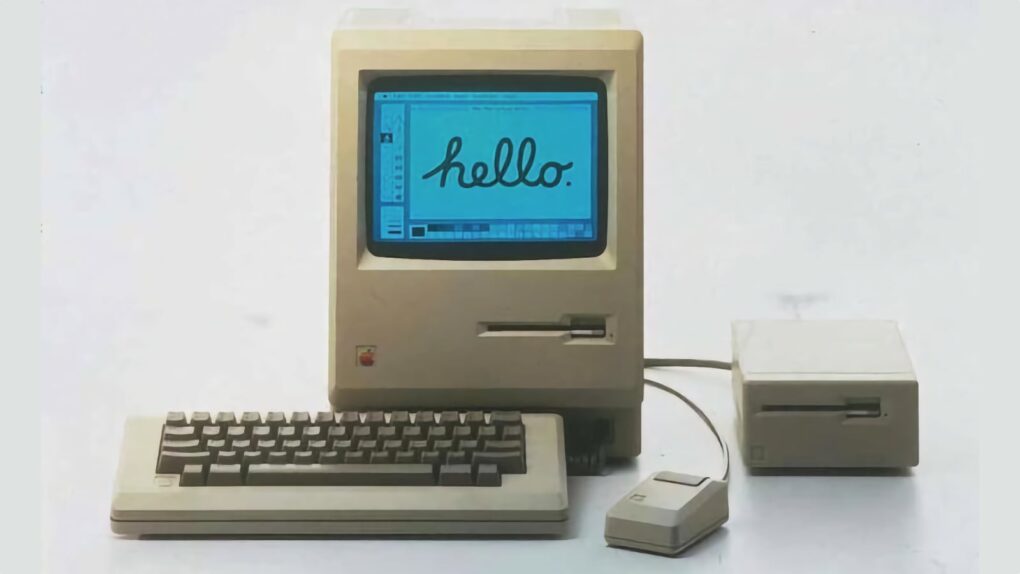
The "Fat Mac" solved one of the original Mac's biggest problems. Photo: Apple
September 10, 1984: Apple ships the Macintosh 512K, the first upgrade to the first-gen Macintosh 128K.
Coming less than eight months after the original Macintosh, the 512K Mac makes no sweeping changes to the computer’s form factor. Instead, the big upgrade is quadrupling the RAM. This leads Apple fans to refer to the computer as the “Fat Mac.”
Intel Mac support took another blow this week. Photo: Cottonbro Studio/Pexls
Apple just made it easier to be a Mac developer: This week, the company told Mac App Store developers that they can build applications for Apple silicon only — they can drop Intel Mac support in their software. The change applies to all macOS apps that require macOS 13 or later.
If you’re still running an Intel Mac, that’s the clearest signal from Apple that your machine is in the final stretch. Developers can now flip a single build setting and stop updating Intel-compatible versions. This means fewer updates reaching Intel hardware from now on.
Perplexity Hybrid Compute routes sensitive files to a local model that never leaves your Mac. Photo: Perplexity
Perplexity Hybrid Compute is now live on Mac. The feature splits a single AI task between the cloud and the local model, so all your sensitive files stay on the machine.
“In the newest release of the Perplexity for Mac app, users can now add a compact local model post-trained for Perplexity Computer and choose to run tasks on device on their Mac,” said Perplexity in a press release Tuesday.
Cloud models handle the research and heavy reasoning, while a compact, local AI model on your Mac handles any step that touches private data.
The iMac G5 looked like the world's biggest iPod. Photo: Matthew Pearce/Flickr CC
August 31, 2004: Apple launches the iMac G5, a distinctive, white plastic computer that looks a little like the world’s biggest iPod.
Housed in a 2-inch-thick enclosure reminiscent of Apple’s Cinema Displays, the new all-in-one machine bridges the gap between the pleasing plasticity of the iconic original iMac and the minimalist form factor of the ultra-slim aluminum Macs that will follow.
“Just like the iPod redefined portable digital music players, the new iMac G5 redefines what users expect from a consumer desktop,” says Phil Schiller, Apple’s senior vice president of worldwide product marketing, in a press release. “With the entire system, including a gorgeous 17- or 20-inch display, just two inches thin, a lot of people will be wondering ‘where did the computer go?’”
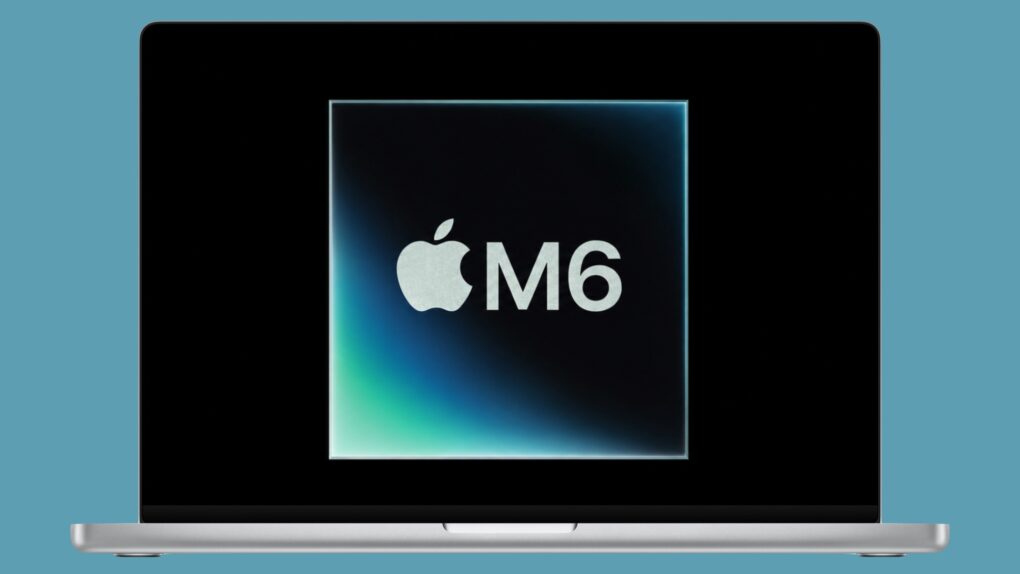
Apple's new M6 processor packs a 2nm punch, but the M5 Pro lives up to its name. Image: Cult of Mac
With the latest Mac mini, Apple launched its first 2nm chip: the M6. It stands out for several reasons, including enhanced single-core performance and dual Neural Engines for better AI performance.
But that does not automatically make it better than the M5 Pro, which trumps the M6 in some key areas.
Both are available in the new Mac mini, so it’s up to buyers to choose which is the better option for them. To help with the decision, here’s how the two stack up.
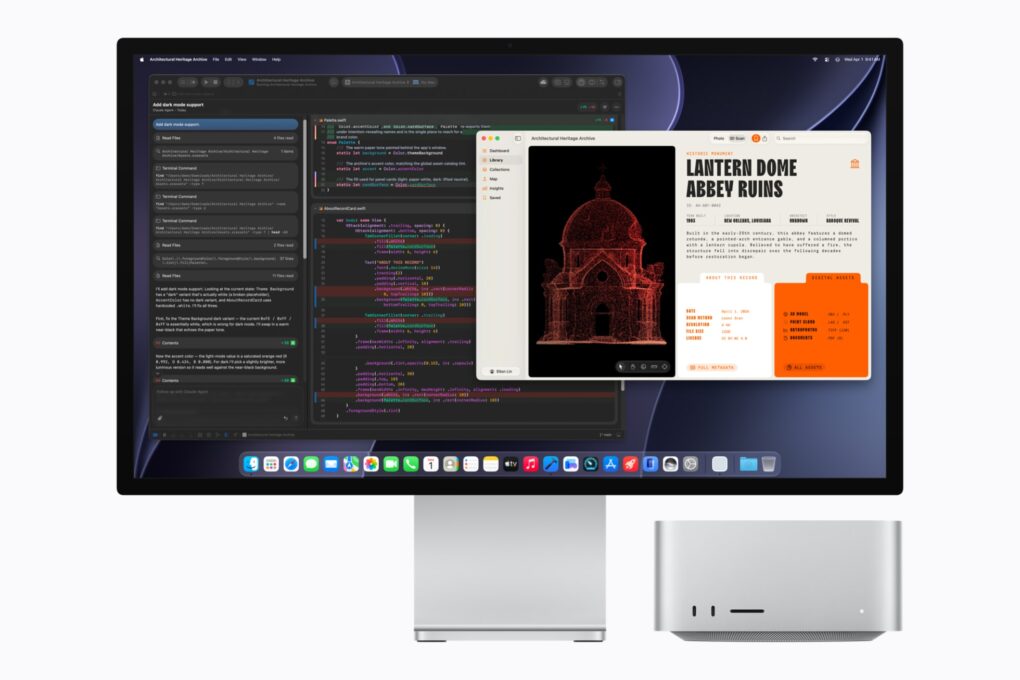
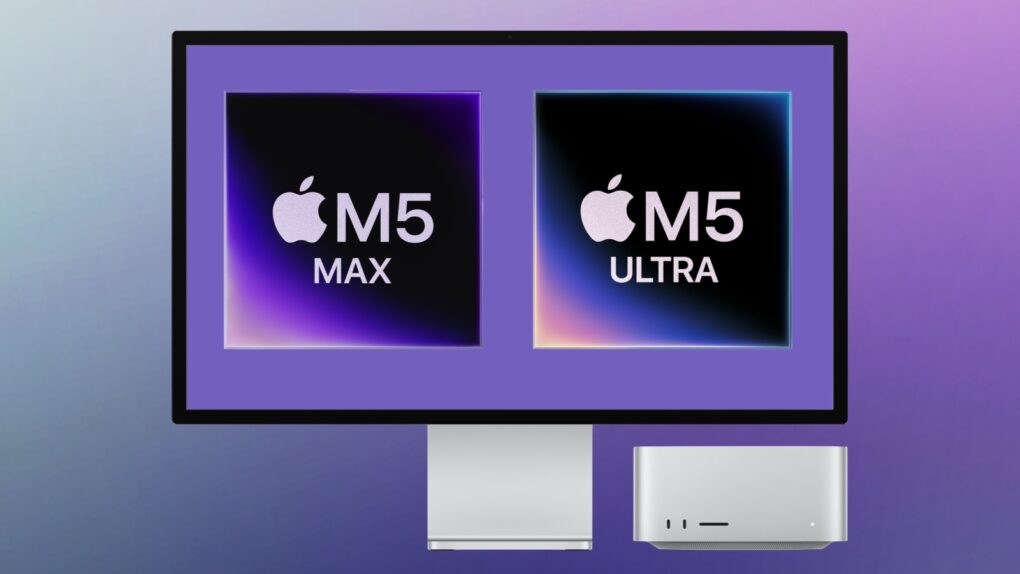
The M5 Ultra Mac Studio starts at $5,499 and targets developers running AI coding models locally. Photo: Apple
Apple pitches its new M5 Ultra Mac Studio as a way to end your AI subscription bill for good. But the math tells a different story.
“Mac Studio lets users run massive models entirely on device with complete privacy — without counting tokens or worrying about rising cloud costs,” Apple said in a press release announcing the computer’s surprise launch Tuesday.
While Apple’s marketing frames the Mac Studio as a way to run AI coding models locally instead of paying for an AI subscription every month, a pricing breakdown shows the payback stretching into years, not months.
The top-spec PowerBook 5300 remains the priciest (and most famous) laptop in Apple history. Photo: Serged/Wikimedia
August 25, 1995: Apple releases the PowerBook 5300, the Mac laptop that will save the world from alien invaders in the 1996 blockbuster movie Independence Day.
The computer will make many more big-screen appearances, too. See some of the laptop’s most high-profile Hollywood cameos below.
Apple just juiced up the Mac mini with M6 and M5 Pro chips. Photo: Apple
Apple just gave its smallest Mac an outsized performance upgrade. The company on Tuesday launched new Mac mini versions powered by either the all-new M6 chip or the more powerful M5 Pro, bringing substantially faster performance and a major focus on local AI workloads to the tiny desktop.
“Whether it’s being used as a home computer, powering a professional studio, or as an always-on agentic device, it’s the little Mac that can do it all,” said Johny Srouji, Apple’s chief hardware officer. “Today, we’re taking this versatility even further.”
Mac Studio just got a substantial performance boost. Photo: Apple/Cult of Mac
Apple just gave its most powerful desktop Mac a major performance boost. The company on Tuesday introduced an upgraded Mac Studio powered by the M5 Max processor and the all-new M5 Ultra, promising substantially faster AI, graphics and CPU performance in the same compact design.
“Mac Studio is the ultimate desktop for on-device AI and the world’s most demanding pro workflows, relied on by users for its tremendous performance and extensive pro connectivity, all in a quiet, compact design that sits right on your desk — and today, we’re pushing the boundaries even further,” said Johny Srouji, Apple’s chief hardware officer, in a press release.
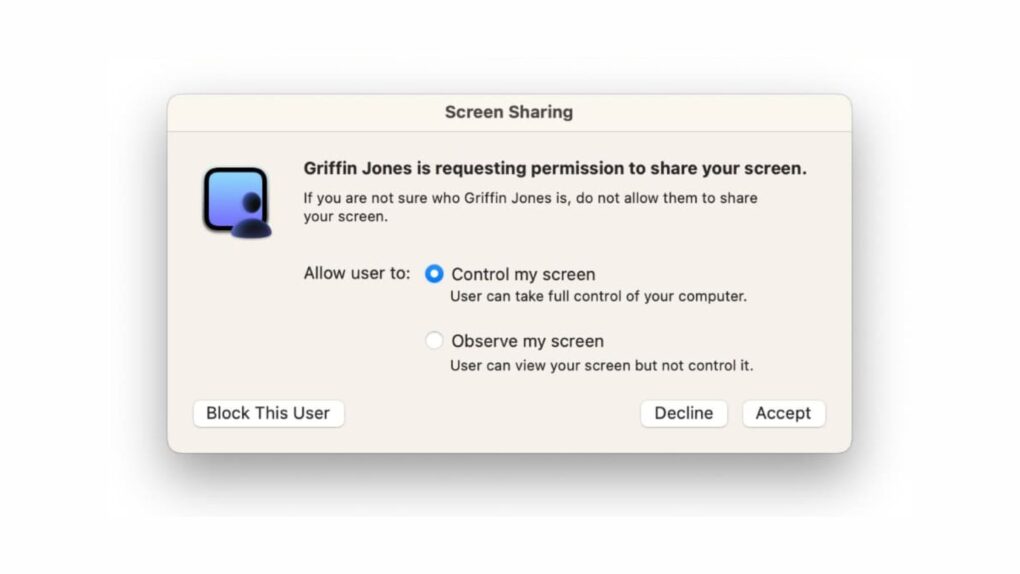
The macOS Screen Sharing vulnerability lets attackers bypass login credentials entirely. Photo: Cult of Mac
A macOS Screen Sharing vulnerability that Apple patched earlier this month is now being actively exploited by hackers. Attackers use the flaw to seize control of Macs and install cryptocurrency miners.
The bug allows attackers to bypass Screen Sharing’s login screen without needing any valid credentials. Once inside, attackers escalate to full root access and install Monero mining software on compromised machines. If you didn’t already update your Mac’s operating system, you should do it as soon as possible.
The PowerBook 165 isn't one of Apple's most memorable laptops, but it was important nevertheless. Photo: Mass Made Soul/CC BY-NC 4.0/Modified by Cult of Mac
August 16, 1993: Apple ships the PowerBook 165, a lower-cost, grayscale version of the PowerBook 165c, which was the company’s first laptop to offer a color display.
The new model lacks the most attention-grabbing feature of the 165c, but it also brings its own claim to fame. The PowerBook 165 is Apple’s most affordable laptop yet.
On this day in 1998, the world said "hello" to the computer that would save Apple. Photo: Apple
August 15, 1998: The original iMac — Apple’s brightly colored, translucent Macintosh relaunch — goes on sale to a rabid audience. Apple co-founder Steve Jobs‘ first major new product since returning to Cupertino, the internet-ready iMac G3 line will cement his legacy as a forward-thinking tech visionary.
The all-in-one computer also introduces the world to the design talents of Jony Ive — and pretty much saves Apple in the process.
You can do a lot more with your MacBook's trackpad. Photo: Unsplash
The MacBook’s trackpad is one of the best you can get on any laptop, and Apple’s excellent gestures make it even better. You can swipe or tap with two or three fingers to nimbly jump around macOS, switching between Spaces, viewing all app windows and more.
But as a Mac power user, I wanted my trackpad to do even more. So I used BetterTouchTool to add custom gestures for managing tabs, arranging windows and speeding up other repetitive tasks.
I’ll show you what I did, and how you can use BetterTouchTool to turbocharge your productivity with custom Mac gestures.
This Power Mac G4 blew people away. Image: Apple/Cult of Mac
August 13, 2002: Apple unveils the final face-lift for its Power Mac G4, the Mirrored Drive Doors model.
The distinctive-looking computer borrows visually from the previous QuickSilver G4, released a year earlier. However, it adds a different front panel, with a mirrorlike finish for the media drive doors. And the new computer’s powerful processors force an unfortunate compromise.
Your Apple devices can work together in more ways than you may expect. Image: D. Griffin Jones/Cult of Mac
Nothing illustrates the power of Apple’s ecosystem like the Continuity features that help your Mac, iPhone, iPad and Apple Watch work seamlessly together.
Thanks to Continuity, your iPhone can serve as your Mac’s webcam — and you can remotely control your iPhone from your Mac. You can start an email on one device and instantly pick it up on another. You can use the same keyboard and mouse with a Mac and iPad, copy and paste across devices and more.
These features flex the power of Apple’s hardware and software — and they would never be possible on a PC.
In this post (and the accompanying video), I will show you some of the time-saving, annoyance-busting Continuity features you can enjoy when you go all-in on the Apple ecosystem.
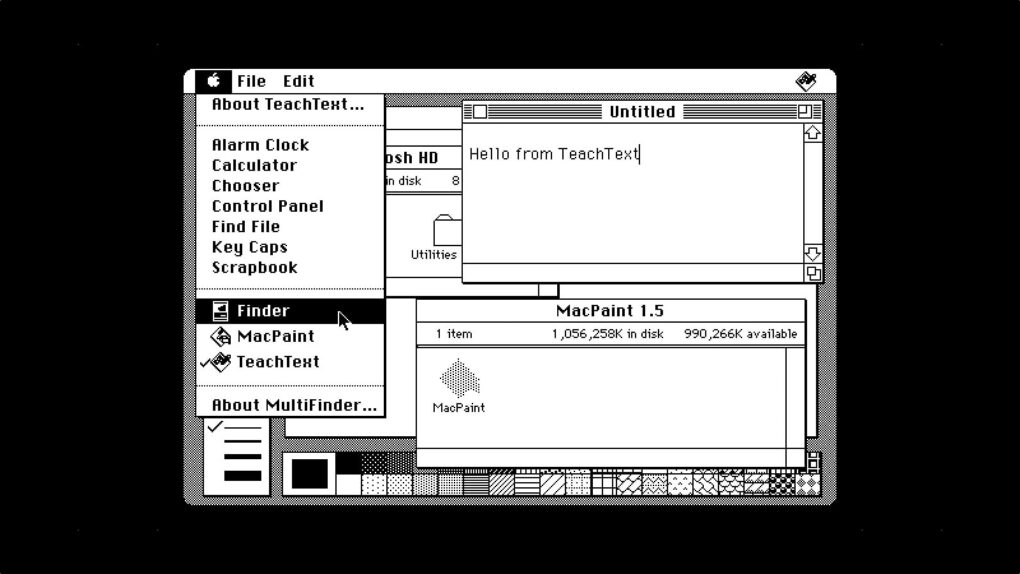
MultiFinder let you switch between running applications from the Apple menu — you could even see two apps side by side on your desktop!
Image: D. Griffin Jones/Cult of Mac
August 11, 1987: The MultiFinder app brings the biggest software update to the Mac since the computer’s launch. Baked into Macintosh System Software 5, MultiFinder allows multitasking with two apps on screen for the first time.
While MultiFinder brings an undeniable boost to the Macintosh’s technical capabilities, it is built on a shaky foundation that soon begins to show its age.
And with Writing Tools, it can reply to your emails for you, too. Image: D. Griffin Jones/Cult of Mac
With automatic mail categorization in Apple Mail, you can organize your emails and keep your personal inbox less cluttered. It’ll intelligently put all your newsletters, receipts and promotions into separate folders.
If you struggle keeping up with your inbox, this feature is a great way to make your email easier to understand at a glance.
Apple's next MacBook Pro could arrive this fall with the new M6 processor. Image: Apple/Cult of Mac
Apple plans to refresh the base-model MacBook Pro this fall with its new M6 processor, according to numerous rumors. The performance boost should make it more appealing to those who want a macOS laptop with more ports than a MacBook Air, but at a lower price than Pro models with Pro and Max chips.
Here’s what to expect from the first (and possibly only) M6 MacBook Pro.
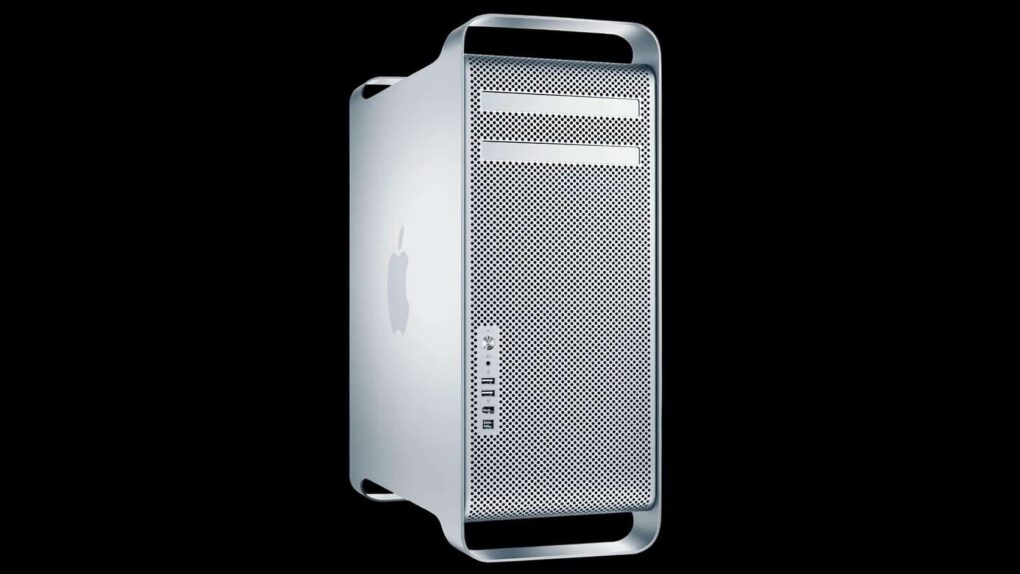
The original Mac Pro took productivity to new levels. Photo: Apple
August 7, 2006: Apple unleashes the first Mac Pro, a high-end desktop computer that completes the company’s transition from PowerPC to Intel processors.
Built for computation-heavy tasks like 3D rendering and professional audio and video editing, the quad-core, 64-bit Mac Pro serves as a replacement for the Power Mac G5 (from which it borrows its aluminum “cheese grater” design).
Clone Macs sounded like a good idea at first. Photo: Antnik
August 5, 1997: Apple gets into a standoff with Power Computing, a maker of Macintosh clones. A very public clash at the Macworld Expo in Boston marks the beginning of the end for Apple’s mid-1990s strategy of licensing the Mac operating system.
“If the [Mac] platform goes closed, it is over,” predicts Power Computing CEO Joel J. Kocher of Apple’s strategy. “[It’s] total destruction. The kiss of death.” Of course, things don’t turn out exactly like that for Apple…
AirDrop is right up there with iMessage as a great Apple-exclusive feature. Learn how to use it. Image: D. Griffin Jones/Cult of Mac
If you want to know the fastest and easiest way to send someone photos, videos, files and so, so much more, you should know how to AirDrop. There’s no need to send an iMessage — Apple’s slick AirDrop feature will immediately send and open the content on someone else’s iPhone (or other Apple device). There’s no middle step.
AirDrop works iPhone-to-iPhone, iPhone-to-Mac, iPhone-to-iPad, Vision Pro-to-Mac — any combination and permutation of two Apple devices. And, if your friend has a Google Pixel 10, you can AirDrop with them, too!
Keep reading to find out everything you need to know about how to take advantage of AirDrop.
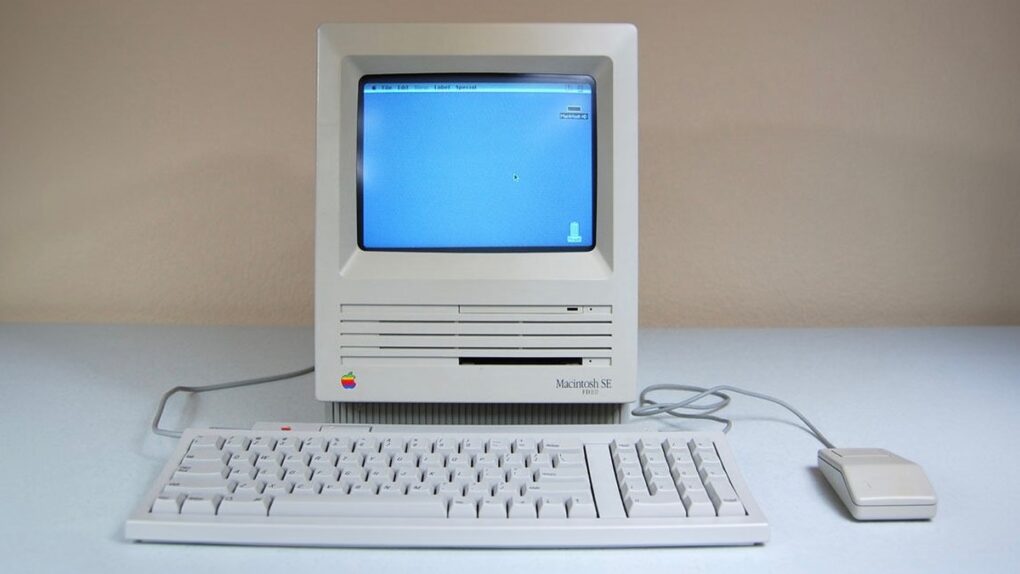
The Mac SE FDHD was a mouthful to say — but what a computer! Photo: Vetronic's Apple World
August 1, 1989: Apple gives the Macintosh SE a storage bump, courtesy of the new SuperDrive in the new Mac SE FDHD. The high-density floppy disks the SuperDrive uses offer an astonishing (for the time) 1.4MB of storage.
In terms of portable storage, it’s a big step up for most Mac owners. The HD floppy disks compare very favorably to the 400KB single-sided double-density (SSDD) disks and 800KB double-sided double-density (DDSD) disks in use at the time.
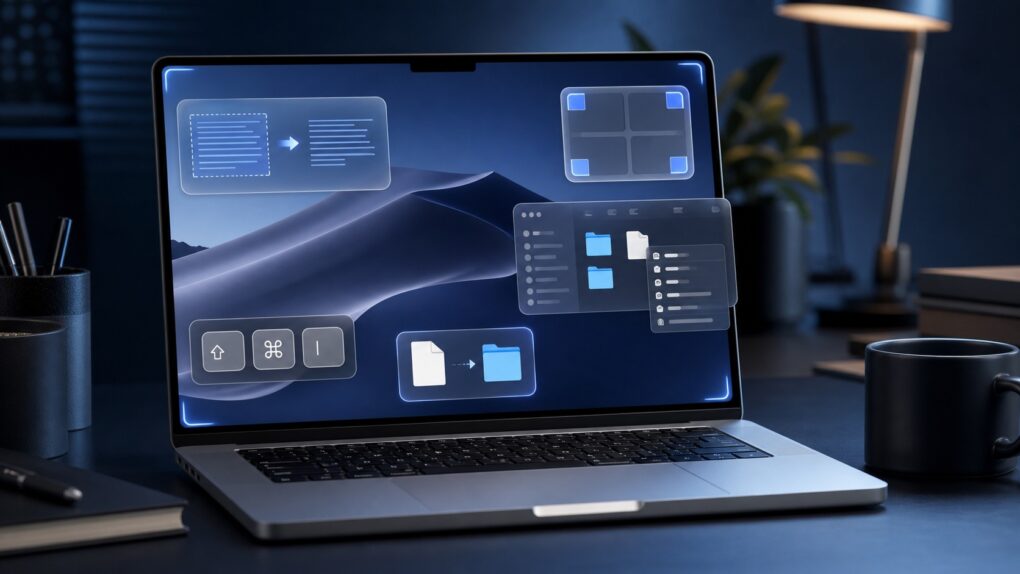
These small Mac tricks are big everyday time-savers. AI image: ChatGPT/Cult of Mac
After using Macs for years, I’ve come across several macOS features that most people overlook or quickly dismiss. But these incredibly useful Mac features have become an integral part of my daily workflow. They help me manage files, navigate my Mac more efficiently, breeze through repetitive text and more.
Even if you have been using macOS for years, chances are you are not using all of its features. And these should become part of your Mac repertoire.
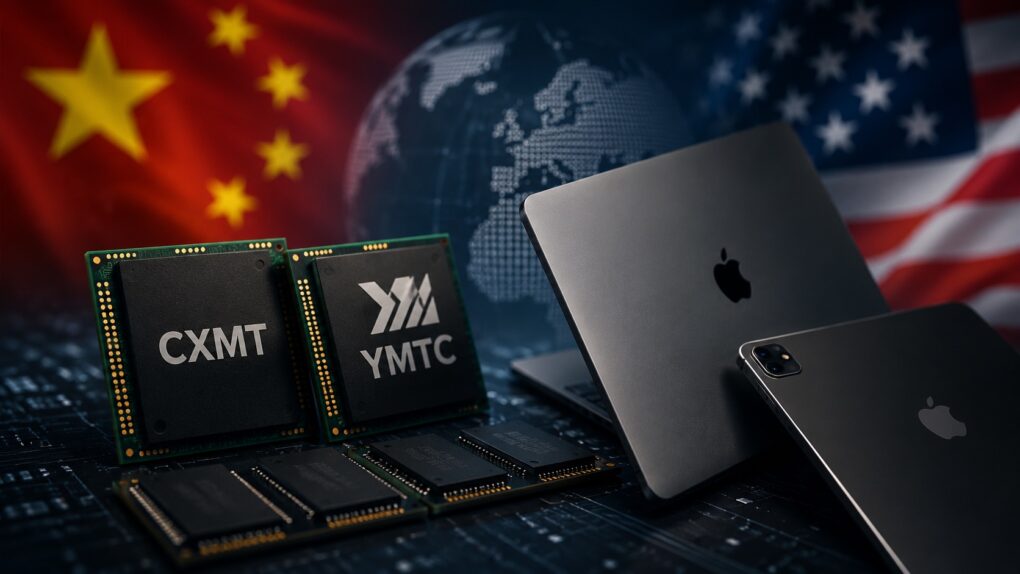
Chinese memory won't make Macs cheaper. AI image: ChatGPT
Despite its best efforts, Apple is not immune to the DRAM and NAND shortages and price hikes. This forced the company to substantially hike the prices of Macs and iPads.
To ease the memory crunch, Apple is considering sourcing memory from Chinese suppliers. But even if that happens, don’t expect the company’s products to become cheaper. The move is about securing a supply of critical components, not cutting prices.


 September 10, 1984: Apple ships the Macintosh 512K, the first upgrade to the

 August 31, 2004: Apple launches the iMac G5, a distinctive, white plastic computer that looks a little like the world’s biggest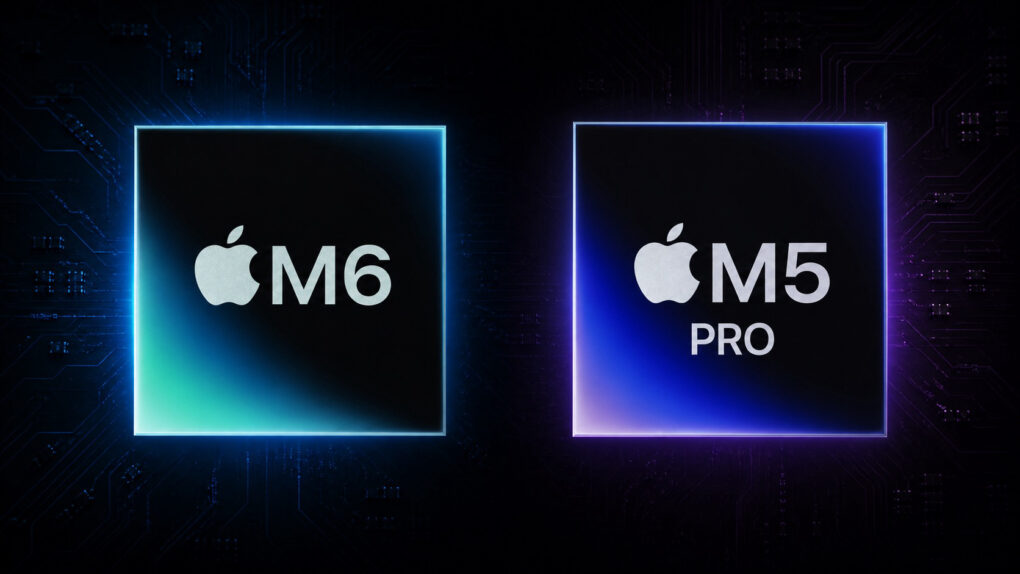
 August 25, 1995: Apple releases the PowerBook 5300, the Mac laptop that will save the world from alien invaders in the 1996 blockbuster movie Independence Day.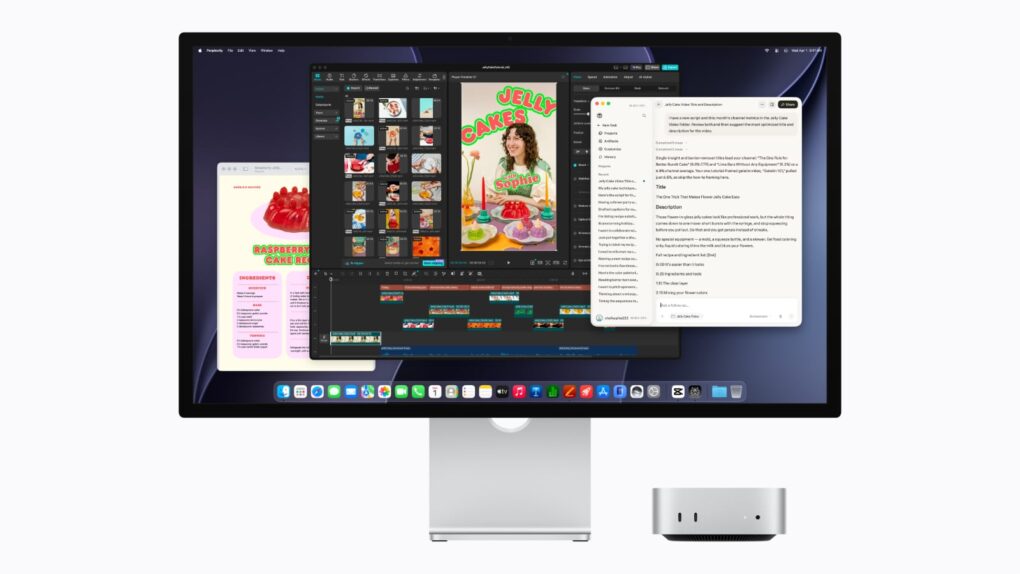
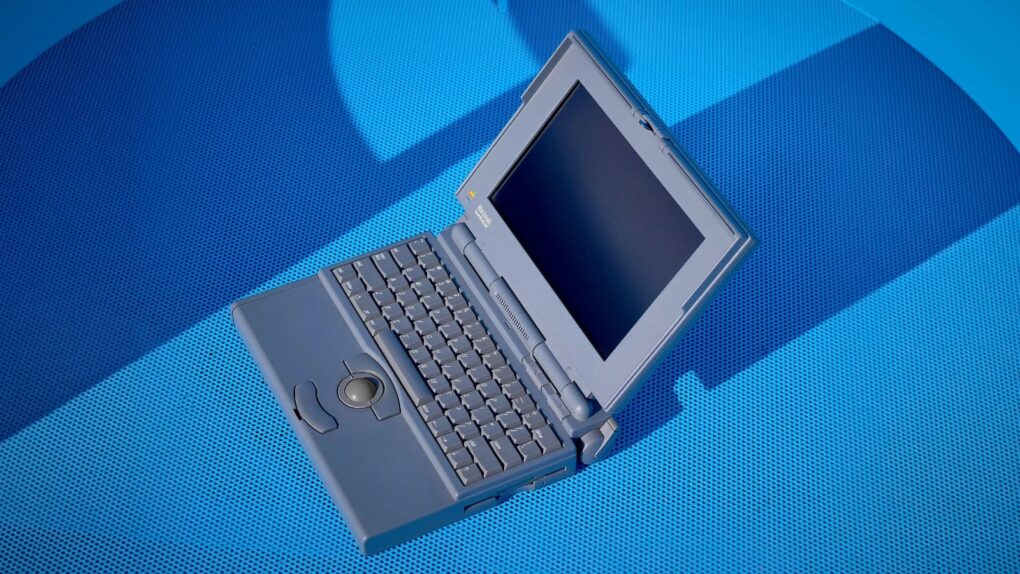
 August 16, 1993: Apple ships the PowerBook 165, a lower-cost, grayscale version of the PowerBook 165c, which was the company’s first laptop to offer a color display.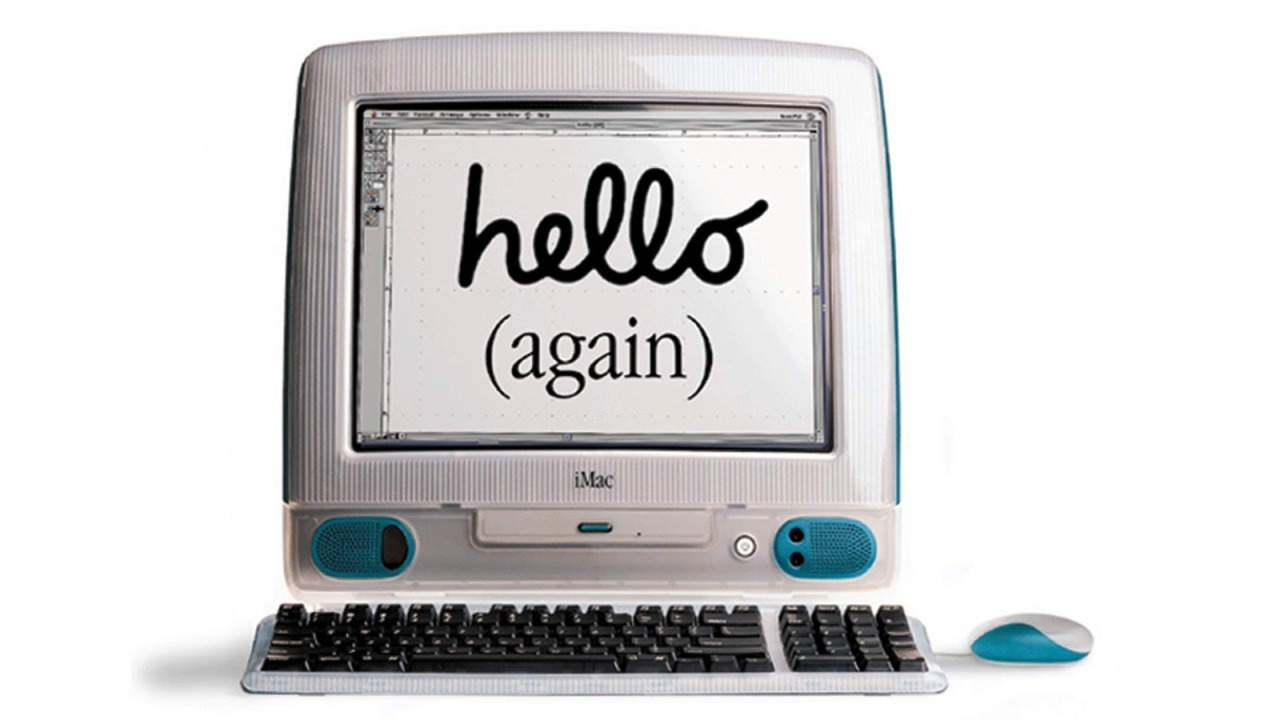
 August 15, 1998: The original iMac — Apple’s brightly colored, translucent Macintosh relaunch — goes on sale to a rabid audience. Apple co-founder
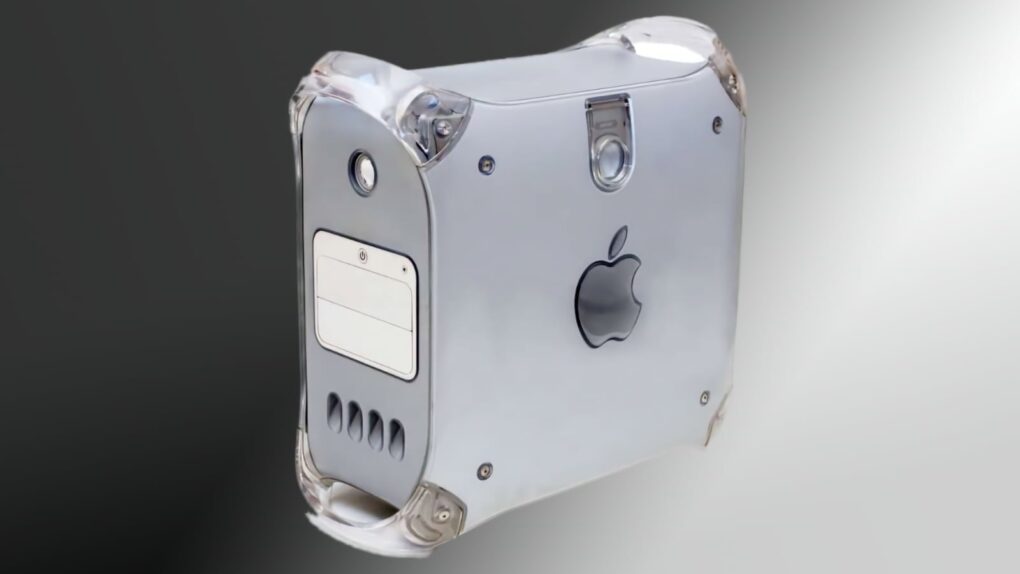
 August 13, 2002: Apple unveils the final face-lift for its Power Mac G4, the Mirrored Drive Doors model.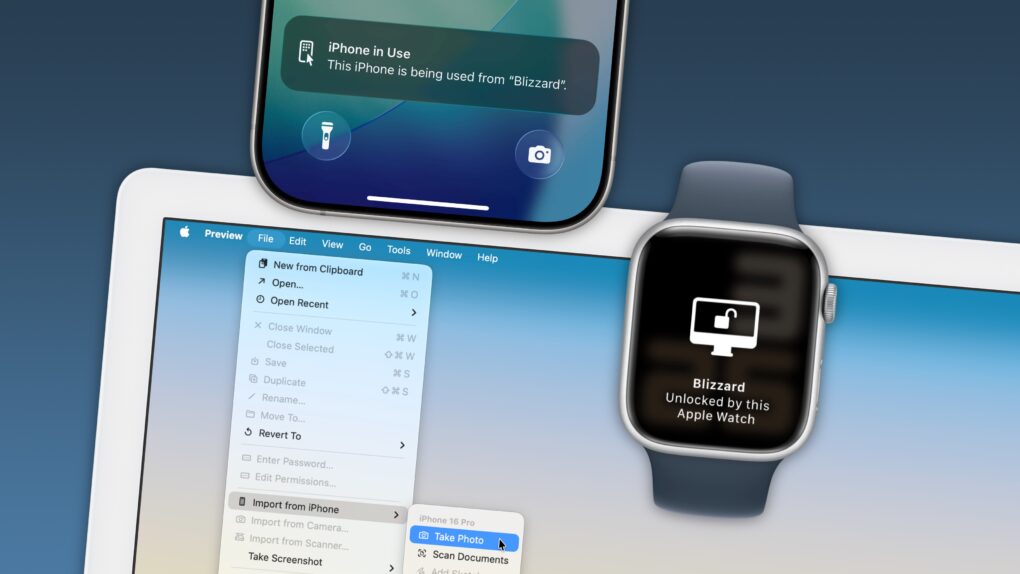
 August 11, 1987: The MultiFinder app brings the biggest software update to the Mac since the computer’s launch. Baked into Macintosh System Software 5, MultiFinder allows multitasking with two apps on screen for the first time.
 August 7, 2006: Apple unleashes the first Mac Pro, a high-end desktop computer that completes the company’s transition from PowerPC to Intel processors.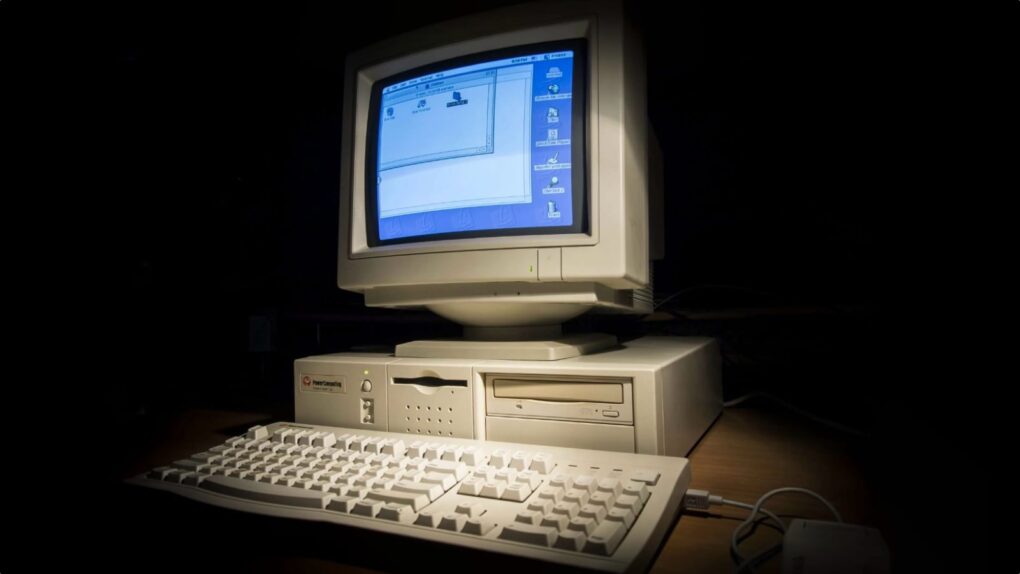
 August 5, 1997: Apple gets into a standoff with Power Computing, a maker of Macintosh clones. A very public clash at the Macworld Expo in Boston marks the beginning of the end for Apple’s mid-1990s strategy of licensing the Mac operating system.
 August 1, 1989: Apple gives the Macintosh SE a storage bump, courtesy of the new SuperDrive in the new Mac SE FDHD. The high-density floppy disks the SuperDrive uses offer an astonishing (for the time) 1.4MB of storage.