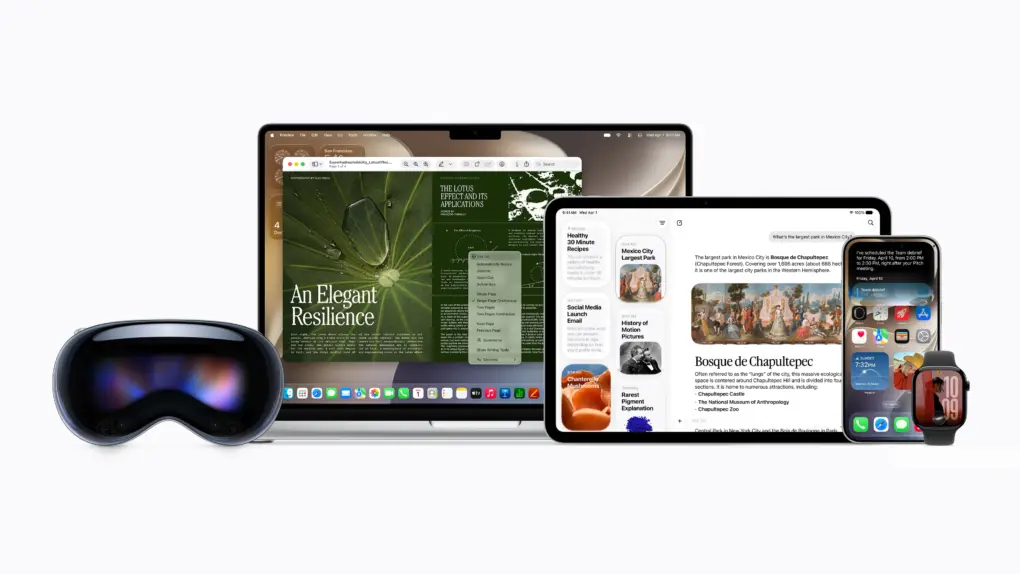
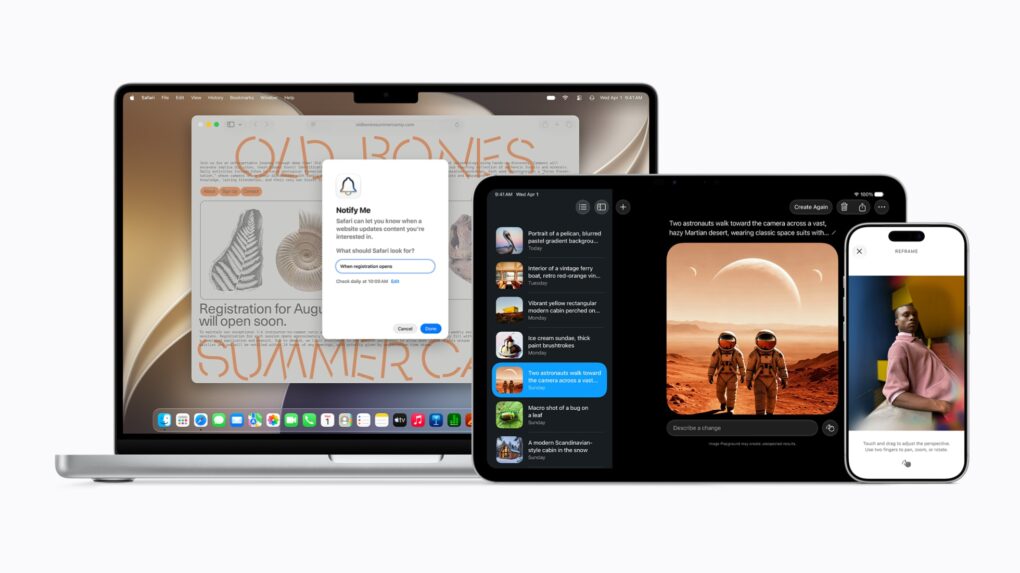
Apple Music's iOS 27 update is packed with upgrades. Here's what's coming. Photo: Apple/Cult of Mac
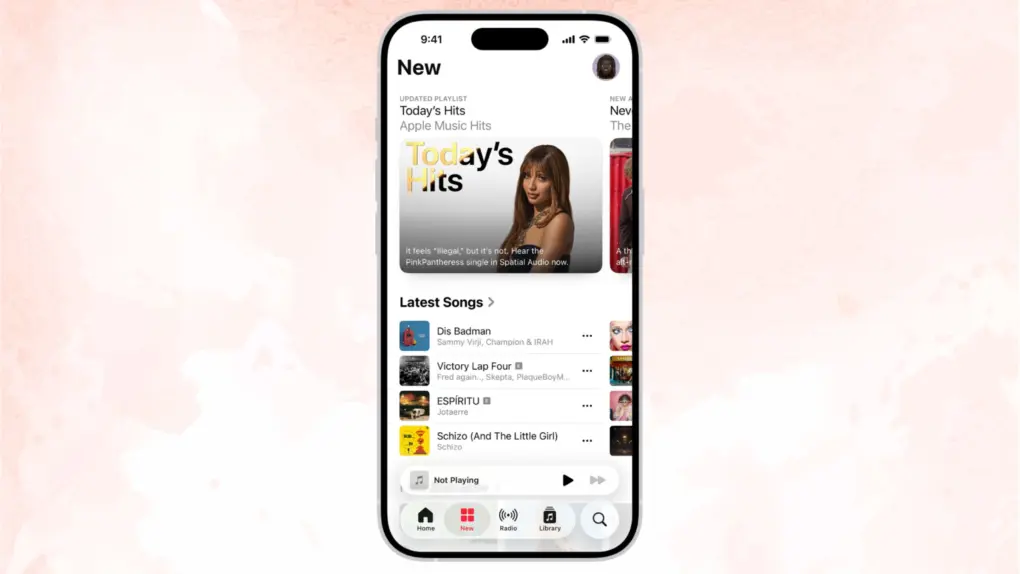
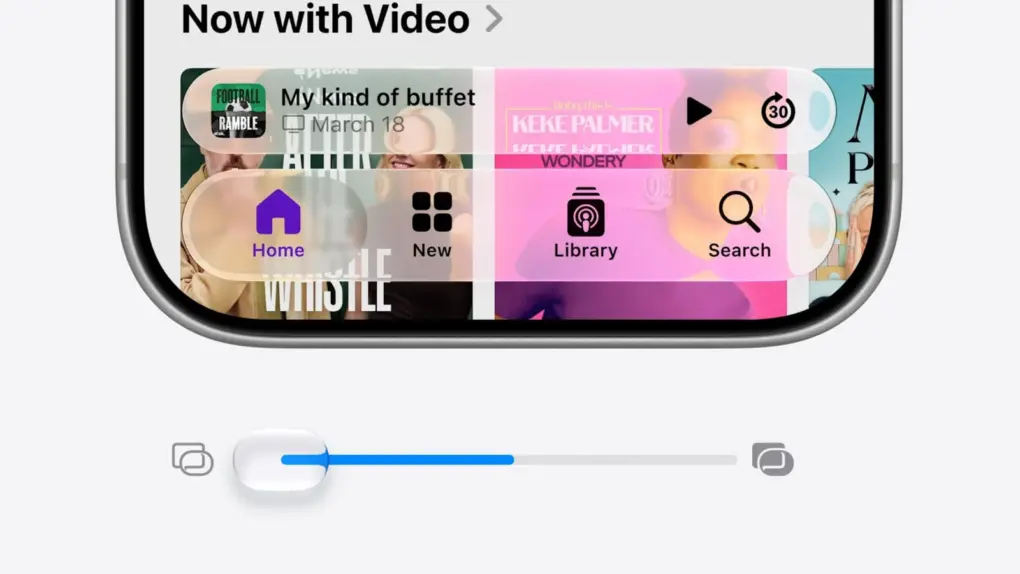
Apple Music will receive one of its biggest overhauls in years with iOS 27, and the changes go deeper than you might expect.
The update covers almost all aspects of the Apple Music app: interface changes, expanded lyrics tools, improved AI-powered mixing, and quality-of-life changes that make the app feel faster. It sounds like a big update for anyone who uses the app daily.
Soon iOS 27 will make this process a lot smoother. AI image: ChatGPT/Cult of Mac
Apple’s WWDC26 keynote brought a wave of updates to Apple Wallet well beyond cosmetic tweaks. From AI-assisted bill splitting to richer hotel stays, iOS 27 turns Wallet into a more capable everyday tool. Here’s what’s coming.
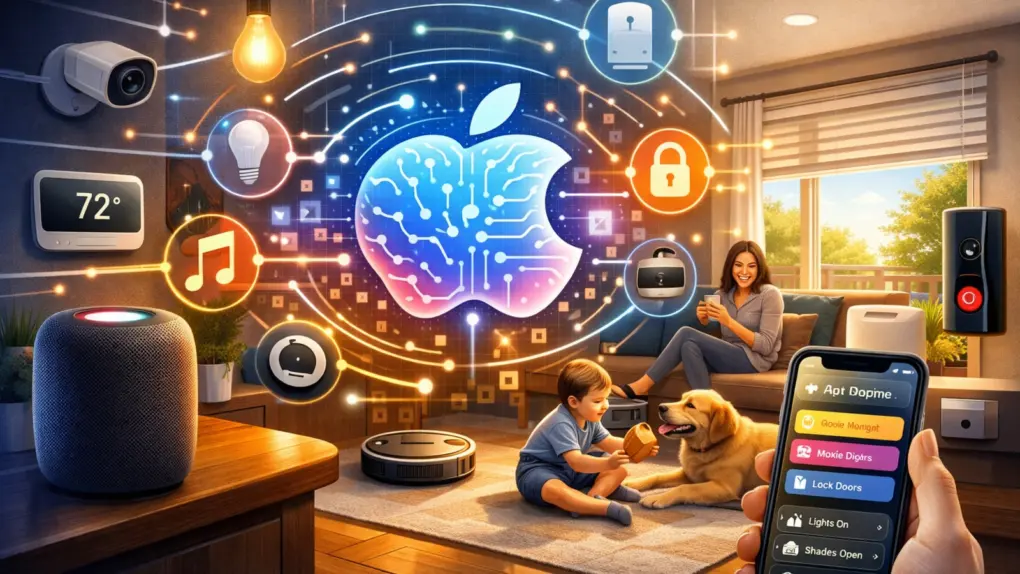
Updates unveiled at WWDC26 should boost Apple's Home app nicely. AI image: ChatGPT/Cult of Mac
WWDC26 drew plenty of attention for the rebuilt Siri and the relatively substantial iOS 27 overhaul. But buried beneath those headlines lies Apple’s biggest push yet to turn the Home app into a genuinely capable smart home platform. iOS 27 and tvOS 27 updates make your home smarter, from AI-powered security cameras to a more reliable wireless backbone.
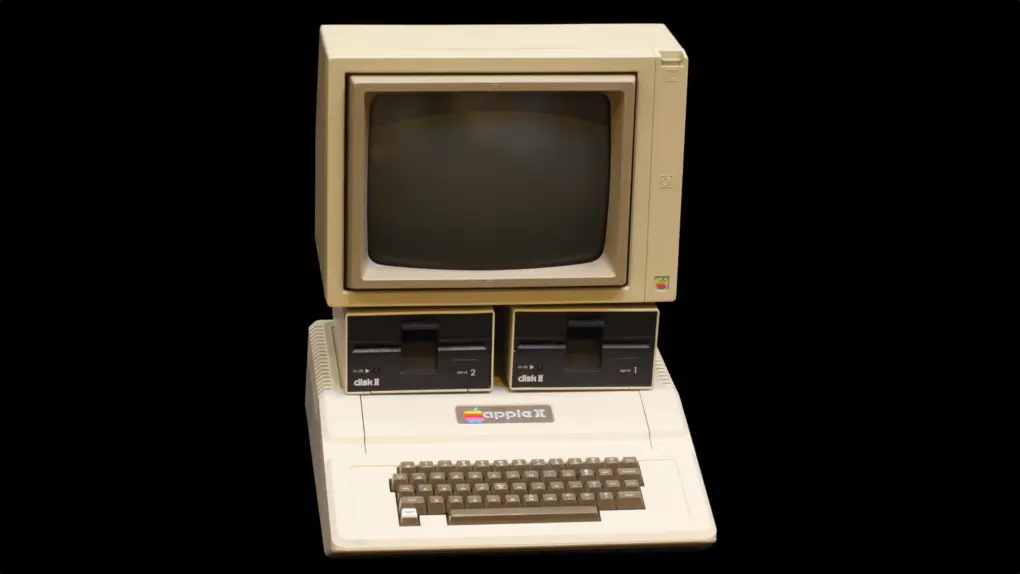
The Apple II computer changed the game for personal computing. Photo: Rama/Wikimedia CC
June 10, 1977: Apple Computer Inc. ships its first Apple II computer.
A hulking beige behemoth with 4KB of RAM (upgradeable to a whopping 48KB), the Apple II is the computer that will define Apple for a generation of fans. Retailing at $1,298, it cost the equivalent of a handful of MacBook Pros today — even though it seemed a total bargain at the time.
Apple's new AI-powered Extend and Reframe image tools show real promise. Graphic: Ed Hardy/Cult of Mac
The Reframe and Extend tools Apple added to the Photos app in iOS 27, iPadOS 27 and macOS 27 are excellent examples of how AI can be used to improve our lives. With these AI-powered editing options, a picture that’s almost amazing can be noticeably improved.
Plus, they don’t have the drawbacks of artificial intelligence that make so many people uncomfortable.
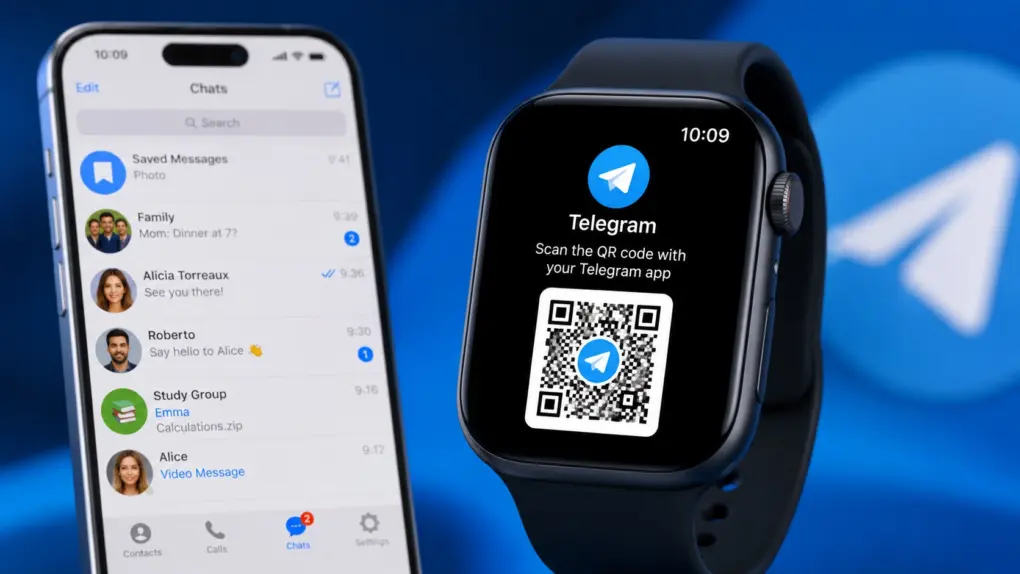
The Telegram experience on Apple Watch is about to get a lot better. AI image: ChatGPT
Years after dropping support for the Apple Watch, Telegram is back with a native watchOS app. The revived app offers a richer experience, letting you send messages, reply to chats, and more directly from your wrist.
It packs nearly all the essentials you’d expect from Telegram without having to reach for your iPhone.
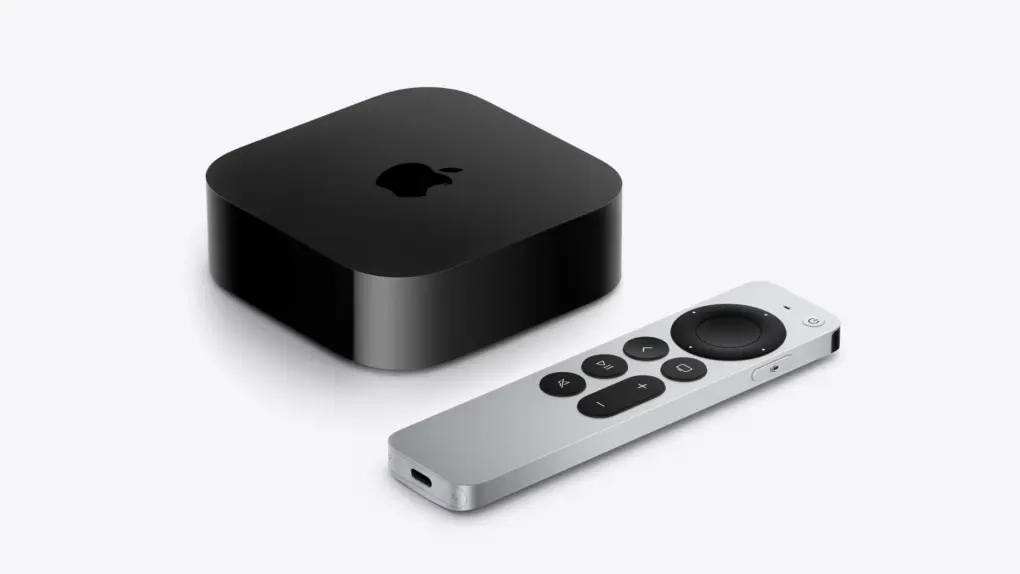
Two Apple TV models may be left behind as tvOS 27 arrives. Photo: Apple
Apple’s tvOS 27 brings a few new features, but it also will leave two Apple TV models behind. According to Apple’s developer website, the tvOS 27 beta is compatible with “Apple TV 4K (2nd generation or later).”
That would mean the Apple TV HD and the Apple TV 4K (1st generation) won’t get the update. If you own either of those set-top boxes, you’re probably stuck on tvOS 26, with no new features coming.
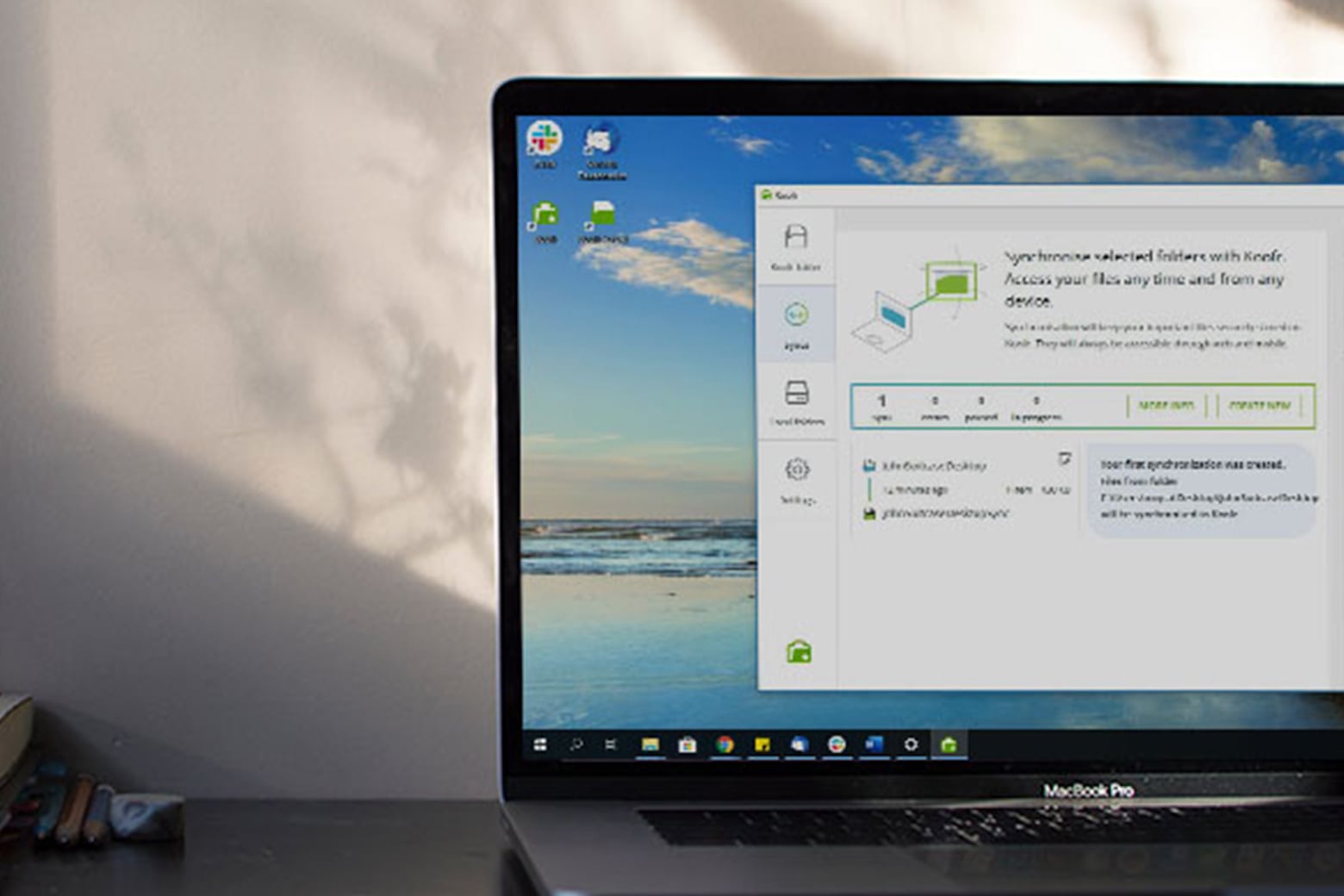
Grab this 1TB cloud storage deal that nobody else can beat. Photo: Cult of Mac Deals
It’s annoying getting notifications that you’re almost out of storage on your phone or computer. But you can quit playing that ridiculous game with one of the cheapest cloud storage deals around. With this lifetime Koofr plan, you can free up space on your iPhone, Mac or iPad with cloud storage accessible from an unlimited number of devices.
It’s about damn time. Image: Apple/D. Griffin Jones/Cult of Mac
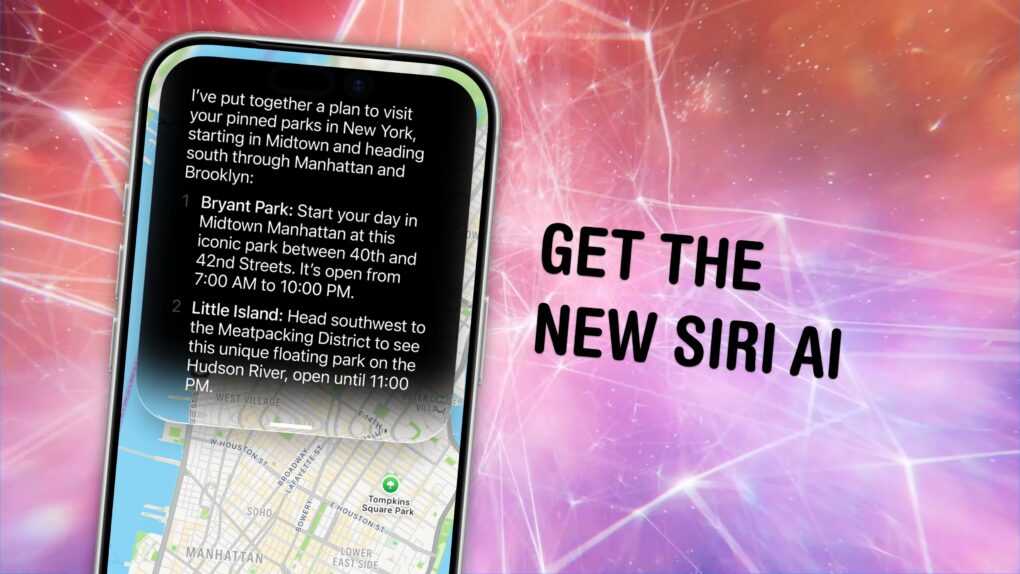
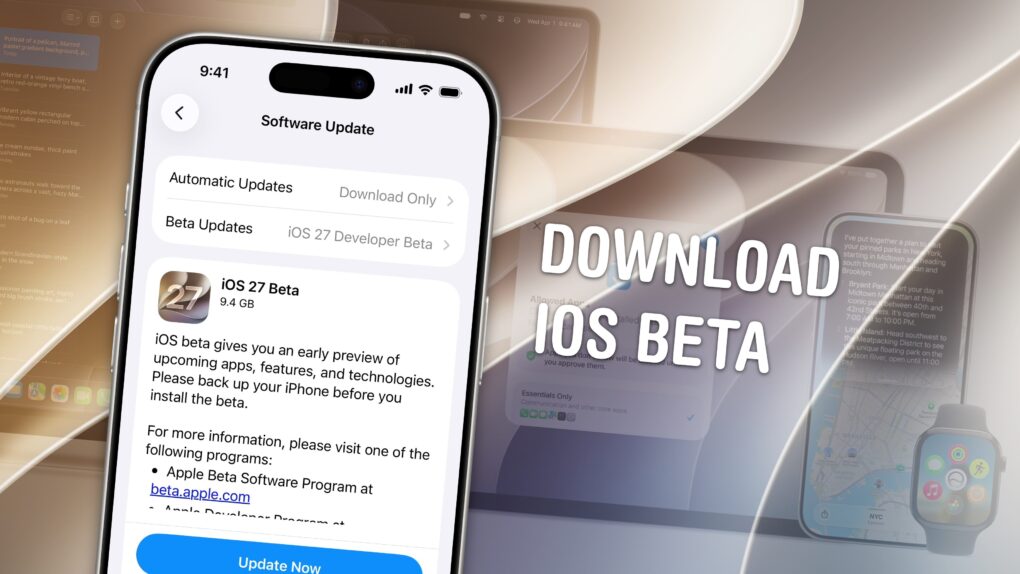
You can get the new Siri AI right now on your iPhone, iPad, Mac, Apple Watch and Vision Pro. All you have to do is update to the iOS 27 developer beta release.
You’ll also get the other Apple Intelligence features: generating Shortcuts and Safari extensions, extensive photo editing tools, realistic generation in Image Playground, systemwide proofreading and much more.
Be warned — to get the hottest feature, Siri AI, there’s another waitlist. You should hop on as early as you can if you want to try out the new features. Here’s how.
Apple provides more options for tweaking Liquid Glass in iOS 27, macOS 27 and iPadOS 27. Image: Apple
Refinements to Apple’s divisive Liquid Glass user interface in iOS 27, iPadOS 27 and macOS 27 address many of the quirks that made some people despise the glossy new UI over the past year.
Apple straightforwardly addressed users’ concerns during Monday’s WWDC26 keynote. And Shubham Kedia, Apple’s human interface design director, said Apple updated “the foundations of how Liquid Glass is built” for this year’s new operating systems.
“Last year, we introduced our most ambitious cross-platform design update ever with Liquid Glass, which made apps and experiences even more expressive and delightful,” said Kedia. “Like with all major design updates, there’s a natural process where we take a bold leap forward and then we continue to iterate.”
Will the changes to Liquid Glass satisfy users who dislike the current state of affairs? The first developer betas are out, and early reactions seem mostly positive. Here are the biggest changes coming to Apple’s design language this year.
Of course, there are a few things you should look out for. Beta software is buggy and can lead to data loss. That being said, iOS 26 has been buggy since September. iOS 27 promises broader system stability — unlike most early betas, in my testing, the system runs smoother than before. But it comes at the expense of odd behavior you may find in third-party apps, since they haven’t been updated to support the new changes to Liquid Glass.
If you want to try it out, you should make sure you have a backup of your most important data with two copies of your photo library before you try installing. I’ll show you how.
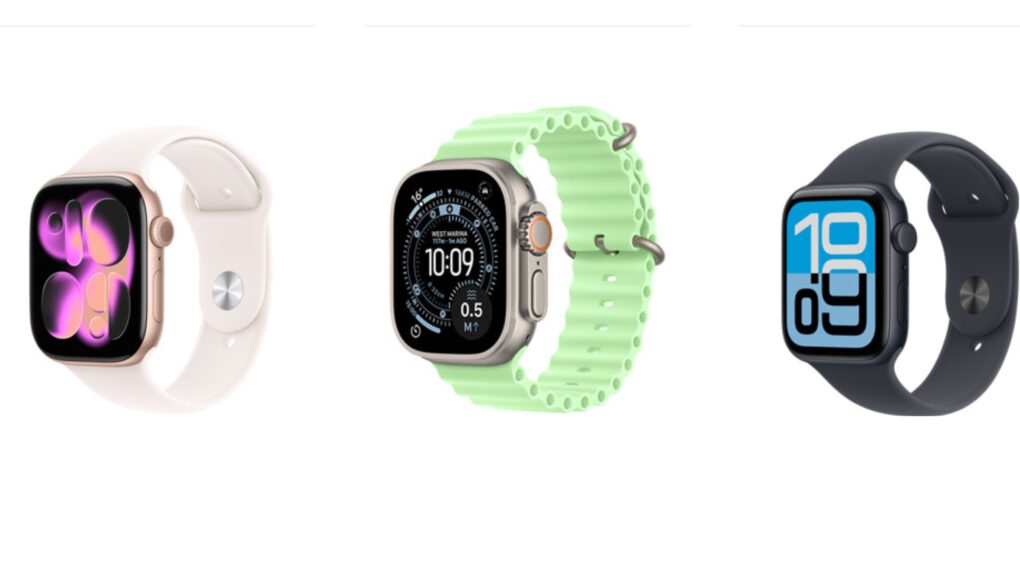
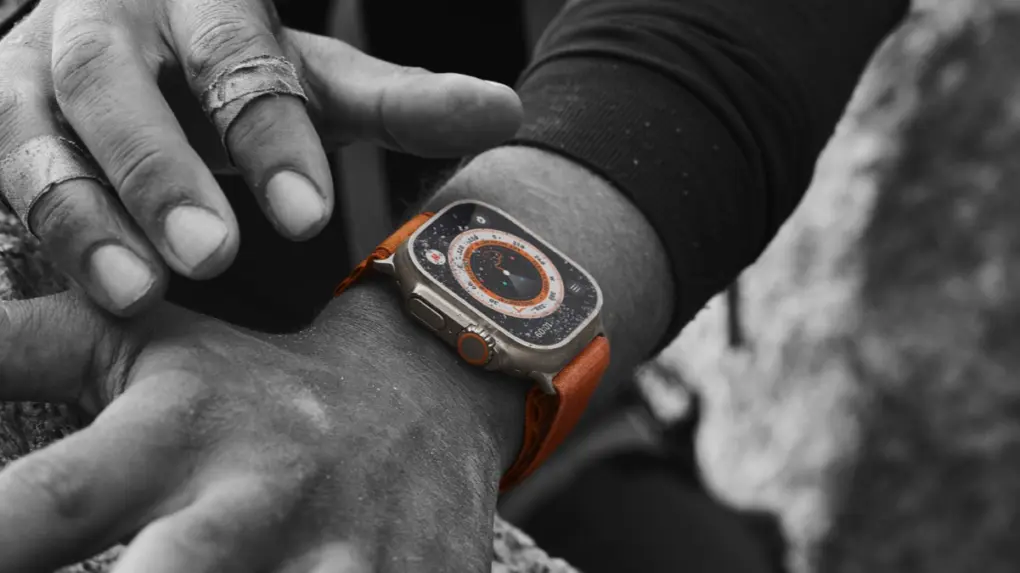
Your Apple Watch Ultra isn't suddenly obsolete because it can't install watchOS 27. Photo: Apple
When Apple unveiled watchOS 27 at WWDC26 on Monday, it also revealed that the new version drops support for several Apple Watch models. That leaves many users wondering what this means for their wearable — did it just become rubbish?
Here’s what’s really going on, and why you should be able to keep using the device for years to come.
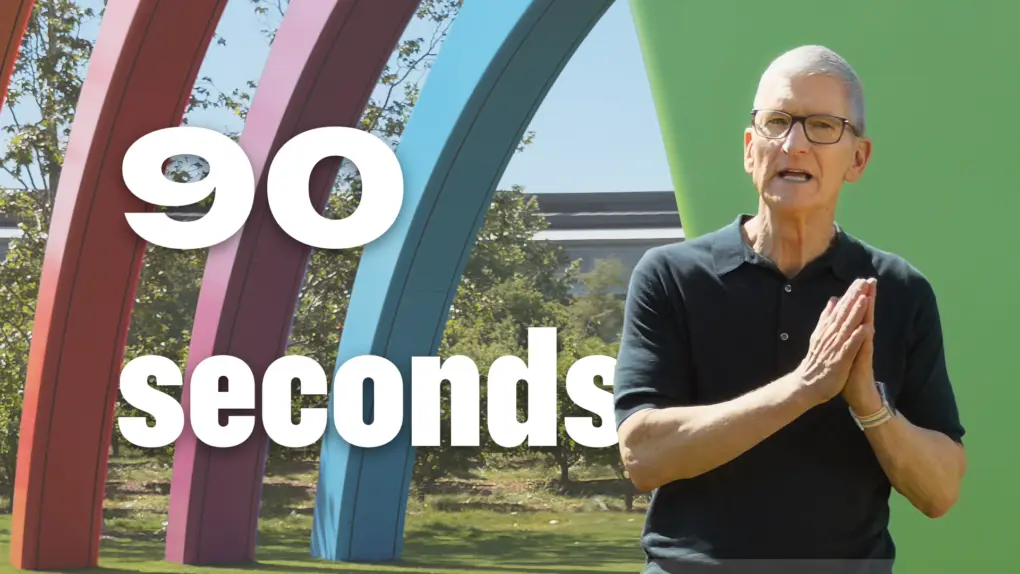
Watch the keynote in just 2.0% of the time. Image: Apple/D. Griffin Jones/Cult of Mac
At the WWDC26 keynote, Apple announced the next versions of all its operating systems with a swath of AI features. There are tweaks to the Liquid Glass design, a wide array of tiny quality-of-life and performance improvements, draconian parental controls and limits, and AI in every corner of the operating system.
It was an unusual WWDC keynote that disposed of the typical platform-by-platform format, and a relatively brisk runtime. But if you don’t have 76 minutes to spare, you can get the gist in just 90 seconds.
This 40-inch ultrawide display sports a Mac-friendly look, feel and functionality -- and will work all the better with macOS 27, apparently. Photo: David Snow/Cult of Mac
Mac users who rely on ultrawide monitors (ahem, like me) have been waiting years for Apple to treat their setups as first-class citizens. With macOS 27 Golden Gate unveiled Monday at WWDC26, that wait appears to be over.
Apple's "Switch" ad turns Ellen Feiss into an unlikely internet superstar. Photo: Apple
June 9, 2002: Apple launches its “Switch” advertising campaign, featuring real people talking about their reasons for switching from PCs to Macs. Apple’s biggest marketing effort since the “Think different” ad campaign a few years earlier, one “Switch” ad in particular turns a 15-year-old high-school student named Ellen Feiss into an unlikely star.
She becomes a viral sensation after viewers suggest she was stoned while filming her sleepy-eyed “Switch” spot about a homework-devouring PC.
This AI image studio app is now available on a five-year plan, and it's on sale! Photo: Cult of Mac Deals
Arta AI lets you create AI images, avatars, videos, edits and photoshoots directly from your phone. And you can secure five years of Arta AI’s Premium capabilities for just $64 with code AI20. That’s a massive discount off the regular price of $199.99.
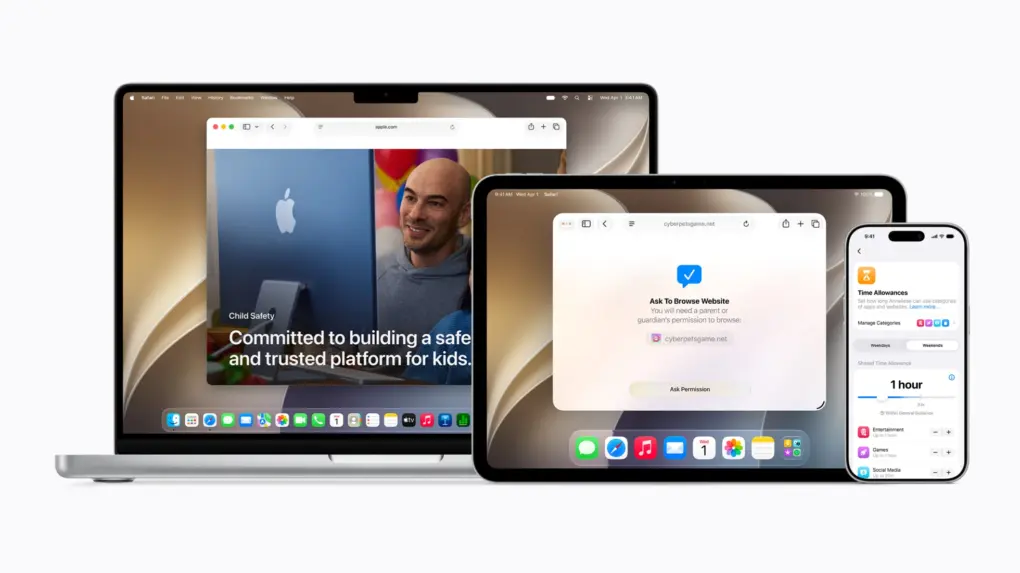
The new tools should help parents create safer digital experiences for their kids. Photo: Apple
A sweeping set of child safety features including parental controls give families sharper tools for managing what kids see, who they talk to and how long they spend on devices, Apple said Monday at WWDC26.
“At Apple, our mission has always been to create technology that empowers people and enriches their lives, while helping keep them safe,” said Sumbul Desai, M.D., Apple’s vice president of Health and Fitness.
“Our approach to helping families create safer digital experiences is grounded in the belief that every child is unique,” she added. “That’s why we build simple and intuitive tools, based on expert guidance, to let parents tailor their kids’ digital journey.”
The features arrive with iOS 27, iPadOS 27, and macOS 27 this fall.
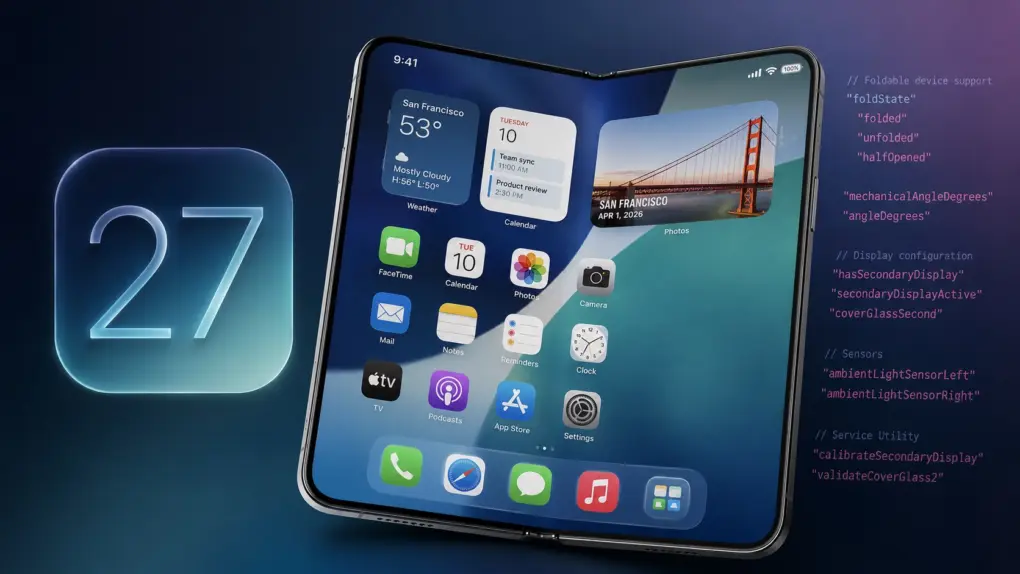
Apple all but confirms foldable iPhone in iOS 27 beta 1. AI image: ChatGPT
The first iOS 27 beta contains multiple references to Apple’s rumored foldable iPhone. Hidden within the operating system are strings and other code pointing to features designed specifically for a foldable device.
At this point, it’s no secret that Apple is working on a foldable iPhone. The company itself is now just indirectly confirming it.
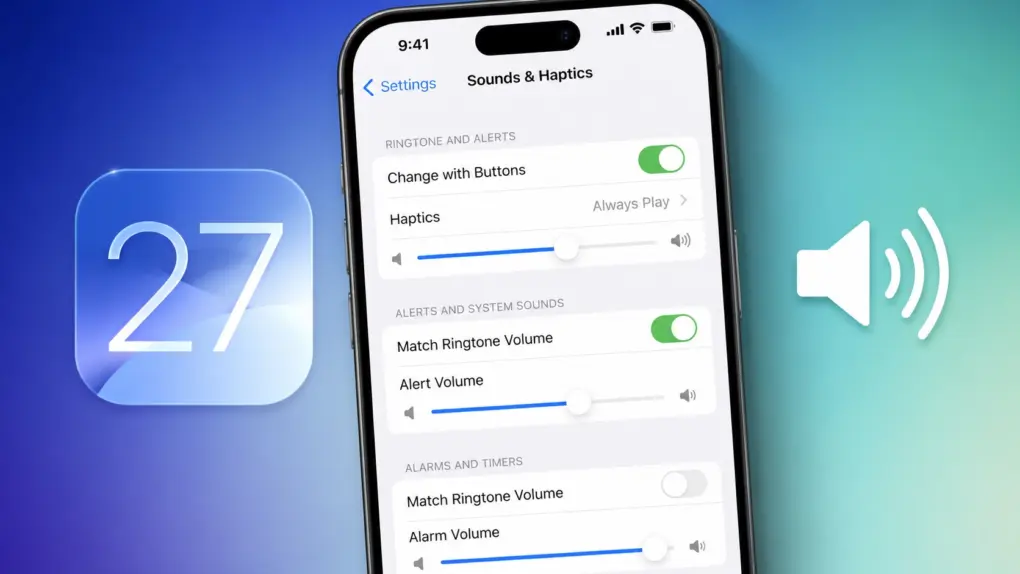
iOS 27 brings independent volume controls. AI image: ChatGPT
With iOS 27, Apple finally brings independent volume controls for alarms and timers on the iPhone. This means adjusting your phone’s ringtone volume will no longer affect how loud your alarms, timers and other system sounds are.
It’s a small quality-of-life improvement, but one that iPhone users have been requesting for years.
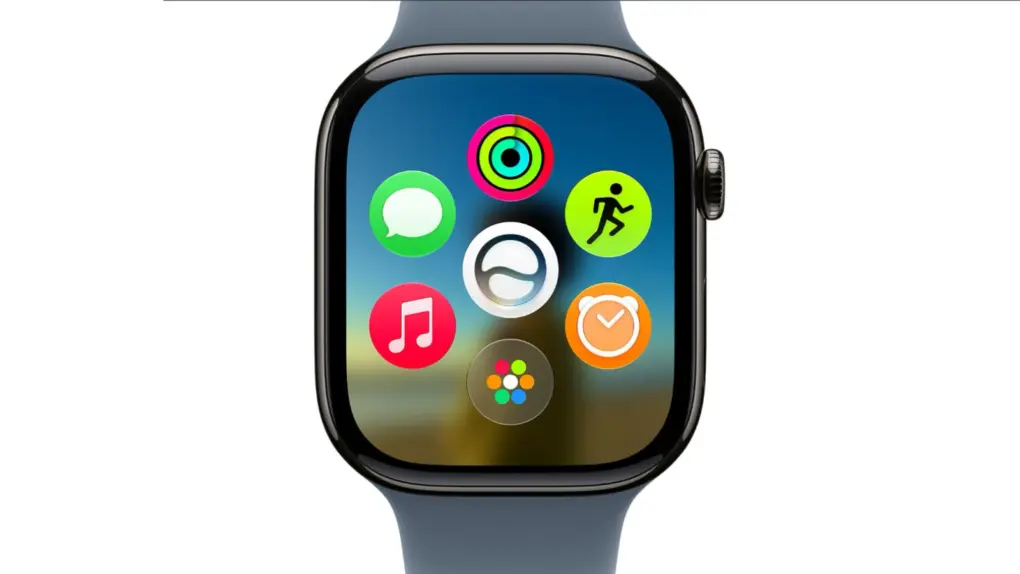
A new dyanamic app grid in watchOS 27 puts Siri AI right in the thick of things. Image: Apple
watchOS 27 will bring the new Siri AI, a smarter Workout Buddy and other useful new features to Apple Watch. While the wearable didn’t receive much attention during the WWDC26 keynote on Monday, Apple said watchOS will get AI-powered upgrades like the rest of its platforms.
“You can start chatting with Siri on your iPhone, pick up where you left off on your iPad, and wrap up on your Mac,” said Mike Rockwell, Apple’s VP of Siri engineering, during the keynote. “We’re also tailoring Siri AI for watchOS. So you can ask questions and take action right on your wrist. And you can also tap into the Siri app using the new app grid on Apple Watch.”
Apple's refurbished store now carries the Apple Watch Series 11, but you can find a better deal elsewhere. Photo: Apple
Apple began selling refurbished Apple Watch Series 11, Apple Watch Ultra 3 and Apple Watch SE 3 last week in its Certified Refurbished store, all of which debuted alongside the iPhone 17 last September. The GPS version of the 46 mm Apple Watch Series 11 starts at $369, while the Ultra 3 and 40mm SE 3 go for $699 and $209, respectively.
That’s good news if you want the peace of mind that comes when buying directly from Apple. Every refurbished Apple Watch goes through a thorough inspection and cleaning process, ships in new packaging, and comes with the same one-year limited warranty Apple offers with a new device. And they are eligible for AppleCare+ as well.
However, for some models, you can find much better deals elsewhere.
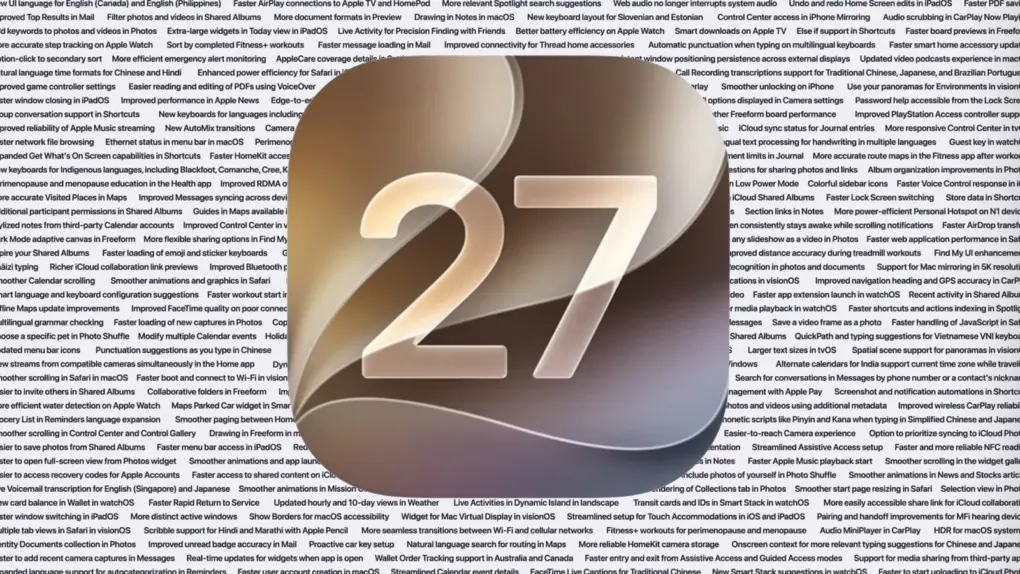
The list of improvements in iOS 27, macOS 27 Golden Gate and iPadOS 27 is enormous. Image: Apple/Cult of Mac
Before Apple even started talking about new features, it devoted a significant chunk of Monday’s WWDC26 keynote to talking up improvements to performance and stability coming to all its operating systems this fall, including macOS 27, iOS 27 and iPadOS 27.
It’s surely welcome news to Apple users that their devices with run faster, with fewer bugs. And that’s includes a significant performance improvement especially for older iPhone models.
There are tons of new features for developers to dive into this summer. Image: Apple
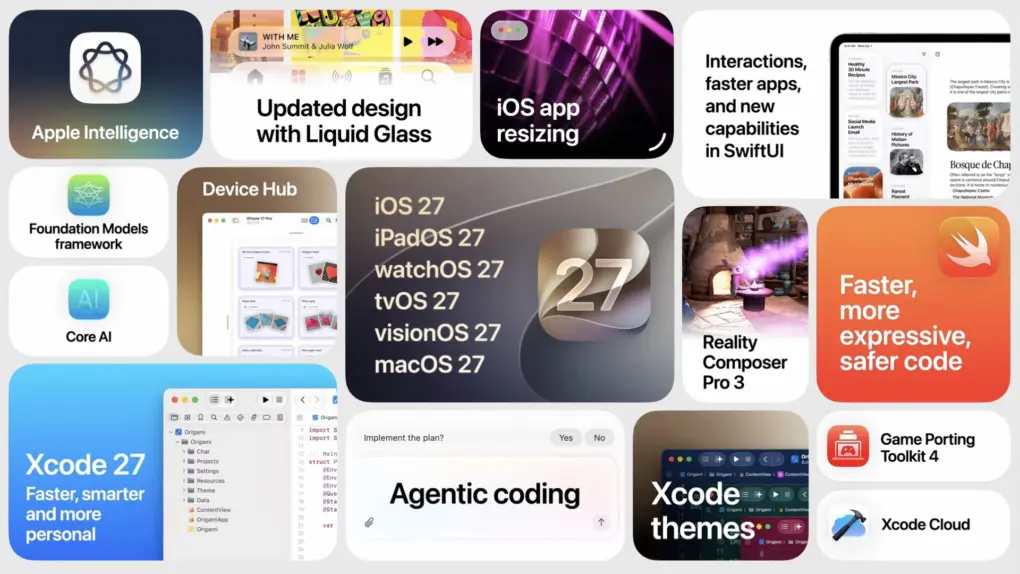
At the Platforms State of the Union, Apple covered the nitty gritty on the new Siri AI and Apple Intelligence features, improved Liquid Glass design, Device Hub and more tools announced today.
Much nerdier than the morning keynote, this event covers the technical details of how developers are supposed to use and adopt the new features inside their apps with the latest developer tools.
You can watch the Platforms State of the Union on YouTube, in the Apple Developer app or on the web. Read on to see our live coverage of the event.
New Siri won't come to the EU on iPhone and iPad. Photo: Apple
The headlining new feature of iOS 27 and iPadOS 27 — new Siri AI — will not come to the EU.
“We’re deeply disappointed that our EU users won’t have Siri AI on iPhone or iPad when we share our new software releases later this year,” said Apple’s SVP of Software Engineering Craig Federighi.
As Apple said, "With its new architecture and capabilities, the next generation of Apple Intelligence powers helpful features across the system, simplifying the things users do every day." Photo: Apple
While Siri got a complete redesign to include a dedicated chatbot app, on-screen awareness and deeper integration with third-party tools, that’s not the only AI upgrade cited by Apple in Monday’s WWDC26 keynote. A bunch of new Apple Intelligence features are set to upgrade your life, too.
“Truly helpful AI must be centered on our users’ needs, deeply integrated into the products they rely on every day, grounded in personal context, and built with privacy at every step. That is our vision for Apple Intelligence,” said Craig Federighi, Apple’s senior vice president of software engineering.
“With useful features for browsing the web, expressing creativity, editing photos and so much more, today marks a big step forward on our journey to integrate powerful AI into the core of our platforms and make our products even more personal and useful,” he added.
The new features will become available with the release of iOS 27 and other OS updates coming in September 2026.


 June 10, 1977: Apple Computer Inc. ships its first



 June 9, 2002: Apple launches its “Switch” advertising campaign, featuring real people talking about their reasons for switching from PCs to Macs. Apple’s biggest marketing effort since the “Think different” ad campaign a few years earlier, one “Switch” ad in particular turns a 15-year-old high-school student named Ellen Feiss into an unlikely star.