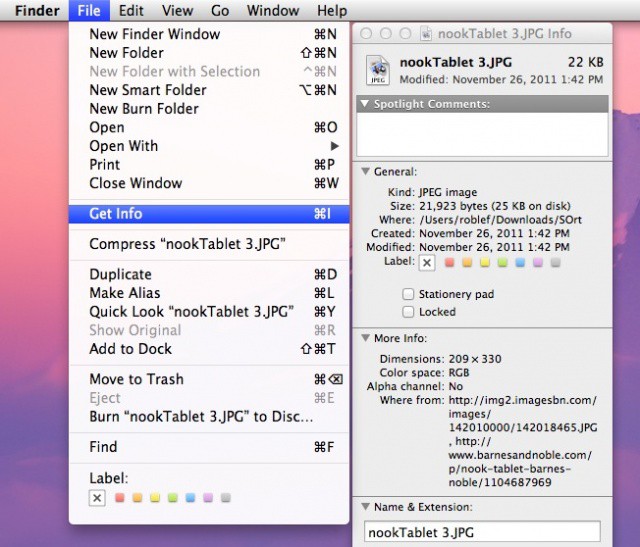
Here’s a possible scenario: you are looking though the folder that you put all your downloaded files in, noticing that it’s long past the time to clean it out. Then suddenly one particular file catches your eye. It’s an odd little mp3 file, perhaps, or an animated gif, but you just can’t remember where you got it from. What if you want more? Or want to hop back to the place you downloaded it to see if there are any more things like it?
Is your downloads folder out of control? Use Downloads for Mac to tame it.
I don’t know about you, but the downloads folder on my Mac is one that I just cannot keep organized. Every so often I’ll trawl through it and delete all the stuff I don’t want, while filing the stuff I do want into other folders. But most of the time it just includes a heap of documents and images that I’ve picked up over a course of many months.
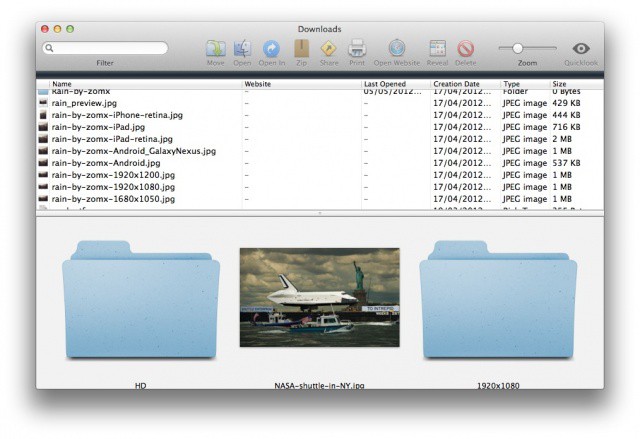
But Downloads for Mac is a simple app that can change this. It displays each and every item in your downloads folder — whether its at top level or buried deep within other folders — and makes it easier to see what you have going on in there. For those of you with downloads folders like mine, this should make the cleanup process much quicker, and much easier.
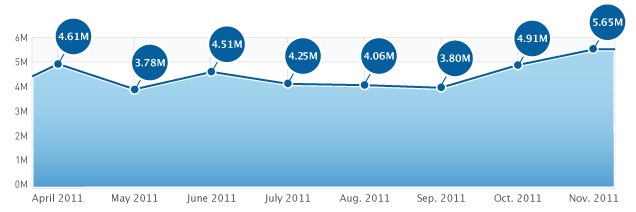
Despite slowly declining from June until September, the number of free apps downloaded from Apple’s App Store hit a record high during November, with 5.65 million downloads per day. And Apple has the iPhone 4S and iOS 5 to thank.
For the second month in a row since the fifth-generation device was launched, the App Store has seen record downloads among the top 200 free apps.
Users who are still running the iOS 3.1.3 software on their iPhones and iPod touches are reporting that a recent App Store update has blocked them from downloading new apps directly to their devices. The update was issued on December 16, and users have been unable to download new apps since, though they can still download updates to existing apps.
I’m beginning to like using the keyboard a lot more these days and the tip today shows how useful a keyboard can be. I use Safari a great deal and I download a lot of content from the internet using it. Every so often I need to see the current download list, which is easily accessible from the keyboard.
Apple is getting set to launch a brand new service that will compliment iCloud called iTunes Replay. The service will allow users to re-download and possibly stream movies they have previously purchased through iTunes, and could go public within the coming weeks.
Apple’s eighth major release of the Mac OS X operating system finally hit the Mac App Store on Wednesday, after what seemed like a painfully long wait since it was teased at WWDC in June. Its $29 price tag, coupled with over 250 awesome new features, makes it a ‘no-brainer’ upgrade for anyone using a compatible Mac, and its launch day download numbers certainly prove that.
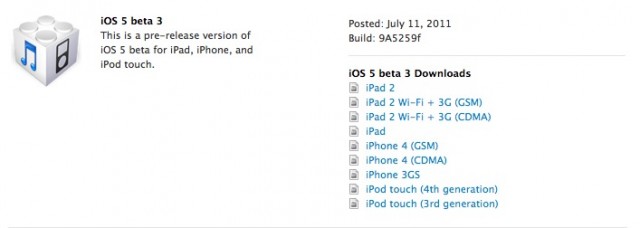
Apple has just released the third beta of iOS 5 to registered developers, known as Build 9A5259f. We’re downloading and installing now, but in the mean time, if you’re a registered developer, get downloading at the iOS Dev Center.
Noticed anything new in Beta 3? Drop us a line in the comments below! Here are the release notes.