Mobile menu toggle

Siri

Apple’s Siri has been around since 2011, when it debuted on the iPhone 4S as one of the first mainstream voice assistants built into a smartphone. Siri could answer questions, set reminders, send messages and perform other simple tasks using natural-language commands. But while competitors such as Google Assistant and Amazon Alexa rapidly expanded their capabilities, Siri often remained limited to relatively basic requests.

That gap became increasingly obvious as generative AI transformed the way people interact with technology. Siri struggled to understand complex requests, maintain context between questions and perform actions across multiple apps. Apple spent years promising a smarter Siri, but development delays meant the company fell behind the rapid advances made by AI rivals.

A new Siri powered by AI

Apple is now trying to change that with its next-generation Siri. The new Siri is designed to understand more natural, complicated requests and keep track of context throughout a conversation. More importantly, it can work across apps and use information from them to complete tasks rather than simply answering questions.

The new AI-powered Siri is intended to feel less like a voice-controlled menu and more like a genuine digital assistant. It can pull together information from different sources, take action on a user’s behalf and provide more useful answers to requests that previously left Siri stumped. If Apple can deliver on that vision, Siri could finally catch up with the AI assistants that have spent years passing it by.

Read Cult of Mac’s latest posts on Siri:

Why HomeView is a genius product [Cult of Mac podcast 37]

By •

Graphic showing HomeView hub and Cult of Mac podcast hosts.
Why HomeView is going to be great.
Photo: Cult of Mac

This week on the Cult of Mac podcast: Apple’s new HomeView hub is a getting a lot of criticism, especially for its lack of a built-in app store. But the absence of an app store is a feature, not a bug.

The situation is reminiscent of the charging port on the bottom of the Apple Magic Mouse, which is famously misunderstood. The placement of the port was designed to force users to use it wirelessly, just like ditching the headphone jack on iPhone forced users to adopt wireless Bluetooth headphones.

Apple is pulling the same trick with HomeView: The absence of apps forces users to use Siri AI as the primary interface, instead of tapping away on the screen as though it were a mini iPad. It’s genius!

Also on the Cult of Mac podcast:

  • HomePod mini gets a big update.
  • Apple TV 4K gets a remote you can actually find down the back of the couch.
  • Who exactly is the Apple Home Collection for?
  • And Apple’s next event looks set for October 28 in LA.

Listen to this week’s episode of the Cult of Mac podcast in Apple’s Podcasts app or your favorite podcast app. Or watch the video version, embedded below. (Be sure to subscribe and leave us a review if you like it!)

Save $299: Your old Apple TV 4K gets the best new features

By •

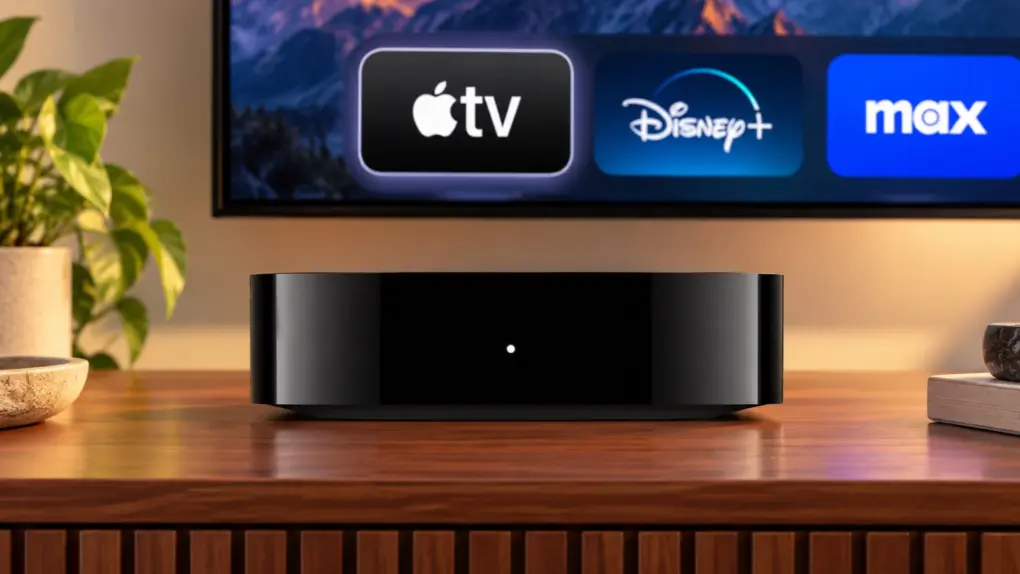
Why you might not need to buy the new $299 Apple TV 4K
Do you really need the latest Apple TGV 4K? Maybe not.
Image: Apple/Cult of Mac

The Apple TV 4K (4th Generation) is raising eyebrows and dropping jaws, but not with amazing new features. It’s the price: $299. Fortunately, owners of older versions of the streaming box can get many of the biggest upgrades without buying new hardware.

And for a small investment, the improved Siri Remote can also upgrade a current Apple TV 4K.

Here’s how you might save yourself almost $300.

HomePod mini 2 and Apple TV 4K set to get major AI upgrades

By •

HomePod mini 2 and 2026 Apple TV 4K join Apple's smart home refresh
You don't have to wait to learn about the HomePod mini 2 and next-generation Apple TV 4K.
Image: Apple/Cult of Mac

Apple’s long-awaited HomePod mini 2 and next-generation Apple TV 4K could debut on Tuesday, with leaks and rumors pointing to significantly smarter Siri capabilities and a collection of internal hardware upgrades.

They’ll apparently be part of a renewed push by Apple into the smart home market.

Here’s what we know about these products before the announcement.

Last-minute details about HomeView, Apple’s smart home hub

By •

Apple ‘Welcome Home’ event invitation on October 13
At last, we have a name for Apple's home hub.
Image: Apple

Update: The time for leaks and rumors is over — Apple’s smart home hub is now official. Read more:

Apple wants HomeView at the heart of your smart home


Apple will reportedly call its upcoming smart home hub the HomeView. Powered by an A18 chip, the display will focus on Siri and smart home control. It will also lack an App Store.

As previously reported, the HomeView will come in two versions: a countertop model with a metal speaker base and a wall-mounted model with a flat, square base.

Today in Apple history: iPhone 4s opens for Siri-ous preorders

By •

Photo of the back of an iPhone 4s, shown on a black background
The iPhone 4s was the last iPhone that Steve Jobs directly worked on.
Photo: Apple

October 7: Today in Apple history: iPhone 4s preorders begin and they are Siri-ous October 7, 2011: Two days after the death of Steve Jobs, Apple opens preorders for the iPhone 4s.
The last iPhone that Jobs worked on directly, the 4s boasts a speedier A5 chip, an improved 8-megapixel camera with 1080p HD video recording, and — most significantly — Apple’s new AI virtual assistant, Siri.

Today in Apple history: Siri debuts on iPhone 4s

By •

Photo of iPhone 4s, which brought Apple's AI assistant Siri to the masses
Apple envisioned an AI helper like Siri way back in the late 1980s.
Photo: Ste Smith/Cult of Mac

October 4: Today in Apple history: Siri debuts on iPhone 4s October 4, 2011: With the unveiling of the iPhone 4s, Apple introduces the world to Siri. A groundbreaking example of artificial intelligence in action, the Siri launch fulfills a long-term dream at Apple.
In fact, the company first predicted such a feature in the 1980s — with Siri’s debut coming in almost the exact month Apple envisioned.

How to turn off Siri AI and other Apple Intelligence features

By •

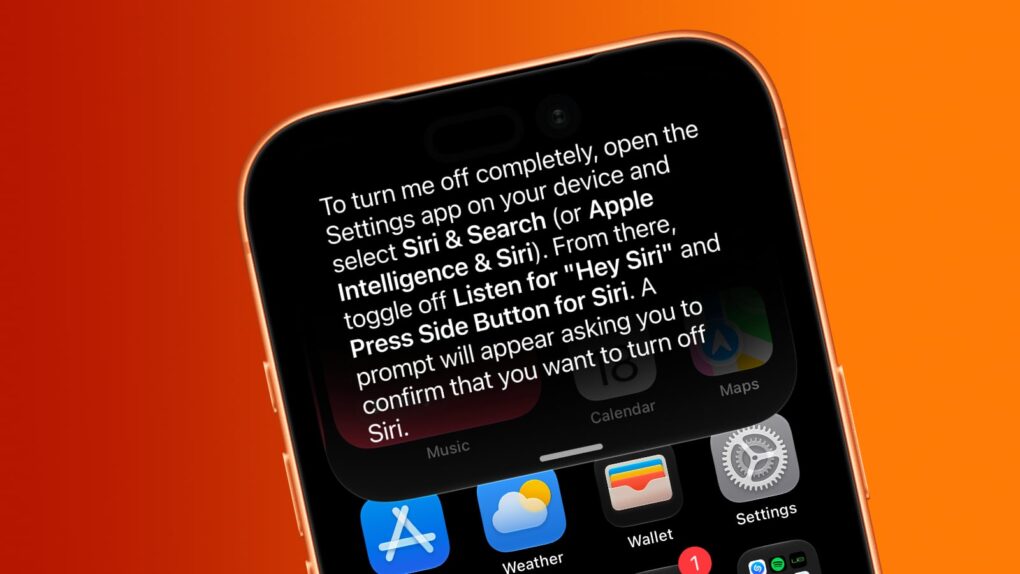
Screenshot of an iPhone showing how to turn off Siri AI
Want Siri AI gone from your iPhone? And other Apple Intelligence features, too? We can help.
Image: Cult of Mac

Although Apple is thrilled about the new Siri AI integrated into iOS 27, maybe artificial intelligence isn’t your thing. Fortunately, you can opt out of Apple’s new voice assistant.

iOS 27 lets you turn Siri off completely. Alternatively, you can switch from the new AI-powered Siri back to Siri Classic.

And if you absolutely do not want artificial intelligence in your iPhone, you can disable it … though that process is far more complex than is ideal.

AirPods with cameras are real, and Apple just showed how they’ll work

By •

AirPods with cameras are real! Hello AirPods Ultra?
Apple accidentally revealed AirPods with cameras in macOS 26.7 RC.
Screenshot: Apple

A video file found in the new macOS 26.7 release candidate code gives us our first look at Apple’s upcoming AirPods with built-in infrared cameras. The video shows the AirPods Pro working in tandem with Visual Intelligence to let you save information about objects you see in the real world.

In the short demo, a man holds up a book so the AirPods’ cameras can identify its title. He then asks Siri to save it for later, showing how the IR cameras could give Apple’s earbuds a better understanding of the world around you.

Apple could spend big to give Siri AI better answers

By •

A photo of Siri AI on the iPhone iOS 27 developer beta, taken from the WWDC26 keynote, used in a story about redesigned Dynamic Island on the iPhone 18 Pro.
Apple wants publisher deals to keep Siri AI up to date.
Photo: Apple

Apple reportedly wants to secure content deals with publishers to give Siri AI access to the latest news and information. It is supposedly proposing multi-year agreements with publishers for this. 

As part of the deal, Apple will pay publishers every time their content is used or displayed in Siri AI. 

Siri AI might not stay free forever

By •

Siri AI is free, but for how long?
Image: Apple/Cult of Mac

When Siri AI launches in the fall, the artificial intelligence-powered chatbot will be available at no extra cost on the devices that support it, but that could change in the future. Apple CEO Tim Cook raised the possibility on Thursday.

Here’s what we know now.

Today in Apple history: Martin Scorsese ad makes Siri look smart

By •

An image of director Martin Scorsese from a 2012 Apple ad promoting Siri
"Hey Siri, am I here to f***ing amuse you?"
Photo: Apple

July 23: Today in Apple history: Martin Scorsese Apple ad makes Siri look like a superstar July 23, 2012: Looking for the perfect spokesman for its new virtual assistant Siri, Apple turns to the director behind some of Hollywood’s most violent gangster movies. A new ad shows Martin Scorsese using Siri voice commands on his iPhone to juggle his busy schedule.
One in a string of celebrity-studded ads showcasing Apple’s recently released virtual assistant, it ranks among the best. However, it seriously oversells Siri’s skills.

Apple talks with startup that could cram GPT-class AI onto your iPhone

By •

A picture of a smartphone used in a story about a company cramming a LLM onto the iPhone.
PrismML claims it has compressed a 27-billion-parameter AI model down to 4GB — small enough to run on an iPhone 17 Pro.
Photo: Unsplash

Apple’s on-device ambitions just got more interesting. The company has reportedly been talking to a startup called PrismML that claims to run a massive, server-grade language model on the iPhone 17 Pro — no cloud required.

If the discussions turn into a deal between Apple and PrismML, it could be a significant upgrade for Apple Intelligence. Here’s why.

watchOS 27 finally lets Siri add time to your Apple Watch timer

By •

A photo of the Apple Watch used in a story about Apple fixing the Siri timer.
Need to add more time to a timer on your Apple Watch? You can with watchOS 27.
Photo: Unsplash

Your Apple Watch’s Siri timer problem just got fixed. With watchOS 27 beta 3, you can finally tell Siri to add two minutes to an already running timer — instead of getting stonewalled with “What do you want to set the timer to?”

If you’ve ever pulled a tray out of the oven a little early just because doing timer math in your head felt easier than fighting Siri, you know exactly why this matters. It’s a teeny tiny fix, but it does away with the everyday friction that made your watch feel less useful.

Siri AI can now talk to your iPhone apps — starting with your car

By •

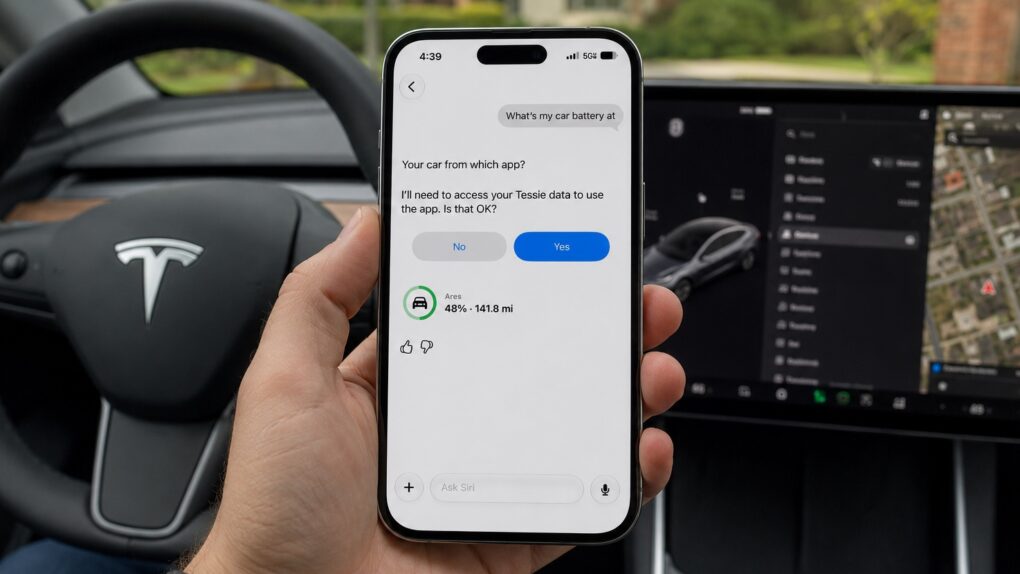
Siri AI's integration with third party apps begins
In iOS 27 beta 3, Siri AI can now pull data from select third-party apps, including Tessie.
Image: Max Weinbach/X/ChatGPT

In the latest iOS 27 developer beta, Siri AI can pull live information from third-party apps on your iPhone. It’s the kind of feature Siri should’ve had years ago — and now, it’s finally here.

Right now, it only appears to work with a couple of electric vehicle apps, letting you ask Siri things like your car’s battery level. But it’s a signal of where Siri AI is headed — an assistant that finally acts as a bridge across your entire phone, not just Apple’s walled garden.

iOS 27 just broke your oldest iPhone habit

By •

A photo of Siri AI running on iOS 27 in a story about Siri AI gesture.
Swipe down from the top-left corner now, not the center, to reach Notification Center in iOS 27.
Photo: Apple

Apple just rewired a gesture you’ve used every day since 2011, and you probably won’t notice it until it’s too late. iOS 27 hands to the new Siri AI the exact swipe you’ve used to check notifications, and it doesn’t even ask nicely first.

Turn on Siri AI in the latest iOS 27 beta, and swiping down from the top center of your screen will no longer open the Notification Center but wake up Siri instead. Your alerts aren’t going anywhere, but you’ll need to relearn where to find them.

What does Siri AI mean for your old HomePod?

By •

Why HomePod and HomePod mini miss out on Siri AI
Will the conversational Siri AI come to your current HomePod?
Image: Apple/Cult of Mac

Siri AI, Apple’s next-generation version of its voice assistant, might push everyone’s HomePods toward obsolescence. Technology is moving on, apparently leaving these smart speakers behind.

Still, the devices aren’t about to become rubbish. They’ll just miss out on some of the new Apple Intelligence features. Here’s what’s going on.

How you might be able to skip the waitlist and get the new Siri AI early

By •

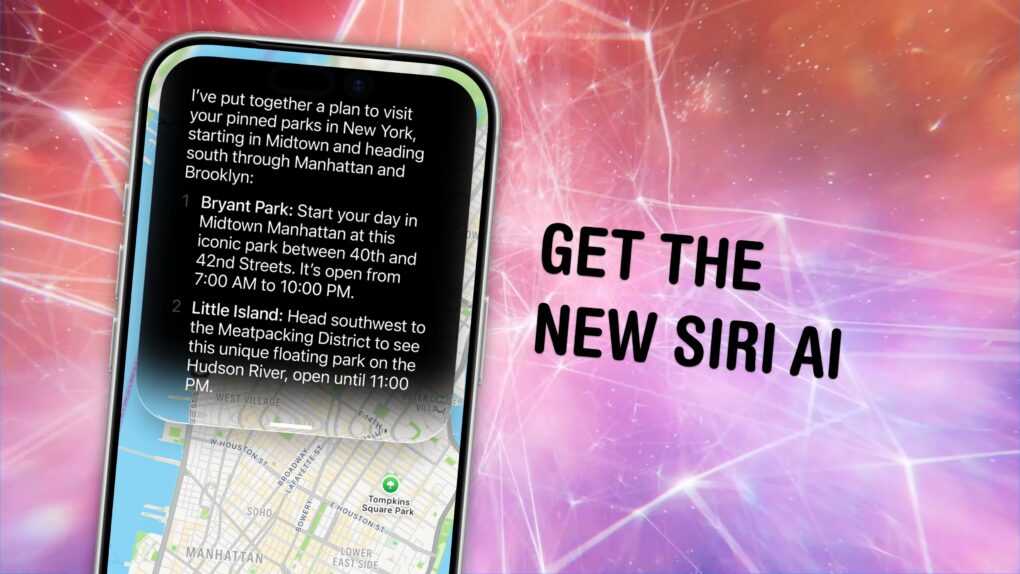
Get The New Siri AI
It’s about damn time.
Image: Apple/D. Griffin Jones/Cult of Mac

You can get the new Siri AI right now on your iPhone, iPad, Mac, Apple Watch and Vision Pro. All you have to do is update to the iOS 27 developer beta release.

You’ll get access to the smarter, conversational and agentic Siri. It really does seem to be everything Apple promised.

You’ll also get the other Apple Intelligence features: generating Shortcuts and Safari extensions, extensive photo editing tools, realistic generation in Image Playground, systemwide proofreading and much more.

Be warned — to get the hottest feature, Siri AI, there’s another waitlist. You should hop on as early as you can. You might even be able to skip the long wait time — there’s an unconfirmed method people are trying out. Here’s how.

Hack to skip the Siri AI waitlist no longer works — but there may be another way

By •

Graphic showing a big X over Siri AI running on the Mac, with a “Beta 2” label.
The popular workaround is no more.
Graphic: Apple/D. Griffin Jones/Cult of Mac

The hack that some Mac users were using to try out the new Siri AI, skipping the waitlist, no longer works.

Apple released the second developer beta of all its OS 27 updates yesterday. In macOS 27 developer beta 2, the hidden Terminal command no longer enables Siri AI. After you update, you’ll find yourself back on Apple’s waitlist. If you previously enabled it on your Mac, your access will be revoked.

But no worries — some users on Reddit may have found a way to get yourself accepted fast.

I tested the new Siri AI against Apple’s claims. Here’s how it went.

By •

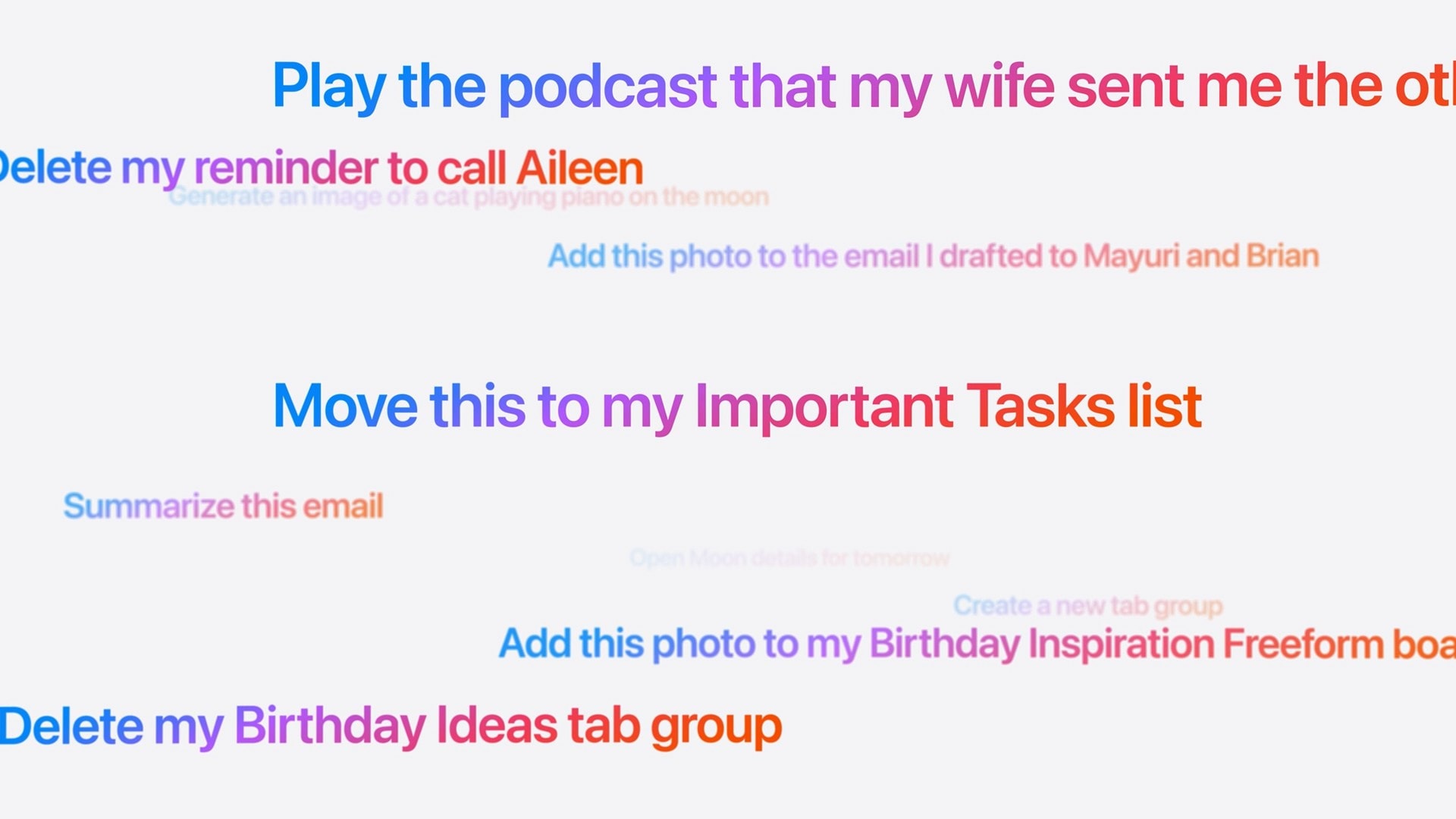
Screenshot of prompts to Siri: Play the podcast that my wife sent me the other day Delete my reminder to call Aileen Generate an image of a cat playing piano on the moon Add this photo to the email I drafted to Mayuri and Brian Move this to my Important Tasks list Summarize this email Create a new tab group Add this photo to my Birthday Inspiration Freeform boa Delete my Birthday Ideas tab group
These are the kinds of things you’ll be able to ask the new, smarter Siri.
Image: Apple

Did Apple finally get it right — is the new Siri AI useful? In my early Siri AI testing, I think the answer to that question is a resounding “yes.” I took the three biggest demos from Apple’s keynote and replicated them with my own questions based on my own personal context. In nearly all the tests, it performed just as well as Apple’s examples.

I’ve been throwing Siri AI, now available in the first developer beta of iOS 27, all kinds of other questions, too. Foolishly, I put the beta on my main iPhone, so I’ve been using it as my one and only voice assistant for a week now.

While its smarts aren’t going to shock you if you’ve used a chatbot before, its private, secure access to your entire digital life is something nothing else can offer. (And, some would say, an anticompetitive advantage.)

Siri AI is the real deal.

Skip the waitlist: Get the new Siri AI right now on macOS Golden Gate

By •

Justin Titi, Apple’s senior director of intelligent system experience engineering, using Siri AI on a MacBook Pro
It’s worth the wait. But you also don’t have to wait.
Photo: Apple

Even after updating all your devices to the OS 27 betas, you can’t get the new Siri AI right away. There’s a waitlist, and users are reporting that it can take days to get accepted. But on macOS Golden Gate, you can skip the waitlist with a little Terminal command.

First, you’ll need to install macOS Golden Gate. If you want to play it safe by installing it on an external volume, you’ll be disappointed — Apple Intelligence only works when macOS is running from your internal storage. So playing it safe is a little harder, unless you have enough free internal space to make a partition.

Whatever your approach, here’s how you can try out the new Siri on your Mac right now.

Update: In macOS 27 developer beta 2, this method no longer works, but there may be another solution.

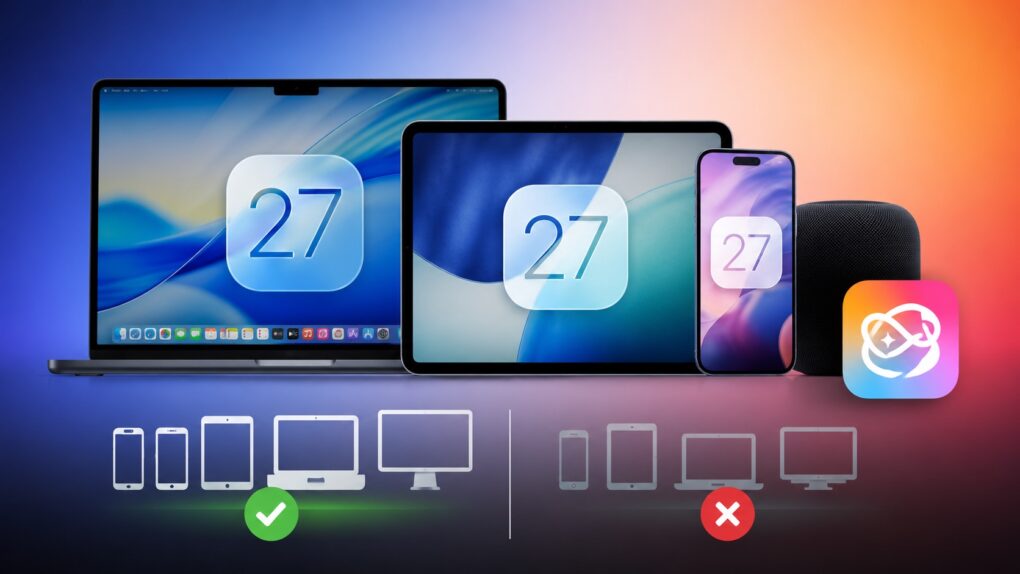
Even if your aging iPhone can run iOS 27, it won’t get these advanced AI features

By •

Your iPhone may get iOS 27, but it won't get these features.
Some Siri AI features will only work on Apple's latest devices.
AI image: ChatGPT/Cult of Mac

iOS 27 is coming to iPhone 11 and all models released after that. And while it sounds impressive that Apple’s new operating systems will support devices released in 2019, it does not mean that your old iPhone will get every new iOS 27 feature. In fact, even the iPhone 17 will not get the full suite of AI features in iOS 27.

The same holds true for iPadOS 27 and macOS 27. Many of the headline features require newer hardware, meaning some compatible iPads and Macs will miss out on parts of the update.

Siri AI could tell you to take a break if conversations go too long

By •

An image with the word
Siri AI might tell you to take a break if you're getting too gabby.
Photo: Apple

Apple’s new Siri AI chatbot might know when you’ve been bending its ear — and encourage you to take a break. A hidden piece of code in iOS 27 reveals that Siri AI could remind you to chill out if a conversation runs too long.

It’s a small detail, but it suggests Apple is clearly thinking about what happens when you don’t stop talking to Siri.

How to download the iOS 27 developer beta and get Siri AI

By •

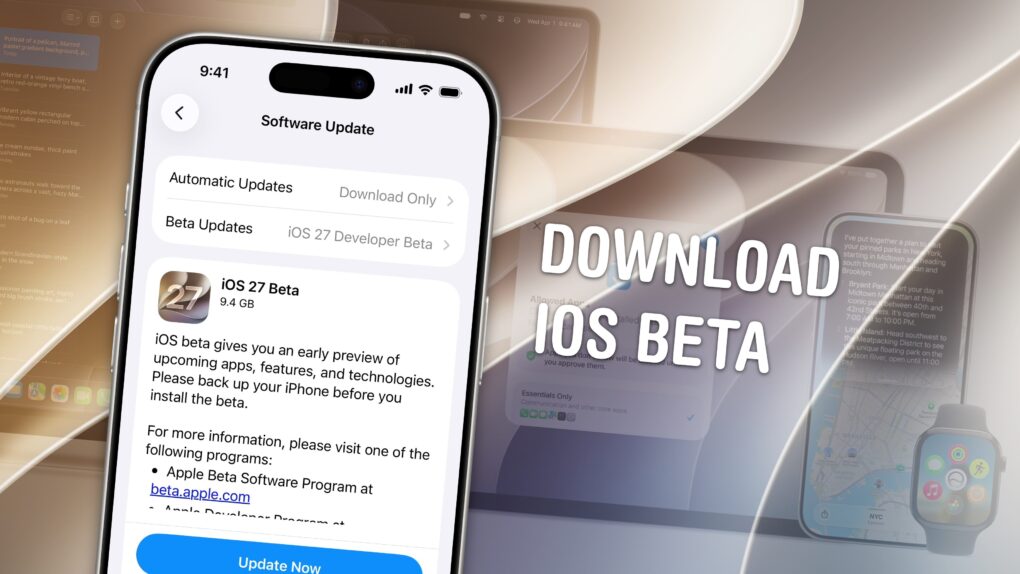
Download the iOS Beta graphic
Give me better Siri now!
Image: Apple/D. Griffin Jones/Cult of Mac

Anyone interested can download the iOS 27 developer beta for free — right now.

You’ll be among the first to try the exciting new Siri AI, which really does work as promised. It can answer complex questions about your digital life, understand what you’re asking for and look things up online with broad world knowledge. You’ll also get the other new Apple Intelligence features, a tweaked Liquid Glass design, improved speed and performance, and much more.

Of course, there are a few things you should look out for. Beta software is buggy and can lead to data loss. That being said, iOS 26 has been buggy since September. iOS 27 promises broader system stability — unlike most early betas, in my testing, the system runs smoother than before. But it comes at the expense of odd behavior you may find in third-party apps, since they haven’t been updated to support the new changes to Liquid Glass.

If you want to try it out, you should make sure you have a backup of your most important data with two copies of your photo library before you try installing. I’ll show you how.