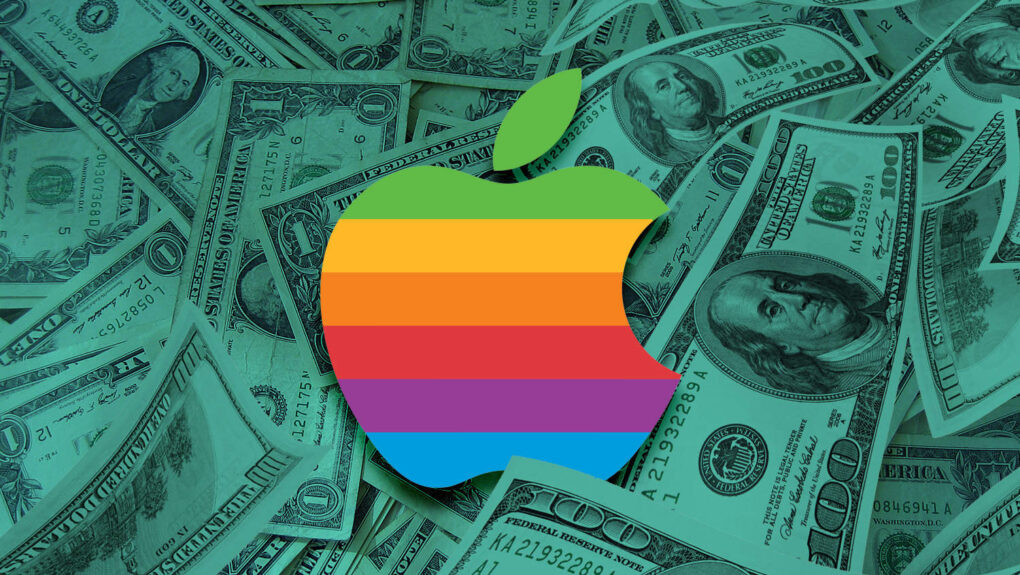
May 26, 2010: In a massive milestone, Apple passes Microsoft to become the world’s most valuable technology company for the first time.
The changing of the guard proves particularly amazing given that, just 15 years earlier, Apple looked close to dead, while Microsoft dominated the tech world thanks to Windows 95.
★★★★☆
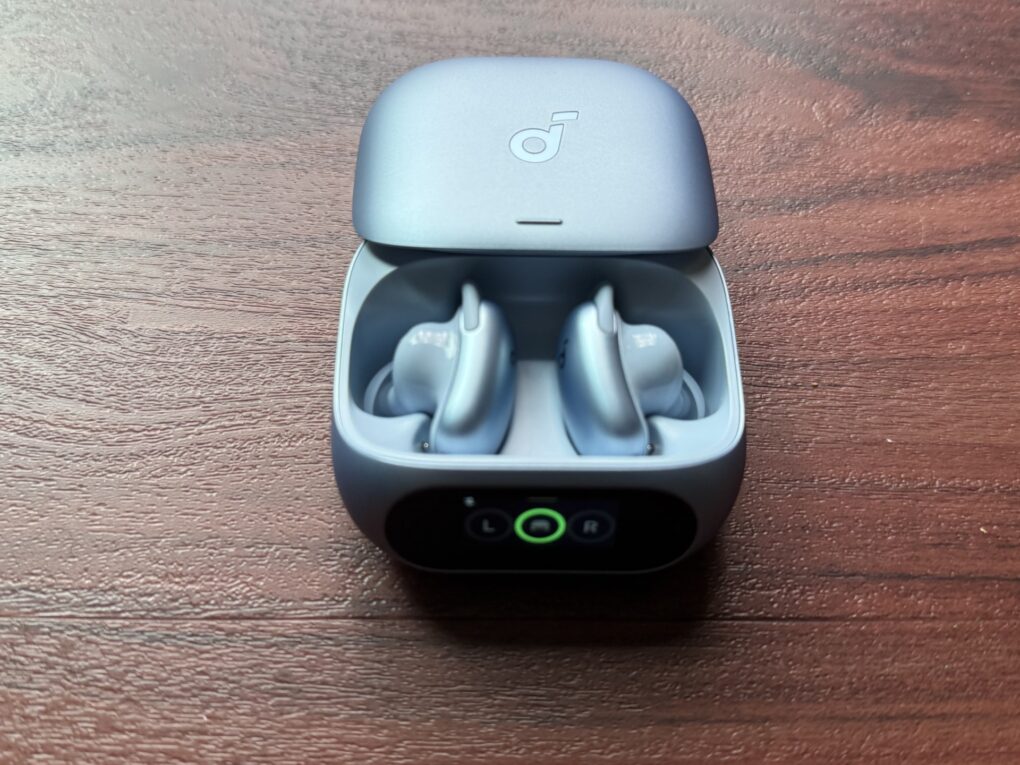
Soundcore Liberty 5 Pro use AI for clear calls and come with a touchscreen charging case. Photo: David Snow/Cult of Mac
Anker’s Soundcore sub-brand spent years punching above its weight in the budget and midrange earbuds market, and Liberty 5 Pro is an ambitious new swing. Released alongside the pricier Liberty 5 Pro Max (reviewed separately tomorrow), these $169.99 earbuds aim squarely at anyone who wants AirPods Pro-level features without paying AirPods Pro prices.
This Soundcore Liberty 5 Pro earbuds review finds them excellent overall. They particularly excel at call clarity.
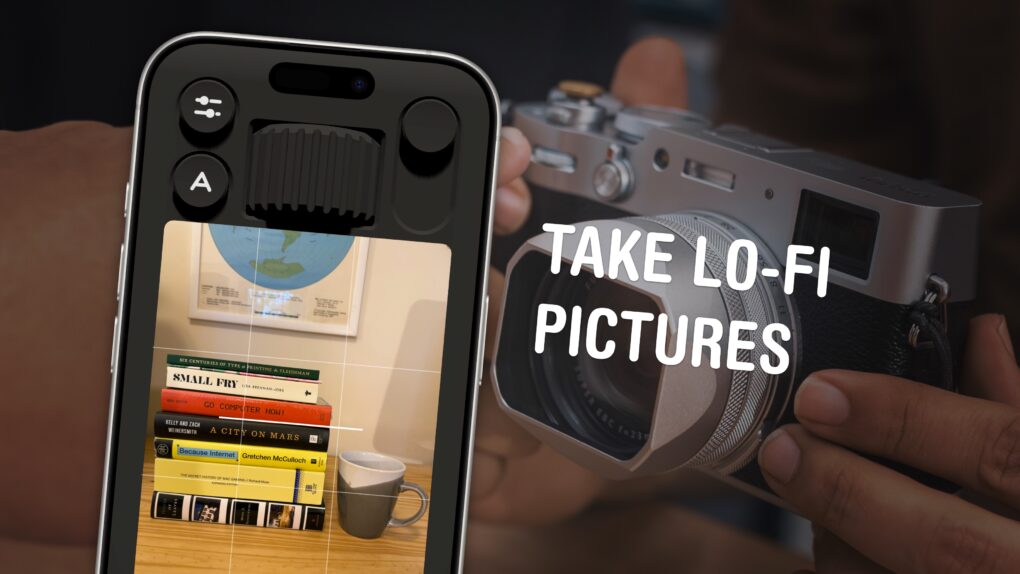
You can use your phone to take lo-fi pictures. You don’t need a separate point-and-shoot camera. Image: D. Griffin Jones/Cult of Mac
If you feel like every photo you take looks boring and overprocessed, you can change your iPhone camera settings to take natural, lo-fi pictures.
Turning down the exposure can prevent the photo from looking unnaturally bright (and more like something shot on an older digital camera). If you have a newer iPhone, you can even change its Photographic Style to “Natural,” for better-looking colors. A few quick trips into the Settings app can turn off the lens distortion on the Ultra Wide and selfie cameras, for that pure fisheye look.
You can even take things a step further and download a different camera app — one that captures totally unprocessed photos straight from your iPhone’s sensor.
Here are my top tips for taking lo-fi iPhone photos.
Apple faces criticism for conditions on the iPhone production line. Photo: SACOM Hong Kong/Flickr CC
May 25, 2010: Apple opens an investigation into a string of suicides at Foxconn, its Chinese manufacturing partner for assembling iPhones.
After reports of a ninth death at a Foxconn factory, Apple says it is “independently evaluating” Foxconn’s response. Cupertino vows to take a long, hard look at the facilities that manufacture its products. It’s a tough challenge for Apple to deal with — and CEO Steve Jobs’ controversial comments don’t exactly help.
Adding the iPhone's version of MagSafe to the Magic Mouse would make it even easier to charge. Photo: Ed Hardy/Cult of Mac
The charging port on the bottom of the Magic Mouse draws criticism — mostly from people who’ve never actually used one. But there’s a way Apple could quiet the complaints and improve the product at the same time: add MagSafe wireless charging.
The mouse could keep its iconic design, become easier to charge and the critics would have to find something else to complain about.
AirPods Ultra could be an AI-focused device, not just a simple audio player. AI image: ChatGPT/Cult of Mac
Details continue to emerge about Apple’s next-generation premium earbuds, widely referred to as “AirPods Ultra” and sometimes described in leaks as fourth-generation AirPods Pro. The next-gen earbuds reportedly will bring a significant jump forward, including adding cameras and health-monitoring features. And they aren’t too far away.
May 23, 1985: Bitter about being ousted from his position running the Macintosh division, Steve Jobs attempts to stage a boardroom coup to seize control of Apple from CEO John Sculley.
The 30-year-old Apple co-founder plans to overthrow Sculley while the CEO is away on a business trip in China. Unfortunately for Jobs, he makes a critical mistake when he tries to recruit the support of Apple executive Jean-Louis Gassée, who informs Sculley of the plot.
It’s the beginning of the end for Jobs’ first tenure at Apple.
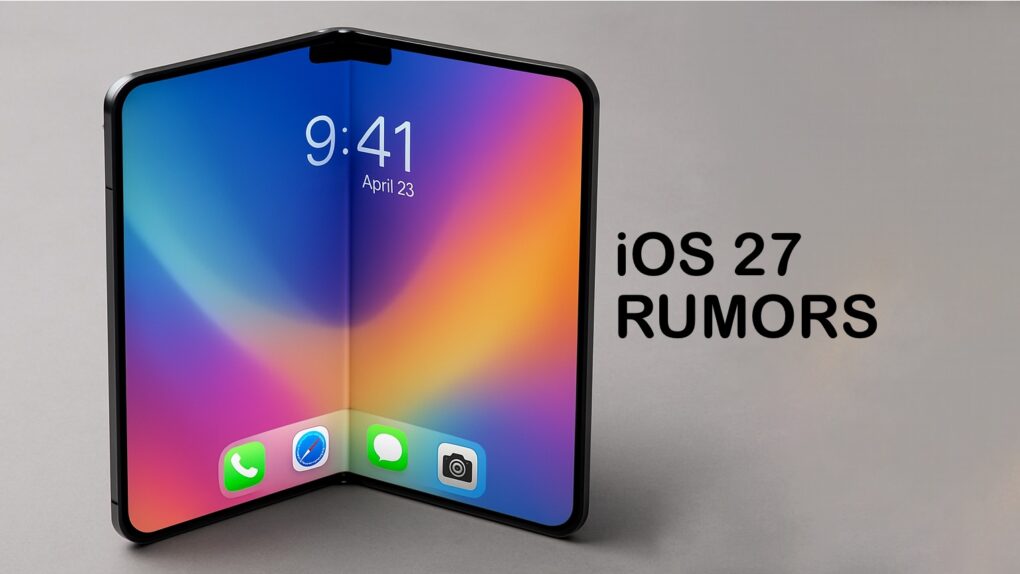
Leaks reveal a lot about iOS 27. AI image: ChatGPT/Cult of Mac
As it struggles to catch up on AI, Apple almost undoubtedly plans to focus on Apple Intelligence in iOS 27. But the company will also reportedly focus on refining the iPhone experience and tidying up existing features.
Thanks to leaks, we already have an early look at some of iOS 27’s biggest new features. While Apple certainly has some surprises planned, these are the leaked iOS 27 features I’m most excited to try.
★★★★★
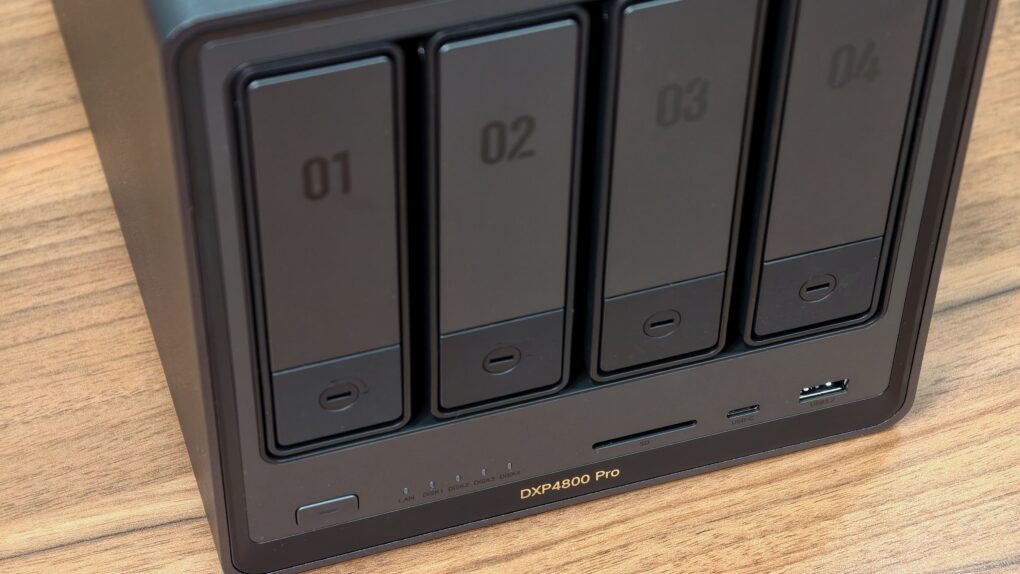
The perfect NAS for most users. Photo: Rajesh Pandey/Cult of Mac
The Ugreen DXP4800 Pro is the kind of network-attached storage device, aka NAS, that blurs the line between simple network storage and a compact home server. It packs enough power to handle Plex streaming, Docker containers, virtual machines and multidevice backups.
With a faster processor and improved bandwidth over its predecessor, the DXP4800 Pro delivers a noticeable performance boost for users who want more than just basic file storage.
This added flexibility makes the DXP4800 Pro stand out.
Many users make the switch from two or even three monitors to an ultrawide. Photo: [email protected]
There’s a moment, familiar to anyone who has experienced it, when you move from a dual-monitor setup to a single ultrawide and realize the bezels were never doing you any favors. One seamless, curving (or not) expanse of glass — from 34 inches to 49 inches and beyond — that wraps gently around the periphery of your vision, eliminating the dead stripe down the middle of your workspace where two screens met. We found the best ultrawide Mac setups from years of Cult of Mac coverage.
Change some of those keys to something more Mac-friendly. Photo: D. Griffin Jones/Cult of Mac
One of the most dramatic ways you can customize your computer is to remap your Mac keyboard keys. You can make it your own with custom functionality, powerful keyboard shortcuts and advanced features.
Using the free app Karabiner Elements, switching out one key for another is super-easy. It’s a must-have if you use a PC keyboard with your Mac. You can also go one step further, making custom keyboard shortcuts.
But if that sounds too fiddly to do yourself, you can simply install some customizations made by the Karabiner Elements community. Someone might have set up a rule for your specific keyboard!
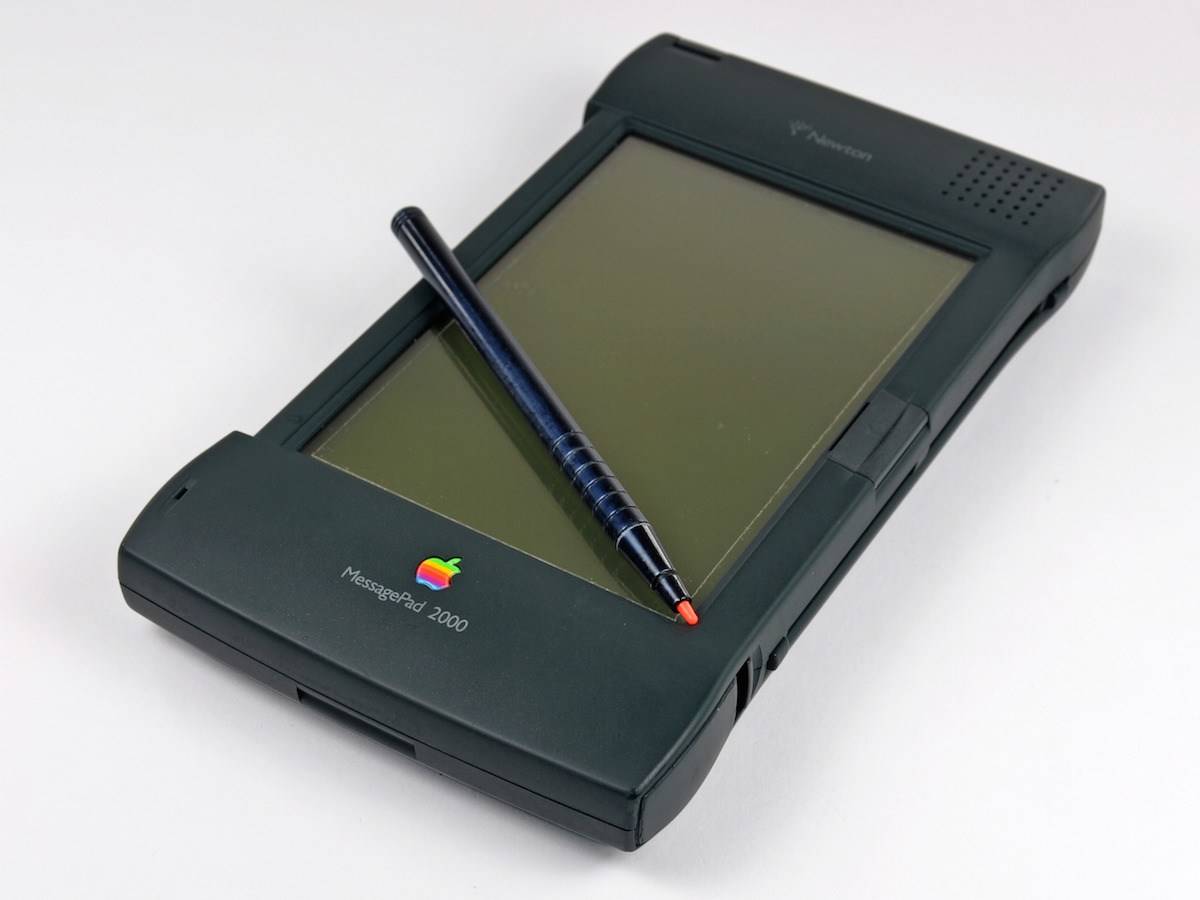
Things were looking up for the Newton MessagePad. Until they weren't. Photo: iFixit
May 22, 1997: Apple spins off its Newton division, creating an independent company to manage the line of personal digital assistants. Newton Inc.’s first job? Selling the MessagePad 2000 PDA, the best Newton device yet.
But Apple also gave Newton Inc. a mandate to develop new technologies and market existing ones.
“We have a solid business plan and a strong management team in place to optimize the value of Newton technology for corporate users and take Newton technology into a new era,” says Sandy Benett, former vice president of Apple’s Newton Systems Group and chief operating officer of the new venture.
Instead, it turns out to be the beginning of the end for the ahead-of-its-time Apple PDA.
When you watch the match, remember that everything you see came through iPhone 17 Pro (actually many of them). Photo: Apple
This Saturday, Apple TV will make broadcast history when it streams a live Major League Soccer match captured entirely on iPhone 17 Pro. It marks the first use of just a smartphone to shoot a whole major professional live sporting event, the iPhone giant said Thursday.
★★★★☆
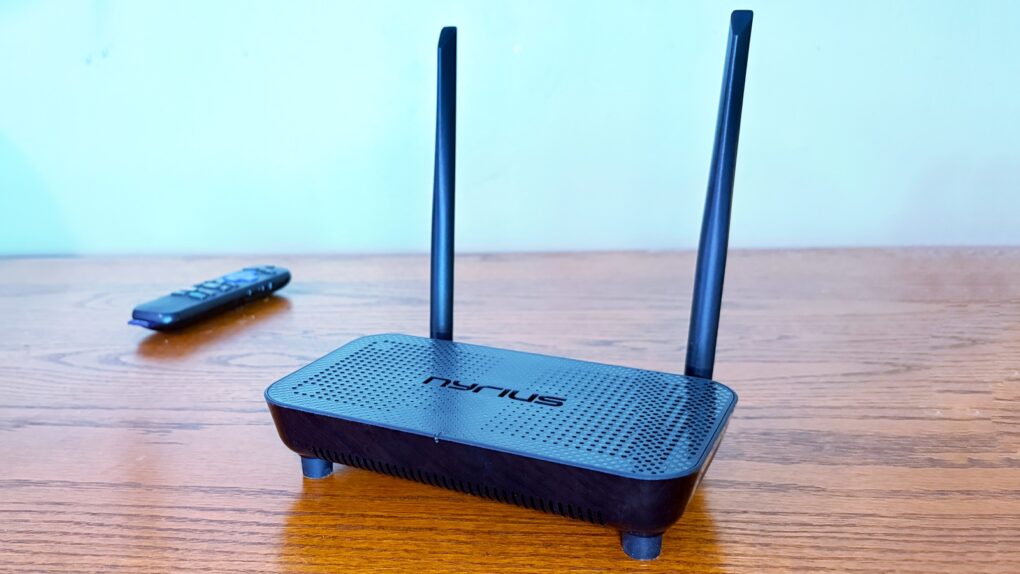
Support for 4K60 makes this wireless HDMI adapter perfect for your home entertainment center. Photo: Ed Hardy/Cult of Mac
The Nyrius Phoenix Home True 4K60 Wireless HDMI Video Transmitter & Receiver (TBB85) lets you connect your MacBook to your TV without the hassle of stretching a cable between them.
I recently reviewed the Nyrius Orion Prime, which is the light-duty version. The company’s new model is the top-of-the-line option, packed with premium features, especially support for 4K60 video, but also a 500-foot range.
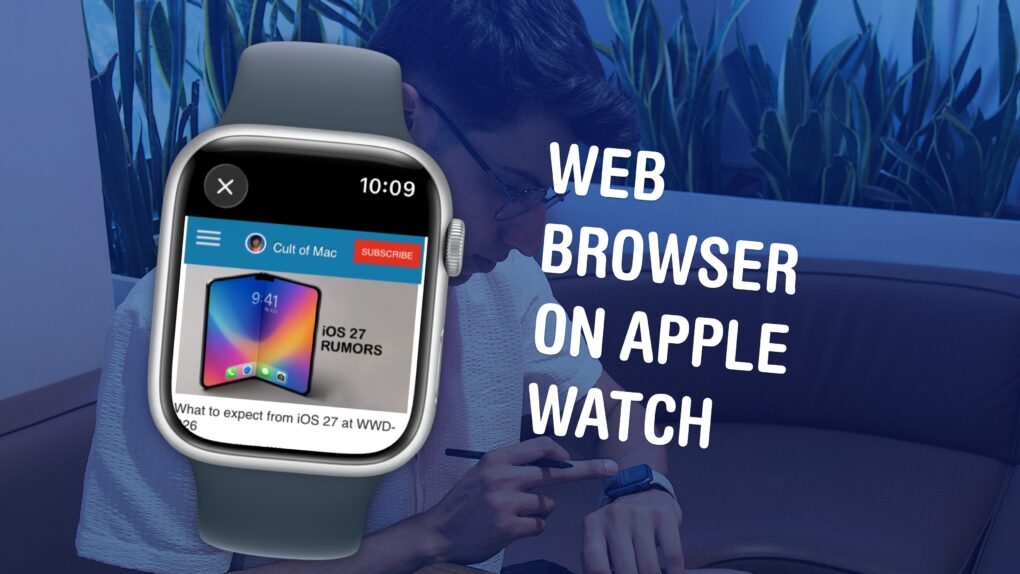
Believe it or not, there’s a mini Safari hiding in your Apple Watch. Image: D. Griffin Jones/Cult of Mac
Your Apple Watch has a web browser built-in, although it’s somewhat hidden. While Apple doesn’t have a full Safari app for the watch, you can still open links from Messages — so you can text yourself as a hack to browse the web. Or, you can install the μBrowser app for a dedicated user experience with bookmarks and even complications.
Admittedly, it’s not a fantastic experience. The screen is less than two inches tall, so many pages don’t render properly. It’s not especially speedy, either. If your watch is within range of your iPhone, it’ll use the slow Bluetooth connection with your iPhone as a relay instead of connecting to the Wi-Fi network directly, in order to save power.
But having a web browser on your Apple Watch occasionally comes in handy, especially if you have a cellular model and left your phone at home.
iOS 27 could support an upgraded Camera app with a Siri camera mode plus an overall overhaul of the voice assistant. Photo: Chat GPT/Cult of Mac
Apple’s Worldwide Developers Conference kicks off June 8, and all eyes are on iOS 27 — the software update that could define the iPhone experience for the next several years.
Given a steady drumbeat of reliable rumors, a surprisingly complete picture of the update has already emerged. Here’s what to expect in iOS 27 regarding the big Siri revamp and more. We’ll see if the keynote confirms it all.
With AppleLink Personal Edition, Cupertino tried its hand at bringing the internet to the masses. Photo: Apple Confidential
May 20, 1988: Apple launches AppleLink Personal Edition, a user-facing online service that lets customers connect using a Mac-style user interface.
Years before Apple will get serious about its internet efforts, AppleLink offered a glimpse of things to come. Unfortunately for Apple, it did not become quite the hit many hoped!
★★★★★Steve Jobs in Exile among other classic Apple books. Photo: D. Griffin Jones/Cult of Mac
Steve Jobs in Exile by Geoffrey Cain serves up a comprehensive history of that other computer company Steve Jobs founded, NeXT.
The book, released Tuesday, starts in 1985 with Steve Jobs being forced out of Apple. It tells the tumultuous tale of what happens after Jobs poaches five Apple employees, they all gather in his bare living room, and ask, “Well … now what?”
Starting fresh at just the right moment in history, they invented the computer architecture of the modern era with a powerful UNIX foundation, object-oriented programming and emerging web technologies. It’s an intensely frustrating tale of Jobs blowing chances at success left and right, letting perfection be the enemy of the good.
How the Tysons Corner, Virginia store appeared on day one. Photo: Apple
May 19, 2001: Apple revolutionizes the world of computer shopping when it opens its first two Apple Stores. Located in Tysons Corner, Virginia, and Glendale, California, the new outlets represent the culmination of a long-term dream for Cupertino.
It’s the start of something massive. Within two and a half decades, Apple will expand its retail operations to more than 500 stores in 27 countries and regions around the world. And they will become some of the most profitable retail outlets anywhere on a dollars-per-square-foot basis.
Apple's stunning Fifth Avenue store quickly becomes a New York landmark. Photo: Simone Lovati/Flickr CC
May 18, 2006: The world — and, more specifically, the Apple-watching press — gets its first glimpse of the swanky new Fifth Avenue Apple Store in New York City.
Previously hidden behind a black plastic wrapper during development, that all changes a day before the store’s grand opening. Workers remove the covering to reveal a 32-foot glass cube adorned with a floating, white Apple logo. At 10 a.m., members of the press go on an exclusive tour of the new venue.
Here's why Apple hasn't already launched the HomePod mini 2 and updated Apple TV 4K. AI image: ChatGPT/Cult of Mac
Rumors point to an updated version of the HomePod mini and a new Apple TV 4K coming this year. What’s holding them up? The same thing that’s been giving Apple problems for years: AI.
Here’s what to expect from these two smart home accessories, and why Apple’s struggles with artificial intelligence have kept them off the market.
With impressive specs and a fancy screen, the PowerBook 540c took Apple laptops up a notch. Image: Ste Smith/Cult of Mac
May 16, 1994: Apple launches the PowerBook 540c, one of the best laptops in the company’s history.
Part of the innovative 500 series of PowerBooks, the 540c is the laptop to own in 1994. Blisteringly fast, packed with innovative features, and offering the best notebook display on the market, it’s a triumph on every level. Although for $5,539 (over $12,400 in today’s money), it had better be.
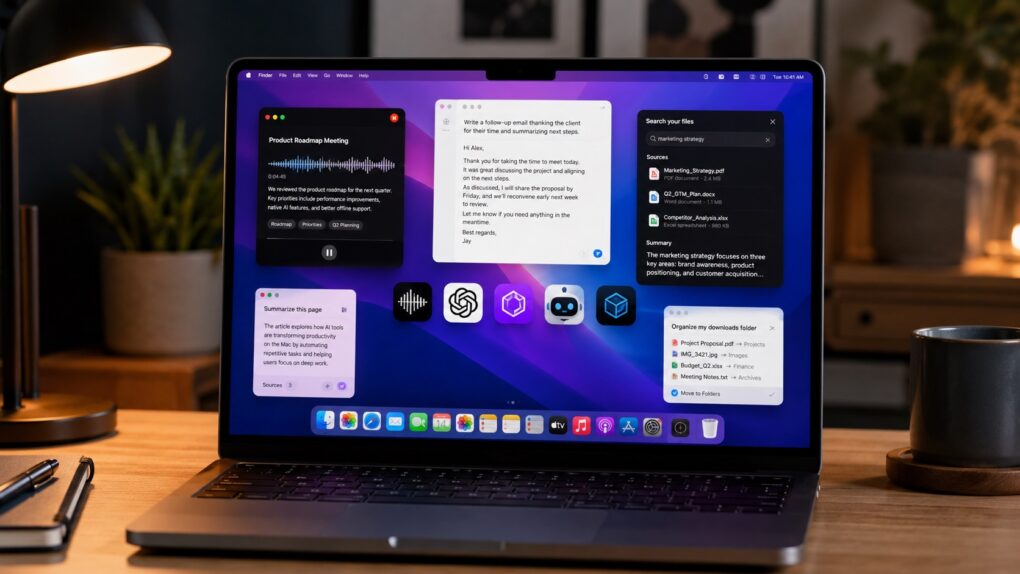
These AI Mac apps will help you get more done in less time. AI image: ChatGPT/Cult of Mac
AI is changing the kind of apps you can run on a Mac. From voice-first writing tools to meeting assistants and smarter file management, these new AI apps can save hours every week.
After months of testing, these are the AI apps that earned a permanent spot in my workflow.
If you're going to sit there for 10 hours a day, you better make some changes, for health's sake. Photo: [email protected]
Sitting at a computer for eight or 10 hours a day will eventually catch up with you. Stiff necks, sore wrists, aching backs, eye strain — the toll of a poorly designed workstation is real. And the Cult of Mac Setups archive is peppered with users who know it firsthand. But it also shows an increasingly thoughtful community that does something about it. Here are 10 of the best ergonomic Mac setups from the past several years.
 May 26, 2010: In a massive milestone, Apple passes Microsoft to become the world’s most valuable technology company for the first time.

 May 25, 2010: Apple opens an investigation into a string of suicides at Foxconn, its Chinese manufacturing partner for assembling iPhones.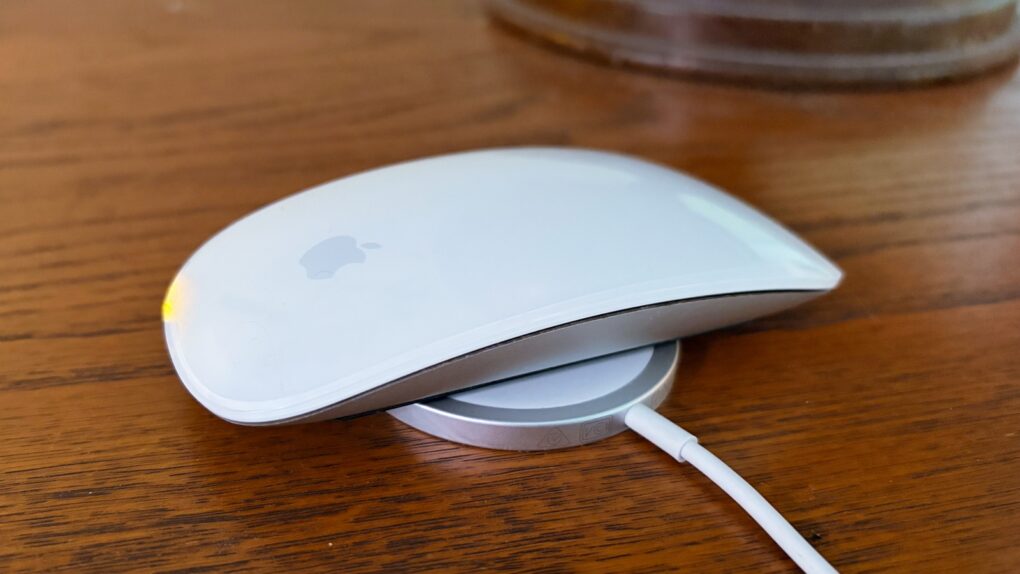


 May 23, 1985: Bitter about being ousted from his position running the Macintosh division,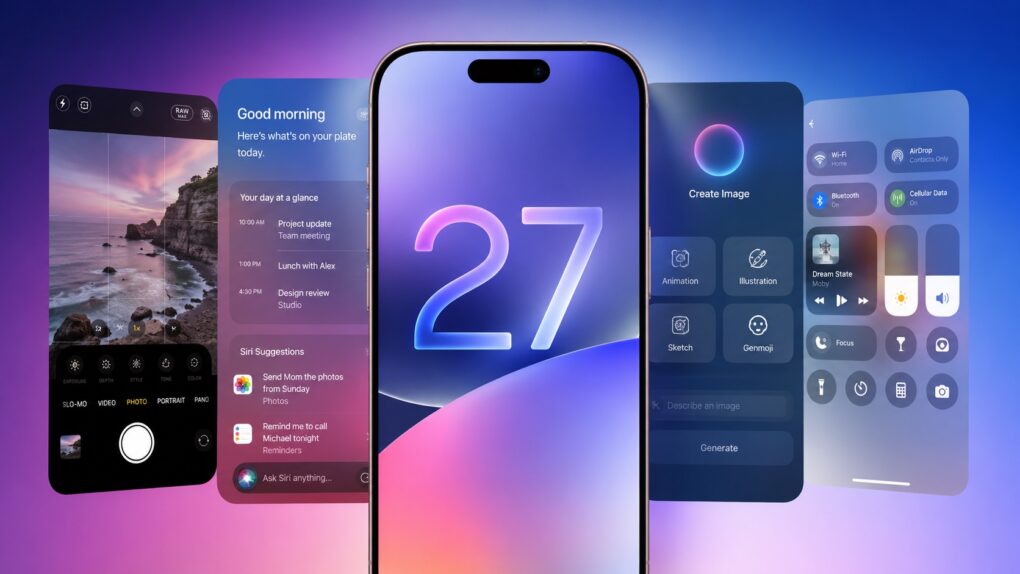


 May 22, 1997: Apple spins off its Newton division, creating an independent company to manage the line of personal digital assistants. Newton Inc.’s first job? Selling the MessagePad 2000 PDA, the best Newton device yet.

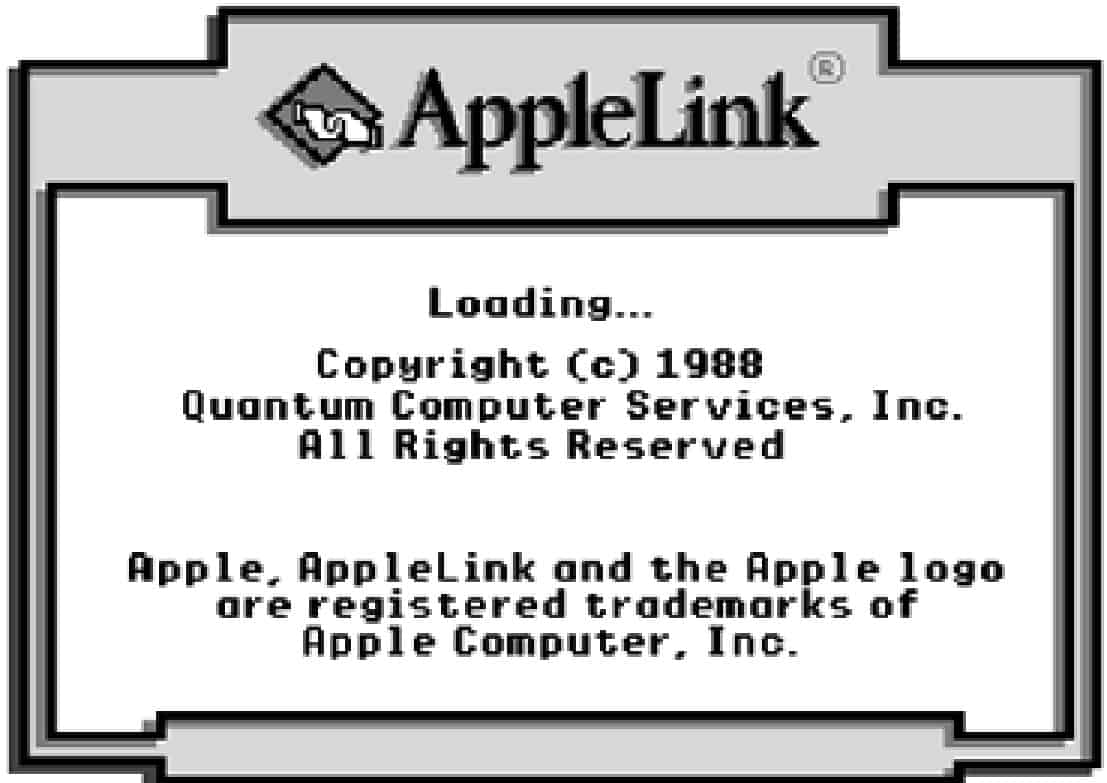
 May 20, 1988: Apple launches AppleLink Personal Edition, a user-facing online service that lets customers connect using a Mac-style user interface.

 May 19, 2001: Apple revolutionizes the world of computer shopping when it opens its first two Apple Stores. Located in Tysons Corner, Virginia, and Glendale, California, the new outlets represent the culmination of a long-term dream for Cupertino.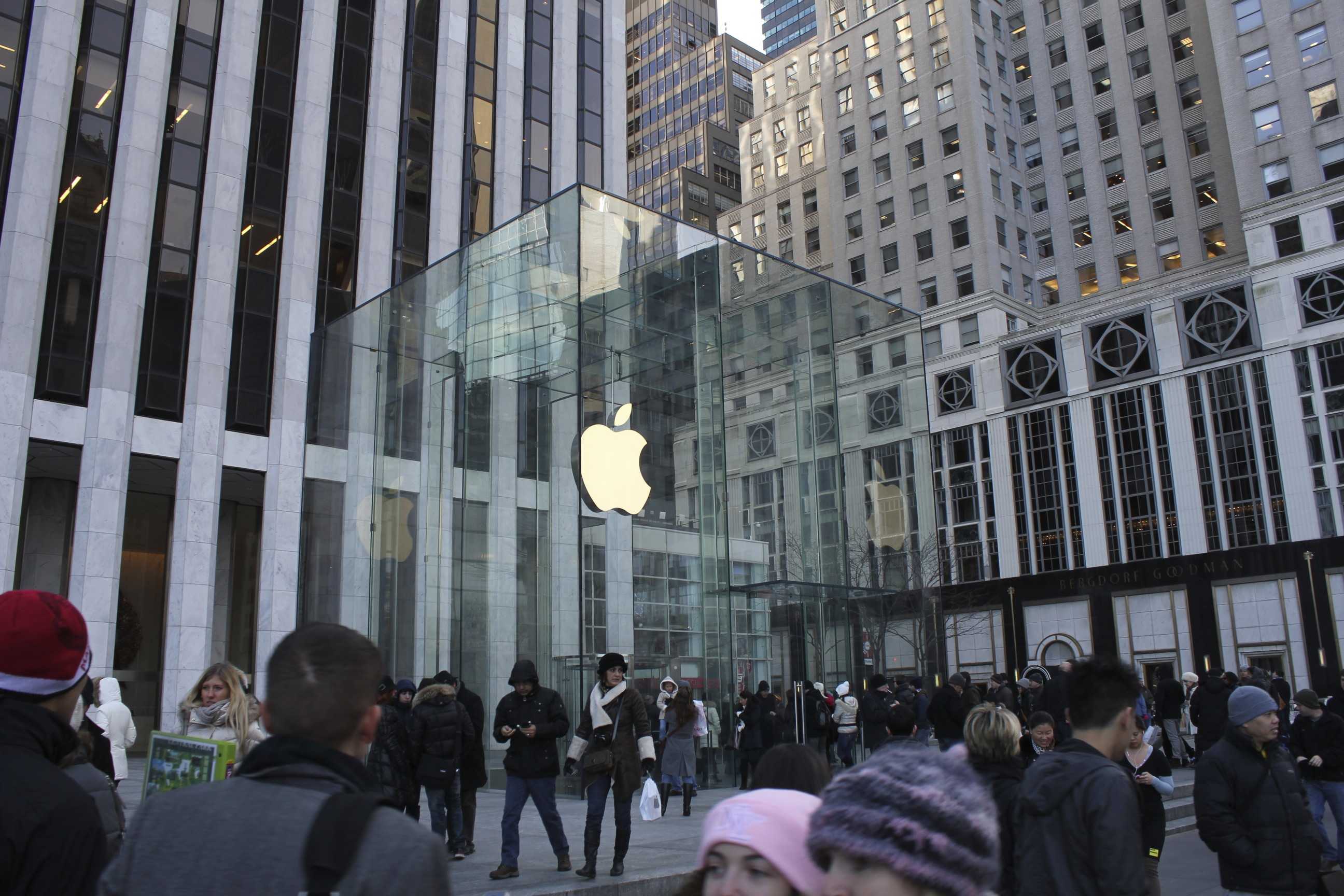
 May 18, 2006: The world — and, more specifically, the Apple-watching press — gets its first glimpse of the swanky new Fifth Avenue Apple Store in New York City.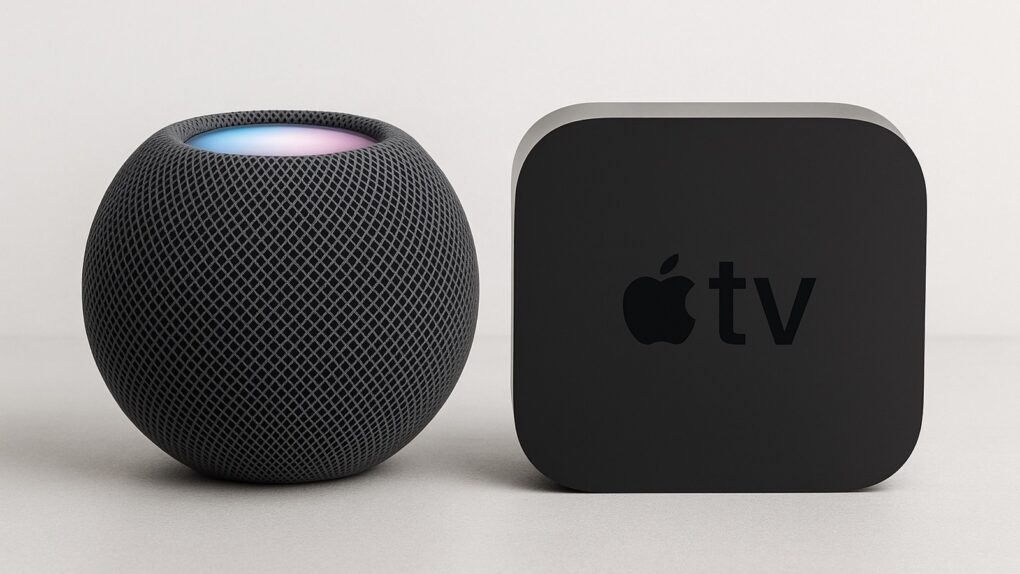
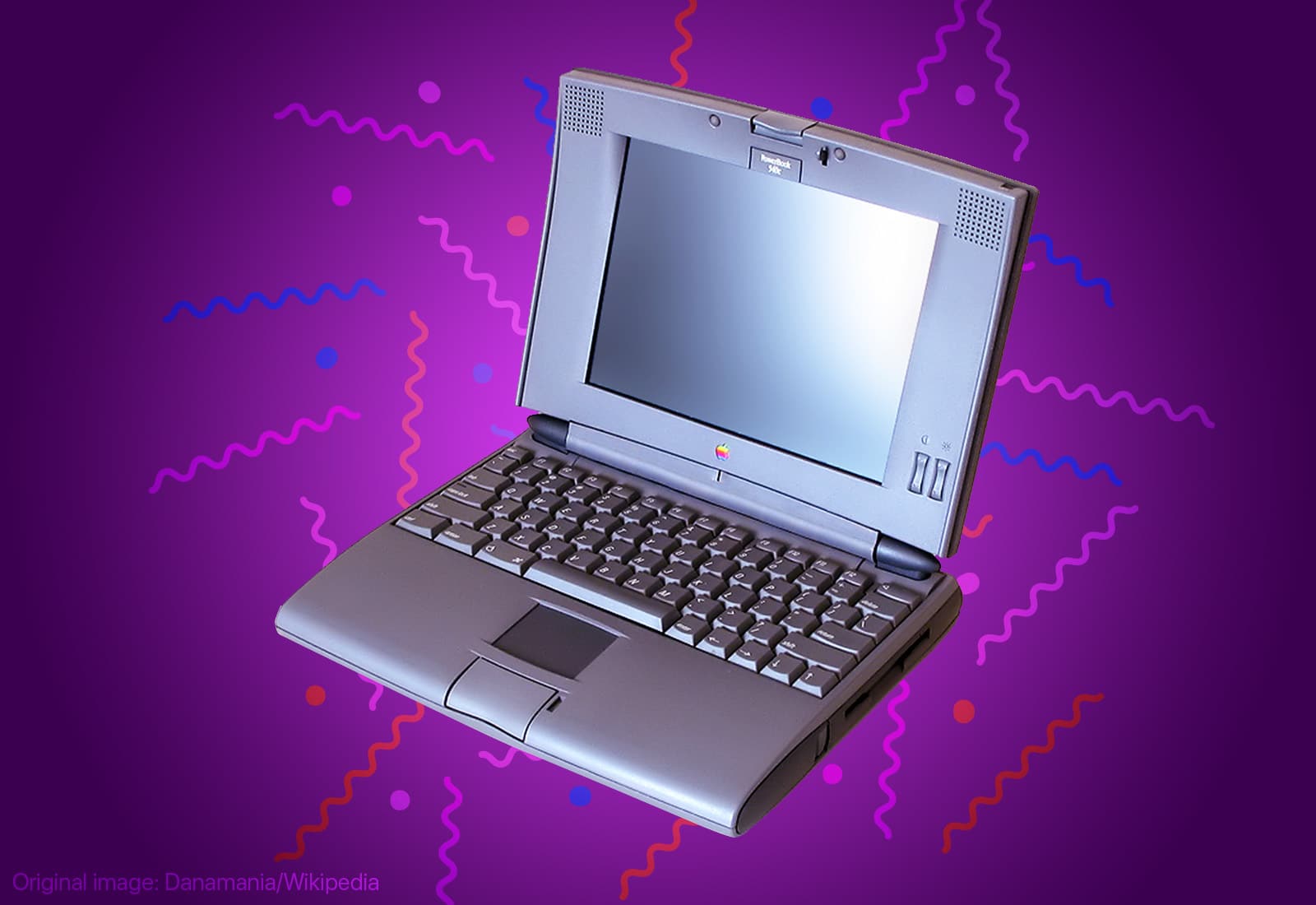
 May 16, 1994: Apple launches the PowerBook 540c, one of the best laptops in the company’s history.