All items tagged with "reading"

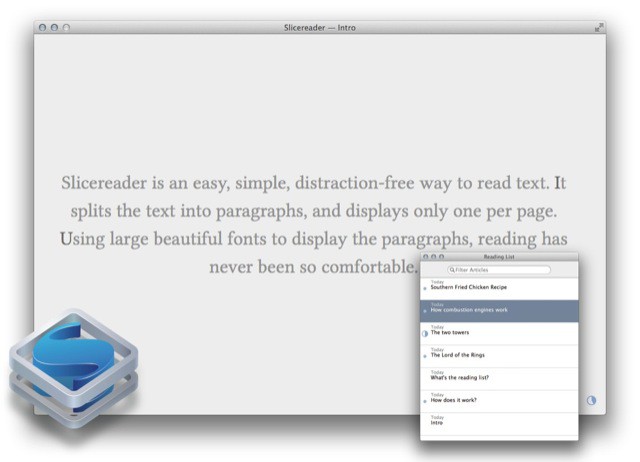
Slicereader, A Reading App So Minimal Even Jony Ive Would Blink

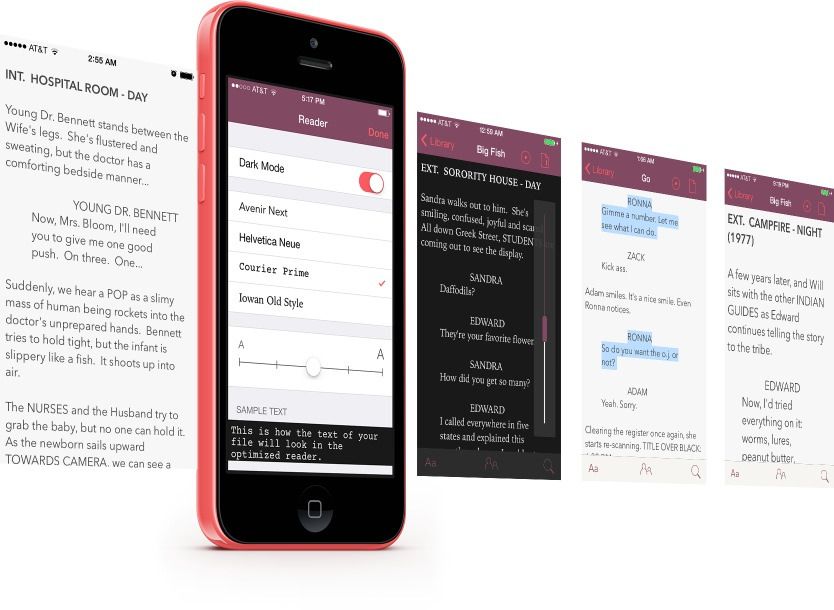
People talk a lot of crap about their minimalist apps, promising “distraction-free” interfaces as if distraction had anything to do with how many buttons you can see on the screen. In the future I will send those people a link to download Slicereader, a reading app so truly minimal that it doesn’t even have an open/save dialog.

Read the rest of this post »

Speed Read Your Way Through Your Documents, Books, And Emails [Deals]

CoM - Speed Reading

I’ve madea a point of trying to read more books this year than ever before. The fact that I can have books on my iPad, e-reader, and even on my phone (along with good old-fashioned paper books), I’ve got more to read now than ever before and that’s a good thing. But with all of that reading material it would sure be nice to up my reading speed.

That’s what this Cult of Mac Deals offer aims to do. In fact, with this Speed Reading Course, Udemy guarantees you will read at least 33% faster – or you have 30 days to get your money back! And you can get this course for only $49 for a limited time!

Read the rest of this post »

Jeff Cannata On His Old Show, His New Show, And The Apps He Loves On The CultCast

new-cultcast-site-promo-pic.jpg

We mix it up on this week’s CultCast! Join us for a very special hour with guest Jeff Cannata, former co-host of The Totally Rad Show (TRS) on Revision3 and current co-host of CNET’s Always On.

For all of you who used to watch and love TRS, we remember the show and relive how its cutting-edge virtual set — all made with just one camera and a Mac Pro — made it one of the most popular and beloved podcasts on the internet. Plus, what’s it feel like Kickstarting over $100,000 for a new show? Jeff knows, and shares his amazing experience.

All that and Mr. Cannata reveals his favorite iPad apps and gadgets! Subscribe to The CultCast now on iTunes to download our newest episode, or just hit play in the player below to listen right in your browser.

Post player header image 63 3

Show notes up next!

Read the rest of this post »

The 128GB Retina iPad Is The Desktop To The iPad Mini’s Laptop [Opinion]

The 128GB Retina iPad Is The Desktop To The iPad Mini’s Laptop [Opinion]

So similar, and yet so different…

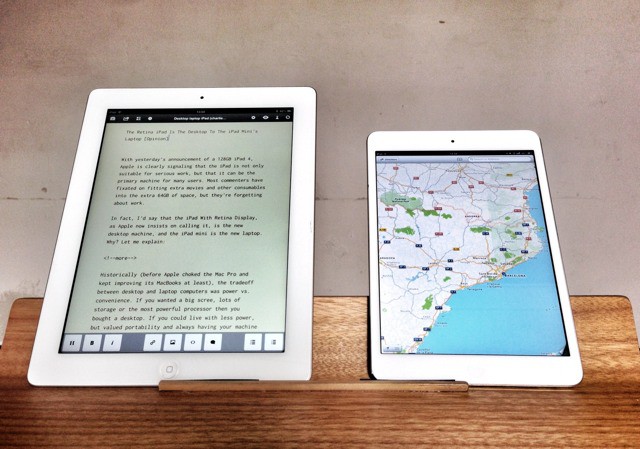
With Tuesday’s’s announcement of a 128GB iPad 4, Apple is clearly signaling that the iPad is not only suitable for serious work, but that it can be the primary machine for many users. Most commenters have fixated on fitting extra movies and other consumables into the extra 64GB of space, but they’re forgetting about work.

In fact, I’d say that the iPad With Retina Display, as Apple now insists on calling it, is the new desktop machine, and the iPad mini is the new laptop. Why? Let me explain:

Read the rest of this post »

Bookcase Knows Everything You Have On Your Bookcase [Review]

Scan every book you own, super fast.

Scan every book you own, super fast.

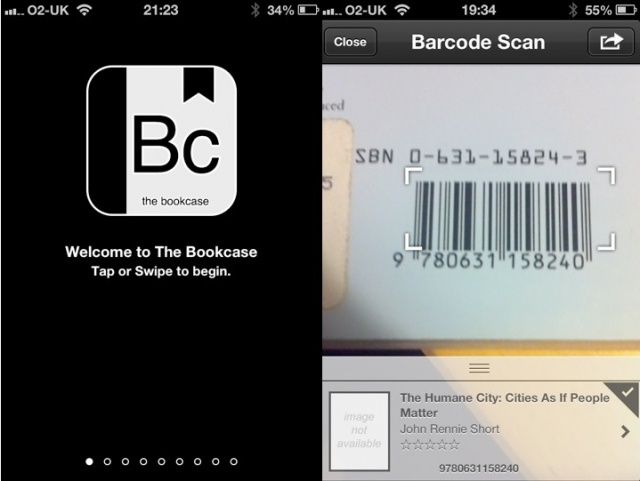
The Bookcase is a three-dollar pocket database for your book collection, one that takes its role very seriously and might be best suited to people with a professional requirement to manage a large library.

Read the rest of this post »

Subscribe to the Cultcast

The iPad Is Leading The Charge In The E-Mail Revolution

Reading-iPad

When I’m not seated in front of a computer, I use my iPad mini for almost everything I need to do online. Checking my emails, banking, streaming movies and music, and reading the day’s news — it’s all done on a tablet. And it turns out I’m not the only one who’s abandoning my PC for a handheld.

Perion, the creator of IncrediMail, today unveiled the results of its latest survey of 4,400 iPad owners in the United States. The majority of respondents said they consider Apple’s popular tablet their favorite device for reading and writing emails, beating PCs and smartphones by a wide margin.

Read the rest of this post »

Instapaper Gets Big Update With iBooks-Style Page-Turn Animation

Instapaper

Instapaper, now with fancy page-turn animations

Instapaper 4.2 has just hit the App Store, and it’s a pretty big update. The headline feature is a new iBooks-style page-turn animation, but there is a lot more in there besides.

Read the rest of this post »

Readability’s Free iPhone And iPad App To Launch In App Store On Thursday, March 1st

Popular web reading platform Readability has confirmed that it will finally be launching its native iOS app in the App Store on Thursday, March 1st. The release comes after Readability was rejected by Apple for not complying with the App Store’s in-app purchase guidelines.

When the iPhone and iPad app becomes available to the public later this week, users will be able to read and share web articles that have been beautifully reformatted for a mobile reading experience.

Read the rest of this post »

Apple Updates iBooks With Nighttime Reading Theme, Full-Screen Mode, And More

Apple Updates iBooks With Nighttime Reading Theme, Full-Screen Mode, And More

Apple has issued an update to its iBooks app on the iPhone, iPod touch, and iPad. Version 1.5 of iBooks brings two major additions: a nighttime reading theme and full-screen mode.

The update also brings several new fonts, more covers for public domain books, pop-up footnotes, and a redesigned annotation palette.

Read the rest of this post »

Zoom Features That Help When You Lose Your Reading Glasses Or Are Vision Impaired [iOS Tips]

Zoom Features That Help When You Lose Your Reading Glasses Or Are Vision Impaired [iOS Tips]

Zoom Features That Help When You Lose Your Reading Glasses Or Are Vision Impaired [iOS Tips]

I recall the time I met someone who was not only vision impaired, but nearly blind. However, their loss of vision didn’t prevent them from enjoying computers. Although we were both able to get a lot done, they wouldn’t have been able to get as much as I can get done without special tools like a large display with overly magnified and software enhancements on their computer.

Apple’s iOS mobile operating system offers nearly the same features to help the vision impaired and even people who depend on reading glasses to see things displayed on the iPhone’s tiny display. Here’s how to access them.

Read the rest of this post »