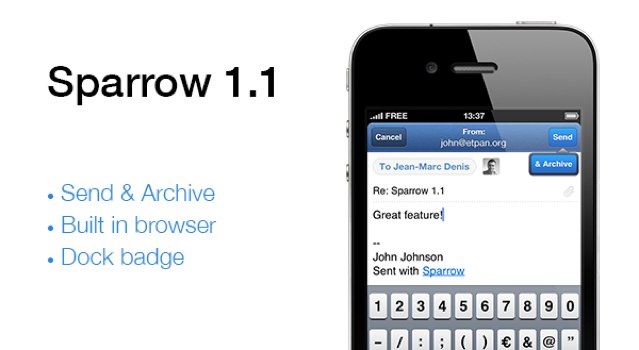
There's still no push in Sparrow 1.1, but Sparrow promises it's coming.
Sparrow for iPhone just got its first update since hitting the App Store last month, and it already brings several new features, including a built-in web browser, customizable icon badges, and clever archiving. There’s still no push function, however, Sparrow promises its coming, “with or without Apple.”
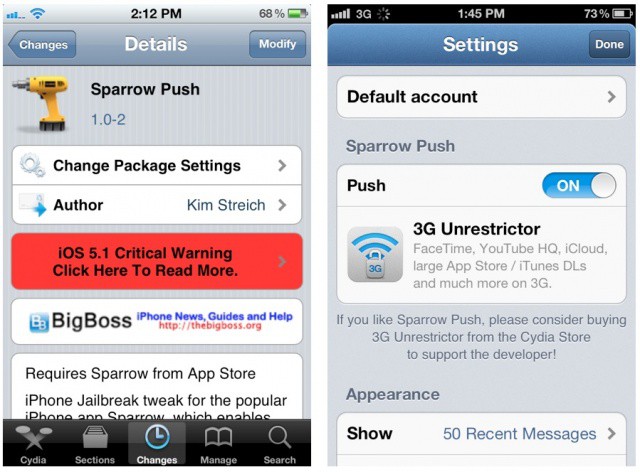
Sparrow Push brings badge notifications to the iPhone's newest email app.
A new jailbreak tweak adds push notifications to the popular iPhone email app called Sparrow. We’ve already shown you a roundabout way to get push for Sparrow with the Boxcar app on a non-jailbroken iPhone, but you can now easily enable notifications with a Cydia tweak called Sparrow Push.
Boxcar notifies you of almost anything, including email
Sparrow for iPhone is great. And I mean hands-down, why-the-hell-isn’t-Apple’s-mail-app-this-good? kind of way. I like it so much, in fact, that I am even using it pixel-doubled on my iPad.
But there’s just one problem: no push, and no notifications. To enable local notifications, Sparrow would have to store your e-mail login details on its servers, and deal with all the responsibility that that brings.
The first version of Sparrow for iPhone included a clever workaround to let it poll for mail in the background, but Apple crashed its ban-hammer down on this wrongful use of the network event APIs.
But there’s a workaround, using the excellent BoxCar app and some simple setting up of your Gmail account.
It’s not often that you’re able to get “maximal” savings on such a “minimal” piece of software, and in many cases these kinds of things can just pass on by. But we’re not about to let this soon-to-be-ending Cult of Mac Deals offer fade off into the sunset without giving it one last look. So if you’re tired of the Mac native Mail.app (as many are) then there’s no time like the present to pick up the premier “get email done” application for the Mac, Sparrow before the special pricing gets so minimal that it disappears!
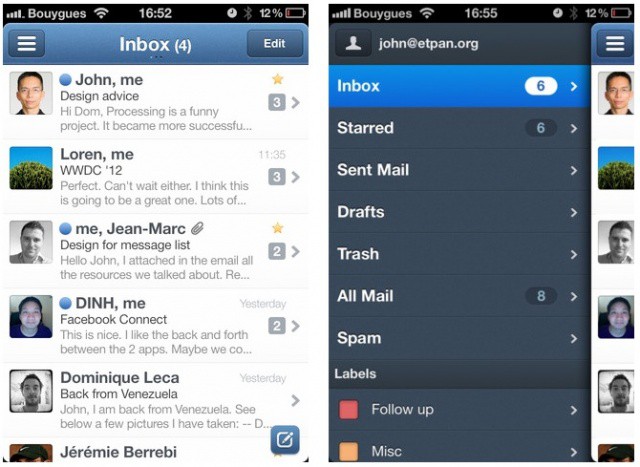
There are a number of half-baked third-party email clients for the iPhone, but until now, there hasn’t been a real replacement for the iPhone’s built-in Mail app. Sparrow for iPhone finally changes that. It’s crammed full of terrific features that make Apple’s solution look pretty amateur, and yet it’s still incredibly easy to use. In fact, I think it’s just as spectacular as Sparrow for the Mac.
Will Sparrow be enough to tear you away from the clutches of Apple's Mail app?
The highly-anticipated iPhone email client called Sparrow is now available in the App Store. The app costs $2.99 and promises an enhanced emailing experience. Flagship features include a unique and gorgeous interface, a threading system for messages, enhanced contact integration, better search, and more. If you’re ready to try something besides the default Mail app, Sparrow is definitely worth checking out.
It’s hard enough to get to that elusive “Inbox Zero” when your email program just won’t help you out. It either has too much or tries to keep you dwelling in email purgatory when you could — and should — be spending your time on better things. Things that don’t qualify as busy-work, but as actual work.
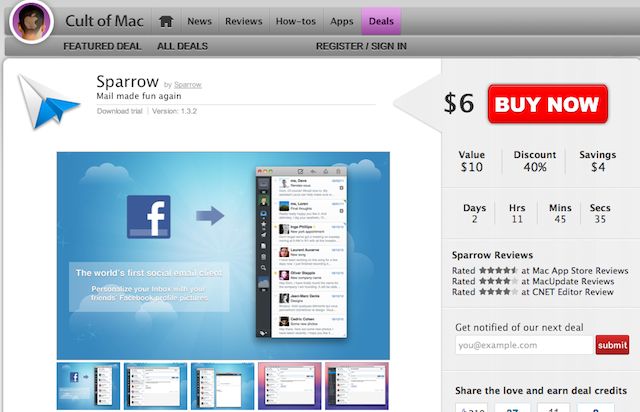
Well…this Cult of Mac Deals offer is going to be your saving grace. That’s because we’re offering an awesome minimalist email application for the Mac, Sparrow, for only $6 for a limited time!
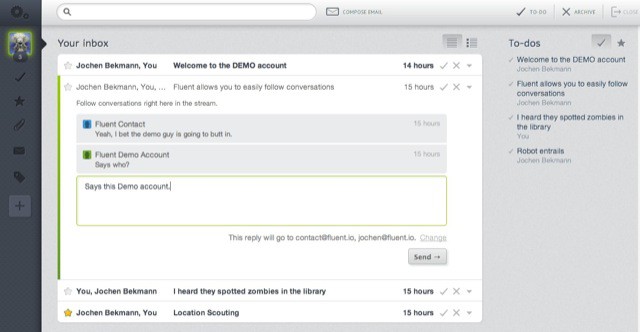
Fluent is a web-based wrapper for your Gmail account that clearly takes cues from the much-loved (and sorely missed, by some) Tweetie Twitter client and the much-loved (and still very much alive) Sparrow mail app.
This is one iOS app I am particularly excited about. I’m a huge fan of the Sparrow email client for Mac OS X, and ever since rumors started circulating that claimed the app is coming to iOS, I’ve been itching to get my hands on it. According to the application’s developer, Dominique Leca, Sparrow will land on the iPhone in the coming months.
If you still haven’t heard the news, last week we launched our new “Deals” hub for Cult of Mac. We’re bringing Apple fans the best deals in cutting-edge software and apps. Right now we have the amazing email-app, Sparrow, on sale for $6. With only two days remaining on this deal, users need to act now before our discount is over. Also, we’re hosting a giveaway for five free copies of Sparrow. The contest ends today at 5PM, so sign up while you still can.
We’ll be offering all kinds of deals: free app codes; 72-hour sales on premium packages; and bundles of the best apps — all at savings of 30% to 90% off retail. Teaming up with StackSocial allows us to bring special expertise to Deals.CultofMac.com We will be using our knowledge of what Mac users want to create highly relevant offers designed to cater specifically to the demands of Cult of Mac’s core readership, the Apple enthusiast. We hope you keep checking out deal.cultofmac.com to join the experience.
Let’s be honest, typical email clients (like your old corporate buddy Mr. Outlook) are about as fun as a bag full of dead butterflies. When was the last time you got excited to use Entourage or Lotus Notes? Probably never.
Luckily, Sparrow glided into the app-scene with a singular goal to make emailing fun. It’s lightweight so its zippy, yet packed with features no other email app has. The love and energy the Sparrow team put into their app has changed emailing from a dreaded chore into something that is pleasurable and fun.
Yesterday, with great excitement, Cult of Mac launched a new software hub called deals.cultofmac.com. Teaming up with the guys at StackSocial, this new feature will bring Apple fans the best deals on cutting-edge Mac Apps at a price you won’t be able to find on the Mac App Store. We’re starting things off by offering Sparrow, the best mail-app for OS X, for only $6.
To celebrate the launch, we’re giving away 5 copies of Sparrow for free to our readers via a giveaway contest on Facebook. Entering the giveaway is simple, but you gotta play to win.
Minimalist email client Sparrow continues to grow apace, thanks to some updates over the summer. We last looked at it back in March, but there’s a lot of new stuff since then.
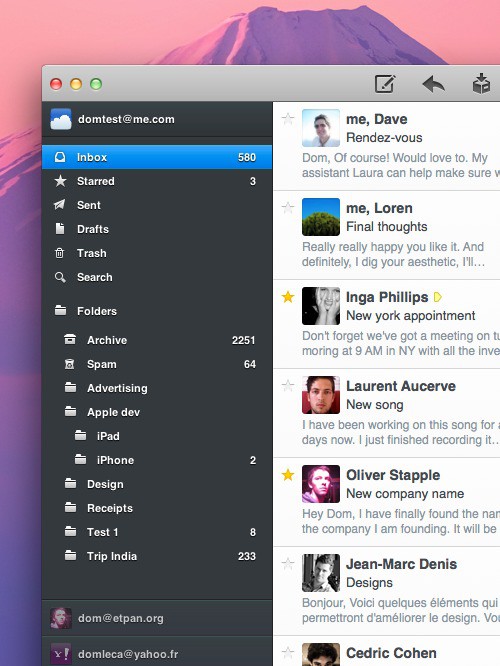
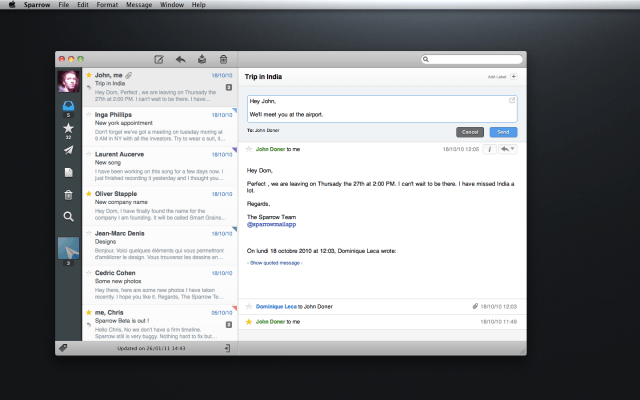
Last week, one of the most interesting Mac programs to come out in years hit the App Store in Sparrow for Mac, an elegant and attractive e-mail client that looks and acts a lot like Twitter.
I loved it, comparing it to more full-featured clients like Postbox 2 by saying Sparrow was “the equivalent of skipping stones, not piloting a submarine.”
I decided to reach out to Sparrow for Mac team member Dom Leca and ask him a few questions about the origins, inspiration and future of the e-mail program that treats your Gmail as if it were Twitter.