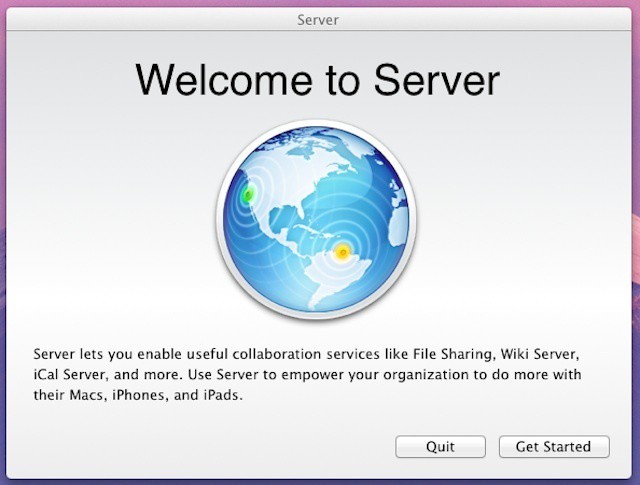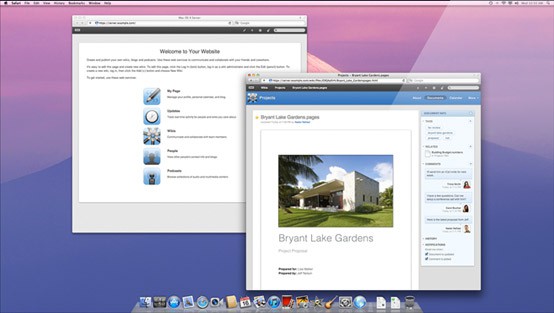
You already know that OS X is one of the most powerful and easy to use UNIX based OSes around. You wouldn’t be reading Cult of Mac if you didn’t. The thing that a lot of us don’t really know—or tap into—is the server version of OS X.
Sure it’s like OS X, but it also has all the power of an enterprise server behind it. Email server? Check. Calendar server? Yep. Document server, chat server, wiki…you get the idea. Anyway, it’s powerful stuff. And, so I’m told, pretty easy to manage. Pretty easy, not drop dead easy. Which means a few lessons and tutorials might come in handy just to make sure you get your OS X Lion Server set up the right way the first time. Hence today’s deal—OS X Lion Server Video Course – Cult of Mac Deals.
Profile Manager is a killer feature in Mountain Lion Server, but it isn’t the only killer feature.
Apple is expected to launch Mountain Lion next week. At the same time, the company will be launching Mountain Lion Server. The new edition of Apple’s server platform is revolutionary in a lot of ways, not the least of which is its $19.99 price tag.
Mountain Lion Server includes the basic server functionality that you’d expect from a product intended for the small to mid-size business (SMB) market. That means features like file sharing, network printing, client backups, website hosting, VPN, email services, centralized contacts for an organization, and shared calendaring. All of that is important and Mountain Lion Server seems destined to make those services easy to set up and manage.
In addition to those basic capabilities, however, Mountain Lion Server comes with some pretty incredible functionality for businesses or workgroups of any size or type. Here are ten of the big money features that are easy to overlook.
Appearances can be deceiving. Mountain Lion Server still has solid enterprise capabilities.
Apple has released two documents about Mountain Lion Server ahead of this month’s Mountain Lion (and Mountain Lion Server) launch. The first, a 25 page product guide, offered a some insights into the changes and new features that Apple wants to highlight for customers. The second is Apple’s Advanced Administration guide, an in-depth document that would be nearly 400 pages is it were printed or packaged as a PDF. This guide is the full documentation for Mountain Lion Server and it offers a lot of information about all the changes that Apple has made since Lion Server shipped last summer.
On the surface, these two guides are enough to make longtime OS X Server administrators nervous at Apple’s removal of the advanced admin tools and features that have been in nearly every previous OS X Server release. It’s very easy to look at the contents of the Advanced Administration guide and assume Apple is completing the consumerization of its server platform.
Digging a bit deeper, however, reveals that Apple may actually have a winning strategy in the way that it continues to integrate iOS and Mac management into a single workflow and that not all of the capabilities from previous iterations of OS X Server have been scrapped.
Advanced Admin Guide for Mountain Lion Server confirms Server Admin & Workgroup Manager aren’t included.
Mountain Lion Server is the final chapter in Apple’s march from the enterprise data center – a march that started five years ago when Apple introduced a simplified management interface for small business as part of Leopard Server. The first sure sign that Apple had decided to tailor its server platform only for smaller organizations came with the cancellation of the Xserve.
To experienced OS X Server administrators, Lion Server looked like a patched together product that still had much of its former enterprise capabilities but with advanced administration tools that had been gutted like a fish. All of which pointed to Apple moving forward with its narrower focus and a simplified management app call simply Server.
Think OS X Server doesn’t have equivalents to Active Directory and Exchange? Think again.
Last week, I compared the costs of Mountain Lion Server with the licensing for Windows Server 2012 Essentials Edition. Both products are pretty clearly for the small business market. One of the big questions or concerns from readers centered around Microsoft’s Active Directory and Exchange. The assumption being that Apple didn’t provide anything similar.
That assumption, however, isn’t accurate. To clear up confusion, let’s take a look at what the core services and features in OS X Server actually offers and the audience that can best benefit from Mountain Lion Server – small businesses looking to set up a handful of services for a relatively small number of users.
Microsoft’s small business server will go up against Mountain Lion Server at 10X the cost and with artificial limits on it.
Now that Microsoft has unveiled the pricing and licensing models for Windows Server 2012, it’s easy to see why Apple’s focus on the small business market has been a genius move. Apple has been positioning its server platform as a small business solution for a while and Mountain Lion Server is the premier example of this focus.
Mountain Lion Server provides all the core needs for a small or mid-size firm – file sharing, email and messaging, shared contacts and calendars, and collaborative tools – for both Mac and Windows users. It also provides Mac deployment and update services as well as Mac and iOS device management capabilities. All of that is insanely affordable at just $31.98 ($19.99 to buy Mountain Lion, if needed, and then $19.99 for Mountain Lion Server).
By contrast, Microsoft’s so-called streamlining licensing for Windows Server 2012 lists a Windows Server Essentials Edition, which is the new equivalent of Windows Small Business Server, as starting at $425 with serious limitations.
Should businesses consider SSD options for Macs running OS X Server like the Mac mini Server?
Mac and iOS users are strangers to NAND flash storage. After all, Apple has been using flash as a storage medium for years now. iPods, iPhones, iPads, Apple TVs, and some MacBooks all rely on NAND flash as a storage medium of choice. The success of those products has led Apple to be world’s biggest buyer of NAND chips and was no doubt a factor to mention the company’s purchase of Israeli flash memory firm Anobit.
Solid state storage based on NAND flash isn’t Apple-specific. Plenty of other companies offer flash storage in an array of form factors for a huge variety of uses including smartphones and mobile devices. Solid state drives (SSD) drives are available as options for a range of PCs. They’re also becoming common options for servers and network devices. For businesses looking to implement Lion or Mountain Lion, SSDs can be an attractive option. They can also be an expensive prospect, and there may be better ways to spend your business dollars.
Server app is now Apple’s primary OS X Server interface
Apple’s 2007 launch of Leopard Server was the beginning of a new business strategy for the company. Leopard Server included a number of new features – shared calendaring with iCal Server, Apple’s wiki-based collaborative tools, and streamlined Podcast creation and hosting through Podcast Producer were some of the highlights. The biggest new feature, however, was the introduction of a simplified setup assistant and Server Preferences – a utility designed to look and feel similar to System Preferences that enabled easy management of key server features for smaller organizations with limited technical knowledge or resources.
Fast forward nearly five years to today and you can see the focus that Apple introduced in Leopard Server has become the core of Mountain Lion Server. You can also see that many features that used to be OS X Server staples are gone (or at least are being handed their hats and coats). What remains is a very inexpensive but still relatively powerful server OS with a focus on easy setup and management as well as collaboration.
Apple offers an early glimpse into Mountain Lion Server and Mountain Lion Mac management
Apple has quietly posted an overview guide to Mountain Lion Server. The 25 page PDF document is available from Apple’s OS X Server Resources page, which barely references Mountain Lion at all. The generically named OS X Server Product Overview link in the page’s Documentation section, however, links to the new Mountain Lion Server product brief.
The overview guide is listed as being updated for June. That implies that it was deliberately placed there in advance of next month’s Mountain Lion release (as opposed to going live early by mistake). The guide primarily focuses on introducing the various features in Mountain Lion Server. While not in-depth, it definitely provides a sense of where Apple is going with Mountain Lion Server as well as with Mac and iOS management.
Apple’s wiki server could have been a major social network option for businesses
Microsoft confirmed yesterday that it plans to purchase Yammer, a four-year old company that specializes in providing enterprise social networks. The move, which has been rumored for months, offers Microsoft a chance to develop business collaborative systems that go well beyond the company’s Sharepoint service.
The move is an interesting one that could be significant in the enterprise space. The success of public social networks has led a number of organizations to attempt to bring the social concept into the workplace. The rate of success has varied with NASA’s Spacebook project being one of the more notable failures (and one lampooned by Stephen Colbert).