Apple released iOS 6.1 beta 3 to registered developers yesterday, but unless your iOS device’s unique identification number (UDID) is registered with Apple’s developer program, you can’t install it. But don’t worry, we can tell you everything that’s new in this version, including some changes to iCloud setup and Passbook sample cards, new mobile-cellular data options, and more.
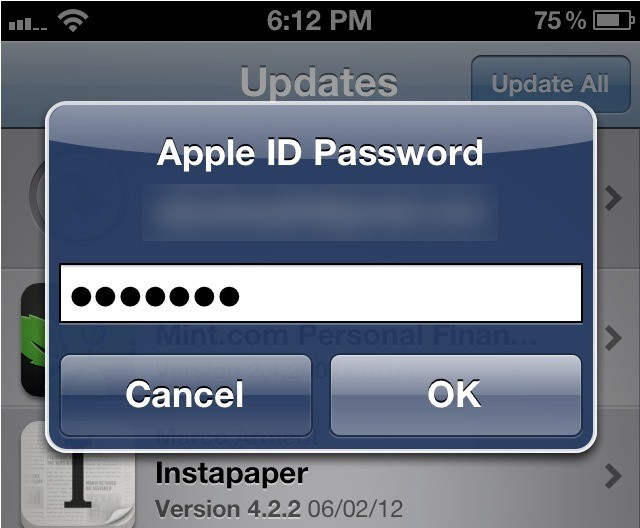
In iOS 6, you’ll only see this when downloading a paid app.
Shortly after iOS 6 beta 1 made its debut in early June, Cult of Mac reported that users are no longer required to enter their iTunes password when downloading updates or previous purchases from the App Store. In iOS 6 beta 3, Apple has expanded this feature to cover free apps, too.
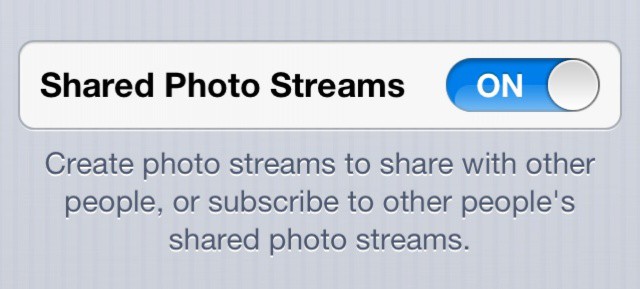
If you’ve got iOS 6 on your iPhone 3GS, you should now see this in your Photo Stream settings.
When Apple unveiled iOS 6 and released the first beta at WWDC back in June, it quickly became apparent that a number of new features wouldn’t be supported on older devices like the iPhone 3GS, and Apple mentioned these restrictions in the fine print of its iOS 6 preview page.
In the iOS 6 beta 3 release, however, shared Photo Streams and VIP mail — two of the features that are unsupported on older devices — are now supported on the iPhone 3GS.
Those who are trawling through the source code of Apple’s latest iOS 5.1 beta have discovered references to the company’s upcoming iPad 3, and more interestingly, hints that Facebook integration could be making its way to iOS to accompany Twitter.
This is included in our what’s new in iOS 5 Beta 3 post, but its so cool we thought it deserved separate highlighting.
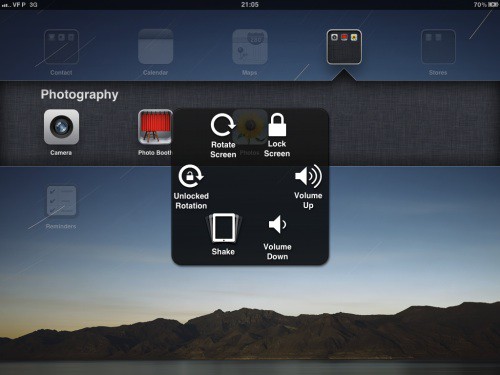
In the new beta, Apple has activated the “Assistive Touch” settings pane for the iPad (but not on the iPhone or iPod Touch). Update: This works on the iPhone 4, but not my iPod Touch third-gen.
The new feature allows you to activate a menu overlay on the iPad by pressing on a designated corner of the dock after clicking the Home Button twice. This menu then allows you to trigger all of the iPad’s functions just by tapping an icon.
We’re just starting to dive into Beta 3, but we thought we’d start a thread to catalogue everything new that we discover in the latest dev previous of iOS 5. We’ll be keeping this updated throughout the day.
Noticed anything new? Let us know in the comments, or email us at (sorry, you need Javascript to see this e-mail address)and we’ll update the post accordingly.
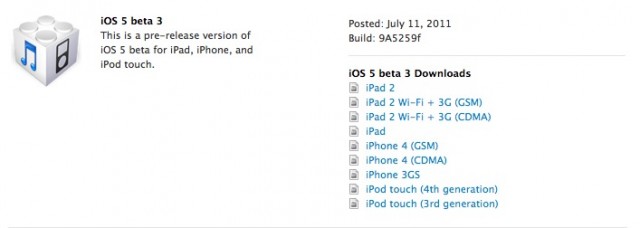
Apple has just released the third beta of iOS 5 to registered developers, known as Build 9A5259f. We’re downloading and installing now, but in the mean time, if you’re a registered developer, get downloading at the iOS Dev Center.
Noticed anything new in Beta 3? Drop us a line in the comments below! Here are the release notes.