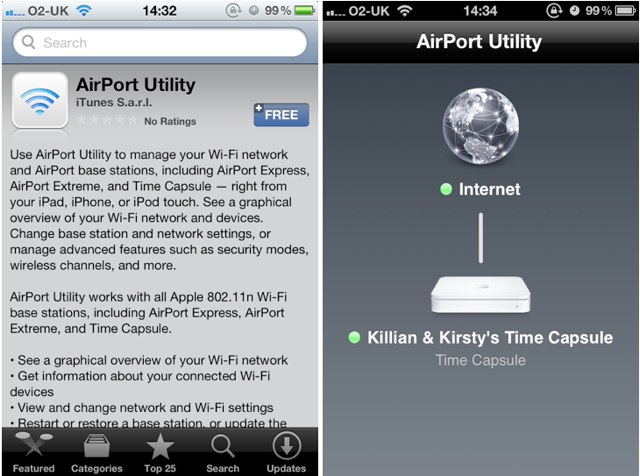
Following the release of Find My Friends just moments ago, Apple has launched a new AirPort Utility app for iOS devices that allows you to manage your wireless networks.
Like the Find My Friends app, you won’t find it in the App Store, however, you can download it using these simply steps:
- Open the Settings app on your device, and then tap on Wi-Fi.
- Tap the little blue arrow alongside the name of the Wi-Fi network you’re currently connected to.
- Scroll to the bottom and tap ‘Manage this Network’.
- You will then be asked if you would like to install AirPort Utility. If you select yes, you’ll be redirected to the App Store to download.
Once installed, AirPort Utility allows you to see which network you’re connected to, as well as your router’s its IP address, serial number, firmware version, and how many clients are connected. The app will also allow you to update the firmware on your Time Capsule.

I’m not sure whether all of these features will be available on all networks, as I’ve only been able to test the app using a Time Capsule connection, but please let us know how things work out for you in the comments!
[via 9to5Mac]

Killian Bell is a freelance writer based in the U.K. He has an interest in all things tech and also covers Android over at CultofAndroid.com. You can follow him on Twitter via @killianbell.

