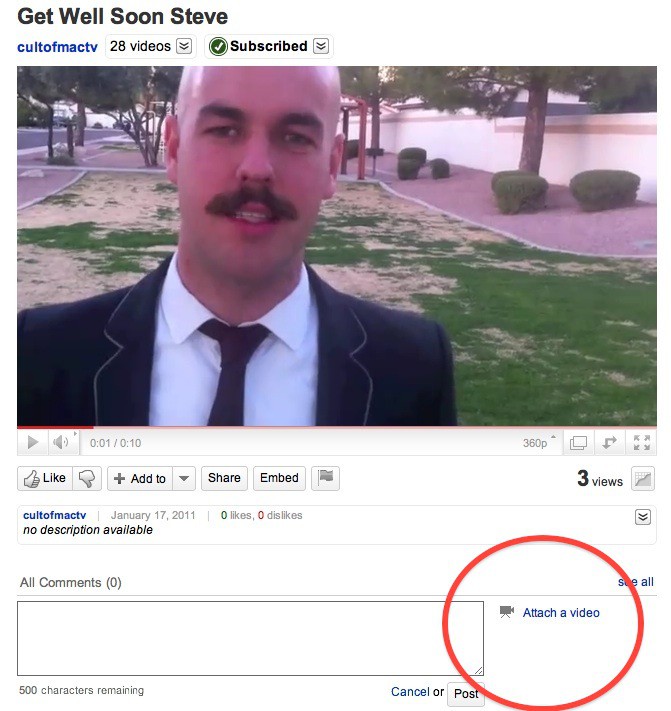
httpvhd://www.youtube.com/watch?v=ggQQwNbkmmo
The news of Steve Jobs’ health problems has saddened a lot of Apple fans. Rather than sit around speculating what may or may not be wrong with Steve’s health, we want to do something to try and lift his spirits. But we need your help.
We’re asking all our readers and anyone else who’s a fan of Steve Jobs to use their creativity and join us in making an awesome Get Well Soon video message.
Click on the YouTube video above and submit your own video reply. You can upload video or record a quick message with your webcam. It’s the easiest way we can think of to get a bunch of video messages that we can edit together into a big group message.
Uniquely express your well wishes to Steve and upload it. The more video replies we can get the better. It’s your choice if you wish to make your message funny or dramatic or sincere. Just make it you. Spread it on Twitter with #getwellsteve.
Let’s let the world’s best CEO know that we care about him.
Here are step-by-step instructions showing how to use YouTube’s Video response feature. And again, please spread the word.
1. Click the Comments box below the video. To the right of the comment box will be a link: “Attach a Video.” Click it.
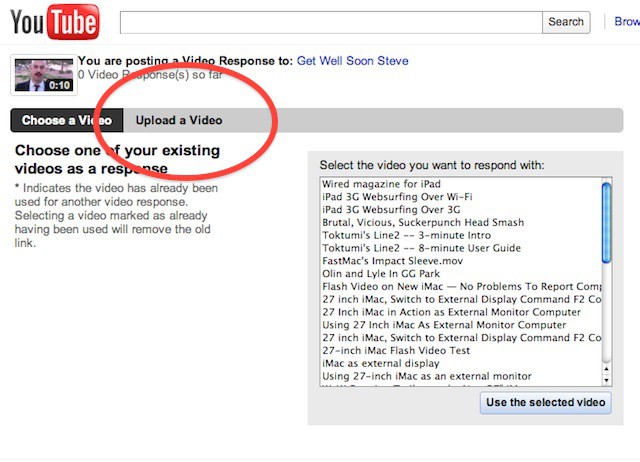
2. On the next screen, hit the “Upload a Video” tab.
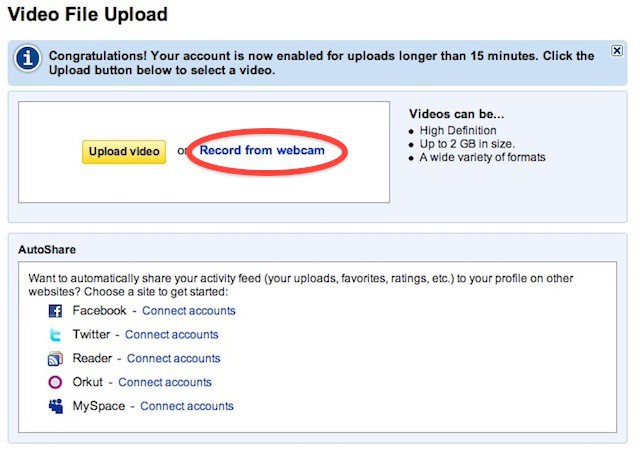
3. Then hit “Record from webcam.” If you already have a get well message recorded, hit the “Upload video” button.
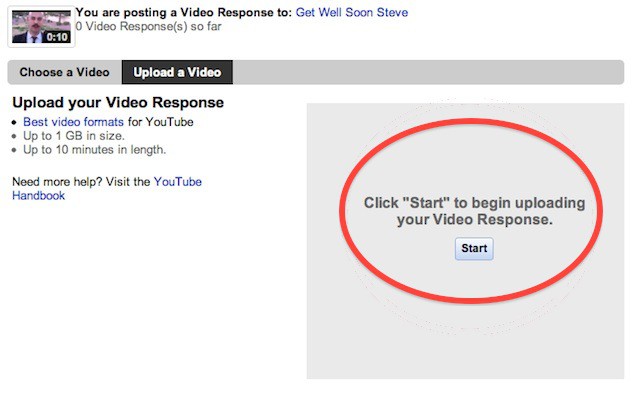
4. Click Start. The system should detect your webcam. It works perfectly with iSight cameras on recent MacBooks.
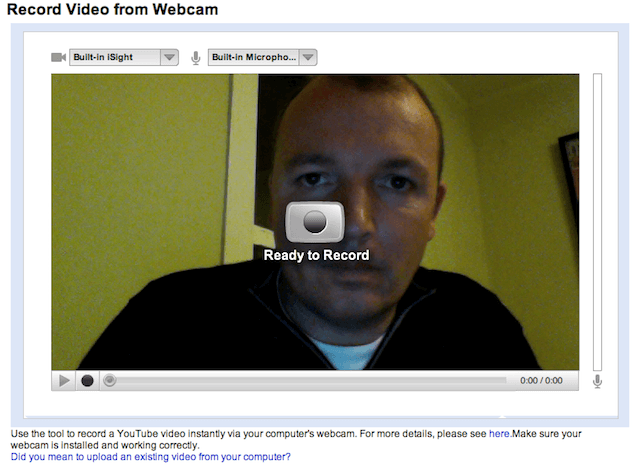
5. Record your message to Steve. It’s a bit tricky to hit the “Stop” button without looking down and riuning eye contact with the camera. I lined up the mouse cursor on the stop recording button before recording my message.
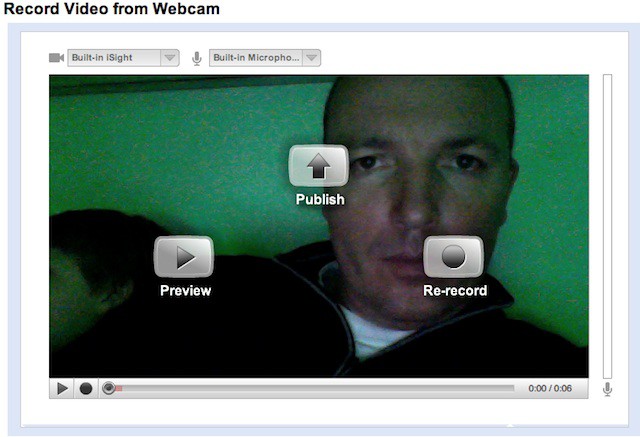
6. You can Preview your message, Publish it or Re-record it. I had to re-record mine several times, and it still sucks!
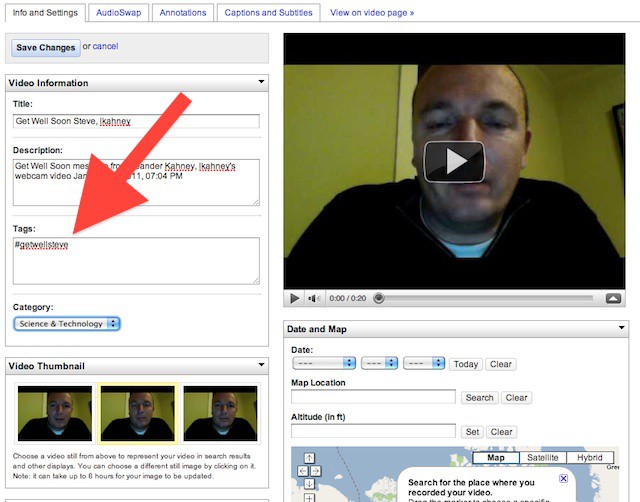
7. Don’t forget to fill in the metadata, especially the #getwellsteve hashtag in the Tags box.

Buster Hein is a freelance writer who lives in Phoenix, Arizona. Twitter: @bst3r.

