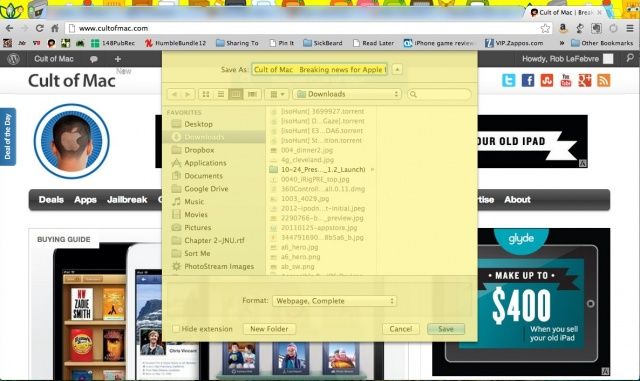
So, we take a lot of screenshots here at Cult of Mac. Especially here in the Tips section, it seems like I’m always hitting Command-Shift-3 for a full screen picture or Command-Shift-4 for a selection of the windows I can drag across to select the image area.
Turns out that there’s a modifier for Command-Shift-4 that lets you take a screenshot of an individual window, or even one of those sheet things, a window that drops down from another window and is attached to it, as in the screenshot above.
To see this happen, open a web browser and hit Command-S, to save the webpage. A sheet will drop down from the top of the browser window. Now, hit Command-Shift-4 and you’ll see the familiar crosshairs that you would typically click and drag around the area you want to take a picture of.
This time, however, hit the spacebar. Your cursor changes to a cute little camera icon, and you can hover it over any open window, in the foreground or the background, and the window will highlight yellow. Now, press and hold the Command key again, and you’ll be able to hover over only the sheet, and grab a screenshot of it and only it.
Use this whenever you want to take a screenshot of just a sheet, without having to drag around it.
Via: Macworld Hints


