Up next in 10


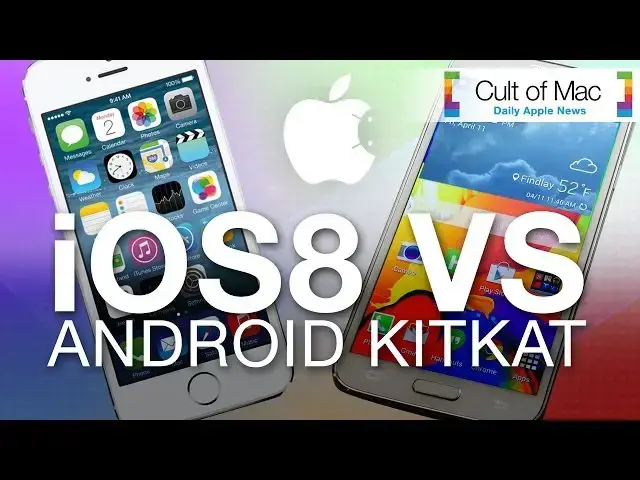
As the iPhone 5S and the Samsung Galaxy S5 are rivaling competitors for consumers to take sides with, the battle of iOS vs. Android continues to thrive. With the recent announcement of iOS 8 and the new features coming with it this fall, many Android users have commented on it's similarity to Android's latest version, KitKat. In today's video see some of the new features of iOS 8 go head-to-head with similar iterations of Android, to see which comes out on top.
Take a look at the video to see what you think.
Subscribe to Cult of Mac TV to catch all our latest videos.
Show More Show Less View Video Transcript
0:00
hi I'm Joshua Smith from cc.com now that
0:03
iOS 8 has been officially revealed and
0:05
set to publicly release this fall many
0:07
Android users have claimed that the new
0:08
Apple features are unimpressive as
0:10
similar features are already available
0:12
on the latest version of Android with
0:14
the ongoing argument heating up stay
0:16
tuned as I take some of the best iOS 8
0:18
features and put it head-to-head versus
0:19
Android's Kit Kat to see which comes out
0:22
on
0:26
top the iPhone 5s and the Samsung Galaxy
0:29
S5 are two of the leading phones in the
0:31
mobile world today and ios8 hopes to
0:34
give the iPhone an edge the new Smart
0:36
Keyboard makes suggestions out of
0:37
context to the conversation and also
0:40
depending on whom you're speaking to
0:42
when typing a generic sentence like
0:43
shown it suggests most of the words you
0:45
would generally use after the other
0:47
giving users the ability to say what
0:49
they want faster than they could before
0:51
Android KitKat stock keyboard features a
0:53
similar enhancement suggesting three
0:55
words on screen but also the ability to
0:57
see more from the right something not
1:00
available on iOS with about the same
1:02
accuracy on both platforms the ability
1:04
to quickly take photos videos and more
1:06
is the only thing that elevates this
1:08
feature past
1:09
Android when searching for something
1:12
Spotlight on iOS is the way to go and
1:14
thanks to its new ability to suggest
1:16
items live from the internet and on your
1:18
device doing things like finding movie
1:20
times or accessing your favorite sites
1:22
without rumaging through a dedicated app
1:24
is easy when searching for col to Max
1:26
Spotlight suggests App Store entries
1:28
Wikipedia and more in just seconds
1:31
taking the same approach from Android's
1:33
native Google search does its best to
1:34
suggest related internet sources but
1:36
fails to display contacts messages and
1:39
more which can be found helpful on iOS
1:41
users are then left to look in more
1:43
detail by doing an official Google
1:45
search where they can then search
1:46
through results for exactly what they'd
1:48
like overall the iOS experience is built
1:50
with more of an intemp for the user to
1:52
have to do less work less Taps and
1:54
quicker results to access what you want
1:56
while both platforms can get you to your
1:58
desired destination I can clearly help
2:00
you do so quicker and more accurately
2:03
and while our phones hold the core
2:04
pieces of information we care about a
2:06
powerful notification center can make
2:08
knowing all of it that much easier an
2:10
updated iOS 8 Center brings more insight
2:12
to weather customization and reordering
2:15
settings and third party widgets swiping
2:17
down the notifications tab on Android
2:19
gives users quick access to settings
2:21
like Wi-Fi and screen orientation but
2:23
limits their on tap access at screen
2:25
brightness and notifications below While
2:28
most of these settings are separately
2:29
under control center less customization
2:31
and features are boldly absent from
2:33
Android and can have a noticeable impact
2:35
on the user experience placing iOS ahead
2:38
once again lastly when opening tons of
2:41
apps double clicking the home button on
2:42
iOS can bring up your screen to toggle
2:44
between applications and now also quick
2:47
access to contacts for texts calls and
2:49
more the Tab screen on Android KitKat
2:52
gives users the ability to swipe to
2:53
close Apps and tap to jump into them but
2:56
not much more than in more detail by the
2:58
storage buttons a more useful feature
3:00
for communication on iOS completely
3:02
absent on Android and you can see more
3:04
iOS 8 features and more on cc.com that
3:08
was some of the best ios8 features going
3:10
head-to-head versus Android Kit Kat but
3:12
which do you think came out on top let
3:13
us know on Twitter or in the comment
3:15
section below and if you like the video
3:17
don't forget to hit the like button and
3:18
subscribe to see more ios8 videos and
3:20
other great videos posted every single
3:22
day of the week this has been Joshua
3:24
Smith of c.com
Online Media
Software
Text & Instant Messaging
Mobile & Wireless
Mobile Apps & Add-Ons
Science
Intelligent Personal Assistants