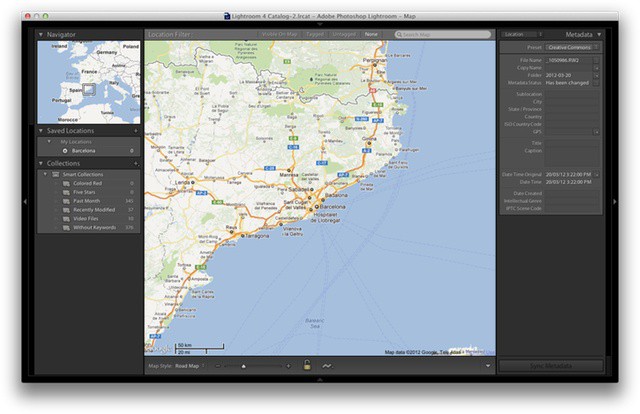
Lightroom 4 isn’t nearly as big of an update as versions 2 or 3, but that’s more of a sign of a mature product than anything else. There are a few all-new features, but the one thing that will really, really want to upgrade is the new Highlights and Shadows section. It really is good enough to justify this point-release upgrade all by itself.
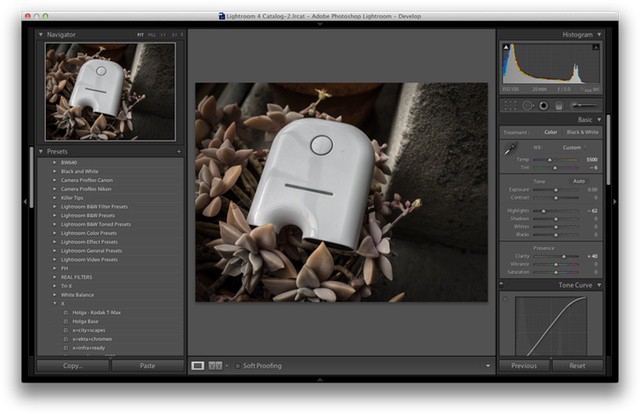
The develop module has been revamped, although subtly. All sliders now start in the centre and can be adjusted up and down. And gone are the recovery and Recover, Fill Light, Blacks and Brightness controls, replaced by Highlights, Shadows, Blacks and Whites.
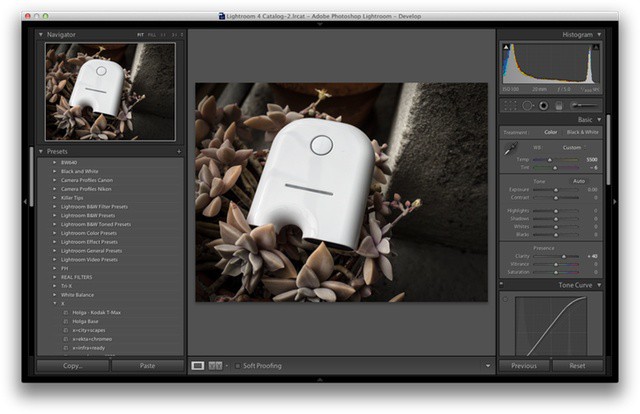
These controls are used to adjust and recover burned out whites and blocked-up shadows. They take a little getting used to, but the results are way better than the old way. To recover a too-white sky, for example, just slide the Highlights slider to the left. The sky will get back much of its color, but miraculously the rest of the image doesn’t suffer. The results are way more natural than the old way, and much less like over-processed HDR images.
While we’re in the develop module, there are also a few new tools in the local adjustments. These adjustments let you brush various effects onto you photos, brightening just the subject’s teeth, for example. Now you can also brush in noise reduction only to certain spots, or even graduate the white balance across the image. It’s pretty cool.
These are the biggest changes for me, but the headliners are Maps and Books. Books lets you do what you have been able to do in iPhoto and Aperture for years — design and print books right in the app. It’s here that Adobe’s print layout experience shows, and the tools are easy to use but powerful if you want them to be.
The books are printed by Blurb, a print service I have used and found to be excellent.
Maps are a bigger deal for many. Switch to the Maps module and you will see your photos displayed as tags on a world map. Or you will if they are geotagged. Fortunately, it is possible to use Lightroom to reverse geocode your photos using a GPS track log from your iPhone or other GPS device, as I wrote last week.
Another big but hidden change is within the DNG or digital negative RAW format. It now supports something Adobe calls fast load data. This lets it quickly get an image up on screen whilst still loading the full image info in the background. It should be up to eight times quicker, and is yet another reason to use DNG.
There are plenty of other tweaks that you’ll discover as you use the app, but these are the big ones. Also, there’s even better news for Lightroom-using iPad owners coming soon. Photosmith, an iPad app that lets you tag and organize you photos and have the metadata and photos synced into Lightroom is about to get a big update. The new retina-ready version will work via the publishing services in Lightroom and let you send photos back and forth between Lightroom and your iPad. If you have been using iPhoto as a messy in-between app just to get your photos onto the iPad, then you will doubtless be very happy about this.
Lightroom 4 is available now for $150
Pros: New develop tools are excellent, books integrated (finally) and quicker-loading images.
Cons: Still sluggish, even on a fast machine.

Charlie Sorrel writes reviews and how-tos. Follow Charlie on Twitter at @mistercharlie, and at micro.blog on @mistercharlie

