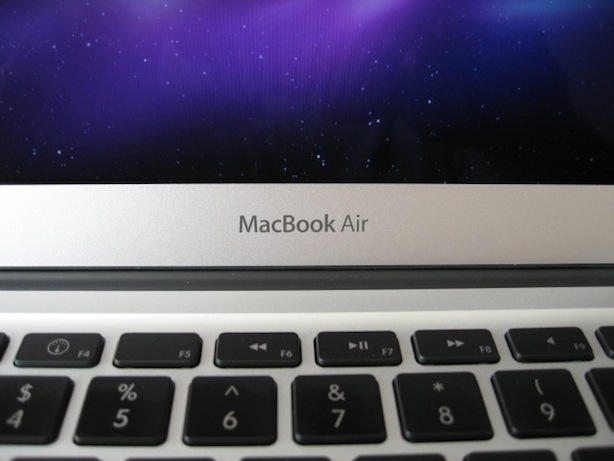
Apple’s new 13-inch MacBook Air isn’t anything like the old one. It’s incredible. It’s incredibly thin, light, and powerful. It’s blazing fast. It’s incredibly beautiful and well made.
It has an older CPU and comes up short with only 2GBytes of RAM in the base model, but it is not underpowered. It’s a perfect fit for users like me, who aren’t rendering 3D graphics, it’s more than perfect. It’s hugely better than previous models of the 13-inch MacBook Air. Incredibly thin and light, yet very capable of running a large number of applications without showing the infamous Mac OS X beach ball.
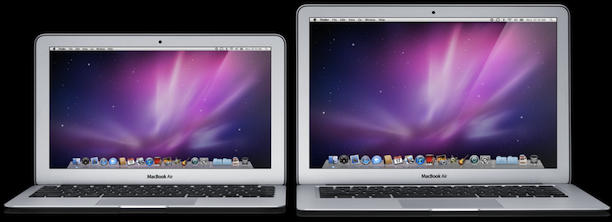
Unlike the 11-inch MacBook Air, reviewed by my editor Leander, there are a few less compromises in the 13-inch MacBook Air. While larger the 13-inch model still excels in the most important things portability, durability, and functionality.
Last year, I also bought a 13-inch MacBook Pro, which I loved, but in comparison to the 13-inch Air, it is huge, only a little bit faster, and comes with an optical drive that I seldom use any more.
I know what you’re thinking, “Didn’t this guy toss the new MacBook Air in the dump last week?” Well, last week I did and now it looks like I’m going to have to eat crow after buying a 13-inch MacBook Air last Saturday. Read on to find out why.
POWER
The most important revelation to me was that fact that this MacBook Air has some serious power. However, I did not realize that until I had one in my hands and started using it. My initial reaction above was based on past experience using an old model of the MacBook Air that I owned previously. The stats presented by Steve Jobs certainly did not sound very good. Most people, us included, figured the processor was to old and slow and that the RAM was skimpy.
We don’t know why, but Apple decided to use the older Intel Core 2 Duo chips (1.86Ghz or 2.13Ghz) with 6MBytes on-chip L2 cache instead of the latest i3 or i5 processors, which are found in some models of the MacBook Pro.
It’s also skimpy on RAM. The base model has just 2Gbytes. Bumping it to 4Gbytes costs an extra $100. Current model MacBook Pros can take up to 8GBytes.
I picked up the low-end 13-inch model: 2GBytes of RAM; 1.86GHz chip and 128GBytes of storage. I thought it would be underpowered. Big shocker — it isn’t.
In an initial test, I opened up 15 applications and launched dozens of tabs in Safari and Firefox. I was surprised that the computer didn’t seem fazed. It kept on going. I cannot recall if I’ve ever seen the spinning beach ball since I started using this computer. Music and video playback was fine with no stuttering, etc.
I was saving documents in a flash and so fast that I had no idea it had even happened. I was saving more than twice just to be sure it really was saving my files until I realized that I did not need to. It’s just so fast and I wasn’t expecting that.
Switching between tasks after I overloaded the machine didn’t cause much stress on it either. There was a brief pause as the new task swapped into memory while the other one was swapped out. In only a few seconds the machine went back to normal.
Boy what a difference between the MacBook Air and my MacBook Pro or my iMac. The latter two machines would constantly hold a serious beach ball party as applications quit or restarted or whenever I saved files. The MacBook Air on the other hand kept on going like nothing was happening.
I’m using it for by normal work day with various browsers open with numerous tabs, news reader open, etc. I can work just like I’ve always done. I don’t have to change like I did on the former version of the MacBook Air.
Pretty good for a computer that is so thin and light.
DESIGN
The build quality on the 13-inch is good. Hewn from a single slab of aluminum, the unibody case is extremely light and thin. It’s implausibly thin. It’s remarkable how such a wafer-thin machine isn’t fragile. And yet it’s not. It’s quite stiff and rigid. It doesn’t feel breakable at all.

Leander reviewed the 11-inch model and mentioned that it was very precise. I agree with that to a point, but I found that the 13-inch model would make creaking noises when used in my lap or any surface that wasn’t solid. The bottom cover is affixed to the unibody on top by 10 screws and I think Apple needs to add more or rearrange the ones that are there. The bottom flexes in the area under the USB ports. If the 13-inch MacBook Air is used in your lap the pressure of typing causes it to make small creaking noises. No big deal really, but it was noticeable.
Other than that one small problem everything else about the 13-inch MacBook Air was good. The lid open and closed with a satisfying clunk, but without snapping shut. Hopefully this new model won’t have the hinge problems that previous models reportedly had.
PORTABILITY
The 13-inch MacBook Air is simply so light that you can almost forget that you are holding it when it is closed. It weighs only 2.9lbs. Every time I pick it up I’m just amazed. It sits unnoticed and not scaldingly hot on my lap. Closed it’s nearly as thin as my iPhone and it isn’t much heavier than my iPad.
I can appreciate this a great deal because I often need to have two computers with me. Compared to my old 13-inch MacBook Pro, it’s a feather. Stuffed into my backpack I hardly noticed that it was there by comparison.
This portability without sacrificing screen real estate, keyboard size, and trackpad size was what made me fall in love with the first Macbook Air.
BATTERY

The largest internal space contains a custom battery that Apple says lasts for 7 hours. I got more than that out of it so far. I used it all day
last Sunday and it just kept going and going. It wasn’t until late evening before it finally needed to be charged. I was pushing it hard and used all the defaults for screen brightness and energy saver. Standby, according to Apple, is supposed to be 30 days. I doubt I’ll leave it alone that long to find out.
RAM and FLASH STORAGE
The 13-in MacBook Air uses NAND flash for storage; 128GB or 256GB — you have to make the choice when you buy the machine. The
RAM chips are soldered directly to the motherboard to save space. This means the memory can’t be upgraded later. The base configurations are 2GByte of RAM, but you can order one built with 4GByte of RAM for an extra $100.
Flash storage definitely makes the MacBook Air exceptionally fast. It boots no time at all. Applications launch almost instantly. Web pages load zippy fast. I did some minor photo editing in Preview and Photoshop CS5. No issues. Things were pretty much instantaneous.
I took a step backwards in choosing the 128GB model, because normally I’d be old fashioned and get the biggest storage device I can find, but I’ve decided to change my ways. Latch onto the future, and live in the “Cloud.” The cost difference of $300 for 256GB of storage and the amount of “stuff” sitting on my MacBook Pro’s hard drive made me see the light. I need to keep less on my mobile devices and share files among those devices by accessing cloud based storage (i.e. MobileMe, DropBox, etc.).
If I need more storage later I can always connect a thumb drive or external USB hard drive.
SCREEN AND EXTERNAL GRAPHICS

The screen is every bit of what I’d expect from an Apple notebook. No surprises here except for the fact that the 13-inch MacBook Air has the same resolution as the 15-inch MacBook Pro. It’s glossy, which many people don’t like, but I’ve gotten used to it. I altered the settings on the Dock so that it would auto-hide, but I do that on all my Macs to get the most out of vertical screen real estate.
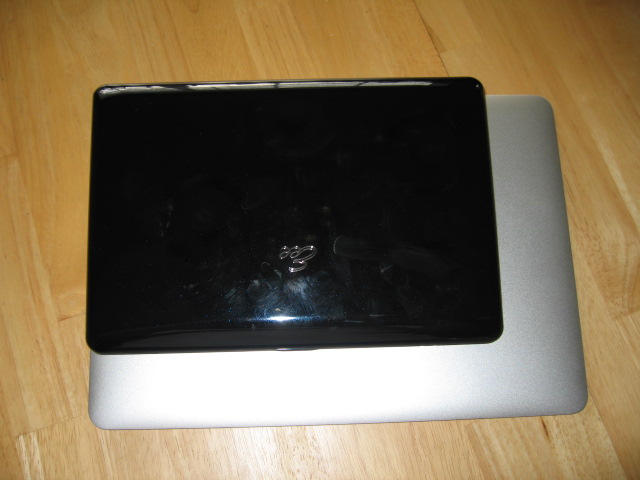
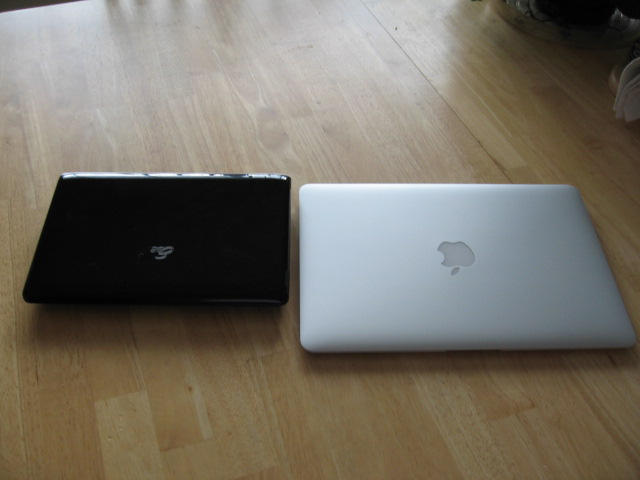
The size of the screen on the 13-inch MacBook Pro was one of the most important things to me. The 11-inch models screen was so small that I immediately rejected it. Just like I rejected the Asus 10″ netbook that I bought and I am now selling. If I had tried the 11-inch model I’m sure it would have ended up for sale next to the Asus.
I didn’t have the right adapter to connect it to my spare LCD monitor, but I know from other reports and the specifications that the 13-inch MacBook Air could have handled that external display just fine.
In the lid there’s the standard iSight camera, which has now been rebranded as the “FaceTime camera.” It’s even thinner than the camera on iPhone 4, allowing it to be built into the wafer-thin lid. It worked just as well as any other iSight camera I’ve used.
SLOTS, SD CARDS, and DVD DRIVE (LACK OF)
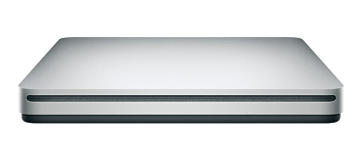
I’ve finally let go of optical for day-to-day use, since I loaded most of the software on this machine from the net. However, there were a few applications I had on DVD and I used the DVD drive on my iMac remotely to access those. I’ll probably pick up the MacBook Air
SuperDrive at some point since I will probably need it occasionally, but for now I’m going without it.
If you need to reload the OS the MacBook Air ships with Apple’s first USB thumb drive that contains Snow Leopard and iLife, but lacks Xcode — which you can download from the net anyway.
The SD card slot was another addition to the 13-inch model that led me to reject the 11-inch one. On other models you can use this drive to boot your Mac. I’m not sure if that is supported on the MacBook Air yet, but I’ll be trying it out soon to find out. In the meantime I can use it to grab pictures off my camera’s memory cards.
KEYBOARD AND TRACKPAD
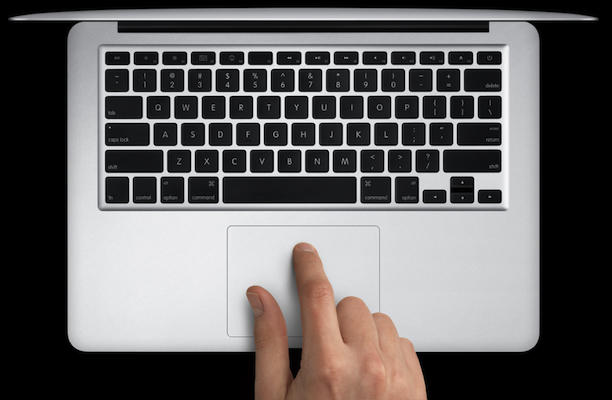
The keyboard is full size and uses the same Chicklet keys as the Pro line. A full-size keyboard don’t seem like a big deal, but it is.
Remember that Windows netbook from Asus I mentioned earlier? It’s less than full-sized keyboard was the second reason it ended up spending most of its time in storage. I really hate it because I keep hitting the wrong keys when I use it. It’s impossible to work on. It drives you nuts.
There’s an oversized, multitouch trackpad — the same as those in the MacBook Pro It’s roomy, responsive and functional.
ADOBE’S FLASH
Adobe Flash is no longer pre-installed. It didn’t take me long to notice this once I started surfing the web. I made a quick visit to Adobe’s Flash download page and installed it. I’m not a big fan of Flash since I can blame it for most of my browser woes, but it’s still big part of the Web ecosystem.
SHORTCOMINGS
- There’s no integrated 3G option for mobile broadband.
- There’s no security slot: This machine could easily walk off at a coffee shop.
- There’s no backlit keyboard, which is a bummer. I love the backlit keyboard on the MacBook Pro. I loved it on the older model MacBook Air. I don’t know why Apple didn’t include in this time.
- There’s no infrared port so you won’t be able to use an Apple Remote with the MacBook Air. However, the old standby for entering Front Row CMD+ESC still works.
- RAM and Flash storage are soldered to the motherboard; later upgrades won’t be easy. I think the low-end model is perfectly adequate, but it may be best to future-proof and maximize now for $300 extra. Of course, this makes a relatively affordable $1,299 computer a $1,599 computer.
- Added 10/27/2010 at 4:19 PDT: User comments on the review are asking about using virtual machines on the Macbook Air. VMWare does not recognize media mounted and shared via CD and DVD sharing in Mac OS X. I don’t have a SuperDrive to test further, but I will try to obtain one to test this later.
WRAP-UP
The new MacBook Air isn’t anything like the old one. People complained a lot about the first and second models. It was clear that the MacBook Air fills a niche or it did. That’s all changed now.
The new MacBook Air for the vast majority of consumers and business persons is powerful enough. So what if it doesn’t have FireWire or Ethernet. It doesn’t have a DVD drive either. However, optical drives are becoming irrelevant in a world that is getting more dependent on streaming media these days.
At the rollout event, Jobs said: “‘We asked ourselves, ‘What would happen if a MacBook and an iPad hooked up?’ Well, this is the result. … We think it’s the future of notebooks.”
Jobs is right. This machine is suitable for a majority of Apple’s customers. Back in 2008 when the first 2008 MacBook Air arrived, it was forward-looking on the outside, but its insides were buried in the past. It was just awful, but the new MacBook Air is the future. I was wrong to say that it wasn’t.
The new 13-inch MacBook Air is ready for prime time. Just about anyone will find it useful. I’ll definitely be using it for my writing projects and more. If this is the future of Apple notebooks things can only get better. The 13-inch MacBook Air blends incredible portability with surprising power. Starting at $1,299 for the 13-inch model I think it will join the 11-inch model as a best seller.

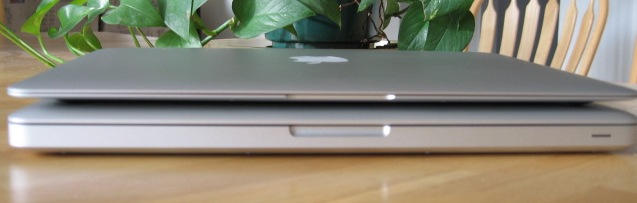
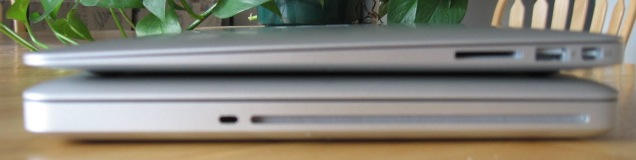
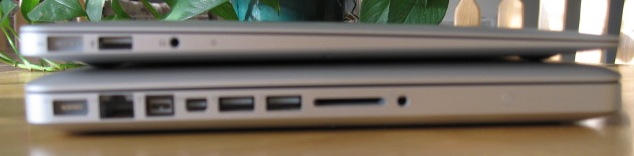

- MacBook Air left; MacBook Pro right

David W. Martin has more than 20 years of experience in the industry as a programmer, systems and business analyst, author, and consultant. David has written for CNET’s iPhoneatlas.com, MacLife.com, CultofMac.com, BYTE.com and recently for aNewDoman.net. He comes to Cult of Mac’s website with deep knowledge and passion for the all things Apple. Follow David on Twitter @david_w_martin or see what he’s up to now at davidwmartin.com.

