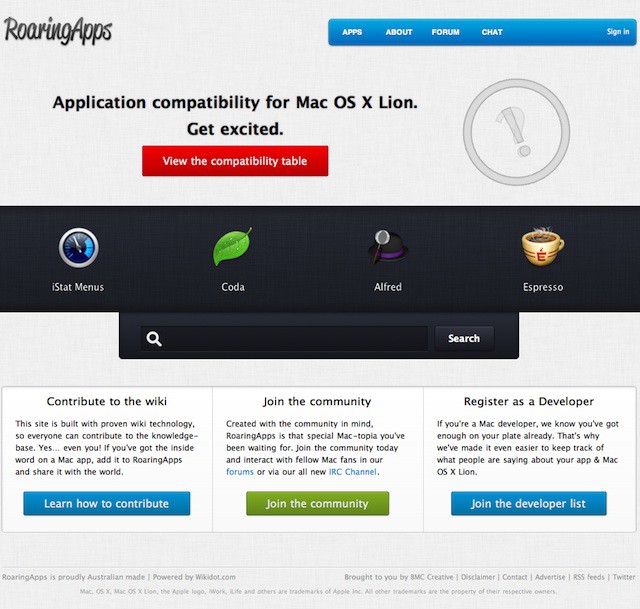
Here’s a good resource to take a look at if you plan on upgrading to OS X Lion this month. Roaringapps.com is a crowd sourced application compatibility database for OS X Lion. The site depends on user input about the compatibility of existing applications running on Snow Leopard or whether or not apps will need Rosetta.
If the latter is the case for an application it will not work on OS X Lion. You’ll need to check with the person that created the application about whether or not they plan on upgrading the application. I’ve already discovered a few of my own applications that not only will not work and sadly the vendor is no longer in existence for a few of them.
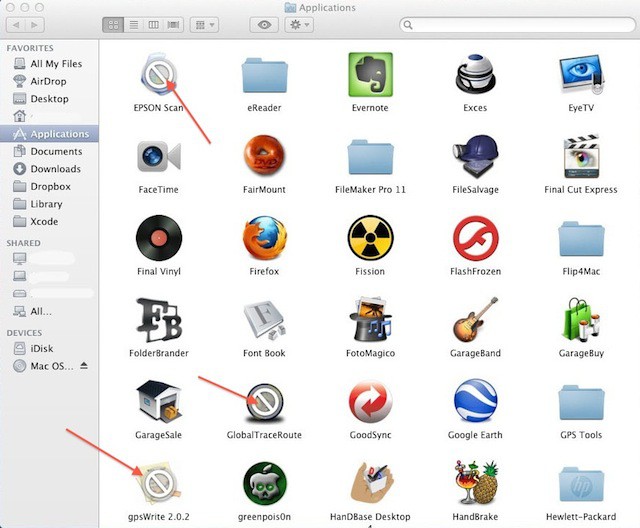
Anyhow check out the site and start planning your OS X Lion upgrade by upgrading any applications before installing OS X Lion to ensure compatibility with the new Mac OS. After all the release is just around the corner and you don’t want to be caught of guard when your favorite applications fail to launch, crash, or malfunction.
If you have any information to contribute from any testing you’ve done with OS X Lion then please help the site out by adding your knowledge to the database. Here’s a link to the site so go check it out and help if you can.
In addition to the above you should take a look at How to Prepare Your Mac For Lion — The Right Way for additional helpful upgrade tips.

David W. Martin has more than 20 years of experience in the industry as a programmer, systems and business analyst, author, and consultant. David has written for CNET’s iPhoneatlas.com, MacLife.com, CultofMac.com, BYTE.com and recently for aNewDoman.net. He comes to Cult of Mac’s website with deep knowledge and passion for the all things Apple. Follow David on Twitter @david_w_martin or see what he’s up to now at davidwmartin.com.

