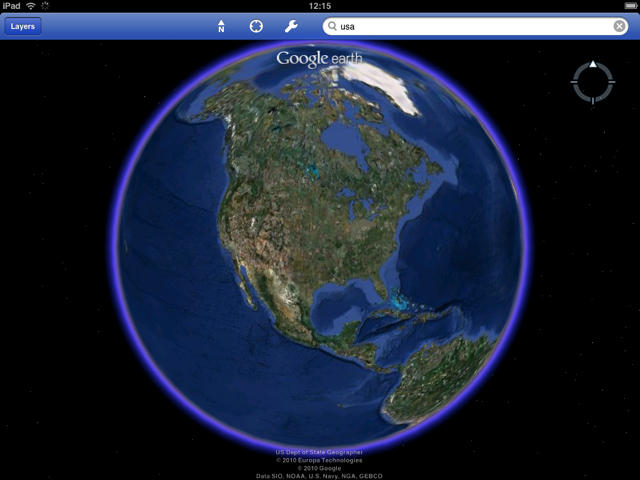
Yesterday saw the release of Google Earth for iPad, and I cannot put into words how awesome it is. Though there is no amazing new feature or killer new interface, using it on the iPad’s 10-inch, high-resolution screen is pure joy.
This app is one of the best uses for the iPad to date. I wholeheartedly encourage you to give it a try.
Google made the decision to make the app universal rather than building a standalone iPad app. That means if you already have it installed – you should fire up the app store and get updating!
Google Earth, as a program lends itself to the iPad, as it is after all a luxury app. Let me quantify that. When you want to find a store’s phone number – you simply open Google Maps and do a search. When you need directions, you open a GPS app such as CoPilot. Google Earth, as a mobile app, is purely for finding out more about our wonderful planet, taking tours of its incredible landmarks and flying over countries as if connected to a satellite.
The previous iPhone-only version left a lot to be desired. The interface was fairly slow and the screen was just too small to get any real use out of the app. Because of that flaw, it has sat on my iPhone home screen gathering dust for some time.
If you’ve used GE on the iPhone you will already know how to get around. There are standard menu buttons that allow you to search for specific countries, towns, landmarks and postcodes.The app allows you to feature multiple layers of information such as businesses, Wikipedia entries, roads and terrain.
This functionality in itself is nothing new and exciting, but the way the maps are displayed on the iPad screen is incredible.
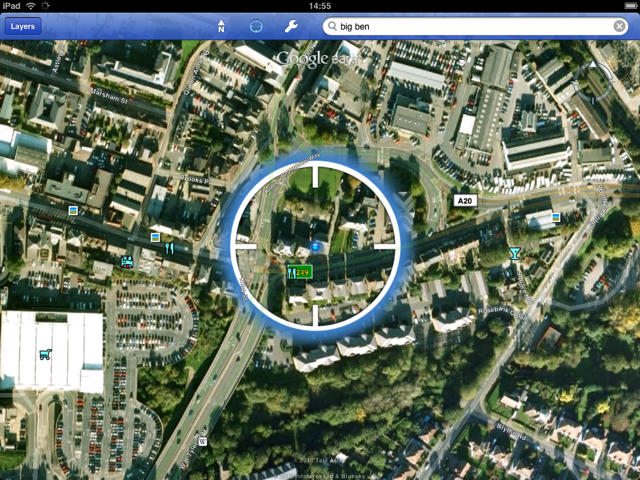
As we all know the iPad uses Apple’s custom silicon, the A4 processor. This allows for blazingly fast load times. GE utilizes this speed very effectively. Animations are slick and fast and the menu system is very responsive. Pinch, zoom and rotate all perform brilliantly on the large screen. Using a moderate Wi-Fi connection (8 meg), maps load fast and update on user action almost instantaneously.
As I have the Wi-Fi only version of the iPad, I wasn’t able to test the GPS functionality to the full. Having said that on the many occasions I used the ‘locate me’ function of the app – it pinpointed me to within a few meters of where I was. A very pleasing result considering that was done using only Wi-Fi triangulation.
The only downside’s that I can see on the app are missing features from the desktop application. 3D buildings would be great as would landmark tours, the processor should be able to handle it. Maybe they will come in a future update. Small niggles aside, Google Earth gets full marks from me. Check it out now!
Google Earth is available free from the App Store

Will Moore is a freelance writer based in the UK – He specializes in consumer technology and is a long time Apple fan. As well as cultofmac.com, Will also writes for a number of popular european tech sites such as techradar.com, electricpig.co.uk, The Gadget Show and more. He is married and lives in Maidstone UK, with his wife, Lydia. A keen amateur photographer and videographer, Will can often be found around the UK coastline documenting one of his loves – the sea and UK surf scene.

