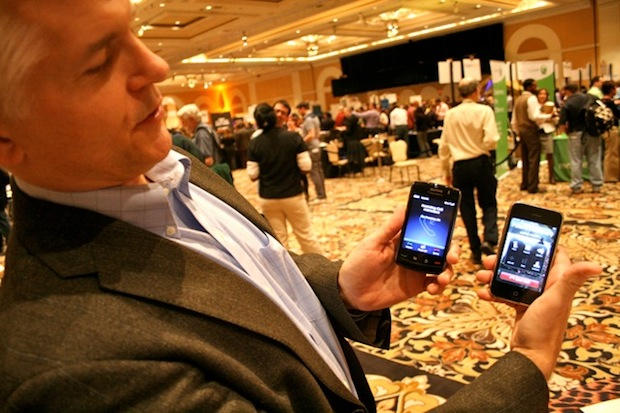
Apple seems to be changing its tune on VoIP apps for the iPod touch. Less than a week after it was submitted, Toktumi’s Line2 VoIP app has been approved by Apple. The $14.95 a month app turns the iPod touch into a fully-featured telephone.
“Interesting was how quickly it was approved – less than a week from submission!” says Toktumi’s founder and CEO, Peter Sisson. “I think its an important development.”
Already available for the iPhone, Toktumi‘s Line2 app joins Skype and Truphone For iPod on the touch, but boasts more features, Sisson says. As well as unlimited U.S. and Canada calling and low international rates, the app has a host of “professional-grade” features, such as call waiting, conferencing, call transfer and visual voicemail.
“It turns the iPod touch into a serious telephone,”Sisson says. “It’s a real telephone. You use it over Wi-Fi and you’re spending $15 a month and that’s it.”
In January, Apple approved an update of the Line2 app on the iPhone to make and receive phone calls over a 3G or WiFi. The approval was in stark contrast to Apple’s earlier stance on VoIP apps, which seemed hostile. Apple’s position was highlighted by the spat over Google Voice, which Apple still hasn’t approved for the App Store.
On the iPhone, the Line2 iPhone app provides with an additional number. It’s pitched at business users as a way of separating business and personal calls.
It also provides a host of advanced, business-oriented call control features like caller-specific call forwarding, after-hours settings, voicemail by email and an auto-attendant (“Press 1 for…”). And it can be used to avoid roaming charges when travelling overseas.
Avaliable as a free 30-day trial, Line2 is $14.95 a month, pay-as-you-go. Here’s the iTunes Link.
Hit the jump for a couple of videos showing how it works.
The 3-minute intro
httpv://www.youtube.com/watch?v=_xcL2J1JmTg
The 8-minute user guide
httpv://www.youtube.com/watch?v=8xr7ZPqCwAI

Leander Kahney is the editor and publisher of Cult of Mac.
Leander is a longtime technology reporter and the author of six acclaimed books about Apple, including two New York Times bestsellers: Jony Ive: The Genius Behind Apple’s Greatest Products and Inside Steve’s Brain, a biography of Steve Jobs.
He’s also written a top-selling biography of Apple CEO Tim Cook and authored Cult of Mac and Cult of iPod, which both won prestigious design awards. Most recently, he was co-author of Cult of Mac, 2nd Edition.
Leander has been reporting about Apple and technology for nearly 30 years.
Before founding Cult of Mac as an independent publication, Leander was news editor at Wired.com, where he was responsible for the day-to-day running of the Wired.com website. He headed up a team of six section editors, a dozen reporters and a large pool of freelancers. Together the team produced a daily digest of stories about the impact of science and technology, and won several awards, including several Webby Awards, 2X Knight-Batten Awards for Innovation in Journalism and the 2010 MIN (Magazine Industry Newsletter) award for best blog, among others.
Before being promoted to news editor, Leander was Wired.com’s senior reporter, primarily covering Apple. During that time, Leander published a ton of scoops, including the first in-depth report about the development of the iPod. Leander attended almost every keynote speech and special product launch presented by Steve Jobs, including the historic launches of the iPhone and iPad. He also reported from almost every Macworld Expo in the late ’90s and early ‘2000s, including, sadly, the last shows in Boston, San Francisco and Tokyo. His reporting for Wired.com formed the basis of the first Cult of Mac book, and subsequently this website.
Before joining Wired, Leander was a senior reporter at the legendary MacWeek, the storied and long-running weekly that documented Apple and its community in the 1980s and ’90s.
Leander has written for Wired magazine (including the Issue 16.04 cover story about Steve Jobs’ leadership at Apple, entitled Evil/Genius), Scientific American, The Guardian, The Observer, The San Francisco Chronicle and many other publications.
Leander has a postgrad diploma in artificial intelligence from the University of Aberdeen, and a BSc (Hons) in experimental psychology from the University of Sussex.
He has a diploma in journalism from the UK’s National Council for the Training of Journalists.
Leander lives in San Francisco, California, and is married with four children. He’s an avid biker and has ridden in many long-distance bike events, including California’s legendary Death Ride.
You can find out more about Leander on LinkedIn and Facebook. You can follow him on X at @lkahney or Instagram.

