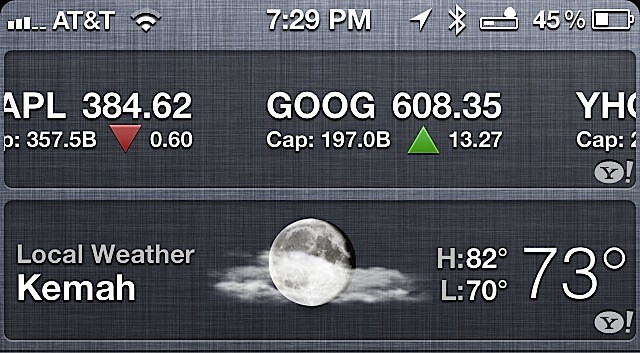

The Notification Center that ships with iOS 5 is nice. By default, it displays a stock ticker, weather, mail, and calendar entries. It all looks great, but behind the eye candy are some useful secrets. Today, we’ll take a look at the weather widget.
The weather widget displays your current location’s weather information with a graphic representing the weather, the high and low temperatures and the current temperature.
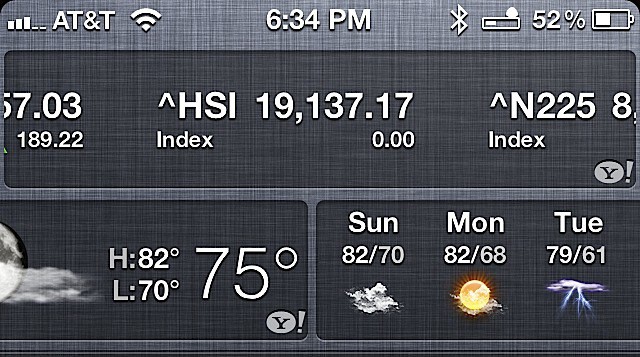
If you swipe either left or right on the current weather you’ll show a hidden seven-day weather forecast.
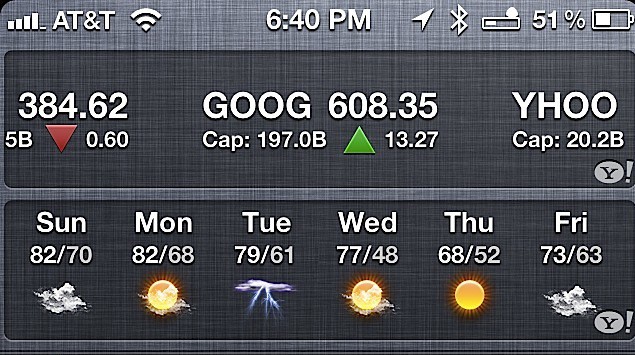
Swipe again and you’ll return to the current location weather information.

David W. Martin has more than 20 years of experience in the industry as a programmer, systems and business analyst, author, and consultant. David has written for CNET’s iPhoneatlas.com, MacLife.com, CultofMac.com, BYTE.com and recently for aNewDoman.net. He comes to Cult of Mac’s website with deep knowledge and passion for the all things Apple. Follow David on Twitter @david_w_martin or see what he’s up to now at davidwmartin.com.

