Up next in 10



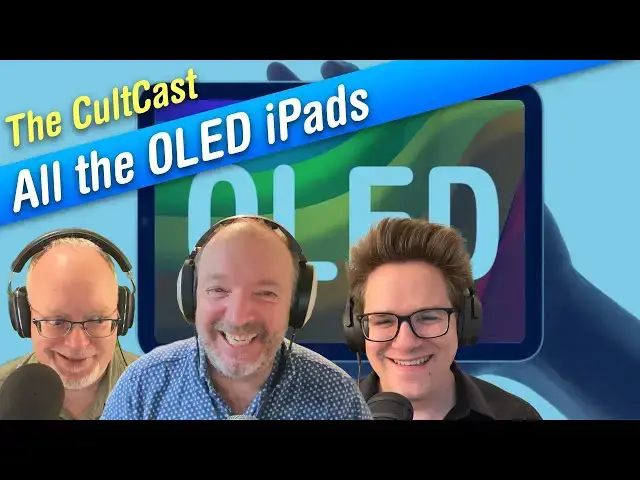
This week: Project Bongo is back to replace your iPhone buttons with haptics, (almost) every iPad is turning OLED, AirPods Pro 3 are having troubles, when you should upgrade your iMac — and our full reviews of the M5 Vision Pro and Apple Watch Series 11!
More Apple news: http://www.cultofmac.com
Produced by Extra Ordinary for Cult of Mac
Chapters:
0:00 Intro
4:32 NordStellar
5:38 Button-free iPhone 20
12:54 OLED iPads
24:10 AirPods Pro 3 ANC problems
36:52 M5 Vision Pro review
50:38 Apple Watch Series 11 review
Follow us!
Threads: https://www.threads.net/@cultofmac
Mastodon: https://mastodon.social/@cultofmac
Instagram: https://instagram.com/cultofmac/
X: https://x.com/cultofmac
Facebook: https://www.facebook.com/cultofmac
Show More Show Less View Video Transcript
0:03
Hello and welcome to the Cultcast. Uh the best Apple conversation you're going to hear all week long. I'm your host
0:09
today, Leander Kaney, and joining me we have D. Griffin Jones coming in from Ohio. Hello, Griffin. Good evening. I
0:17
have uh bad news for our listeners. The Cult of Mac Apple Financial Earnings Call Live Streamathon is uh sadly
0:24
cancelled. The tightroppe walking act I hired came down with smallpox and it
0:31
just wouldn't be a cult of MacB financial earnings call live streamathon without live tightroppe walking. So uh
0:37
sorry to everybody who was looking forward to that. I thought it was going to be because of that truck that that tipped over with all those uh co infected monkeys.
0:44
They're not that far from Ohio. That's right. Isn't that Isn't that 28
0:49
days later? Are these things still on the loose? Yeah. Well, it you know, freaking Planet of the Apes time.
0:55
Who are you? Yeah. And uh Hello, Louis. I couldn't couldn't resist.
1:03
I'm on high alert with those monkeys running around, man. I I bet. Yeah.
1:10
All right. Well, if we if we see one come flying through the window like with a with a straight razor, we'll know that it's monkey shines, right?
1:17
Keep a watch on that tree behind you, Lewis. Uh-oh. You never know. Oh, you start seeing him swinging from the limbs. Take
1:22
cover. I I'd love a pet monkey. Yeah, you would. Right. Until it ripped your face off.
1:28
I don't know. I just Yeah, right. Exactly. There is that. But, you know, I don't
1:35
know. I trained it to go get me a beer from the fridge and you just need to get a $20,000 1x robot
1:42
and it'll right it'll slowly and poorly get one for you. What a scam that is. Did you see it? the
1:49
the completely misleading ad and see it. I ordered one. Did you really?
1:55
No, I did not. It's a teley telly operated thing, isn't
2:01
it? I mean, it's a completely completely absurd. I can't imagine anyone's dropping any money on that. I saw some Robert Scoble ridiculous. Actually, you
2:08
know, to give him the guy give him some credit. He did point out that it was teley operated. What do you mean teley operated? Janna
2:14
Stern did like a at the Wall Street Journal did a did did a video on this thing where like they she was invited to like take a look at like this, you know,
2:19
humanoid robot thing and they keep cutting between like this robot that's like slowly and poorly doing these basic
2:26
tasks and this guy wearing like a MetaQuest 3 headset with two controllers and he's basically controlling the
2:32
entire thing, right? They're it's like this this company and their whole pitch is like yeah, you know, if you buy one
2:38
of the things, you have to you have to be comfortable with the fact that like some dude in a data center is going to be like wearing a VR headset and looking
2:44
through your house. You're kidding me. We need a lot of training data to get these robots to work. And so if you buy
2:49
one of these for like the first year, uh it's basically just going to be a dude controlling it for you. Oh my god.
2:55
So it's a $20,000 robot that comes with a $500 a month subscription.
3:00
And it couldn't even do the basic stuff really either, you know, like it couldn't couldn't close a dishwasher. It couldn't really fold anything up. It was
3:06
it was kind of like, yeah, this this doesn't look very compelling. Um, all right. Anyway, let's get on with the
3:11
show. Uh, this week we are going to be talking about Project Bongo. Project Bongo's back. Um, we have, uh, a
3:19
discussion about when OLED is coming to every single iPad. Uh, that's probably one of the most exciting segments of the
3:25
show. Um, oh, and AirPods Pro 3.
3:30
We, uh, huge investigation by the Cult of Mac investigation reported reportage team. We uncovered a massive scandal
3:38
with AirPods Pro 3, which you bought me a bunch of like airplane flights that I'm just going to be taking and testing all these things in detail.
3:44
Oh yeah, we've fly to Mumbai and Right. at every every altitude, every plane.
3:50
Mhm. Yeah, we'll dive into that. And then, um, when you should upgrade your iMac. We have a kind of uh puzzling question
3:57
from one of the readers uh which I personally have no idea how to answer, but we'll get to that later. Um oh yeah,
4:03
and we're going to be doing the full reviews of the M5 Vision Pro and the Apple Watch Series 11, maybe. Okay,
4:11
we'll see. Promise never kept. Yeah, I know. We've been promising to do
4:16
this for three weeks. Uh or maybe even four. Maybe we'll get around to it this week.
4:21
We'll see if we if we have time. Although I've laded up the show with all kinds of intricate detailed discussions
4:27
of vapor chambers and OLD screens and all kinds of stuff like that. So we may run out of time. Before we start, let's
4:33
thanks to our sponsor this week, Nordstellar. Nordstellar is an amazing
4:38
uh cyber threat targeting uh platform that helps you proactively
4:44
monitor when your company or your website may be under threat. Um it looks
4:51
for data breaches. It monitors the dark web and it checks for vulnerabilities and protects against cyber squatting.
4:57
Uh, it safeguards employees and customers from account takeovers, fishing, and identity abuse. It detects
5:04
leaked credentials on the dark web early, which allows you to take action before they're exploited by hackers. It
5:09
even monitors your partners and it identifies third party leaks and targeted attacks that put your company at risk. So, it's a this is a uh by the
5:17
same company from behind NordVPN, which is a really great company. They they do a lot of really good products. Uh so
5:23
it's you know this is a this is not some fly by night operation. This is a trusted trusted bunch of experts. Um
5:29
they have competitive pricing. Uh it's very flexible plans that scales as your business grows. Uh they have competitive
5:35
pricing entry- level pricing for small businesses. So it's time to get proactive. Most companies only act after
5:41
a breach. Be the one that's prepared. Defend your business with Nordstellar. Get an exclusive offer. Unlock your 10%
5:48
discount on Nordstellar with a coupon code cult 10. Cultcast 10 by going to
5:53
Nordstellarcast. Just mention it to Nordstellar. And so we'll put all the details in the show notes if you're interested in in uh
5:59
protecting your company from cyber threats. So Lewis, let's talk about um
6:05
the iPhone 20 and there's going to be a big change. I'm actually really kind of excited about this. Yeah, it sounds pretty awesome. Uh the
6:10
headline on the story on Cult of Mac is iPhone 20 could make buttons a thing of the past. After years of speculation and
6:16
false starts, Apple's ambitious plan to eliminate mechanical buttons from the iPhone family may finally become a reality in 2027 with the 20th
6:23
anniversary iPhone. According to latest supply chain rumor, uh supposedly Apple
6:28
has completed functional verification of its solid state haptics button system and is preparing for mass production on
6:34
the iPhone 20 or maybe the iPhone XX, who knows? According to Chinese blog
6:40
Instant Digital, uh the revamp would affect every button on the device. The power button, volume controls, action
6:46
button, and camera control would all transition to solid state alternatives featuring localized haptic feedback. So
6:52
that means when you you know you press a button, uh these it rather than physically moving when pressed, these
6:58
buttons would simulate the sensation of clicking by producing precise vibrations. And you've probably felt
7:03
this with AirPods, you've probably felt this with, you know, various other Apple devices. It's always magical. They they do a fantastic job of making these
7:09
things making it feel like you're actually interacting with this button. It's kind of kind of wild. Uh and this
7:15
is uh I love this. The project is reportedly codenamed project bongo and it was that is a great name. Uh
7:22
originally slated for the iPhone 15 Pro before it being cancelled late in development. Then we heard we were
7:28
supposed to get it in iPhone 16 Pro. Didn't happen. Uh, this latest rumor of timing aligns with separate rumors
7:34
suggesting a 20th anniversary iPhone could feature Apple's most dramatic design overhaul since the iPhone 10.
7:41
Reports indicate Apple is developing a borderless display that curves around all four edges of the device, creating
7:47
an uninterrupted glass surface. In such a design, traditional mechanical buttons, which require physical openings
7:53
in the chassis, would indeed become design liabilities. I I like that turn
7:58
of phrase there on cult. Solid state uh haptic buttons could integrate seamlessly into the frame, preserving
8:05
the visual continuity Apple appears to pursue. Unfortunately, that makes absolutely no sense.
8:10
What? Well, if the screen curves around
8:15
the front, right, presumably like some of the the Samsung ones, then the buttons, how where are they going to put
8:20
the buttons? Like because the the the side that's why they're saying these wouldn't be physically clicking buttons. They
8:26
wouldn't need to cut anything out of the side of the display. But wouldn't they have to build it into the glass
8:32
underneath the glass? Because the the glass is the sides, right? The glass the the sides of the phone are glass from this curved
8:38
display. Mhm. Well, you know, I mean, I'm sure Apple has a team working on this, Leander. Uh
8:47
I mean, they build those those little motors or whatever they are behind them that uh make the thing vibrate when you
8:54
touch it. You know, where do they put it in the AirPods? It's not like in the plastic, it's behind the plastic, right?
8:59
Oh, what? Behind the plastic? Well, yeah. Like how how AirPods when you when
9:04
you click the stem of like an AirPods Pro, it doesn't it's not an actual button that clicks. It just simulates the click.
9:10
Yeah. Yeah. Yeah. I know. And it's it's it's amazing. I mean, they they're so good now that um I I I was going I was
9:16
tempted to write about this like how good they are these days because uh they used to be kind of finicky, right? And and it was like sometimes it
9:22
would work, sometimes it wouldn't. Now it's like it's it's 100% for me anyway, you know, for the for at least a couple
9:27
of years. And you know, like you say, the magical experience of it. It feels like a button. It's crazy. It's uh it it
9:34
um and with one of these the trackpads too, uh how that works. Amazing.
9:40
Um so they've had it forever, but uh the the iPhone 7 had the had the haptic
9:46
uh home button. Oh, right. Right. And nobody remembers that because everybody forgets the iPhone 7 because
9:51
it was the one that looked exactly like the 6S and was the one year before the iPhone 10 which everybody bought. But
9:56
you know the iPhone 7 had the haptic home button and it's excellent. Same with like the uh iPhone SE after a few years.
10:03
Yeah. And how old is that? This was 2016. How do you remember all the years? Yeah.
10:09
Well, yeah. you remember the the the trick is that you remember like a few a few milestones like iPhone 4 2010,
10:16
iPhone 7 2017, and then you know, you just work backwards. You know, this was before the iPhone 10, so it must have
10:22
been 2016. I would also like to point out, I mean, look, note this level of show prep. I mean, he has the iPhone 7 sitting around
10:29
to show off the haptic button. That's great. That was actually just a coincidence. I I noticed it sitting right there as you
10:35
were talking, so I was like, "Oh, yeah. I wonder if it's powered on." Yeah, it turns out to be
10:40
Well, I'm I'm all for the haptic buttons. Yeah, bring them on. I mean, I guess maybe the is the problem like putting in the haptic the tactic engine
10:46
behind each and every one because that's a lot of little tactic engines all over the place. I mean, it would be what?
10:51
Probably like the the three on the side like the the action button, the volume up and volume down. Could probably share
10:57
one. Share one. Yeah. I mean, the thing about the the iPhone 7, like the haptic home
11:02
button, I think they the whole iPhone only has like one haptic engine and they just moved it to the bottom and it does
11:07
kind of feel like when you press the home button, it kind of feels like the whole bottom of the phone is clicking like you're pressing in the whole thing
11:14
at once. Kind of like, you know, an old style magic trackpad. But I I imagine
11:19
they could probably just have like one powerful one on the side with those three and then maybe like another one by
11:24
the power button on the other side. It'd be interesting to see. you know, I I was looking forward to this when this was a
11:30
a rumored thing. Um, you know, with the iPhone 15 and 16. Uh, so maybe maybe
11:37
they'll bring it back. That should be exciting. I mean, the other part of this is that when when the iPhone switches to all screen, you know, the it I think
11:44
they said that the camera and like Face ID sensors are going to move under the
11:49
display as well. And it'll just be like a slightly darkened part of the screen. like it won't be a big black cutout, but
11:55
you know, there'll be like an area on the top that gets like a little bit dimmer. You know, I think that'll be pretty cool. They could adapt the
12:02
dynamic island to work around that. That, you know, it's it's an exciting time. It'll be an exciting phone.
12:08
Yeah. Uh indeed. And it only cost about $3,000. Mhm. What about um wasn't there some rumors
12:14
that it might be completely transparent? Completely transparent? What?
12:20
Oh my god. Like, you know, like literally a slab. I saw some renders like it's literally a slab of glass and you can see all the way through it. So, they're going to
12:26
make transparent batteries for transpar. Yeah, that'll be that'll be quite a coup. Yeah,
12:32
that uh that's what I'm really looking forward to. We'll see. We'll see. So, when is this
12:38
be coming out? 2027. 27. 20 years later.
12:44
Next year will be the folding iPhone. The year after that will be the the 20th anniversary iPhone. So, lots to look
12:50
forward to. Cool, cool, cool, cool. All right, so other uh important changes coming to the
12:56
lineup is um OOLD screens coming to every iPad. Uh which um was reported
13:04
earlier this week by a certain outlet we won't mention. Uh of course, Apple's been using OLD screens and I I didn't
13:11
realize this, of course, like I was like, "Oh, wow. I can't wait for these futurist screens to come everywhere." And I didn't realize that I've already
13:16
been using them for about 10 years. Um, all of these screens have been used in the Apple Watch since 2015. Uh, the
13:22
iPhone 10 in 2017 and the iPad Pro got the OOLD screen in 2024.
13:27
Um, of course, OLD, for people who don't know, it's much better than LCD. Well, actually, it's better than LCD, but not
13:33
much better. There's a couple of drawbacks, but it um it works because it has self-illuminating pixels. It doesn't have a backlight. Uh, LCDs have a back
13:40
light uh that tends to bleed through when it's trying to display blacks or dark colors. Uh, alternatively, OOLD
13:48
screens, each pixel is individually controlled. It can be turned on and off individually. So, it it'll make for
13:53
perfect blacks. It'll just remain off and it creates much better contrast,
13:58
perfect blacks, wider viewing angles, faster response times. It's perfect for movies and for games. There's no motion
14:03
blur. It's a great great technology. Uh, and oddly, it's, you know, it uh the iPad is the one uh Apple product lineup
14:12
that uh and the Macs, of course, MacBooks uh and Mac screens. So, actually, there's quite a lot of Apple
14:17
products that don't happen. So, that but they're rolling it out into the iPad. And this is going to be starting uh next
14:23
year with the iPad mini. It is supposed to be getting an OOLD screen.
14:29
I think that's the most surprising part of this rumor. They're starting with the iPad Mini. Yeah. Yeah. The smallest screen.
14:34
They started out with the Apple Watch because it's very small. Well, they also have it on the 13inch iPad Pro.
14:41
Not exactly the biggest one. Yeah. Yeah. But uh and actually this is all part of a rumor that the iPad mini is
14:47
going to get waterproof. It's going to be an underwater. You can take it in the shower, take it in the tub. The underwater iPad, it's supposed to be
14:53
getting um fully fully uh waterproof uh next year. But so anyway, that's part of this redesign. It's getting this LD
15:00
screen. Uh the next one is the iPad Air,
15:05
which won't be getting an LD screen when it gets refreshed next spring, spring 2026. is going to stick with the
15:12
traditional LCD, but the follow-up model will use the OLD panel. Uh, and this is
15:17
apparently, you know, part of Apple's, uh, pattern of updating the iPad Air every spring. Um, and the budget model,
15:25
will that get an OLED screen? No, never. That's probably never going to be coming. Apple doesn't have active plans
15:30
to move its entry-level iPad to LED, said Bloomberg. Never. I mean, never say never.
15:36
Eventually, OLED screens are going to be cheaper than traditional LCD screens, just like how, you know, basic TFT LCD
15:43
displays aren't, you know, really used very commonly anymore. Eventually, OLED
15:48
screens will be cheap enough where it'll come to the uh basic basic iPad, but uh I think Mark said that's not currently
15:54
in Apple's plans, but you know, give it five years probably, right? Yeah. Yeah. Never never never say never as you say.
16:01
Uh anyway, the big the the drawback to this is cost. Um, when Apple add the
16:06
added the OLED to the uh iPad Pro, it
16:12
increased the cost of the tablet by 200 smackers. Another another point there is that when
16:18
they added the iPad Pro, they added a tandem OLED display. One of the drawbacks with OLED displays is that they can't always get as bright
16:24
as an LCD display. But, uh, you know, which is why Apple stacked two of them on top of each other for the iPad Pro.
16:32
Uh, I think and I and I think the iPad Pro is the only is the only one of Apple's OLED displays
16:38
that has a tandem OLED. So, I imagine if it's coming to the iPad mini especially, it' probably just be a regular OLED as
16:43
is in the iPhone and Apple Watch. Yeah. And that and uh that I mean that's a good point. That's the the probably
16:49
the one big drawback. There two big drawbacks, right, for OLD screens, right? One is the brightness. They don't get as bright as um back lit LCD screens
16:56
and burn-in as well. They're probably they're supposed to be prone to burnin. So, if you remember the the Mac Toasters
17:02
screen saver, we're going to be running those. Uh, although actually that's I did read that they there supposed to be mitigation technology built into these
17:08
things. But you you don't think it works very well, Griffin? Uh, a little bit. There are a few different tricks you can do. Like on OLED TVs, what they can do is they'll
17:15
actually have like, you know, if you buy a 4K OLED TV, the actual uh number of pixels on the screen will be slightly
17:22
bigger in each dimension. That's because it'll every time you turn it on, it'll like slightly shift the image a little
17:27
bit. like when you turn it on, you know, the next time it'll be like five pixels over to the left or, you know, a little
17:32
a few pixels up or down or right. And what that can do is that can like uh
17:38
make the burnin a little less obvious because it'll be slightly fuzzy, but it
17:43
can't completely eliminate burn-in. It is like a problem inherent to the technology that the organic layer on
17:50
each pixel gets burned out over time. you know, it wears out and that can
17:56
cause like a little ghost of an image. Has anyone ever complained about burning though on their iPhones or
18:01
Yeah, I have a I have an iPhone 10 that I that was handed down to me after the
18:06
person who had it was done using it. And you can see a few things that are very obviously burned in. The little uh speed
18:13
limit sign on Apple Maps and also like the bottom tab bar is burned in with like the the the five tabs from the
18:19
Facebook app or Tik Tok. Really? That's a I surprising. I thought it would have been um home screen stuff.
18:26
I mean, you don't spend a lot of time staring at your own home screen. You spend a lot of, you know, if you keep your iPhone on your car dashboard at
18:32
maximum brightness, which you probably do if you need to drive in the middle of the day, then that Apple Map screen can get burned in.
18:38
Huh. Or, you know, if you're one of those insane people who keeps their phone on maximum brightness all the time, then it's going to be like, you know,
18:43
Facebook or Tik Tok or something like that. Wow. Wherever you wherever you spend your time, you know. I I keep my iPhone
18:51
brightness basically as dark as it can to still be a little legible. And in
18:56
apps that I use where it's an option, I always have the tab bar disappear so that doesn't happen to me. Um, you know,
19:03
I think I think this is like the official Twitter app does this. When you scroll through the timeline, the the tab bar like minimizes or moves off screen
19:09
and u I I do that in like the Masttodon client that I have. Uh it has a similar
19:14
setting so that the you know those icons don't burn at the bottom. You would you set that up just so you didn't get
19:20
burning? Yeah. Yeah. Okay. That's never once occurred to me in my entire 50. You didn't know displays existed until
19:26
30 minutes ago. So yeah, drew it up. Yeah. Well, we have a lot of old
19:32
technology around this house. So, uh it's um yeah, I'm kind of looking forward to that. I mean, the old
19:38
screens, I guess I've already been using one and I didn't even know. Um so, I can't wait for that to happen to the rest of the lineup. So, this is going to
19:44
be happening actually at the same time. Let's talk about the new MacBook as well because it's going to be coming to the the the uh the the first touchscreen
19:50
MacBook which is rumored to be uh coming out late 2026, so about a year from now.
19:58
Um and that's only one of the major changes. This is going to be uh a slimmer chassis, you know, touchscreen
20:04
of course. Um, oh, and the iPad Pro, that's going to get um the M6, but also
20:12
because it's such a powerful chip, it's probably going to get one of these new vapor chambers as well, which is going to help with
20:18
performance. No more thermal chip throttling. So, when the thing heats up when you're playing some game, it's it's
20:24
not going to uh throttle it back performance. It'll it'll dissipate the heat really efficiently so that you can
20:30
keep going at full blast. Now, I was going to dive into like a really detailed explanation about how the vapor chamber works, but I think I'll skip
20:36
that. Uh, actually, I just found out how that works, too. I did a little bit of research on it, and I think it's
20:42
interesting. But um, but you thought it was about vaping, right? Yeah. Vaping chamber. I wish
20:50
it's uh it'll be interesting to see it come to the iPad, though, won't it? I mean, um, this is going to have to be pretty big. It'll have to be a really big vapor chamber. Um uh but
20:58
yeah, I saw a message on that. Some people were actually complaining that the iPad Pro does get a little hot and
21:04
it does thermally throttle occasionally. So um yeah, if if they put an M6 in it,
21:09
I think that's going to be another die shrink. It's likely to, you know, up the the heat index a little bit. So yeah,
21:15
they put a vapor chamber. I mean, the iPad certainly has the space for it. I'm surprised it honestly didn't come to the iPad first, but uh yeah, that could be a
21:22
good change. I think circling back to the MacBook as well, it seems like the
21:27
M6 MacBook is going to line up a bunch of these changes all at once. You know, the a thinner redesign for the first
21:32
time since 2021. OLED display, touchscreen display. I would be really
21:37
excited to see that fin MacBook finally get the cellular chip inside it. Cellular MacBooks. Apple's run out of
21:44
excuses. They they got to make one eventually. Right. Right. For sure. Yeah. Yeah. Definitely. Definitely. Is that what are the rumors
21:50
regarding that? Is it uh is it they're saying that the uh by next year they should have like the C2 cellular
21:55
chip out and that might come to the MacBook. It might just be like wish casting on everybody's part, but you
22:01
know, we'd all like to see it. Yeah. Yeah. Yeah. It's a very odd very odd um reason that you know that they
22:07
haven't done that before now. I mean, of all the products you'd think that that could benefit from it, that's definitely one of them. Along with Face ID, what
22:14
about are they going to get Face ID? That's the other thing. No rumors have said that. I think the problem with Face ID is that the Face ID
22:20
like component is too thick to fit inside like the skinny MacBook lid.
22:26
Normally, you would have like a separate display panel which is then like covered in, you know, glass on one side and covered in plastic on the back side.
22:32
Like that's how most PC laptop displays are made. But, uh, Apple fuses like the
22:37
actual front of the display component to the actual glass that you touch on the front and like the the the metal case on
22:43
the back of the display is the, you know, the actual outside of the MacBook lid. Like there's really very little
22:49
space inside that lid so that it can be as thin as possible, which is nice to have a super thin display, but uh it
22:55
also makes it too thin to put a Face ID component inside there. Well, I've got a free idea for the Apple design team. How about a dynamic plateau
23:01
over it's called the the camera plateau? That would put it on the back of the MacBook.
23:06
Face ID plateau. Yeah, that would that would totally solve it. And I'm sure nobody would complain.
23:11
No, because I mean, why don't you make a camera bump on the front of it, too, just for good measure? Why not? Why not? It's uh I you know I
23:19
would I don't know. Would I put up with that? A little bump at the back. No. No, you would not. It gets snagged.
23:25
Every time you put it in a bag, it would snag. Oh my god. It'd be a nightmare. Yeah, good point. Okay. Well, that's too
23:33
bad. I always, you know, cuz Face ID, I love Face ID. It's And I can't stand the Touch One. The The Touch ID just does
23:40
not work for me. Uh even when I say you know constantly I just set up a new one on on a on an iPad and it's on an older
23:47
iPad and it it just you know even after setting it up it doesn't work after one weekend. Have you talked with your physician
23:52
about this? Well yeah I' I've got some cream some some cream for my hand but it it gets
23:58
all greasy cream everywhere so I tend not to use it. You need Apple to add cream ID to
24:06
that would that would work for me for sure. M it's uh All right, let's move on to um this is a big story that we we dug into
24:13
and we blew up the internet this week with this massive expose of uh this
24:19
weird glitch to AirPods Pro 3 which um people complaining that they they're
24:25
having problems when getting on flights. Why don't you tell us about it, Griffin? So, the AirPods Pro 3 feature Apple's
24:33
most powerful active noise cancellation system and, you know, little earbuds. Uh, and it's it's gotten good reviews.
24:39
The Ver's reviewer tested the new earbuds on a flight and said, quote, "The dull hum of the plane was
24:46
completely eliminated, though I could still hear announcements if I didn't have audio playing." Uh, CNET similarly
24:51
said that, you know, the the AirPods Pro 3 tamping down the cabin noise to a
24:57
faint hum, but uh, not everybody is having the same experience. Basic Apple guy wrote on his blog, quote, "The
25:04
trouble came at 39,000 ft when I first noticed a high-pitch wine coming from my left AirPod. The issue was that the
25:11
AirPod seal kept loosening leading to a noise cancellation feedback loop and a
25:16
painfully loud piercing screech from the AirPod. Um, and apparently some people
25:22
were were chiming in saying, you know, corroborating this. Mastadon_David Smith said, quote, "I returned my AirPods Pro
25:30
3 because I'd get the painful whistling with any of the ear tip sizes just around the house. I tried it on a plane
25:36
trip out of curiosity before I actually sent them back and had a similar experience to you where the constant hum of the plane meant that it happened very
25:43
regularly. Uh friend of the show Steven Hackett said, you know, I bought a backup pair of Pro Twos, so you know,
25:51
stocking up. So, this is apparently a a big problem for some people. They they they changed the tips on the on the Pro
25:58
3s and it was causing discomfort for some people. I know. Like it it took a
26:03
while for my ears to adjust. I guess I'll uh I'll follow up on that. Uh when I when I first got my Pro Pro 3s, I I
26:09
had to go down a few ear tip sizes than I was expecting because it just caused like a lot of like ear pains. A few
26:14
weeks later, I don't know if I've squished the ear tips down or if they've squished my ears larger, but uh I no
26:21
longer get that pain. In fact, I think I might need to go up a size because I I I feel like they're getting a little loose in my ear again.
26:26
I mean, this is definitely a problem, wasn't it? Because uh we found a lot of stuff on Reddit. There was a whole thread about people complaining about
26:32
this. There was a lot of people complaining, but it seems to be kind of intermittent like so obviously, you know, like not everybody's getting this
26:37
problem, but it does seem to be a genuine problem. And it seems to be related to
26:42
it seems like you can if if you have like the wrong shaped ears, then you can just lose the ear lottery and, you know,
26:47
get get a get a problem like that. Like so I recommend for people first of all, bring the spare ear tips in the box with
26:55
you on a flight. If you if you have this problem, if you're traveling, you know, maybe maybe swap them out and see if a
27:01
different size will will work. Maybe you need to go up a size that I Wouldn't it be easier to try to find the, you know, the the right because it
27:08
does an ear to ear fit tip test, right? Ear tip fit test. There's a test built into the into the setup, right? Or the
27:14
in the settings on your iPhone. So, you can actually test the different tip sizes, which I did. I cycled through the
27:20
whole bloody lot of them and then ended up with the the original size. And then it it you know it you really have to
27:26
squish them into your ears to get the proper or at least I do in my my ears. You have to you know to get the right
27:31
thing. So sometimes it failed the test but and you need to find like the right angle to put in the ear pods at like you
27:36
know they're slightly oblong and so sometimes like one angle is uncomfortable but they need to like to squish it down a little more.
27:42
Right. Yeah. Yeah. Yeah. I mean the other solution is to just like turn off active noise cancellation.
27:48
I mean, the thing is, if you have like a big enough ear tip, then it's going to provide some degree of noise
27:53
cancellation even passively. Uh maybe not to the same degree. You might have to turn the volume up a little bit, but turn off A and C and
27:59
it'll help a little bit. The foam insulation in the ear tips will will still dull a little bit of the noise.
28:05
So, I love the idea of taking the spares, though. I would have never thought of that. I would I would, you know, I don't
28:10
actually have the Pro 3es because the Pro Twos still just work just fine. Uh, so I haven't tried those those near ear
28:16
tips, but uh I think that's a great idea. If you're going to go on a flight, take the spares and see if that helps.
28:23
Uh, did Yeah. One of the weird things in all the Reddit threads uh people were saying like the same thing. It's the
28:30
left earbud, which is super weird to me. Like why would it be the left earbud in all these cases?
28:35
That is bizarre. So yeah, I mean is it a it's a mechanical problem? Is it a software problem? Can Apple fix this on the back
28:42
end? They are actually different hardware. You know, the left part is different from the right one. Maybe it's a problem just with the left ones that
28:49
are being made. Well, I dug out this old pair of these are the AirPods Pro first generation
28:55
which and I dug these out and have to not use them for a forever. And when I
29:01
put the first one in my ear, I get this horrible hiss. And when I put the second one in my ear,
29:07
the hiss disappears. And it happens on both of them. Whichever one I put in my ear first. And I thought it was related
29:13
to I did some googling and uh they said well clean the microphones on the outside with some alcohol. So I got an old toothbrush and I dipped it in some
29:20
alcohol and I scrubbed the things and cleaned them up. Of course made no difference whatsoever. So then it kind of seems like well this might be the
29:26
issue. There's a setting you can set when you plug in your when you connect your AirPods to your phone and you go to
29:32
settings, you tap on your AirPods, there's a setting that's like um use with only one earbud in.
29:38
You might want to turn that off. Okay. Yeah. That okay, that sounds that sounds kind of It could be that it's trying to do
29:44
active noise cancellation with both earbuds when only one of them is in your ear. Mhm. Or maybe it errenently thinks that both
29:50
of them are in your ear because the little ear sensor is dirty. There's a variety of things it could it could be.
29:55
I'll give it a try. I'll give it a try. I hear that from time to time, too. You know, you're talking about such weird
30:00
like tiny little sensors and things and, you know, if your finger's over it, it thinks it's in your ear. You know, it's
30:07
I mean, it's amazing technology. I I am am you know a little bit shocked to hear
30:12
so many people having these problems with them using you know AirPods Pro 3 in flights but uh I god that would if
30:20
it's actually like some kind of like fundamental problem with them that would that would just be horrifying cuz I
30:26
still like I mean iPhone, Apple Watch, AirPods, these are like I use these
30:31
things every day all day. I love the AirPods Pro 2 and uh I'd just be
30:37
heartbroken if if I bought the threes and I got on a plane and heard this ears
30:42
spplitting whistling noise. Well, the the irony is is that you know uh active noise cancelling was invented
30:47
in the 1950s for airplane pilots uh to help uh improve um voice communication
30:56
in the noisy airport airplane cockpits. So, uh, it was it was pioneered in the
31:02
1950s for that, just, you know, for airplane uh, radio communication, voice communication. I had no idea about that. I was
31:08
fascinated when you brought that up yesterday. Yeah. And and the thing works, you know,
31:13
great. I've got this robot um, vacuum cleaner here that sounds like a 747 taking off and uh, you I stick my
31:20
AirPods in, you can't hear a bloody thing. It uh, walking down Mission Street, I don't I hear hardly anything. I'm in a little sound bubble. It it's
31:27
ironic that you know the one with this absolutely fantastic system they built doesn't work on the one place where it's
31:32
supposed to work airplanes. It seems like the sort of thing they might be able to fix in software if if
31:39
it detects that like feedback loop because that sounds like the sort of thing that would be easy to detect on Apple's end. But I don't know.
31:46
I've Have you guys heard that whistling? I mean every now and then I get that to happen somehow. you know, I don't know what combination of like holding one
31:53
earbud in my with my hand and or putting one in my ear and holding the other one in the hand. Every now and then I get
31:59
that little like it's it's feedback. It's it's just like if you're you know using an electric guitar and you get too
32:04
close to the cabinet or something. Uh well that classic feedback noise. Yeah. You you hear that little
32:11
and then you like you know shift it in your ear or put quick put the other one in your ear. Uh I I I again this happens
32:17
so infrequently in my daily life here. I don't really know what sequence of events actually triggers it, but I' i've
32:23
definitely heard that with the AirPods Pro 2. So, it it's got to be something like that, doesn't it? It's just got to
32:29
be some weird like the things, you know, the the this sensor is covered with that
32:34
and this is or you know, whatever. I don't know. It It's really odd. I mean, what can it be? You know, I mean, surely
32:41
Apple can figure this out, right? I mean, surely they can fix it on the back end somehow. I I haven't had that, but
32:48
it it sounds horrifying and I'm glad I don't have that problem, but I'll I'll report back if it happens to me.
32:53
God. Yeah. Yeah. I don't want that. I don't want that horrible, you know, Jimmyi Hendris feedback loop in my ears when
32:58
I'm uh But we have one more tip in the in the post, which is bring some foam
33:04
earbuds, ear tips, you know, just the regular not not not earbuds at all, but you know, the foam ear plugs. Yeah. And
33:11
try those. That'll that'll uh that'll cancel out the sound for you. And that was one of the uh one of the the things
33:17
with this I mean specifically with this tip in this post uh Ed wrote that you could take out one if if one if the left
33:25
one is squealing and the right one's just fine. Take out the left earbud and put the earplug in your left ear because
33:31
you don't I I use only one AirPod almost constantly. Uh just because I you know
33:38
why why do I need to wear two if I'm just listening to a podcast? If I'm listening to music or watching a movie or something, yeah, I put in both. But
33:44
if if I'm just listening to people talking, I don't need two ears plugged with stuff. Uh so yeah,
33:50
I can't stand that having only sound coming in one ear. I I can't stand that at all. No.
33:56
Deeply annoying to me. Uh I have I have one last idea just off the top of the head. Uh put your ear AirPods in and
34:02
then put over the ear here headphones on top of your AirPods. That's painful. That's a I wonder does
34:08
that work if you had double if you had like noise cancelling like bows or headphones over your noise cancelling
34:13
AirPods. Would that cancel out everything? It would either do that or make it much worse.
34:18
Yeah. It's going to jam the AirPod into your your just deeper into the canal. It's going to hurt like crazy.
34:24
You know, I I've been using mine all the time now as well. I've been using them for hearing aids which one day I'll write up maybe next year or the year
34:30
after. Um I've just come to love them even more. you know, so thoughtfully built, so well made, so well thought
34:38
out. All the different controls, it's like the experience of using them is great. Uh even started using Siri a lot
34:45
more as well, which uh which I've had mixed mixed mixed uh mixed luck with. But sometimes
34:51
it does it does work, you know, amazingly well. you know, replying to text and stuff like that. It can be kind of uh I almost replied I almost made a
34:57
horrible faux pile with some group text came very close to sending. So, do you want to send off to uh the group? Uh,
35:06
luckily it it didn'tow at the last minute. I can forget what it was. I think the only thing I don't like
35:12
about AirPods is uh when I drop them on the floor and the case opens and what they scatter to the four corners of the
35:18
universe. It's like they're sometimes difficult to find because they are so they they will really just take off on a
35:24
hardwood floor. Well, it always goes under the refrigerator or something, right? I mean, it just it doesn't just like they go in the middle of the floor. It's
35:30
always in some completely inaccessible position where you have to crawl on the floor to get them. Yeah.
35:37
Anyway, so yeah, I hope it's not a problem. AirPods 3. I mean, you know, this AirPods, I think people say Tim
35:43
Cook doesn't innovate, blah blah blah. AirPods, aren't they probably one of the best products that Apple's ever made? I
35:48
mean, they've got to be they've they got to be right up there with with with uh although I don't know, you know, I mean,
35:54
you could argue that No, they they they set the standard for new for how Bluetooth wireless earbuds work. Everybody copied the design of
36:00
AirPods immediately after AirPods, you know, go back to like, you know, September 2016 when they were announced,
36:06
everybody was making fun of them like, "Ah, who's going to spend $159 on ear or
36:12
$129, whatever it was, those goofy looking things?" Yeah. On those goofy looking, you know,
36:17
ears. fangs they were called early on. They did look ridiculous. Everybody's
36:22
gotten used to it. It's It's shocking how how you get used to it. You know, every now and then now
36:28
I still see people with the original ones. I'm like, "Oh, those don't even actually look so bad either." You know, the the long ones.
36:34
I'm always kind of shocked when I see them now because it seems so old. But it's like what, you know, not even decade, right?
36:42
Yeah. Yeah. Yeah. Well, old enough. Well, I Everyone's got them, haven't they? As well, you know. Everybody's got AirPods. At least here in San Francisco.
36:48
They're like they're everywhere. AirPods everywhere. Everywhere. All right, let's talk about the Vision Pro. Um,
36:56
are you going to give us your full review, Griffin? Yeah, I'll give the the Delta. You know, I'm not going to talk about stuff that
37:01
I've talked about the last few weeks. Um, but there are a few a few extra things that I tested uh since my first
37:08
impressions last week. Uh, the eyesight on the front. Apple didn't mention any
37:14
improvements to the EyeSight displays on the the Neo Vision Pro, but I was curious if you know maybe it would look
37:19
a little better with the M5 powering it. No, it is exactly as crummy as before. I
37:25
think it's I I don't think eyesight is a bad idea. I actually cuz I can see what Apple's going for. You know, you see
37:32
somebody wearing like a Metaquest headset and yeah, you don't see their eyes. You can't you're just looking at a
37:37
face of plastic. Eyesight, I think, has the right intention behind it, but I I
37:44
think it's just too blurry, too dark. The display is too small. It's too uncanny. I think
37:50
it's perfect for Halloween, though. Yeah, it has that like
37:56
I don't know. If anybody trick-or-treated at my house, you know, I'd answer the the door with a Vision Pro on and scare them away. Give
38:01
them a proper fright. Right. But then you come next time you look outside, you have your front lawn's
38:07
covered in toilet paper. Yeah. Yeah, probably. But, uh, I really wonder if there's anything Apple can do to improve the eyesight display. Like, Personas
38:14
have made a massive leap forward since the terrible like, you know, PS3
38:20
graphics Personas that they announced like a, you know, only a year and a half ago. It's only been that long. And
38:25
Personas now look excellent. I They must just be like a a hardware thing on like that weird lenticular display they have
38:30
on front that makes it look so bad, but they they really got to do something there. Um, the dual knit band. So, the
38:38
dual knit band has, you know, the the little upper strap on it. I was curious
38:43
if the upper strap meant that you could use the Vision Pro without a light seal because that's what I use the uh Anna
38:51
Pro top strap that I have. That's what I use it for. I I you know, I put that top strap on and then it lets me take off
38:57
the light seal. You get all your peripheral vision back. It's a much better experience in my uh opinion,
39:02
honestly. Uh I was curious if the dual knit band would be able to do that. Uh, unfortunately not. It's because it's too
39:08
floppy. It's It's all knit. It's not hard plastic. It doesn't have enough strength. Like the Vision Pro sort of
39:14
like falls forwards and like sort of puts a lot of pressure on your nose, which isn't very comfortable. Um,
39:22
okay. So, I I I guess in the meantime, since since finishing my review, I took
39:28
off the dual knit band and basically set up the M5 Vision Pro how I had the M2 one set up before where I have the
39:34
SoloNit band in back and the Anna Pro top strap on front. Um, so I got another
39:40
week with it. I'll be enjoying that. the improved pass through video. I should say that um a big a big thing that helps
39:48
us in in in writing these reviews in only like a few days over the weekend is that we actually do a bit of prewriting.
39:55
So we knew that the the pass through video was going to be better. So I I wrote a few paragraphs saying, you know,
40:01
prewriting, oh yeah, you know that these are the statistics. You know the you know Apple says 10% better and you know
40:08
I I thought it was a little bit better. I had to delete everything that I had pre-written because I'll be honest,
40:14
I can very barely tell the difference in the pass through video on the M2 versus the M5.
40:20
The text is like maybe a little sharper in apps, but again, I it's it's a very
40:25
minor difference. I honestly feel like the difference that I'm seeing might just be the psychology because I know
40:30
it's supposed to be better. Mhm. Uh I I don't know if I could honestly tell if I had like, you know,
40:36
if you put a Vision Pro on my face and I didn't know which one it was, I don't think I would be able to guess which one. Yeah. Yeah. The fact you wouldn't pass a
40:42
blind taste test. Yeah, it it's pretty marginal change. Uh what I did notice though was the gaming
40:49
performance. The only time I ever noticed like the M2 Vision Pro actually
40:54
being insufficient, you know, hearing the fans come on, feeling it get a little hot, was like full immersive VR
41:01
gaming. I don't get that at all on the M5. I was playing uh Job Simulator, which is
41:09
a pretty basic VR game as far as VR games go. Job Simulator? I was going to say what?
41:15
Good god. If you've never heard of this, it's actually it's a it's a game where you play as a
41:22
robot pretending to be a human with a bunch of other robots pretending to be humans. Um I'm not sure how well I could
41:28
describe it, but you know there's like an auto sounds like you should be signing up for that, you know, that types robot.
41:34
Yeah, there's like an auto mechanic level where, you know, a bunch of people come in with their broken cars and you have to ruin them. Uh stuff like that.
41:41
It's it's fun. It's kind of like What's the name of the game? It's called Job Simulator. It sounds like the last thing I would download.
41:47
It's like, "Oh, I just finished work. Let's go simulate a job."
41:53
When you describe it that it it's not a very serious game, I'll put it that way. It's very silly. Yeah. I I was playing
41:58
on it for like a good hour or so. Didn't Didn't hear the fans come on at all. So, big improvement there. Battery life.
42:06
Apple cites the original Vision Pro as having two hours of battery life. Um, in my experience over the last year, that's
42:12
been a little pessimistic. I usually get like two and a half hours or even a little bit more on my M2 Vision Pro. And
42:19
uh sure enough, the M5 one is even better than that. They site two and a half hours of mixed use. I easily got
42:25
over 3 hours. I I didn't run like a complete test 100% to 0%. I should
42:30
probably do that to get like an exact figure, but it it took much longer to drain the battery. And I also noticed
42:36
that, you know, because the battery capacity itself hasn't, you know, changed at all, it charges faster and it
42:43
charges faster and lasts longer. So, nothing but good news there. Really, this isn't um anything new about
42:49
the Vision Pro, but I just kind of want want to mention it again because it is, you know, nice to say something unapologetically positive about the
42:56
Vision Pro. If you've never seen your photos on a really big screen, the Vision Pro is absolutely excellent for
43:04
that. I think maybe one of the best things, one of the best use cases of the Vision Pro really is browsing through
43:10
your photo library. A lot of people don't look at their photos on anything other than their phone. You know,
43:17
they've never seen like their their life's memories, their pictures, pictures of their kids on anything bigger than a screen that's like 6 in.
43:23
So, well, if you're like me, you don't look at your photos at all on any device. Take hundreds of
43:29
photographs and then never look at them again. Mhm. The Vision Pro is genuinely the
43:34
best way to look at your photo library. You know, blow up all your vid, you know, home, get all the feels. Yeah.
43:40
Oh, yeah. Blow it up on like a giant screen that fills your whole wall. Look at your panoramas on this big thing that
43:47
like surrounds you on all sides. I manage my entire photo library on the Vision Pro. Like, I take them on the
43:53
iPhone. Occasionally I'll do a little bit of like editing on the Mac, but Division Pro is by far the best way to
43:58
experience and like, you know, go through your go through your memories through your photo library. And what about converting them to, you know, 3D photos? Have you done a lot of
44:04
that? Oh, yeah. Yeah, that's great. So, you know, the in case listeners aren't aware, there's like a a mode on the
44:10
Vision Pro where it can machine learning scan through a photo. It has like a cool animation that it does where it like
44:16
whooshes through the different like depth layers of the photo and then it makes it look 3D. And to anybody else,
44:23
it'll just look like 2D. Like you can't, this isn't something you can really simulate on a 2D screen. It's just like
44:28
an experience unique to the Vision Pro where like your photo suddenly adds depth to it. And it's actually really
44:34
good at doing that. U spatial photos, spatial videos. They're they're pretty
44:39
excellent on the Vision Pro. Yeah. Yeah. Yeah. So, you think that's probably the best use case rather than watching movies? I mean, yeah, you can
44:45
watch I I don't watch a lot of movies in the Fish Pro, so I guess that photo browsing is top of mind, but you know,
44:51
watching 3D movies, yeah, it is also very excellent at that. Uh, but you know, that's sort of the thing that everybody talks about.
44:56
Mhm. Yeah. No one that's sort of like the obvious use case of any VR headset, but you know, only the Vision Pro is the
45:02
only headset that can browse through your iCloud photo library to the to the degree that it can. Yeah. Yeah.
45:08
Do I think it's worth upgrading from the M2 Vision Pro? Not really. I I'm
45:14
experiencing the M5 for a few weeks and then maybe when I go back to my M2 Vision Pro, maybe retroactively I'll
45:19
feel like, "Oh yeah, I do notice a difference." But like personally, I don't think I do really notice a difference. I don't think it's worth
45:24
spending another $3,500. And I'm kind of glad because I'm not in a position to
45:29
drop a second $3,500 on a headset only 18 months later. Uh so I'm really glad
45:36
because it means that I don't have to feel bad about, you know, sticking with the M2 version. you know, if if you are
45:41
still Vision Pro curious, if you're still curious about, you know, getting a headset like that, the Vision Pro that
45:46
you buy today will happen to be a little bit better. And, you know, nobody's gonna complain about that. It'll have more headroom, right? But
45:51
basically, it'll, you know, the the M2 was going to start to struggle in it a couple of years, and the M5 will probably, you know, give
45:58
you five years or whatever, you know, life. The the M2 Vision Pro, the M2 chip was
46:03
already 18 months old when it was released. So, but you know, this is the the the first M5 device, you know, one
46:10
of the first three, so it'll have much more much more staying power. I mean, the other thing is that, you know, if if
46:16
you're a Vision Pro curious, but you don't want to drop $3,500. The M2 ones are going for much cheaper on eBay now.
46:22
You can pick up an M2 Vision Pro for under $2,000. Is it about 1,500? I saw some for 1,500.
46:28
I don't know if I saw I saw like 1,800, you know, 19900 around the same price as the Samsung XR headset. That's probably
46:36
only a fraction as good. So, right. Yeah. Yeah. It's definitely much better than the the Samsung one, isn't it?
46:41
Yeah. Don't buy the Samsung one. Buy buy a used M2 Vision Pro on eBay. That That's the pro move right there. Yeah. Magical device. Well worth it if
46:48
you have the money. Mhm. Well, I mean, for sitting on your shelf
46:53
covered in dust. Geez. Worth every penny just to look up at it,
47:00
which I'm doing right now. Looking at mine, which I haven't put up in month once. It does look cool. Lewis, why
47:05
don't you ask the question that we got from uh Jason Smith on YouTube.
47:10
Okay. Yeah. So, the question is, uh, ha, I like I like the term ha. Ha. I have an
47:17
iMac and for a few years now, I'm finding when I plug in my iPhone Pro and try to transfer my photos, 99% of them
47:25
fail. Whereas, I plug my same iPhone into my partner's iMac. She bought it in
47:30
2017 and I never have a problem transferring any photos to her iMac at all. Do you think that I need to invest
47:37
in a newer iMac, maybe an M3 or M4 model with a two terbyte hard drive? Uh, the
47:43
answer is yes, of course. Of course you should buy a new iMac, the fastest one with the most storage
47:48
possible. Uh, I don't know. It's a weird problem. I I don't know why this would happen,
47:54
right? I the when I saw this question, I'm like, what the heck? There's no detail of course, right? So, it's not
48:00
clear why it isn't uh imported. We also don't know which model he has. He says that his partner's iMac was
48:05
bought in 2017. I don't know if his is even older than that. But, um I mean, this is the the the general problem if
48:12
you don't keep up with the latest Apple devices. Eventually, you slip off the floor of Apple no longer bug tests their
48:19
software on your device. So if you have, you know, iMac from 2015 or something like that, Apple itself might not be bug
48:26
testing, you know, how the photos import works on that particular model of, you know, that Intel chipset or anything
48:32
like that. I, you know, the iMac of all of Apple's computers, I think, might be might be, you know, among the more
48:38
unique chipset, especially the old Intel ones. If you have, you know, one of those weird like fusion hard drive
48:43
things. Um, oh, I have. So, if your iMac is a little older, uh, I would honestly recommend, uh, checking
48:50
out, uh, former and future sponsor of the show, Clean My Mac. It might just be that your Mac has accumulated a bit of
48:58
software weirdness over the last 10 years or so. You know, run Clean My Mac, see if that flushes a few things out
49:04
because a lot of weird things can happen to the to the Intel Max over time. Yeah. I mean, honestly, if you're using
49:11
an Intel Mac at this point, I mean, the obvious answer is yes, upgrade to anything with an M chip, an M series
49:18
chip, right? I mean, we can't uh I I even if it's super cheap, I mean, why I
49:25
I I can't imagine recommending one of the old Intel ones. No, no, no. Definitely not. Yeah, got to
49:30
definitely get a get an Apple silicon. I mean, the uh you know, the M1 machines
49:35
are really cheap now, aren't they? Even reurb ones. Um, get a refurbished M1 iMac if that's all
49:41
you can afford. But, you know, get the M4 if you can and tell us what color you get. Right. I wonder maybe it's an old, you
49:47
know, Dalmatian or Flower PL iMac blueberry or even the Bondi blue. Maybe
49:53
is it as far back as that with the problems importing photos into into
49:58
photo version one onto his massive 20 megabyte hard drive. Yeah. Yeah. Uh,
50:04
I would love that to be the case. Even so the 217 that's a that is that a
50:10
series that's an Intel one. Yeah. Mhm. Yeah. So So if if his partners is a 2017
50:17
and it sort of sounds like his is older than that. I mean yeah I upgrade upgrade
50:23
them. Honestly a problem a big problem I foresee is that if if he buys a new M1
50:29
iMac his partner's going to want one too. So budget for that as well. Yeah. Buy two for sure.
50:34
Yeah. Yeah. I I like the purple one. That's my favorite. Well, it looks like unfortunately we do have time for your
50:40
Apple Watch review. So, why don't you uh why don't you tell us what your thoughts are? Yeah, I really liked it. I I was um I've
50:47
been wearing an Ultra for for I don't know what, three, four years now, however long since the original one came
50:53
out and I'm big ultra fan, you know, like and I liked it basically for the bigger screen obviously. Um, and the
50:59
battery life, the battery life for me was a game changer because I didn't have to really think about uh the charging schedule like and of course you can wear
51:06
it at night. And this is what I think the series 11 really is a game changer because it it goes from uh the battery
51:13
life now is 24 hours versus 18 hours from the series 10. And so this allows you to wear the thing all day and all
51:21
night. And you can get your sleep score which I become obsessed with in iOS uh 26 and watch OS whatever it is they uh
51:30
have a have a sleep 26 26 right don't think it
51:36
that sleep score um although you know so now it has a
51:41
it it you know the watch monitors your sleep how often you wake up how often um you're in the different um uh the
51:48
different zones of sleep how you know deep sleep M sleep and gives you a score in the morning, an easy to see score on
51:55
a score to 100. So, um it's I've been checking it obsessively in the morning
52:00
just to see, you know, how I scored and and how it tallied with how I felt and how I slept. Um and you can do this now
52:08
on the Series 11, which I think I think a lot of people used to, you know, didn't do this with their previous series Apple watches. They would tend to
52:14
like charge them up at night. Um, but this thing now has fast charging. So, you can get up to eight hours of use
52:20
just from 15 minutes. And this, this is what I've been doing with my Ultra. Like, you know, I don't charge my Ultra
52:26
overnight. I charge it in the morning when I go to work and I sit down in front of my computer with a cup of coffee. I stick it on the ch the
52:31
charging stand and then usually by lunchtime it's charged up and I can put the time you know you're going to be sitting
52:36
down and it's not going to like lose on right, you know, tracking your activity. Yeah. Exactly. Exactly. Exactly. So, uh,
52:42
and and so for the first time, this is what the Apple Watch 11 series 11 gives you, which and I think it's like it's amazing. So, it's all the benefits of
52:50
the Ultra without the bulk. It's got the bigger screen. It's got the longer battery life. Um, a whole bunch of
52:57
sensors. Uh, it it's losing a few features, but nothing that I, you know, that I use anyway, like in my day-to-day
53:04
with the Ultra. So, I related the siren. I was going to mention the siren. Yeah. doesn't have a doesn't have
53:09
a siren, which actually is kind of useless, which I don't think it's really that loud. You can barely hear it across the garden.
53:14
Oh, come on, man. You tumbled down a cliff somewhere, you're going to be very happy you got the siren.
53:21
We'll see. I think another another change that the Ultra has, I guess, for which is important for people in like really dense urban areas is that it has
53:27
the dualband GPS, which makes it more precise for going around cities. But
53:32
again, if you're getting walking directions, I think most people would probably just do that from their iPhone anyway. So, yeah, you win some, you lose
53:39
some. Yeah, I was like, you know, a little skeptical whether I'd like it or not. Um, you know, I haven't, like I said,
53:44
I've been wearing an Ultra forever and so really I I like the bulk. Like, for me, the bulk is a is a is a feature, not
53:50
a bug. And I like that I can't pull my shirt sleeve over it. Yeah. Well, actually, that is an
53:57
advantage because like, you know, when you're cycling and stuff like that, you know, like at least it keeps my shirt sleeves away so I can see the the watch
54:03
and I don't have to mess with it. So, uh, and and I was skeptical that I would like the the regular series watch, you
54:09
know, I thought I'd be kind of indifferent to it. But after three weeks of wearing it, three, four weeks, I I really did like it. I really really really grew. I mean, and then that the
54:16
the size became more important. Like you said, it can slip under a sleeve much easier and it's not that it's not a big
54:21
bulky thing that you're wearing on your wrist. Um, it's a really lovely device. You know, like the screen is absolutely
54:27
beautiful. Um, and if you get the the big one, it has virtually the same display size as the
54:33
Apple Watch Ultra, but without the, you know, giant bezel on around it. Yeah. Yeah. Yeah. Yeah. Yeah. Yeah. It's
54:39
lovely. I think it's a really really good uh really really good device. And of course, it comes in at what is it? $4.99. Starts at $4.99.
54:46
It's not even that much, which it's not even that much, is it? 3.99.
54:51
Yeah.$429 for the big one, I believe. Live fact check. $3.99, $6.99 for titanium,
54:58
and $429 for 46 millm. Yeah. So, it's the same as it's been like forever. 3.99
55:03
and 429 depending on size, right? Which of course is a lot less than the than the Ultra, isn't it? So,
55:10
yeah. Which is although if you want the shiny one, which I think is the more attractive one, you do have to get the $6.99 one.
55:16
If you want the shiny gold, I don't know. I've been looking at that. I think that that looks kind of good, but they have the shiny black one and the regular
55:22
aluminum. Yeah, that's that was the one I got. I thought it looked really good. It it's really really good. Really good. And of
55:27
course, it's got a a harder screen now, too, as well that the screen's been hardened, so more scratch proof than
55:32
ever. In fact, the first day the about 20 minutes after I put it on, I I managed to scrape it across this um on
55:38
my front gate, which has this um aluminum mesh on it that will scratch
55:44
anything, you know. In fact, I it's I scratched almost all the skin off my knee one time when I when I slid into it. That was like, oh, it fell me.
55:52
It was it was awful. And and and the skin was actually stuck onto the metal mesh as well, so I could see it
55:59
there. It was like something had a bloody hell razor. Uh anyway, so I scraped the watch across
56:05
it and I was like, "Oh my god, you're joking." But I looked down, not a nar scratch on it, nothing. No marks at all.
56:11
So that that was really good. Yeah, it's a lovely watch. And I think $429 is actually a really pretty good price for for for one of these devices. You know,
56:17
I can literally literally save your life. Um, and it'll tell you how much sleep you're getting. The one thing I wanted to say about the sleep score
56:24
though is that it's still not actionable. Like you get all this data and you can look into it and it tell you like how much REM sleep, how much deep
56:30
sleep, how much core sleep, whatever, how many times you woke up. And I find it it it is really accurate. It it it it
56:36
uh I was looking at one of them and I was like a couple of weekends ago on a Saturday it it had me asleep in the
56:44
Anyway, it it it picked up a nap I had. Um, sometimes it gets confused if if you And that was a weekend.
56:51
Yeah. Uh, but it was super accurate. It like it got it it the timing was
56:56
perfect. It, you know, like exactly when I fell asleep, exactly when I was pretty impressive, actually. I I didn't know it. I just assumed it only started
57:02
like, you know, paying attention for that like, you know, around the normal bedtime where you fall asleep. But that's cool that it picks up when you're
57:07
asleep during the day. I didn't know that. Yeah. Yeah. It's kind of amazing. I was I was totally surprised by that. And um
57:13
so it can sometimes get a little bit confused like if you lie on the couch uh sometimes it kind of thinks that that
57:19
may be uh sleep. I haven't totally dug into that because it it it um it does record like
57:26
you know I think it like if you're lying in bed reading too before you fall asleep. It it it sometimes I think I'm
57:32
not 100% sure. I'd have to double check on this whether it can tell the difference between lying in bed reading and when you actually fall asleep. Uh
57:40
but um and I think it does, but I'd have to double check. The one thing is though, it's not actionable. Like, you
57:45
know, like if you're trying like I have trouble I've had trouble with insomnia, trouble getting to sleep. Sometimes when I wake up in the middle of the night,
57:51
can't get back to sleep. And that was always the problem with these sleep scores. It's like, okay, you know, yeah, I woke up in the middle of night. I
57:57
already knew that. So, what good is that? Um I started to do a little bit Googling around, did a bit of search,
58:02
and I was looking at Whoop, which is the which is a an alternative fitness band. It doesn't have a screen. it uh they
58:09
have a really good um journaling app which allows you to set up these little
58:14
micro experiments with the sleep tracking on the whoop band. So if you want to and and and and you have to do
58:21
this scientifically. So you decide to change one factor, one factor only, one variable um and and and to see its
58:28
results on your sleep patterns. So, one week you say, "Okay, no coffee after 3:00 p.m. in the afternoon. No coffee
58:35
and you know, uh, later in the day." And so, you'll do that for a week and you put this in your and you can put this in
58:40
the Whoop Journal app, right? No coffee. and it'll tell you whether that has any
58:45
effect on your sleep score. And you can do this with, you know, blue lights in
58:50
the evening, um, alcohol, eating later in the day, you know, changing all these
58:57
kind of different variables, different factors to see whether it has any effect. and and it seemed to me I haven't actually used this Whoop thing
59:02
but I I was reading some forums about it and and they were saying that yeah this is a really good system and I think this
59:08
is what Apple needs to bring to its sleep to the sleep score is it's some
59:13
way to like change these variables and see whether it's actually having any effect on your sleep. I'd love to see that in some future version of of uh of
59:20
of the health app or this you know the future versions of iOS. That's the only that's the only complaint I had about it was that it's not really you get all
59:26
this data but it's not still not actionable unless you want to set it up for yourself. You can obviously do this yourself and try to do these
59:32
experiments. That's pretty cool. It is cool. Yeah. I heard a number of people who use both
59:37
Apple Sleep Tracking and the app Sleep++ by uh David Smith saying that the both
59:43
of them give you a score out of 100 overnight. Uh and people are saying that Apples gives you a much nicer number.
59:49
Like sometimes it'll be like double what what Sleep++ does. Apple grades on a curve. Uh, you know,
59:55
having said all this, like I I was obsessed with the sleep score and I was checking every single day and then like two nights ago, I actually had a
1:00:00
terrible night's sleep and then I got the hairst number I've had to date. What?
1:00:05
It said, "Oh, yeah, excellent sleep. 86 or something like that, you know, super high." I was like, "What the?" Anyway,
1:00:11
so I don't want to ruin this whole thing by throwing that in, but um there you have it. I I I've got to look into that
1:00:18
one. And I don't know why it gave me such a high score when I actually I did have a dreadful dreadful night's sleep.
1:00:24
What does it calculate on? Sleep duration, bedtime consistency, and the number of times you wake up during the
1:00:29
night. There's a ton of data in there thing. I I was impressed that it uses all the
1:00:34
different sensors. So, it's looking at your blood oxygen, wrist temperature, heart rate, and the accelerometer to see
1:00:40
uh you know that this all gets fed into the algorithm to see whether you know into which different sleep stages you're
1:00:47
in. I was really skeptical about this. Like how how does it know if I'm dreaming? Like is it looking at my is it looking at my eyelids, you know,
1:00:53
to see if they're flickering or and how does it know about deep and core sleep and stuff like that? But
1:00:58
um it said it's validated with five million nights of sleep data from some study they did. Five million nights,
1:01:04
which is a lot. And um and also it's looking for sleep apnnea. And I haven't got a notification
1:01:09
about that yet. And I guess I've been How long have I has it been a month yet? Yeah, it's been a month. And I've been using them on the beta,
1:01:15
too. So I should have got a if I if I had sleep apnnea I probably should have got a notification by now. So I haven't
1:01:20
got one. So you know I guess I haven't got it. So what about hypertension?
1:01:26
Well I already have that but I haven't got any alerts. I'm I'm I I take pill I take a daily pill. You
1:01:32
know I could take a drug to manage my hypertension. So um yeah I haven't got any alerts
1:01:38
about that either. Oh just stop taking it for a while and see when it happens. Yeah. We'll see.
1:01:44
You have hyp. I'll be like this. Geez. Make for good podcasting.
1:01:50
I don't know if I'm gonna do that. Go that far. Yeah. So, that's the Apple Watch 11. Series 11. Great watch.
1:01:57
Worth the wait. Mhm. Well, maybe can can you uh I actually
1:02:04
start I was working on it last night and I added a few more uh notes to my
1:02:09
document um that I'm going to start writing. I'm just I'm just going to take this. I mean, basically, it's it's all
1:02:15
here in these notes, isn't it? All I got to do is expand on this a little bit. Uh I might keep out the stuff about the
1:02:20
Whoop. I don't know. I think it's a good good comparison point. Yeah. Yeah.
1:02:25
But there are others there are other sleep apps that, you know, you can use. Yeah, I use Sleep+atch.
1:02:32
I haven't looked at it forever. Is it is it worth downloading? I don't use it myself. I've just heard from from people who do use it as well.
1:02:38
Yeah, there's I just saw one uh just got an update called Pillow, which I had never heard of.
1:02:45
There's all these different I mean that's the thing. There's so many of these different apps and it's it's hard to tell like which ones are really good
1:02:51
and do they actually help and you know God. So maybe that's a third party app that
1:02:57
does this. Do you allow them to set up? That's what I'm wondering. 58. My sleep score was 58. Six hours of sleep.
1:03:06
Bedtime. Blew it. Oh, well, the the actionable thing that it gives you is Yeah. Don't stay up until 3:00 am
1:03:13
playing darts. Stop playing darts. Right. Well, let's wrap it up there. I think that's all the uh cocast we have for you
1:03:19
this week. So, no more torture. Thanks for listening if you got this far.
1:03:25
If you want to if you want to have more some, you know, keep keep the fun going. Uh Lewis is on Twitter at Lewis Wallace.
1:03:30
Griffin's on Macedon Griffin Jones and I write the Cultmite newsletter every day. You can find that at newsletters.cultite.com. cultmite.com.
1:03:36
So, please send us a text link. Uh, I'm sorry, send us a text message using the link at the top of the show notes or in
1:03:42
the YouTube comments. Um, we should revamp the whole question system. I was thinking about that uh ways to ways to
1:03:49
do it. But anyway, in the meantime, until we do that, this is how to send us a question and please do. We'd love to
1:03:54
answer your questions, even if we do give nons nonsensical answers. So, that's been the Coldcast, the best hourong Apple conversation you're going
1:03:59
to hear all week long. New episodes of the Cold Cast come out every Thursday night. I want to thank you guys uh very
1:04:04
much for listening, for watching, and we'll see you all next time. Have a great weekend, everybody. Goodbye. Happy Halloween.
1:04:11
[Applause] Oh, yeah. Happy Halloween. That's right.
1:04:16
When is it? Well, it's tomorrow or today, depending on when you're listening to the podcast.
1:04:22
Oh my goodness. Really? Yeah. You better go get some candy. It's your one authorized candy buying moment
1:04:29
of the year, Leander. I Yeah, I uh I used to love eating the kids candy
1:04:36
when they came on with it, but um I bought a giant bowl of candy. Nobody came to trick-or- treat at my house. So,
1:04:42
did you eat it? Uh very slowly. It It is a giant That is a large amount of candy that I bought.
1:04:48
So, guess I know that for next year. [Music] Yeah. Cool. All right. Well, let's uh
1:04:55
stop everything.
1:05:02
[Music]
#Technology News