Up next in 10



Widgetsmith: https://apps.apple.com/us/app/widgetsmith/id1523682319?itsct=apps_box_link&itscg=30200
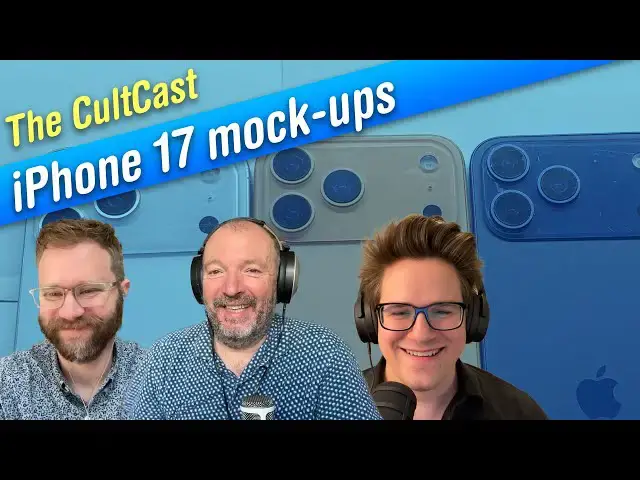
Stephen Hackett joins Leander and Griffin to talk all about a big week of #Apple #iPhone17 Pro leaks. We have a camera rumor that’s absolutely bananas, models of the new colors — and a spy shot out in public? Also: tips on customizing your Home Screen, an almost-normal #Mac mini setup, and a big new Mac #display!
Produced by Extra Ordinary for Cult of Mac
Chapters:
0:00 Intro
2:20 Squarespace
3:28 iPhone 17 Pro cameras
11:32 iPhone 17 Pro colors
25:49 iPhone 17 Pro spy shots
32:10 Widgetsmith
53:44 Setup of the Week
1:01:34 Under Review: BenW PD3226G
Follow us!
Threads: https://www.threads.net/@cultofmac
Mastodon: https://mastodon.social/@cultofmac
Instagram: https://instagram.com/cultofmac/
Show More Show Less View Video Transcript
0:02
Hello and welcome to the Cultcast, the best hourlong uh Apple chat you're going to hear all week long. I'm your host
0:08
Leander Kaney. I'm the editor and publisher of Cult of Mac. And joining me today is D. Griffin Jones coming in from
0:14
Ohio. Welcome, Griffin. Good evening. I have a quick spot of bad news at the
0:20
start of the show that I just want to get out of the way. Our Apple cult of Mac financial earnings call live
0:25
streamathon is that normally starts right after the podcast is sadly cancelled. The uh tightroppe walking act
0:32
that I hired came down with small pox. So sorry to everybody there. I know you're
0:38
too bad. That's devastating. Uh we have a special guest uh Steven Hackett coming in from Memphis, Tennessee. And
0:44
Stephen's a man of many hats. uh the co-founder of the Replay um podcast
0:50
network. Relay, a podcast host. Well, a bigger pardon. Relay. Yeah. Sorry, I don't know why I
0:55
said Replay. You know what? I was rehearsing that in my mind and I kept on saying, "Don't say Replay. Don't say Replay." That would also be a good name for a
1:00
podcast network. It is a good name for a podcast network. Uh and also you're a host of a podcast
1:06
and uh an app developer, too. Yeah, I'm uh I'm staying busy these days. So, got a couple shows on Relay
1:13
and then I work on Widget Smith and Pedometer Plus+ with everyone's friend uh David Smith. He's really doing all
1:20
the heavy lifting with the programming, but uh it's uh it's a busy time of year in Apple land as as you all know, right?
1:26
The summer iPhones are here. It's it's bananas, right? Absolutely. Absolutely. Yeah.
1:32
Well, we're gonna get you're gonna show us later, uh Stephen, right? A quick tour of Widget Smith and some of the
1:37
things you can do with it. Yeah, absolutely. Yeah, I'm looking forward to that. I'm looking forward to that. That'd be very cool. Uh, so we also have actually uh
1:43
we're going to be talking quite about quite a few things. Um, there's, you know, as Stephen mentioned, it's iPhone season coming up and there's a whole
1:49
bunch of rumors kicking around. There's they've gone into overdrive and and uh we have um some uh models to discuss,
1:58
some dummy models that were leaked. Uh we're also going to be talking about a spy shot uh of the new handset that was
2:04
found that was um se seen the handset was seen out in the wild. Uh, and we are
2:10
going to finish up with a Mac Mini um, setup that is really kind of bananas.
2:18
I have a couple of things to say about that actually. Uh, so actually I'd like to sp uh, this week I'd like to uh, thank our sponsor Squarespace for
2:24
sponsoring the show. Uh, so Squarespace is a really good way to build your own personalized website. They have this
2:31
fantastic new guided design system called Squarespace Blueprint where you can choose from professionally curated
2:37
layouts and styling options to build a unique online presence from the ground up. It's tailored to your brand or
2:42
business and optimize for every device. You can easily launch your website and get started uh get discovered fast with
2:48
integrated optimized SEO tools so you show up more often to more people and grow the way you want. Uh it also has a
2:55
really good e-commerce uh set of features. So it's easy to set up a store
3:01
where if you want to sell um digital products or courses, any kind of media,
3:07
uh they have a very very flexible checkout payment system for the customers. It's simple but um powerful.
3:12
You can accept credit cards, PayPal, Apple Pay, and in eligible countries, you can even offer customers the option
3:18
to buy now and pay later with Afterpay and Clear Pay. Uh this is a great way to sell content. If you if you want a
3:23
presence online and you have something to sell, this is the easiest and best way to get started. Uh, so go to
3:29
squarespace.com/cultcast for 10% off your first purchase of a website or domain. And don't forget to
3:36
use the code cult at checkout. All right, great. Well, thanks again Squarespace for sponsoring the show.
3:43
We're going to kick off with some discussion of the iPhone 17 lineup. And
3:50
the latest rumor is kind of bananas. It's about the camera, right Griffin?
3:56
Yeah. So, we've been seeing leaked dimensions and uh dummy models, and we'll have more of that to talk about
4:02
later, but this set of rumors really came out of nowhere. Uh several reports
4:08
and leaks surrounding the iPhone 7 Pro point to only one major camera hardware upgrade, boosting the telephoto lens to
4:15
48 megapixels and, you know, a few other minor improvements, mostly from the software and image signal processing.
4:22
But, uh, if a new leak is accurate, they it could be a much bigger upgrade that we're in for an upgraded telephoto lens
4:30
with an 8x optical zoom. Apparently, this will be like a moving lens, like a,
4:35
you know, a full-size camera with with moving elements on the inside for continuous optical zoom at different
4:41
focal lengths. Huawei is apparently already doing this on certain Android phones, which has two periscope zoom
4:48
lenses that goes up to 9.4x optical zoom. U and it automatically switches
4:53
between those depending on the focal length. This would be a major change for the iPhone 17 Pro and it would kind of
5:00
explain away why the uh camera plateau on the back is growing so much if they
5:06
have I was going to say that that you know that that's a big question is why why is why is the camera bump you know doubled in size? Uh this would explain it. Huh.
5:13
Yeah. You got to stash all that hardware somewhere. And I think what's really
5:20
interesting to me, I mean the 8X would be really cool, especially if it's like continuous like this rumor says, but I'm
5:26
really looking forward to I mean for so long like the main camera has been the best one and the telephoto or the or the
5:33
ultrawide has a kind of a less good sensor and we've seen a lot of Android phones they're putting basically the
5:39
same sensor under each of those lens systems and uh I think that's really exciting. I really like the telephoto
5:45
camera. I use it a good bit. I don't know if I've ever wanted more than the 5x, but especially if you can kind of
5:53
slide along that range, I think it's going to be really great and uh I'm definitely excited to see it. I do worry
6:00
a little bit if this is like a Pro Max thing only. You know, some years the Pro
6:06
Max will get something and the Pro won't get it. Now, that camera bar design, to your point, seems to be the same on both
6:12
of them. Uh, as someone who has gone down from the Max the last couple of years, uh, I'm hoping that the regular
6:18
Pro gets all this, too. But I guess I guess time will tell. But that's that's a lot of cool hardware to cram in that
6:24
thing. The the once or twice a year that I end up going to a concert, I really want more than a 5x optical zoom. I was just
6:30
at Blossom, the you know out big outdoor space that's like, you know, right outside Akran a couple weeks ago and
6:37
I was zooming all the way into like, you know, 15x and just taking pictures that look like garbage. So
6:45
that would be great. Like if you get I mean if you think about it you get like 8x optical zoom but then combined with the 48 megapixel sensor you could take
6:52
like a regular you know 12 megapixel picture even at like truly insane zoom
6:57
levels like 24x maybe and that would be really awesome. Additionally, Apple will
7:02
supposedly debut a new pro camera app with the iPhone 17 Pro. It'll offer a
7:08
host of advanced manual controls rivaling third party apps like Halli and Filic Pro. Uh it's a possibility that
7:14
the company might release this app as an update to the existing Final Cut camera app. So, you know, bifurcating all of the
7:21
advanced pro features out from the regular camera app, which you know, this year is taking a big step towards
7:26
simplicity, giving a different outlet for that, which I think is a smart move. My only concern is that
7:32
this would be one of those things that's arbitrarily only available on the new ones because I don't plan on buying an
7:37
iPhone 17 Pro this year. I plan on like, you know, buying one for a review and going back to my 16 Pro. know
7:43
you could always use Hali and the other pro apps, couldn't you? Which, you know, I wonder how they feel about getting Sherlock, although I guess they're
7:50
always usually one step ahead. So, and plus they have their own audiences and their own fans. So, I'm sure that, you know, even if Apple does come up
7:56
with something, I'm sure they'll be fine. Yeah, I I think I think they'd be okay, too. Uh I do think this is really
8:01
interesting because the camera design in iOS 26, it's really simple. like they
8:06
they've put a lot of stuff kind of behind more taps and swipes like a lot
8:11
of the 26 design language does. Um, but I I totally see them like making room
8:18
for something like this. And honestly, I think it's probably fine. You know, I think most people just hit the camera
8:24
button, point and shoot, right? and and they want they expect the iPhone to kind
8:29
of take care of everything for them, which it's really good at with the image signal processing and all the light B,
8:35
you know, white balance and and lighting and everything. The phone just in pure automatic mode is incredible. And so
8:43
keep that good for the masses, but those people who want a little bit more, they should offer it. And uh so I I I see
8:50
this making sense. Uh, and hopefully they uh they do it in a way that is communicated clearly because I think
8:56
you're right for people who don't upgrade. Uh, you know, is there is there kind of a a point where you kind of fall
9:02
in between the two things? That could be a little bit awkward. This is where it gets a little off the rails. Lastly, the
9:08
tipster says the iPhone 17 Pro will include an additional camera control button on the top edge, offering quick
9:15
access to the camera and its settings. The existing camera control button will stay there. a new one uh with a new one
9:22
designed to complement its functionality. Um I see you shaking your head. Everyone's
9:27
shaking their head. Does anyone believe this? No. Th this feels like a misfire to me and we haven't I think it's the first
9:34
time this has been reported. And like if you remember usually with like physical changes to the iPhone, we
9:40
know about them before the end of July. And like why would you have two of them?
9:46
Like I I don't know what the adoption is for camera control out in the world. I know anecdotally people I talked to it
9:53
doesn't seem to be widely used. So I don't I just don't buy this. Yeah. I mean more buttons this would be
10:00
five buttons in total, right? I think on the outside of all the way around. I mean imagine this is true for a
10:05
second. Is nothing sacred anymore? Like where are you then supposed to hold the phone to take a picture? You can't
10:10
really like the the volume buttons occupy like a large portion down to the middle of the phone on the bottom edge
10:16
and you don't want to accidentally press those. You don't want to accidentally press the camera control on the top. You're taking holding your phone sideways like what then you do hold it
10:22
on the top edge. You don't want to hold it on the bottom edge because then you're blocking the microphone. People do that all the time and just
10:29
comes with tweezers to hold the phone at the end, you know. Doesn't it make kind of sense a little bit maybe if people are shooting in in
10:35
uh in portrait mode? I also only use the camera control to open the camera. Me, too. I You can go in settings and actually
10:42
disable all of the swipe gestures so you don't even do that accidentally. And that's that's really the pro tip of the
10:47
year. Yeah. Right. I should definitely be doing that. I don't know because I mean you can do it portrait or or landscape if you're an
10:54
old like us, you know, with it here. It feels like the placement's actually pretty good for what it is now.
10:59
I just don't know. This one I I read this when it came out and sort of scratched my head as um even if it was on the top like it's very
11:06
easy to accidentally block the camera if you try touching the top edge of your phone. So that's very true. Yeah, exactly. It
11:12
would be right on top of the lenses, wouldn't it? Mhm. Yeah. I mean, even Mac Rumors, which first reported the rumor, said it was
11:18
sketchy. They weren't they weren't quite uh sure whether to believe it or not.
11:23
Mhm. Yeah. We'll we'll see in a few short weeks. Scarily short.
11:28
I know. It's come up real fast. has come up really really quick. Uh Stephen, you're going to talk about
11:33
uh how the iPhone 17 Pro could, you know, break tradition with a with actually a bold new color rather than a muted one. What do you think of that?
11:40
I think it's awesome. I mean, for so since the I guess the iPhone 11 generation when they bifurcated the the
11:46
regular phone and the Pro, the Pro phone has had generally more sort of muted,
11:52
more boring colors. Now, I think there have been some highlights like the green in the 11 Pro was great. I really love
11:57
Sierra blue, that light blue from the 13, I think. Um, they've had some good
12:03
colors, but they're they're they're pretty toned down, right? Some of them it's like, well, that's just like one
12:09
drop of a different color in silver, right? Very muted, if you will, while
12:14
the regular phones have had some really great colors. Like, uh, my daughter has
12:19
like a mint green iPhone 12, and it looks awesome. And the current colors, I
12:24
think, are really good. I mean, uh, you know, my one of my testing phones is an iPhone 16 Plus in the aquamarine, and
12:31
it's it's great. Uh, and so that's a that's a really lovely one. That's a that's one of my favorites. I
12:37
killed it. Several people who have the pink one. Yeah, they're really good. But if you use a pro phone, you're kind of looking
12:43
at on the other side of the fence wishing your life was more colorful. Uh, but it looks like orange could be uh the
12:52
special pro color this year along with a blue kind of a silvery gray and then
12:59
maybe a gold. We're going to talk about some a little bit more of that later, but uh the orange can be taking the
13:05
special color spot. Uh which I think is is great. I love orange. It's my favorite color. Uh I I think Apple's
13:11
done some great oranges in the past. I mean, you've got a clamshell eyebook behind you in blueberry, the tangerine
13:17
version of that is awesome. A bunch of great orange iPods and uh I'm really
13:22
excited about it. I want them to have fun colors in the Pro and if it's my favorite color, then it's just a bonus.
13:29
Um I will say it has created tension. We're going to go to therapy for a second. It's created tension in me
13:36
because I really was thinking I was going to do the iPhone Air this time. you know, like y'all, I've covered this
13:41
a long time. And so, when there's a an interesting new model, that's the one I try to use that year so I can talk about
13:47
it and understand it and and so this year obviously was going to be the Air, right? Super thin phone. It's going to
13:53
have maybe some potentially weird tradeoffs, but let's understand it and talk about it. But then, if they do an
13:59
orange pro phone, like, what do I do? Are you really going to give it up for the orange color? Just get an orange
14:05
case for your iPhone Air. Yeah. you know, someone else has said that to me, but I also feel like I need to encourage Apple to do good colors on
14:12
the Pro phone. So, uh, so we'll see and we'll see if this comes to pass, but I think it's, um, our our criticism is not
14:20
unique that the Pro colors have been a bit boring. Everybody complains about it. Everybody
14:26
that these muted colors, I mean, Apple insists that there, you know, they're, you know, they're more professional,
14:32
but but that one that doesn't mean anything, right? It's like the the quote I always go back to in 2018 when the
14:38
Intel Mac Mini was introduced in space gray and the guy on stage was like it's
14:44
space gray. We know professionals are going to love that. It's like professionals don't like it doesn't matter at all. Um and most importantly
14:51
with the phone most people to your point put them in a case. Now, what I think is interesting, if you kind of combine that
14:58
thought with the the design this year with that big camera bar across the top,
15:03
you could see potentially depending on how cases are built, a lot more of the color coming through the back of the
15:08
case, right? You know, like like currently, you know, I've got the uh kind of the the coppery
15:15
titanium phone and I got it in a black leather case. You can see a little bit of the color, but uh that could be really different
15:20
this time around. So, uh we'll see. But I'm glad Apple's experimenting. Maybe they're maybe, you know, do you
15:26
think maybe this is the uh, you know, like a the first step in a transition to
15:33
phase out the muted colors in subsequent generations. They're going to experiment with a bright bold color, the orange.
15:38
See how that goes. Maybe next year they'll they'll introduce more of the Pro handsets with with bolder colors.
15:44
Yeah, may maybe. So, you know, there's always going to be room for people who just want, you know, white or silver or,
15:49
you know, black. And I totally totally get that. But there are people who want a bit
15:55
more. You know, people we we use these devices as a way to express ourselves in kind of a weird way.
16:01
And they introduced that way back with the iPod back in the day. And that's still true, I think, right? Like,
16:07
you know, when my daughter got her phone, like she wanted that mint green, like that color spoke to her. And and a
16:13
lot of people shop for phones that way. And so why not have an option on your
16:19
more expensive phone? It only seems like it benefits Apple. Honestly, I feel like Apple thinks the, you know,
16:25
easy way to, you know, instantly recognize a pro phone from a regular phone is the colors. But from my
16:30
perspective, it's always been the triple camera instead of the double camera. And I think lean leaning into that and
16:35
making the the camera bar giant, which I was initially like, oh, that's going to look terrible. The more I think about
16:40
it, the more I'm warming up to it. Well, that there's a huge I mean science of colors and I know that Panone every year
16:46
releases their color report. They're predicting what the the the color trend is going to be for the next year and I
16:51
believe that you know a lot of consumer companies, car companies especially take pay very very careful attention to this.
16:58
Also interior decoration um you know appliance makers stuff like that. I mean people are looking to see
17:03
whether a color is predicted next year to take off and they'll make they'll make a bet on it. So, I wonder whether
17:09
Apple, you know, like because you don't see a lot of in in the cars. I don't know. Is there is there that
17:15
that difference between high-end cars that are more and more muted colors and
17:22
uh cheaper cars, lower end cars, more poppy pro cars? Is that what you're saying? It's like I've got, you know, I drive a
17:28
Toyota, but if I had a Lexus, it's like a a Lexus Pro. Yeah. You're never going to get be able
17:33
to get it in that bright bright green. That's right. That's right. every car is is muted and gray and boring now. That's
17:38
that's not that's a universal thing. And it's interesting a lot of the car thing is such a interesting analogy. Car
17:45
companies will do special colors like like I know I'm a Toyota fanboy. Uh
17:51
Toyota has a TRD color on their trucks every couple of years. And like the truck I drive is an older TRD color and
17:57
they hold their value because of the color. And Oh, really? What color is it? It's called lunar rock. It's like a gray
18:04
green color. And it stands out because it's not white or black, right? Like if I go to the grocery, it's not bright
18:10
and, you know, it's not like neon green. It's pretty, you know, it's about like my shirt because it's pretty muted. Well, there you go. It's a little bit different, right? And
18:18
the people, some people are going to gravitate towards that. And with a car, right? Like car wrapping is a huge
18:24
business, especially on high-end cars because if you buy a high-end car and it comes in black, like maybe you want it
18:30
to be flashy, maybe you want to be noticed. And so you get it wrapped in some in some color, like some color
18:35
shifting thing. People again expressing themselves through the color of their
18:40
objects. And uh you know I mean I remember when the iPhone 10R
18:47
came out you know 6 years ago or whatever. I think they were the best colors on a modern phone and I was on a
18:54
10S which was like you know stainless steel and glass. It was a beautiful object but every time every time I saw a
19:01
10R like went to the store and saw them was like man these colors are so good. Like how much fun would it be to have a
19:08
coral iPhone 10R? The blue that year was really nice on the 10R, but I wanted the
19:14
pro features. I wanted, you know, at the time the second camera and some of the things that came with that. And so I had
19:20
to kind of put aside the color choice. And I think you're right, like if Apple can find a way to balance all of that. I
19:27
I think it's good for consumers. It's good for Apple. And you know, I'd say I'd say have fun with it. You know, I'm
19:33
we're none of us are making these phones. I'm sure it's extremely complicated to make eight colors of iPhone.
19:38
Yeah. But if anyone can do it, it's the people in Certino, right? Like they've got it ironed out. And so I really hope
19:45
this comes to pass. And I think it'd be a fun way to introduce the new design. Like if there's an orange one, I hope to
19:52
see that in the the ads and the commercials. And I mean, I'd like also
19:58
for them to bring back the midyear cycle. You know, for several years, they had a a new phone color in the spring.
20:04
Sometimes it was product red. On one iPhone it was like the yellow. Um, uh,
20:09
like it was on the regular phone, like a bright yellow on the 12. It was that that wonderful purple color. Yeah, the Yeah, the purple was really
20:15
nice. And I think there's also room for that. Like halfway through the year,
20:21
maybe replace the orange with something else or add something else to it. Like because people buy phones year round,
20:27
you know, people like us, people listen to our shows, right? Like we think about the fall being new iPhone season, but
20:34
like most people, like my sister-in-law the other day texted me, he's like, "Hey, I'm going to buy a new phone." Like I'm not going to tell her to wait
20:39
to September. Like she's on like an iPhone 11, I think. Like it's time. It's like go get a 15, pick your color,
20:46
and like you'll be set. And that's how most people shop for phones. And so why not refresh the line with new colors as
20:52
you go? Just have some fun with it. Apple needs to loosen up a little bit in this department.
20:58
Well, one thing one thing I noticed with the the spy shots, it was dueling, I'm sorry, the dummy models that were released um a couple of days ago, um I
21:06
imagine Buu, who is a prolific leaker on uh on the socials, his spy shots, the
21:16
orange was much bolder on the dummy model that he had from the
21:22
photos that were leaked by Sony Dixon, who's also another um prolific leaker. So actually and and I was you know uh MO
21:30
got that great scoop a couple of weeks ago where they nailed the actual panone colors.
21:36
Uh and I thought it would be and I didn't see anyone do this but it it would have been I think maybe
21:42
interesting to actually sort of see whether though that panone matched the
21:48
colors in the dummy shots that got leaked. I didn't see anyone do any kind of a comparison. So I I you know I don't
21:54
know is it that B in the the the the images that I saw you know it was just
21:59
the camera lens that you could see where the orange and it's impossible to tell what kind of shade it is really from
22:05
such a small strip of of metal. So I wonder what you know how bold is it actually that panone orange did any do
22:12
you any of you guys see anything about that? Well it's interesting because the rumor mill got desert titanium very wrong. It
22:18
was expecting like a bronze color, a much darker color, and then it ended up being like, you know, basically silver
22:24
but with like a little like drop of gold in it. So, yeah, when he held when he held it up earlier, I didn't even realize that you had the
22:30
desert titanium one. Stephen, I made we had a bet on connected that they cuz the rumor was like it was going to be brown and I was
22:35
like, if they make a brown phone, I'll buy it. Like this is like a eat my hat kind of statement. And so, this was
22:40
close enough where my co-hosts were like, "No, you have to get get that color." And honestly, under some Has somebody got it? Cuz you lost a bet.
22:48
Yeah. Honestly, under cuz I love the natural titanium. I think that's the best color right now. But under some
22:54
lights, this phone looks pink, right? And I don't mind it. I think it's really pretty. But when the colors are so muted and
23:02
like the vibrancy slider just all the way at zero, light really changes how it looks. And I think that may be what's
23:08
going on in those photos cuz they do all look a little bit different. Um, the photos also are interesting because the
23:15
some of the rumors have like a secondary like finish kind of like where a Magsafe wallet would be and and those dummies
23:22
don't those dummy photos, not those dummies, those dummy photos
23:28
seem to lack that. And so I'm also curious if that's something that maybe was an earlier design that they decided
23:34
not to do or what happened there. Um but well the dumb should be taken with a
23:40
pinch of salt anyway because they're probably coming from you know case makers and third party man uh uh third parties you know people in the who who
23:46
have the specs in the supply chain and I think they're more concerned about the dimensions um you know for case makers and stuff
23:52
like that with the exact placement of the buttons and things like that and actually that was one of the funny things I didn't see any of the top
23:58
button on the on the dummies there was there was no pictures of that which I think would have been important if that was you know if it was coming from that
24:04
that uh those sources is. But yeah, I think, you know, they're they're basically guessing. And I would have
24:11
thought that the the colors itself is sort of one of the last things they're going to really strive to get right.
24:16
Although maybe not because, you know, if they're going to if they're going to be making cases, they probably do want to pay attention to the colors. And like
24:22
you said, Stephen, when the with that, you know, when they're exposing more uh in the camera bar of the original color
24:27
of the phone, you know, perhaps they they probably are keen to either match it or contrast it.
24:32
I will say the uh renders that I've seen that include the separate panel on the
24:38
back with the panel there, the lowered Apple logo looks much nicer because then
24:43
it's much more obvious that the the Apple logo is centered within like the glass inset panel. When I look at these
24:50
dummy photos from Sunny Sunny Dixon, it's like, well, why is the Apple logo so low? It just looks like it's in the
24:55
wrong spot. Yeah. Well, remind me, why is the Apple logo so low? Because did they have to move uh they had to move MagSafe down into a
25:01
lower position? I I don't think we have a solid explanation for that yet. But I don't
25:09
know. Another thing that I noticed about these dummies though is that especially in Sunny Dixon's photos, it looks like
25:15
uh the shape of the plateau itself, like the edge around it might be changing a little bit. You know, on the on the
25:21
current phones, the plateau sort of like curves up out from the rest of the plane of glass and then has a flat top.
25:28
Whereas some of these pictures on the iPhone uh 17 Air especially, the plateau
25:33
almost looks like it's a bubble of water like sitting on top of it like it it liquid glass.
25:40
Liquid glass. Yeah. [Laughter]
25:45
So, I didn't notice that. I got to go take back and have a closer look at those. Well, this kind of brings us to our next story, which is there was an
25:54
iPhone 17 prototype spotted in the wild. Uh, and this was a masked iPhone. So,
26:00
it's in a some kind of case that's supposed to disguise it, but it was clearly recognizable from the camera
26:07
bump that this is obviously this is not one of the current iPhones. And it was spotted by some uh ex user called
26:13
Skyops. Uh, he spotted this. Did anyone did you see where it was spotted?
26:20
Yeah, that user has LA as their location on X. So, you know, that makes sense, right? Apple's got people all over
26:26
California. Um, yeah, this guy's got some cool sunglasses and a vest on, so it's definitely California. You know, there's
26:33
a palm tree in the background like, you know. Um, but yeah, you know, this happens every
26:38
few cycles, right, that where someone gets spotted. People are using these out in the wild uh for testing and
26:45
validation. I would think that if Apple were designing a case to try and disguise the
26:50
iPhone, you would think they would like, you know, put just like a dummy flash and LAR sensor like near the other
26:57
cameras so that it's not immediately obvious that it's a a new phone. If that's like the one defining feature of
27:02
the new phones. Well, don't they they do that with new cars, don't they? When prototype cars, they try to disguise them with uh these
27:08
weird wraps and they they they're never really they don't really disguise the body shape, do they, that much. you can
27:14
you can still sort of discern what it looks like. I think in most cases it's it's those seem kind of odd because they
27:21
don't really you know you'd think you put a big box around the thing so you couldn't see it at all. Maybe that's as similar uh in this
27:27
situation but this guy had a security guard with him apparently who tried to block the shot which and that was the
27:33
weirdest thing about the story that I heard. I mean, because there's a lot of people that's immediately saying, "Oh my god, that poor guy, he's going to get fired." You know, like he's he's out of
27:39
he's out of there immediately. But like Stephen says, I mean, I don't know. He's I doubt it actually because this is him
27:46
doing his job. I mean, the whole reason they're taking them out in public is to test them on the public networks um to
27:51
make sure that they're performing as expected when out in the wild. And and
27:57
I, you know, I mean, I guess the surprising thing is that more aren't spotted. Mhm. And you know, maybe it's embarrassing
28:03
for this guy, but I doubt very much that he's going to get fired for this. In fact, I told Do you remember the the iPhone um 4 when when Gizmodo got hold
28:11
of the the test iPhone in a bar? Yeah. And the guy had had left it behind.
28:18
You'd think that that was that I I I managed to get hold of the guy a couple of years afterwards.
28:24
Um and he was still at Apple and in fact um I asked him if he wanted
28:29
to talk about it. would you talk about uh the whole the whole incident and about especially the aftermath too. How
28:35
come you didn't get fired? And he agreed to this to my great amazement. But then
28:40
he ghosted me. So I never did get a chance to speak to the guy. But he was definitely still at Apple. And and and and you think like
28:47
you know if anybody uh is going to get fired for uh uh for getting spotted with a test iPhone out in public, they would
28:54
have been this guy. But apparently he didn't. I think Apple's very sort of forgiving of that kind of thing. Yeah. That's that's different than a
29:00
straight up like you're you're leaking information, right? It feels like there's a a bit of a difference there. And I think
29:06
I think you're right. I think Apple's forgiving to a degree and like I'm sure this guy will be fine. You know, he
29:13
is out there testing the phone and like to a degree I think they know that yeah, if someone's really paying attention,
29:19
there might be a chance. But the average person walking by didn't think twice
29:24
about this guy, right? He's like, "Oh, he's got two phones." Like maybe that was a little bit weird. But
29:29
you know, if anything, this guy just got spotted by somebody who's like tuned into this stuff and that's Yeah. What are you going to do? Like you can't
29:36
you can't really avoid that, right? Absolutely. Absolutely. I would have the security guard. He's the one
29:42
who really messed up. He deserves to be canned immediately. Mhm. It's uh Yeah. Yeah, but it's it's funny,
29:48
you know, like uh I mean, do you think the rumors this this round are are more
29:54
detailed and more precise that we know more about this this lineup than than before? I I I think there was pretty
30:00
comprehensive last year, right, too? And maybe even for the uh the year before as
30:05
well, but every year there's no surprises. There's nothing to be not known about, at least the physical
30:10
design, the the way the hardware looks. Those dummy units were so detailed and and um so precise. I mean, it looks to
30:18
me like they might as well be the real thing. Of course, they could be totally wrong. We'll see. But I believed it.
30:24
Yeah. Uh does it feel gross that maybe we're uh paparazziing
30:29
uh the the the the new iPhones with and like the Apple employees who are testing them maybe out in the real world a little bit.
30:35
Yeah, a little bit. Maybe like a little less gross than like photographing like a celebrity go just going about their business and printing
30:41
it in a tabloid magazine. But it is still a little weird to me that we're
30:46
taking pictures of strangers in public just because they're using a phone. But well, that's the other thing as well. You know, camera camera culture, you
30:52
know, that uh I think a lot of people worried about Big Brother and being spied on and you know, CCTV cameras and
30:58
all that kind of stuff. And I think the weird thing has happened is that putting cameras in people's hands has completely changed a lot of things. Yeah.
31:04
You know, like uh you know, things like police abuse, um all sorts of stuff like
31:10
that. All these kind of things get filmed. There's no thing as there's no there's no privacy anymore. There's no privacy anywhere, which is why I don't have a Ring
31:16
doorbell. Right. One thing uh the last thing to mention about this is Mark German, you know, who everybody knows is the the
31:22
Apple reporter at Bloomberg. He um wrote he reposted the the uh the
31:29
the image uh on X and said, "Wow, this looks legit." Um and of course uh it um
31:36
is that is that is that do you think he's being sarcastic or do you think he's being sincere? Yeah, I think
31:42
because this sort of lines up with what we've seen elsewhere, I think he's probably probably being uh true, but you
31:48
know, that's the uh that's the harm in textbased social media. It's like tone
31:54
of voice very hard to to read sometimes. Is it that we only believe it more just because it does line up with what we've
32:00
been told about it before? You know, there maybe was one of those dummy units and
32:05
that's why the guy had two phones because he was taking a picture of it for some kind of We'll see. So, uh, Stephen, let's move
32:11
on to to Widget Smmith. Um, this is how you build custom widgets and, uh, yeah,
32:17
show us how this works. Yeah. So, Widget Smmith, uh, is an app built by, uh, our friend David Smith,
32:24
and I help him with, uh, kind of everything but the code, and it is a great way to customize your home screen
32:30
and lock screen on your iPhone or your iPad. Um, so you can see here I've got a couple of widgets built. I've got the
32:36
unofficial widgetsmith dog, Muppet. um little text widget here and then uh a
32:42
calendar and a new feature we've got that I'm really excited about is wallpapers. So,
32:49
we've worked with a bunch of designers. Uh listeners and watchers of this show will recognize some of this from Basic
32:56
Apple Guy. He's one of the designers we've been working with. Oh, right. Yeah. Yeah. And uh and it's really awesome. You can
33:01
go in here and most of these are free. you can go in and save the wallpaper to
33:07
your camera roll and then go set it as your wallpaper on your device. But my favorite feature is the ability to
33:12
coordinate uh your widget themes with it. So if you want like a really nice aesthetic across
33:18
everything and so we have this really great feature that looks at the colors in the wallpaper and you can even upload your
33:26
or like have your own photo in here. So like I say you've got a photo you took of the beach and you want your widget
33:31
colors to match it. uh we can coordinate with that. But then I can go in here and I can build a widget with this theme. Um
33:38
so if you want like a super aesthetic like color match wallpaper, it does all the work for you and find all the work for you. None of that like
33:44
back and forth of like oh that blue is a little wrong. Like it does a great job picking them. Um so I can go in here and like I can go
33:51
here and pick uh you know we've got a whole bunch of different widgets in here. Like you know I like the weather
33:56
one. I'm not in Rome. Uh so we'll change that to Memphis. And
34:03
I could save this widget and I can go in here and add it to my home screen.
34:08
And because it is um we got three different sizes because
34:15
it is set to to match those colors. It just looks really good. Like it it pulls
34:22
kind of that that purple maroon from the cloud and brings it in. And of course I can rearrange them just like any other
34:28
widget. Uh, and this has been really popular with our users. We're seeing a lot of people check out these wallpapers
34:34
and it's just a great way to like easily overhaul your entire device look. Uh,
34:40
this is great on the iPad in particular. Maybe you want sort of a launch pad kind of control center uh uh you know of all
34:47
your stuff. So you can have your calendar and a big weather thing and it all matches your wallpaper and looks
34:52
looks really good and it takes all the guesswork out of trying to get these things kind of in tune, right? We've all
34:59
had that with app icons or a widget and you like you put it on your home screen, it's like, "Oh, that really clashes or
35:04
maybe there's not enough contrast and it kind of gets lost." Uh, this feature really takes care of
35:10
that for you. I mean, even this like pulling out all these blues. The first time I saw this working when David sent
35:17
me the first prototype, uh, I was just blown away. Uh, and it's all done on device instantly. It is really cool.
35:24
And does it work with like the the built-in like system wallpapers? Like if you have, you know, the the, you know,
35:29
stock iOS 26 wallpaper, we'll be able to pull that out for you or Yeah. So like with that uh you Apple
35:36
doesn't make it easy for developers to get to those wallpapers actually. But if you know like y'all and a bunch of
35:42
people like you know if you save the that image then you can go in here and you can coordinate a theme
35:49
based on a photo in your photo library. So like you know these are all screenshots but say that I wanted to use
35:56
uh this this sort of teal color it would it would find that for me. So you would need to save the c the the
36:02
default wallpaper as an image. Uh but then you could coordinate with it really easily.
36:08
And what kind of which what what wallpapers you've do you have there uh to uh to work with? Yeah. So we've we've got a lot of sort
36:15
of colorful gradient stuff. We kind of wanted to started start there really to
36:20
to show users how how the the feature works. So, you know, you can really see
36:26
something like this one having a a real range of colors is really nice. Uh, but
36:32
we're also working with some photographers. So, these are these these just happen to be some of my photos that
36:37
we put in the app. Uh, this is a a lake kind of near my house. Um, nice picture. Yeah.
36:43
Um, and we also have some uh some fun stuff. So, basic
36:49
socks is pretty pretty funny. basic Apple guy did some iPod sock artwork. So, we brought that in.
36:54
Um, so if you want uh that cozy feeling once it gets cold, you know, that's great. Uh, and we're working with a
37:00
range of designers and photographers and are dropping new wallpapers every week, generally on Tuesdays. And, uh, you just
37:08
get a little badge in the app. We're not sending push notifications or anything weird like that. It's just a little
37:13
badge in the app tells you when there's new wallpapers you can check out. I like those uh the Sultan ones. That
37:19
That's um basic Apple guy going. It is. Yeah, these are really cool. Uh I love the uh I love that green with that.
37:26
Um and you can you can apply them to a bunch of widgets and we have lots of widget types and are always adding new
37:33
ones and we've got a lot of cool stuff in the work. Can you show the different different widgets like with the text one is that
37:38
um you know uh it looks like a sort of Yeah. So this I can just put I can put
37:45
whatever uh here I want. Uh, so I can say hello internet.
37:50
That's a different podcast. Typing live on a show is always fun. Um, and then we have a lot of themes. And so
37:57
here we have themes based on the iPhone 16 colors. You know, that that awesome ultra marine
38:02
color we were talking about earlier, uh, the system colors, but then lots of of other themes. So, here we've got
38:09
autumn leaves. And say I wanted to customize this and change the font or if
38:15
I wanted to change the tint like say I wanted that to be uh pink or I wanted it to, you know, stand out a little bit
38:21
less and go with the sort of that autumn color. Uh lots of backgrounds, different borders we can apply. So system colors
38:29
and uh all the way down here at the bottom, we actually have a custom color picker. So you can like or if you have
38:37
like a a hex value of a color you like, you can just like copy and paste that from the internet or type it in.
38:42
And so you can really customize these things uh really nicely. And lots of
38:48
different types, lots of clocks, lots of weather. Uh some of my favorites are the
38:54
uh the pollen counts. Uh someone who has seasonal allergies, I always have these,
38:59
you know, in the spring. Um that's a great idea. Uh, and then some activity and and and uh uh step counting
39:07
uh reminders. So, I can I can go in here and say actually um like if I had
39:12
reminders set up on this phone, this is kind of a test phone, so I don't have any reminders on here. Have my to-do list in here. Um lots and lots of
39:19
options. It's it's really great. I saw you had title tides and what what
39:25
about the uh the photo one? Is that you said the the official dog of widgets?
39:30
Yeah, that's Muppet. Uh it's just a stock photo that we've had forever. Um so you can select a photo. We have photo
39:37
collection as well. So you can go in and add uh you could add multiple photos.
39:43
And the system will just kind of throughout the day, this widget will uh
39:49
cycle between these photos. And so I've got one of these on my personal phone with about a dozen photos of my wife.
39:57
And it's every kind of throughout the day over time I get a a different photo
40:02
in that widget. And Apple's official photos widget won't let you be that nitpicky with it. Like you can pick an album, but this lets you
40:08
pick specific pictures. That's right. I like Apple's photo widget, but if you want something really specific, like
40:14
maybe you've just had a baby or you know you want a picture of your you and your granddad fishing, whatever it might be,
40:21
uh it's really nice to go in here and build your own collections to have full control over that because Apple's you're
40:27
kind of left up to their system and you know maybe you've had this experience I certainly have of like going telling
40:33
actually I don't want that photo in the widget right and they have a feature for that like feature this person less with
40:39
widget smith you have full control over what shows up there, which is really nice. And uh one of the other features is that
40:45
you can uh uh set it for different times of the day. Is that correct? So that you can see different widgets at different
40:50
times. That's right. So say that we've got my uh say we've got a photo widget here.
40:56
And uh I'll just pick my little cartoon version of myself. And if I go up to settings up here at
41:01
the top, there's a timed widgets section. And so I can go in here and I
41:07
can say, you know, between eight. Oh, that's cool. eight and six I want that, you know,
41:14
that that photo of me, but then I want, you know, kind of the
41:21
the rest of the day, you know, may maybe this is work hours and off work hours. And maybe during work hours I want
41:28
instead of a photo, you know, maybe I want my calendar there because maybe I'm
41:33
always referencing that and it's in the same widget so you don't have to go flicking through a smart stack cuz I find the smart stacks to just be
41:39
incredibly irritating. Yeah, it's the same it's the same widget. So, uh, in this case, you know,
41:45
between six and seven, the way I did this just on the fly would show my calendar. Uh, and then between 8 and six
41:52
would show this little cartoon character, me, and I can pick a third one up here. But you're right, it's the same widget. So if that widget, you
41:59
know, is on your home screen, or maybe on that today view at the set time, it will flip over to
42:05
that different type. And you can pick between uh any different type. So I could have a photo, a calendar, and
42:11
then, you know, maybe for that other time, maybe I wanted uh the temperature uh you know, temperature, high, and low.
42:17
And that one widget will take on those different functionalities throughout my day. It's I use this one a lot for uh uh
42:26
I've got on my on my personal phone I have during the workday I have a time zone widget because everybody I work
42:31
with is in a different time zone. Uh but then in the evenings it's a family photo. And for me that's just
42:37
like a a bit of a reminder of like okay I'm not at work right now. Like this is
42:42
it can really set the tone of your home screen just by setting up a time to widget or two.
42:48
Cool. Cool that you have such a family instead of like uh the opening times of
42:53
the local bar happy hour specials and stuff like that.
42:59
And we've got countdown widgets so you know if you want to countdown to that uh when it opens you can you can see that
43:05
too. And so I I presumably you can each widget can be timed. Is that right? So
43:10
if you have three or four widgets on your home screen each one could be set to a different thing. Absolutely. Yeah. Very cool. It's great cool. That's
43:17
a really great feature. Well, I I don't really do anything with my widgets. I got to be honest. I hardly
43:23
touched them. Like you said, the smart tech I found annoying. Um yeah, it uh
43:30
it I know a lot of people do use uh widgets for a lot of useful things and this this really seems like a good way
43:36
to do it. I in fact I'm really I'm more interested in doing it on my iPad. I think it's great on the iPad. In the iPad, you
43:42
also get an additional size. is you get the extra large size which is like really big. And uh you know my iPad I've
43:48
got one screen that's just my apps and then I have a second screen that's basically all widgets. And so if I want
43:54
to see my to-do list or my calendar or some photos really quickly, uh I can do that. And it's it's great if you have
44:01
your iPad kind of at your desk throughout the day. It's like a sort of just a secondary device and kind of
44:06
build a build like a little control panel. Yeah, exactly. That's a great idea. That's a really good idea. Have you actually, you know,
44:12
I've got an old iPad. I always want to kind of mount it on the wall and have that sort of, you know, do do that kind do that kind of thing. Have like an
44:18
information display. Yeah, that sounds like a really good way to to do that. What's that fuzzy time one there? Is that just the time fuzzy or
44:24
Yeah. So, it's it's uh So, if I set my location to Memphis, so right now it's it's uh 12:24. So, fuzzy
44:32
time is 25 12. You know, if you don't need to be that exact about your time. Oh,
44:38
it's pretty it's pretty fun. Uh I Personally, fuzzy time is not for me. I want the exact time. But a lot of people
44:44
live a more relaxed life than I do. Yeah. Whenever people ask me the time, I
44:50
say, "Oh, it's 10 after or whatever." Yeah. I round it up or round it down. Perfect. I'm a fuzzy. Yeah. I'm a fuzzy time sort
44:56
of person. That's right. Very cool. Can you show me a few more widgets? What other things can you do with this? Yeah, let me show you the uh the action
45:03
widgets. This is something we built last year um based on uh the actions that
45:10
applications and like x callback URL sort of that section of iOS and so we
45:15
have a lot of actions built in. So it's just it's just a widget type. I go in
45:20
here and I can say I want I want action and then I can choose an action from this list. And so, uh, say that I want
45:29
to o, you know, I want to have one that opens one password. Oh,
45:35
and what it does is I get four buttons. I'm just going to build build the rest of these really quickly. Um,
45:40
I saw Amazon there. So, I wanted to open up Amazon, right? So, here I'm just going to have it um
45:47
uh open these. And of course, I've got lots of themes,
45:52
you know, all the themes across every widget type. Uh, we'll pick system purple.
45:58
And then if I switch to this widget, so if I edit the widget and pick my action
46:04
widget I just built. Now, this widget has four buttons on it. So, if I uh this
46:10
one is set to open the app store, it'll open the app store for me.
46:16
Um, and there we are. So, we can see see what's going on uh going on here. or this one I had set
46:22
to open to the uh the weather app and so it's showing weather there. So, it's great.
46:29
And again, on the iPad in particular, setting this to a large or extra-large widget, you get a lot of buttons. Um,
46:34
and there a couple different designs. You could have this if you wanted a a home screen that's just text, right? You
46:40
got really minimal look. You could have a text action widget and instead of these icons, which you can choose
46:47
different themes for the icons, too, you could just have text labels. So you could have just a big widget that says
46:52
like text mom, check calendar, you know, navigate home, and each of those be an action, but it's just text. And if you
47:00
color match it to your wallpaper, open app, but like open a specific part of an app, right?
47:05
So you can make it super minimal and really clean looking. And we've got a lot of people doing that for just a
47:11
really uh really simple aesthetic that I think is is pretty cool. How many buttons could you put in the uh
47:17
uh what was the maximum? Uh, so if I do the large widget on the iPhone,
47:22
I can do 25. They get pretty small. Wow. Um
47:28
Um, and you got options to show the title. Uh, you can have you can change the the look a little bit. So like I
47:35
could do padded if I wanted to do a border around this widget. So maybe it look a little bit better. Um, but we
47:40
made it pretty compact. Or if you just want one big one, right? Like this is I think a great use case for maybe someone
47:47
maybe you have someone in your life who's an older iPhone user and you want like hey click my face and it calls me right I
47:54
can make this action set to the call and put my number in there and set the icons like if you
48:01
click this it calls me. Um, so you can make it kind of a a very simple iPhone home screen, too. Or you can go, you
48:08
know, pure like NASA computer switches, uh, if you wanted to do that. Have 25
48:13
actions in here. Very cool. Very cool. All right. Can you show us a couple more widgets then?
48:19
Yeah. A great thing we've got and also new uh last year uh is the ability to
48:24
have control center actions. So these pull from the same uh the same actions
48:30
here. So say that I wanted uh the ability to open um Apple News
48:36
from the control center. Um so I can make a control center control here. So
48:42
it's just open Apple News. But in here in control center I can add a control. I
48:48
can find widget smmith which would be here. And then I can choose I only have one so
48:54
it's going to show me one here. But now I've built a custom control to open
49:00
Apple News. And so if I if I just, you know, anywhere I am on my phone, this is a
49:06
terrible idea for your mental health. Don't build an Apple News control. But if you wanted to uh and then it would
49:11
just open uh Apple News for me. That's why you put Oh, no. That's right. Why you won't do that?
49:17
That's right. The control center stuff's really cool. I I loved in iOS 18 the ability for app developers to put things
49:23
in the control center and to have those multiple screens, right? So, I can have all of these different controls. Um, and
49:29
so Widget Smmith, you can make your own. So, you could have a control center screen that's basically your favorite
49:34
people to message, right? And have their names and tap on them. Um, I've got one on my personal phone that's text Mary,
49:41
my wife. And so, it I anywhere I'm on my phone, I can pull down control center, hit that button, and it pops me into
49:47
iMessage into our thread. It's really fast. Much faster than kind of goofing around in a bunch of different apps.
49:53
Yeah. Yeah. Yeah, that's all really cool. Yeah. Yeah, it's it's it's really
49:58
flexible and really powerful. The vast majority of the features of Widget Smmith are free. You know, we've got
50:04
some premium widgets and some premium wallpapers behind a subscription. Uh but if you want to use it to build photo
50:09
widgets and a lot of other types, uh it's absolutely free. So, people should go go check it out in the app store.
50:16
Right. Yeah. Yeah. And it's called Widget Smmith. So, Widget Smmith on the App Store. Yes, sir. Widget smmith. Very cool. Very nice. once a top 10 app
50:23
on the entire app store. That's right. At launch it went viral uh on Tik Tok actually and um and it's been
50:32
popular ever since. I mean, you know, I've got two high schoolers and they
50:38
were using it before I told them that I was working on it. Right. Like it's the word of mouth is incredible for Widget
50:43
Smith. We're very uh very fortunate. Your kids became users, but they didn't even know you were working.
50:49
That's right. You know, you know how it is, right? your kids don't think you're cool. Uh I was like, you know, but now
50:54
now I like user test on them. I like, oh, hey, like we're thinking about this feature. What do you think? And kind of judge their reaction. Uh which is very
51:00
useful sometimes. Um but yeah, my kids use it to have photos and uh my daughter
51:06
in particular is a big user to kind of stay organized with school stuff. So she has kind of a large text widget of her
51:13
class schedule and her to-do list is in there. And um it's it's really fantastic
51:19
to surface parts of your phone or parts of your life just on your home screen, right? Which is
51:25
kind of the the the beauty of widgets, right? I don't have to go into an app and then get
51:31
distracted and kind of forget what I was going to do or like the time zone widget that I use
51:36
all the time. I don't trust myself to do that math, especially times a year where
51:42
the US and other countries our daylight savings times don't line up, which is
51:47
bonkers. It's like it's like, oh, I can just check this widget. I know it's right. I know what time it is for this person or that person,
51:54
and I'm not I'm I'm then I can get back to what I'm I'm needing to do. And the widgets have just helped me get that
52:01
information and kind of get in and get out. The the class schedule one is really handy for people in school because I was in college at the time
52:08
where all of my friends would just take an ugly screenshot of their schedule and just set that as their wallpaper.
52:13
Oh yeah. And then notifications would just constantly cover it up and Yeah. That's no good.
52:18
That's That's no good at all. I mean, my first question when I saw Widget Smith was, you know, how how is this different from Apple's built-in
52:24
widgets? And and obviously, you know, it's it you've got a lot far more widgets, far more control than Apple
52:31
offers. Yeah. And really want to put the the power of this into the hands of the
52:39
users so they can build what they need, right? And so here and just as I've been
52:45
talking, uh, you know, kind of made up kind of a a goofy little schedule and,
52:52
you know, I can pick my theme real quick and, you know, maybe it's maybe it's a winter uh semester at school. And so I
52:59
put some snowflakes around it. With just a few taps, I've built something that I can reference throughout my day. And if
53:05
I tied it in with timed widgets, right, maybe I only want to see this between 8 and 3. And maybe I want to see a
53:12
schedule for work. You know, maybe I'm a student working in the evenings or on weekends. Being able to change that with
53:17
the clock is uh adds a new adds an additional dimension to it that can be really useful. You can even make a timed
53:23
widget that's timed for your schedule. So that you know when you're in one class it just says go to the next class it's in this room in this building
53:28
dummy. Absolutely. So 8:00 a.m. to 9:00 a.m. it says math and then 9 to 10 a.m. it says English
53:34
and then 12:30 to 1:30 it says lunch. And so you can just see what you're supposed to be doing. That's a great point.
53:40
Cool. Well, thanks for that Stephen. Thanks very much for giving us a tour of Widget Smmith. We are now going to move
53:45
on to uh our setups section where we're going to talk about uh one of the setups that we featured on cult this week. And
53:51
this one's this one's kind of uh it's unusual because it includes an
53:56
absolutely enormous TV. If you look at the picture, you can see someone's desk and there's this giant screen. Uh and at
54:03
first it kind of looks like a regular screen, a regular monitor. You think maybe that's that's a pretty big monitor, but when you realize there's a
54:08
monitor to the right of it, that's actually that looks much smaller and it's in portrait mode. That's actually a
54:14
32 inch monitor and the screen next to it is a giant 55 inch high sense TV.
54:20
So this is this is really enormous. Yeah. Um it's a it's a it's a it's an LG 4K
54:26
monitor. Uh which is actually a really nice TV. I pick up one. What am I talking about? Sorry. The the the the monitor is the is
54:33
a 4K LG monitor. The TV is an a 55 in a 4K high sense TV that goes really really
54:39
bright. Um it has 3,000 nits of brightness. I did this myself a few years ago, but this is before 4K TVs and
54:46
it was absolutely a horrible experience because the resolution is so low. It it seems like a good idea, but everything
54:53
is gigantic on the screen and so it it kind of turns out to be a disaster. I have you guys tried it with a 4K TV?
55:00
I I have not been this brave. I'm using a studio display and my laptop open to
55:05
the side, but we do have a 4K OLED in the living room and I have a Mac Mini
55:10
hooked up to that for some entertainment center stuff and Mac OS looks okay on a TV. Um, I think mine is a little bit
55:18
smaller than 55 in. Um, but it's an LG 4K OLED and yeah, Mac OS has done a good
55:24
job adapting to that over time as these TVs have gotten higher resolution. But this setup, it's like it's wild. I mean,
55:30
I looked at the picture like, "Oh, that's a pretty big display." And then I read the bullet points. I was
55:35
like, "Oh, that's a 32 inch display on its side." Like, I just want to highlight that.
55:41
Yeah. How big this thing is. Like, I mean, it's just like it would take your whole field of vision. It's too much too much for me.
55:46
Oh, definitely. You definitely You got to move your head. Yeah. It's also not like he's super far away from it. Like, this is not a living room size setup. It's not on the wall. It's
55:53
on a normalsized desk and just filling the entire thing. It makes me think of you see these rigs
55:59
mostly in the PC world for flight sim or like racing sim setups where you want
56:04
that immersive feeling, right? I want to feel like the cockpit is all around me or the you know the F1
56:10
car is all around me doing numbers and finder stuff like maybe it's overkill but uh but you know
56:17
I love it. Well given the the audio gear as well. I mean he's got some pretty serious uh audio gear. He has not only a couple of
56:24
really nice speakers, he's got a massive subwoofer underneath the desk and he's hooked it up into this um uh into a DAC.
56:31
So, um you know, this to me looks like a setup that's for media consumption. Like
56:37
I'll bet he's watching videos or or doing some kind of video production. So, he can he can probably see what it's
56:42
going to look like on a big screen like that. Yeah. because because that that HDR is hard to get still unless you do
56:49
something like this or the Pro Display XDR. Like the Studio Display can't do a lot of HDR stuff, right? Because it's
56:55
kind of an older panel. Now, the MacBook Pro can, but it's 14 or 16 inches,
57:01
right? So, if you if you need a lot of brightness and you need HDR and you need a big size, you're really almost stuck
57:09
with a TV. And um I know a lot of a lot of media houses will have, you know, some people working
57:15
on pro displays or other high-end monitors, but then they'll have something like this where people can sit around and
57:22
really like see it together and work on it together because that that HDR mastering is a is a pretty serious workflow.
57:28
A lot of third party displays claim to be HDR, but HDR actually has really much
57:35
lower like requirements than you might think. Like a display only has to be 500 nits bright to be able to technically
57:41
claim it's HDR because it's designed to be you know viewed in a pitch black room
57:46
where the relative brightness is going to be much greater. But uh you know TVs they're designed to be in like living
57:52
rooms in broad daylight. So they they're obviously going to go much brighter. It's 3,000 nits. I don't think the studios plays that
57:57
bright. Like that's insane. Yeah. When I first looked at this setup I was like okay well allegedly there's a Mac
58:02
Mini somewhere in here. Where is it? because I was looking for the, you know, the silver strip until I
58:09
realized, oh, it's it's under the display, but he has it turned around so that all the ports and cables are
58:15
exposed, which does make sense, but just feels a little wrong to me.
58:20
Yeah, I I have my Mac Mini on, you know, same exact M2, although mine's an M2 Pro. I don't know if his is a Pro or not, but I
58:27
just have it, you know, facing the right way around, and I just have to deal with the fact that if I want to plug anything in, I have to sort of get up and reach
58:33
around behind it. Yeah. So technically that's better, but it just doesn't feel right. And and you know the new Mac Mini and of
58:39
course the Mac Studio has ports on the front. I think to address this sort of thing, right? A lot of people want like,
58:46
hey, I just need to plug something in quickly. Like for me, it's always my flatbed scanner, right? I need to scan something.
58:52
I go get it out of the drawer and it's like I got to plug it in, you know, use it in my laptop or the studio display.
58:57
It is nice to have those accessible ports. And so, you know, if this if this person when they upgrade to to an M4 Mac
59:04
Mini or later, maybe they won't have to do this, right? Maybe the two USBC ports will be enough for them and they can
59:09
correct their sin of having their Mac Mini the wrong way around, right? One other thing is that stood out to me
59:16
that's a little unusual is the lamp on the side. He has this uh, you know, articulating arm lamp that's uh just
59:24
pointing upwards just straight up at the sky. But of course from the angle that he's taking the picture like you know
59:29
the glare from the light is just shining directly into the camera. It also I don't know if it clamps around the
59:34
corner of the desk but I mean one stray arm movement and that's just falling on
59:40
the floor. What I it also looks like based on the if you really look closely at the bottom left corner of the image
59:47
it looks like it there's there's room for like a fullsize standing lamp behind the desk. It's at an angle. You have
59:53
room there behind the desk. That's what I would do if I were if if I had this set up. They spent all their money on on a TV,
1:00:00
man. You got to give them some time to get that budget recovered. You know, I actually have I think this exact same
1:00:06
lamp in white on the corner of my desk, but there's like two inches between it and the edge of the desk
1:00:11
and so it's not in danger of falling off, but I get the pointing it up. Maybe there's not good overhead light in this
1:00:17
room, right? And so this is kind of kind of what they're using. Um or maybe there were like, you know, some other issue.
1:00:24
But um so I don't mind the lamp shooting straight up, you know, but I also think about what happens if like a little bug
1:00:29
flies by and like gets cooked, you know, it's gonna hear if you hear a little sizzle, you know what happened.
1:00:35
I mean, they're going to be attracted to that giant TV anyways. So it's true. It's a nice setup. I I I bet it rocks.
1:00:42
So I bet, you know, with that sound system, with that subwoofer, I mean, the subwoofer itself, I think I'm breaking up on the speakers, 150 watts. So, um,
1:00:49
it's going to he's going to be like, um, you know, that bow house guy in the, uh, the old TDK adverts. If he turns that thing up, it's going to be blasting his
1:00:56
hair backwards if if his neck isn't already broken. You know, the that close to a giant like
1:01:01
they they say that for ergonomics, your eyes are supposed to be like roughly level with the top of your display. I mean, unless this is a giraffe working
1:01:08
here, it's going to Yeah. Right. Well, he's got a really nice screen saver. Is that Is that I
1:01:13
think is that the London one? Yeah, I think so. Yeah. I've I've actually spent hours watching that screen saver just uh uh
1:01:20
because London's my hometown. So I I I've been um mesmerized by that screen saver. That's one of the best features,
1:01:26
isn't it? Coming to the uh now you can get them on your Mac. So um you can just
1:01:31
sit there in front of your Mac instead of your Apple TV watching these things. Let's move on to the review. I think should we skip the um
1:01:37
All right. All right. In that case, I'll just do a little bit of setup here. So I have in front of me for for scale. This
1:01:43
is a This is what a a normal a 32-inch monitor looks like in a normal setup. Uh I don't have a TV. Uh fortunately,
1:01:51
this is the BenQ PD 3226G.
1:01:56
Rolls off the tongue. Uh it's a 32-in display. Excellent build quality. Like a lot of these third party displays,
1:02:02
they're kind of uh crummy and dubious. Like the the Asus display that I I reviewed a while ago. I mean, you touch
1:02:09
it in any way and then you hear like this god-awful like plastic like crinkling sound. This one is really
1:02:15
nice. It's about as nice as I think a display that isn't made out of solid aluminum can get. PC displays have also
1:02:22
gotten a little less ugly than they were in the early and mid 2000s. So, it it's a step in that remark. If you look at it
1:02:28
from behind, it's got like nice two-tone black and white looks to it. And and you
1:02:34
know, the base is all silver. Excellent build quality. I I guess I should get this out of the way. It's not a retina
1:02:41
display. This is a 4K display on 32 in. So, it's like standard retina
1:02:46
resolution. Um, and you also might think that, well, you know, maybe it's an HDR display. Unfortunately, it isn't HDR
1:02:52
either. It's 95% P3, 100% sRGB. And Ben
1:02:57
Q always wants me to mention whenever I have one of their displays that they have this special like color calibration
1:03:02
software so that if you have multiple of them, you can have it perfectly color matched or if you're matching it to a
1:03:08
MacBook, you could color match it that way. How much of a drawback is that? It not being, you know, having those those
1:03:13
those super high-end specs. Not a big deal. Uh I guess for most people, it would probably be annoying if
1:03:20
you're, you know, doing modern like, you know, HDR video mastering or stuff like that, but it it is still pretty bright.
1:03:26
The colors are pretty vibrant, you know, just with the P3 color space. Uh, it has a built-in Thunderbolt 4 dock. So, the
1:03:34
thing about Apple's displays is that they only have USBC ports on the back or
1:03:39
like a Thunderbolt pass through. This has US three USBA ports. It has a KVM switch so you can quickly switch between
1:03:46
multiple devices. It even has a feature where you can have two input devices side by side split screen. You're not
1:03:52
going to get that on a studio display or a Pro Display XDR if you have like a Mac and PC or you have, you know, both a
1:03:59
work and personal Mac. So, that's handy. An advantage that this display has over Apple's displays that you will sadly not
1:04:06
be able to appreciate as a viewer is that it runs at 144 hertz. So, that's
1:04:11
what they've done. Instead of going retina, they've gone standard resolution, but like really gone all in
1:04:16
on higher refresh rates. Like all of the animations are just super buttery smooth. That would be better because I I
1:04:22
actually turned down I've got a um a uh studio display too and I I turned down the resolution because the the full
1:04:28
resolution it was way too everything was way too small. So I I I had to dial it back and but the refresh
1:04:35
rate that you know that that makes it a lot easier on your eyes, isn't it? No. Oh yeah, it's super smooth. It's really nice and and and a pleasant to look at.
1:04:42
Um, unfortunately like like the 32 in at 4K is kind of in like the uncanny valley
1:04:47
of, you know, if you wanted it to be a retina display, it would only be 1080p and everything would look like, you know, giant. But also, if you uh like
1:04:54
just do, you know, standard 1x resolution, everything is incredibly tiny, which is how I have have it set.
1:05:00
And I've just been a dipping into that world, like for a while. So, I have, you know, a music a full-size music window
1:05:07
and that's all just tiny over there. podcasts, like Slack, Calendar. I can
1:05:12
fit like literally everything on here with virtually no overlap at all. It's It's kind of insane, you know, Discord,
1:05:21
mail. Yeah, that that hurts my eyes to think about. It really does.
1:05:27
My If you look how tiny my dock is at the bottom, like that that's supposed to be like, you know, 32 pixels tall and
1:05:34
Yeah. You don't need a 55 in TV, do you? No. Everything could be it's like the doc is two pixels tall, you know? It's
1:05:41
like Yeah. Yeah. Like Logic is is a big app and it's only taking up like a small little sliver at the bottom of the
1:05:47
screen. It's it's an interesting way to live. I'll say that. Uh they have one gimmick with this,
1:05:54
which is a small little remote control device here. This is called the hotkey
1:06:01
puck, which is a bit of a pun because it's roughly hoggy puck size and shaped. And
1:06:06
this is a little remote control you can use to control the display. So you have like a big silver dial on it and you can
1:06:12
control what this does. Like I have it set to adjust the brightness so you can spin the brightness really dim if you
1:06:18
want. That's just like the Do you remember? Was it Griff? Yeah, the name the mate.
1:06:24
I had one and it was kind of completely useless. But um cuz you you could set it
1:06:29
to do a whole bunch of different things, right? Change the volume. Yeah. You have three buttons here that uh by default that switches between
1:06:35
different color spaces. So you can switch between P3, sRGB or their, you know, MacBook mode. You have a button
1:06:42
here that switches inputs really easily. And it's also just like an inc. You have an an info button at the bottom that
1:06:48
just always shows you like what the current specs are that you're looking at, which is super handy if you change that a lot.
1:06:54
And it's also just like the easiest way to, you know, manage a display. Like
1:06:59
every third party display has like this button thing and they all work completely differently and none of them work well enough, you know, unlabeled
1:07:07
buttons you have to fiddle through. This is super handy when at least, you know, during the initial setup process of a display and
1:07:13
you want to go in, I know change that brightness, turn this down, turn that up. Super handy. Obviously, it's the
1:07:19
this the best thing to do is to just not have an interface at all like the studio display and just have it all controlled through software. But if you're going to
1:07:26
have a third party display, this is pretty handy to hold on to. Hm. Yeah, I never seen one of those before. Very
1:07:31
cool. And you know, I just been taking in the the beautiful
1:07:36
144 hertz refresh rate. Like you said, I'll I'll also just like stare at these Apple screen savers. I'll I'll just, you
1:07:43
know, open Mission Control two or three times just to watch it because it's so fun.
1:07:48
Yeah. I wish Mac OS still had like that special Steve Jobs mode where all the animations would be really slow.
1:07:53
Yeah. Just to take it in. Yeah, clearly there's room for Apple to do something better with their external
1:08:00
displays. Like the MacBook Pro display is so good, right? The color, um, the
1:08:07
resolution, but then you get to the external display, the XDR is old at this point
1:08:13
and not really, it's competitive in some ways, but very not competitive in others, and it's very expensive.
1:08:20
Yeah. Yeah. And the studio display like I use one because like the mic the camera is fine. The speakers are pretty good. It's all
1:08:26
integrated. That's kind of what I wanted. But they they haven't explored
1:08:31
these other routes and for a long time that was probably Thunderbolt holding them back. Like to do high resolution
1:08:38
and high frame rate uh you know you either have to do like display compression or there's other
1:08:43
technologies to use. But it seems like those things are lining up now. Um, so
1:08:48
hopefully in the next, you know, year or two or three, Apple gets competitive with their external displays again
1:08:54
because it's it's really hard to tell somebody like the studio display is at
1:09:00
least $200 more than this in Q and that's a pretty hard pill to
1:09:06
swallow. It's smaller now. The resolution is higher and and more kind of native to Mac OS,
1:09:12
but it's not high refresh rate. It's, you know, what is the refresh rate on the studio
1:09:17
display? Do you know? Uh, it's just 60 Hz. I think it's 60. Yeah.
1:09:22
Yeah. People complain about 60 Hz refresh rates on their iPhones. Mhm. Yeah. Uh, let alone on an external monitor.
1:09:29
Yeah. It's six and it's 600 nits of brightness. So, going back to that sort
1:09:34
of HDR workflow, shoe display is not in the conversation for that, right? Apple, I think I think there's room for
1:09:41
them to to to do something more interesting here. And, you know, they've they've had their foot, you know, kind
1:09:48
of tepidly in the water of external displays for so long, like they'll do something and then leave it abandoned for a long time.
1:09:54
Um, I'm hoping that they they are have something cooking in the lab. And also, you know what this display can
1:09:59
do that the studio display can't? You can raise it, you can lower it, you
1:10:06
can swivel it, you can spin it, you can rotate it, like all of the things. And unbelievably, it doesn't cost extra to
1:10:12
do that. Say, I I have the nice stand on my studio display, but it's just tilt and height. There's no pivoting
1:10:20
or or anything like that. So, um, man, it looks like a really nice display. It
1:10:26
does. It looks like what um how many stars would you give it Griffin out of out of five?
1:10:32
I would give it three stars, I think, just because I I really like having
1:10:38
retina resolution. I missed that. Uh but I think it's it is a little expensive at $1,400.
1:10:44
I I think you might want like a little more features like than at that price like maybe Thunderbolt 5 instead of
1:10:50
Thunderbolt 4 or a little a little broader color space because this isn't this isn't notably brighter or different
1:10:57
than the Studio Display in that regard. Yeah. But like Stephen says, $200 less and you get that Thunderbolt 4 uh um hub
1:11:04
in it built in. Yeah. Yeah. So definitely definitely worth thinking about, isn't it? Definitely worth considering.
1:11:10
All right. Okay. Well, thanks very much for that, Griffin. Let's uh I think we should wrap it up. That's about the all
1:11:15
they have. My goodness me. Sorry. I can't even uh you'll get can't articulate here at all.
1:11:22
It was so thrown off by that. All right. So, that's that wraps it up. That's all the cold cast we have for you this week.
1:11:28
I'd like to thank Steven Hackett for coming on the show. Thanks so much, Stephen. Um Steven writes at 512 pixels,
1:11:35
uh which um is a great site and he runs podcasts at relay.fm.
1:11:41
You can find Stephen on Macedon at Blue Sky at Ismh86. Uh, and Griffin is on Massed on Blue
1:11:49
Skyd Griffin Jones. Um, and I'm write every day the newsletter for Cult ofMac.
1:11:55
And if you want to subscribe to that, it's a really it's a great newsletter. I definitely recommend you should do that. It's at newsletters.cultmack.com.
1:12:01
Uh, so if you want to uh we didn't do it this week, but we we often do uh read
1:12:06
your questions or um comments. Uh the best way to do that is to leave us a
1:12:11
comment on YouTube. Um or you can use the link at the top of the show notes uh to send us questions. And I'd encourage
1:12:17
you to do that, please. We'll we didn't do it this week, but next week we will. So this has been the Colt Cast, the best
1:12:22
hourong Apple conversation you're going to hear all week long. New episodes of the Colt Cast come out on a Thursday night. And I want to thank you everyone
1:12:29
for listening, for watching, and we'll see you next time. Have a great weekend, everybody. Goodbye. Bye.
1:12:35
All right. Sorry for fluffing that. One day I'll I'll get used to I'll get used to hosting.
1:12:42
It's It's kind of funny, you know. I I leave it all in. Okay. Oh, great. Okay. Even perfect.
1:12:48
Even better. Um Yeah. I mean, uh Stephen, I'm sorry. I feel really biased cuz obviously you know what you're
1:12:53
doing. No, no, you're good. And uh you're watching some some amateurs at work here. I'm sorry, an
1:13:00
amateur. Ste, obviously Griffin, you're That was great. Actually, I thought that was a really good shot of that uh of that that um that monitor.
1:13:08
We're getting much better at doing that, bringing in the the other cameras and showing things. And also, Stephen, when you showed off the the widget smmith,
1:13:13
that worked really well, too. Yeah. Yeah. Thanks. Thanks for having me. It was a lot of fun.
1:13:19
[Music]
#Online Media
#Consumer Electronics
#Technology News