0:00
If you're annoyed that your friend's
0:01
music or your kids music keeps messing
0:03
up with your recommendations and history
0:06
in Apple Music, there is a solution. You
0:09
can make a private music listening mode.
0:11
Sort of like incognito mode in a
0:13
browser. In settings, you go to focus
0:16
and add new focus in the top right. You
0:19
choose custom. You give it a red color
0:23
and a name like private music. And I
0:26
pick the guitar icon. Now, you need to
0:28
customize your focus. And keep in mind,
0:31
we don't actually want to silence
0:32
anybody. So, you're going to tap choose
0:34
people, tap silence notifications from,
0:38
and unselect anybody that it recommends.
0:41
This will make sure that it doesn't
0:42
actually silence any notifications. And
0:45
you're going to do the same thing with
0:47
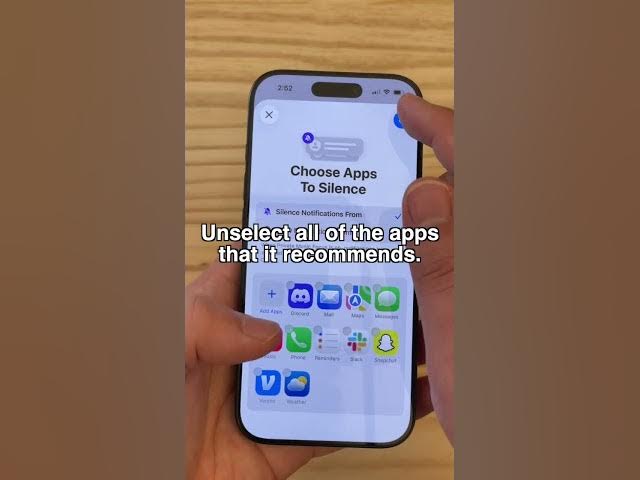
apps. Unselect all of the apps that it
0:50
recommends. So, it should say people non
0:53
silenced and apps nonsilenced. Then
0:56
you're going to go to options and turn
0:58
off hide notification badges. That way
1:01
you have a focus mode that doesn't
1:02
actually hide any notifications.
1:05
Now you need to add the Apple Music
1:07
filter. You scroll down, tap add filter,
1:11
Apple Music, and you leave use listening
1:14
history off. This makes sure that you
1:17
have a focus mode that doesn't actually
1:18
silence anything but turns off your
1:22
listening history in Apple Music. So now
1:24
all you need to do is tap the focus
1:27
button, turn on your focus mode, and you
1:29
can enjoy whatever music you want, and
1:31
none of it will show up in your Apple
1:33
Music replay, and none of it will affect
1:35
your recommendations in the future. I'm
1:37
Dan Jones with Cult of