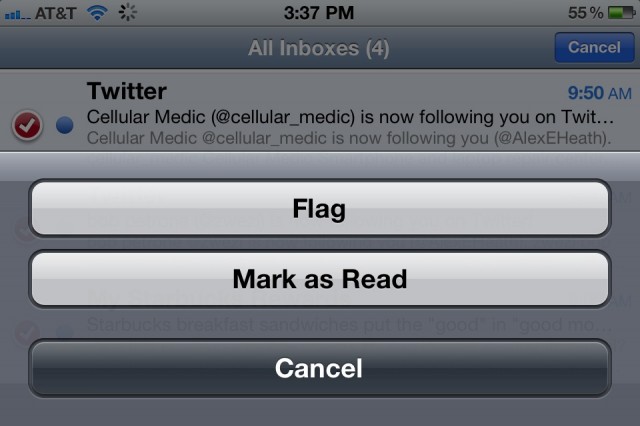

In iOS 5 Apple implemented a handy feature that lets you mark multiple emails as read. In the stock Mail app, multiple emails can be selected and marked quickly to save you the time and hassle of having to go through each individual message one by one.
Previously, you could only perform batch actions like this in Mail via a jailbreak tweak.
To mark multiple emails as read, navigate to the inbox you want to use in the Mail app. The action will also work in All Inboxes.
Tap Edit in the top right corner of the inbox and select all of the unread emails that you want to mark as read. Once selected, tap the Mark button in the bottom right hand corner and select the Mark as Read option. It’s that easy!
The same action will work for marking read emails as unread. You can move and archive multiple emails by selecting multiple messages as well by tapping the Edit button.

Alex Heath is a journalist who works for Tech Insider. He’s the former co-host of The CultCast. He has been quoted by the likes of the BBC, KRON 4 News, and books like “ICONIC: A Photographic Tribute to Apple Innovation.” He lives in Lexington, Kentucky. If you want to pitch a story, share a tip, or just get in touch, additional contact information is available on his personal site. Follow him on Twitter.

