0:00
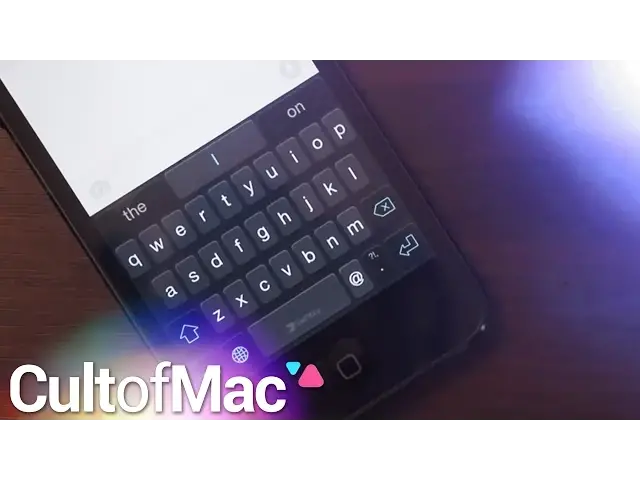
Apple fans can now rejoice as iOS 8 has finally unleashed 3rd party keyboard support, and
0:10
taking advantage of this new feature is really easy. First things first, by accessing the keyboard tab, under general settings you can see all
0:18
of the keyboards configured with your device, and most importantly, add new ones
0:22
Now new keyboards can be found in the app store, and after installing them, when tapping
0:26
to add a new keyboard, you'll find its corresponding name. From here, make sure to toggle the switch to allow full access
0:33
This basically tells your phone that you give the keyboard permission to work, and like
0:36
that, you've added a new keyboard. Now with my time so far, I've come across 3 particular keyboards that you'll want
0:42
to check out, and I've gotta start that list with SwiftKey. SwiftKey is an absolutely free keyboard from the app store that takes notes from other
0:49
popular keyboards, but still adds its own twist. Now users can enable a light or dark theme, and can get to typing right away
0:56
Swipe across the corresponding letters in your word, or tap them like you've always done
1:00
With smart gestures, a similar word suggestion system like iOS 8's quick type feature
1:05
and more, all this definitely makes SwiftKey a keyboard you may want to give a shot
1:10
Next on the list is a pretty interesting free keyboard called Keymoji. Now this one will take some getting used to as the keyboard strives to say what you want
1:16
through emojis, instead of actual comprised words. Yeah, users can submit their own emoji phrases, and when you begin typing, the keyboard suggests
1:25
emoji phrases, and more right then and there. It's unique, and that's why it's definitely a keyboard to take note of
1:31
So if you love emojis, impress your friends and enhance your keyboard with Keymoji
1:36
And last but not least on my top 3rd party keyboards list is Flexi
1:40
Now Flexi is 99 cents, but hear me out though, because in my opinion, it's one of the best
1:44
looking keyboards out. Users can customize their keyboard sizes and colors, and typing is actually really
1:50
easy on it. There's a great tutorial menu to learn all of its gestures, but I love just swiping across
1:55
the board to erase things. It feels really natural. With good looks, good gestures, and more, Flexi is more than a good keyboard option
2:03
Take note of all these things, and you'll be a 3rd party keyboard master. And stay tuned for more great tips and tricks, Apple news, and more every day right here
2:11
on Kultimac.com. Well there you go ladies and gentlemen, there was a look at how to install 3rd party keyboards
2:17
on iOS 8, and even a look at my top keyboards. But I want to know, what do you think about this feature, or what keyboards are you liking
2:24
Be sure to let me know about them all in the comment section below, or even on Twitter
2:28
at justjoshua123. And if you liked the video, do me a favor, click that like button
2:34
And also don't forget to subscribe to see more awesome videos like this, posted 7 days
2:39
a week. This has been Joshua Smith of Kultimac.com