0:00
What's up guys, Stephen Cults of Mac here and in this video I wanted to take a quick
0:05
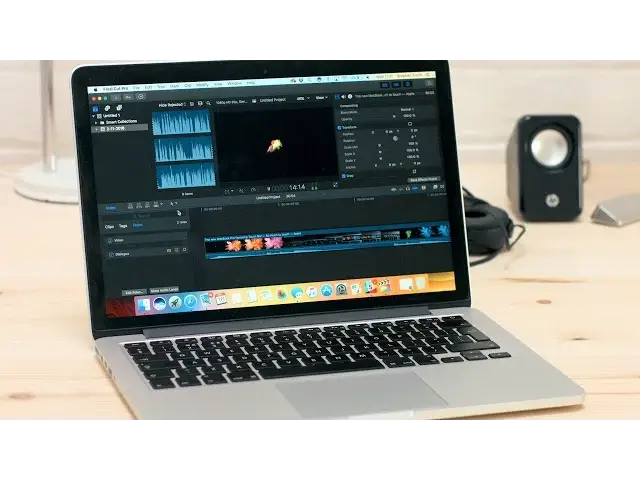
look through all of the recently released updates for Final Cut Pro 10.3
0:10
I'm personally not a big Final Cut Pro 10 user as I made the switch to Premiere, but
0:14
I know there's a ton of you out there that absolutely love everything Final Cut Pro 10
0:18
has to offer, so I've spent the last 2 weeks or so getting to know it once again
0:26
One of the biggest changes is the compatibility for the upcoming MacBook Pro with Touch Bar
0:31
allowing you to scroll and zoom through your timeline and so on, there's much more to this
0:34
update than just that. Firstly, there's an all new redesign of the user interface which is now a lot cleaner
0:41
darker and flat, removing any textures that were there previously, which I actually prefer
0:46
as it's less distracting from your media viewer when editing. Plus, there's new quick layout buttons in the top right of the screen to toggle on and
0:52
off certain windows, allowing you some extra space when needed. One of the reasons many professional editors steered clear of Final Cut Pro 10 after years
1:00
of using Final Cut Pro 7 was due to the dynamic magnetic timeline, which was far from traditional
1:06
Now 10.3 introduces the ability to group audio into lanes, which acts a lot more like traditional
1:11
editing packages such as Premiere or Avid, while still offering the dynamic responsiveness
1:16
that Final Cut Pro 10 is designed for, as well as improved roles features allowing you
1:20
to focus on certain roles. With your colour correcting grade your footage, you'll now be happy to hear that 10.3 integrates
1:26
wide colour gamut, moving away from Rec.709, which was designed back in the 90s for the
1:31
old CRT style monitors, in favour of the much newer Rec.2020, which is designed for 4K displays
1:38
If you're not familiar as to why a larger colour gamut is a positive thing, it allows
1:42
for more colours to be reproduced accurately within the system. Plus, the new MacBook Pro's display and LG 5K display also support them, so it makes
1:51
complete sense, although you can switch back and forth between 709 and 2020 if need be
1:57
Another upgrade is an increased variety of options for second screen workflows and custom workspaces
2:02
Final Cut Pro has been somewhat limiting in the past when trying to work with a multi-screen
2:05
setup, as Apple has obviously been trying to streamline the interface for single screen
2:09
setups such as an iMac or MacBook. But now Final Cut Pro allows you to have a full screen timeline and browser mode when
2:16
working with dual screens, which should make for better use of all the extra real estate
2:20
and will allow you to customise these workspaces and save them so you can switch back and forth
2:25
On top of that, there's also a new flow transition which is great for when you need to hide any
2:29
jump cuts, the ability to remove effects or attributes right from the menu bar, and the
2:34
inspector is no longer restricted by its lack of height. Thankfully, all of these changes are part of a free upgrade as opposed to a specific
2:41
new build. Providing such a huge update after 5 years almost feels like a gesture of goodwill from
2:47
Apple to any editors who are split by Final Cut Pro X
2:50
Well that's it for this video but let me know in the comments section down below which editing
2:54
system you use and why. Also if you enjoyed this video go ahead and hit that like button and don't forget to subscribe
3:01
so you don't miss a single video from Cult of Mac. I'll catch you in the next one